
Summary box for Wikipedia links
Enhance your site with Wikipedia summary boxes! Offer instant info previews on existing and new Wikipedia links without altering your website code.
Plugin info
Maintenance & Compatibility
Maintenance score
Stale • Last updated 260 days ago • 1 reviews
Is Summary box for Wikipedia links abandoned?
Likely maintained (last update 260 days ago).
Compatibility
Similar & Alternatives
Explore plugins with similar tags, and compare key metrics like downloads, ratings, updates, support, and WP/PHP compatibility.
Description
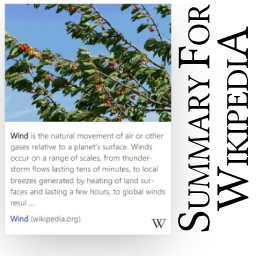
The «Summary box for Wikipedia links» plugin brings the Page Previews from WikiMedia to your website. It displays simple and nice summary boxes on every Wikipedia link.
Immediately after activating the plugin, you get nicely animated summary boxes for all existing and new Wikipedia links on your site!
All without touching your source code in any way, so you can try it out without hesitation.
Authors and visitors love it! ❤️
- Simplifies content creation by providing on-demand term explanations.
- Connects your visitors to Wikipedia’s wealth of knowledge.
- Enhances your site with a simple, valuable, useful and nice feature!
This plugin …
- Works out of the box, just set a Wikipedia link as usual and the summary box appears.
- Works smoothly with touch and mouse on mobile, desktop and tablet.
- Supports all existing languages and text directions (ltr, rtl) on Wikipedia.
- Does not affect your website in any way.
- Is based on our library that can bring this feature to any website, not just WP, first release was 12/2021.
- Is very lightweight, free and open source.
Settings. You have control over whether to …
- Show summary boxes for all Wikipedia links, or none but only show selected ones.
- Show images in all boxes, or none but also only in selected ones.
- Display or hide each box and each image within it separately.
- Change the width of the summary boxes, the number of characters displayed, the font size and more.
Best of all, using the settings it’s really simple, but in most cases you don’t need them at all, just activate the plugin and see if you like it.
Examples
Try it out on our project page (su-pa.net).
Use on our website dontwastemy.energy
Links related to the plugin
Project page (su-pa.net)
Plugin source code (github.com)
Plugin test page (cyon.site)
Source code of the library for any site (github.com)
Give it a try!
Thank you very much.
Donate
The first version was created for our “The Horse” project, which supports cross-border student learning and collaboration projects. If you find the plugin helpful, please consider supporting the development by donating to THE ! association.
For suggestions or inquiries, feel free to contact us
Dominik, [email protected].
Installation
- From your WordPress dashboard go to Plugins > Add New.
- Search for Summary box for Wikipedia links in the Search Plugins box.
- Click Install Now to install the Summary box for Wikipedia links plugin.
- Click Activate to activate the plugin.
- After activating the plugin all existing and new Wikipedia links on your website will automatically show a nice preview box with a article summary of the Wikipedia article.
- After that you can change the appearance of the boxes in the settings page (go to “Settings”, “Summary for Wikipedia”) if you like to do so.
You can also download the plugin directly as a ZIP file from the repository (github.com) and install it in WordPress via “Plugins”, “Add New”, “Upload Plugin”.
Frequently Asked Questions
Not all, but most, Wikipedia articles contain an image that can be displayed in the summary box. Also make sure that you didn’t use the “#dontshowimage” parameter in your Wikipedia link or you have selected “Disable Images” in the administration.
The value set in the admin is a maximum. The number of characters displayed in a summary box also depends on the text in the linked Wikipedia article.
In your WordPress admin area, navigate to Settings > Summary for Wikipedia. There, you can adjust the width, number of characters, font size, disable showing images in all summary boxes, and more.
The pages of your website may be cached by your web server or browser – please clear these caches.
Review feed
Screenshots
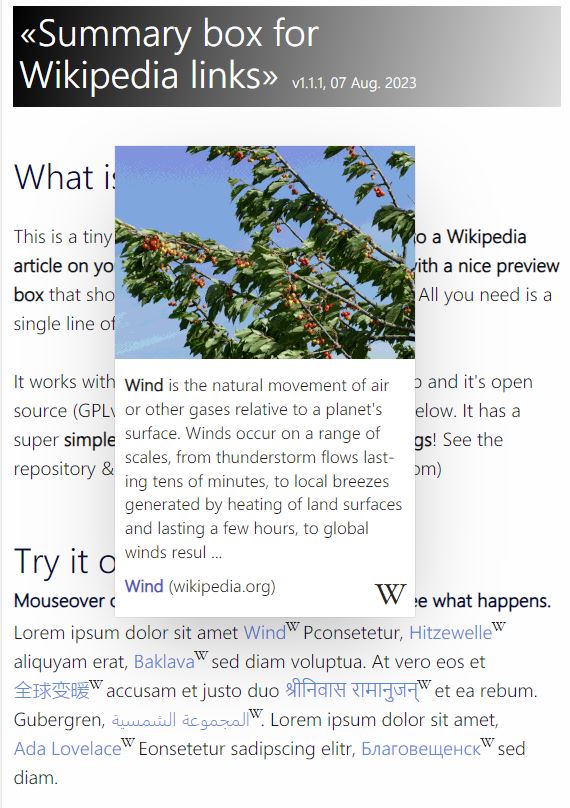
The Summary box with a preview of the "Wind" article on Wikipedia

Demo on desktop

Settings of the «Summary box for Wikipedia links» that affect Summary boxes

Parameters that affect a specific preview aka summary box
Changelog
1.0.0 – 20.11.2023
- Initial release.
1.0.0 – 24.11.2023
- Update Details text.
1.0.1 – 25.11.2023
- Added some allowed tags in the summary box.
1.0.1 – 27.11.2023
- Update details text; settings, FAQ, screenshot added.
1.0.2 – 05.04.2024
- Update for WP 6.5 compatibility, some minor text updates.
1.0.3 – 21.07.2024
- Update for WP 6.6 compatibility.
1.0.4 – 22.11.2024
- Update for WP 6.7 compatibility.
1.1.0 – 19.03.2025
- fixed a critical error on PHP 8.3+, missing get_plugin_data().
1.1.1 – 17.07.2025
- Update for WP 6.8 compatibility.
Version 1.1.1, 17 July 2025, df
Dominik Fehr, [email protected]