

SunCart Data Migration from Shopify for WooCommerce
Import products, collections, blog articles, pages, orders and customers from your Shopify store into WooCommerce with ease and accuracy.
Plugin info
Maintenance & Compatibility
Maintenance score
Stale • Last updated 201 days ago
Is SunCart Data Migration from Shopify for WooCommerce abandoned?
Likely maintained (last update 201 days ago).
Compatibility
Similar & Alternatives
Explore plugins with similar tags, and compare key metrics like downloads, ratings, updates, support, and WP/PHP compatibility.
Description
SunCart Data Migration from Shopify for WooCommerce helps you seamlessly migrate data from your Shopify store to your WooCommerce-powered WordPress site. Whether you’re moving to WooCommerce or syncing important data, this plugin simplifies the process with an intuitive UI and powerful features.
Key Features:
- Import products (simple and variable) with images, prices, and descriptions.
- Map Shopify collections to WooCommerce product categories.
- Import blog articles from Shopify to WordPress posts.
- Import orders and customers from Shopify to WordPress posts.
- Support for global attributes in variations.
- Batch import with AJAX progress bar to handle large datasets.
- Compatible with latest WooCommerce and WordPress versions.
- Secure, optimized code that follows WordPress coding standards.
License
This plugin is licensed under the GPLv2 or later. See LICENSE file for details.
Installation
- Upload the plugin files to the
/wp-content/plugins/suncart-data-migration-from-shopify-for-woocommercedirectory, or install the plugin through the WordPress admin. - Activate the plugin through the ‘Plugins’ screen in WordPress.
- Go to Tools > Shopify Importer to begin importing your data.
Frequently Asked Questions
Yes. It maps Shopify variants to WooCommerce variable products using global attributes.
Yes, featured and gallery images are imported and attached to WooCommerce products.
Yes, blog articles are imported as WordPress posts with the original publish date, author, and tags.
Yes, but it’s recommended to back up your site before large imports.
Review feed
Screenshots
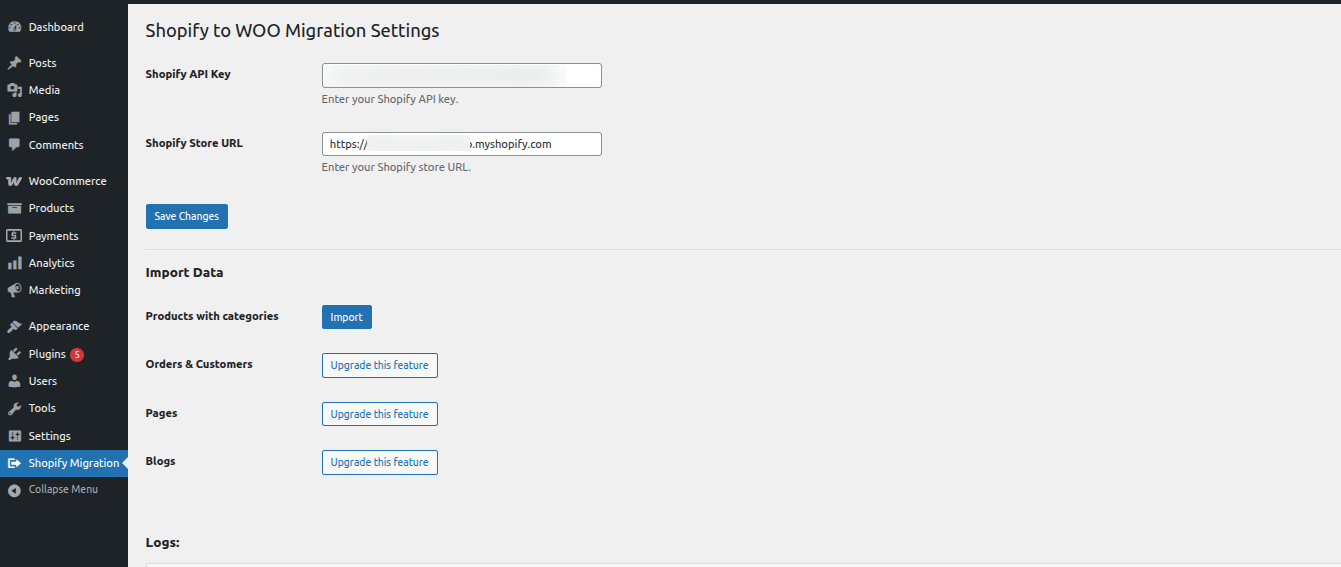
SunCart Data Migration from Shopify for WooCommerce - Settings Panel
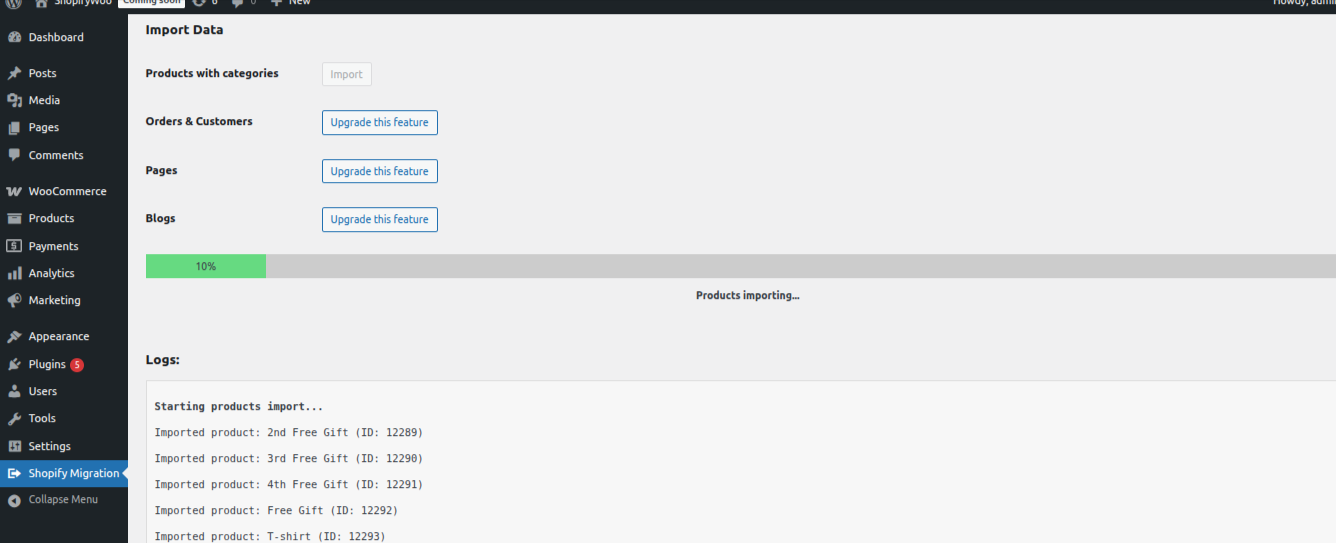
Product Import Progress
Changelog
1.0.0
- Initial release.
- Import products and collections from Shopify.