
Super Simple Custom CSS
Super Simple Custom CSS wordpress plugin is used for adding custom styling to all post, all page,specific post,specific page or sitewide.
Plugin info
Maintenance & Compatibility
Maintenance score
Possibly abandoned • Last updated 2041 days ago • 1 reviews
Is Super Simple Custom CSS abandoned?
Possibly abandoned (last update 2041 days ago).
Compatibility
Similar & Alternatives
Explore plugins with similar tags, and compare key metrics like downloads, ratings, updates, support, and WP/PHP compatibility.
Description
*Functionalities Super Simple Custom CSS provide
1) Apply sitewide CSS:
You may apply certain css which will be effecting areas sitewite.
2) Apply CSS to Specific post
You may apply specific css by selecting post on whichever you want to apply. You also can select more then one post for applying slimier style to more then one post.
3) Apply CSS to Specific page:
You may apply specific css by selecting page on whichever you want to apply. You also can select more then one page for applying slimier style to more then one page.
4) Apply CSS to all posts:
You may apply certain css to all the posts together.
5) Apply CSS to all pages:
You may apply certain css to all the pages together.
Note: You can also apply css by editing any page or post. You will find Super Simple Custom CSS box to add CSS you want to apply for that particulate page or post.
Installation
- Upload
super-simple-custom-cssto the/wp-content/plugins/directory - Activate the plugin through the
Pluginsmenu in WordPress - Click the
Super Simple Custom CSSlink in the WordPress admin sidebar menu.
Frequently Asked Questions
How i can apply css on specific post?
Go to Super Simple Custom CSS in WordPress admin sidebar menu and click on Specific post tab and add your css and select the post.
Review feed
Screenshots
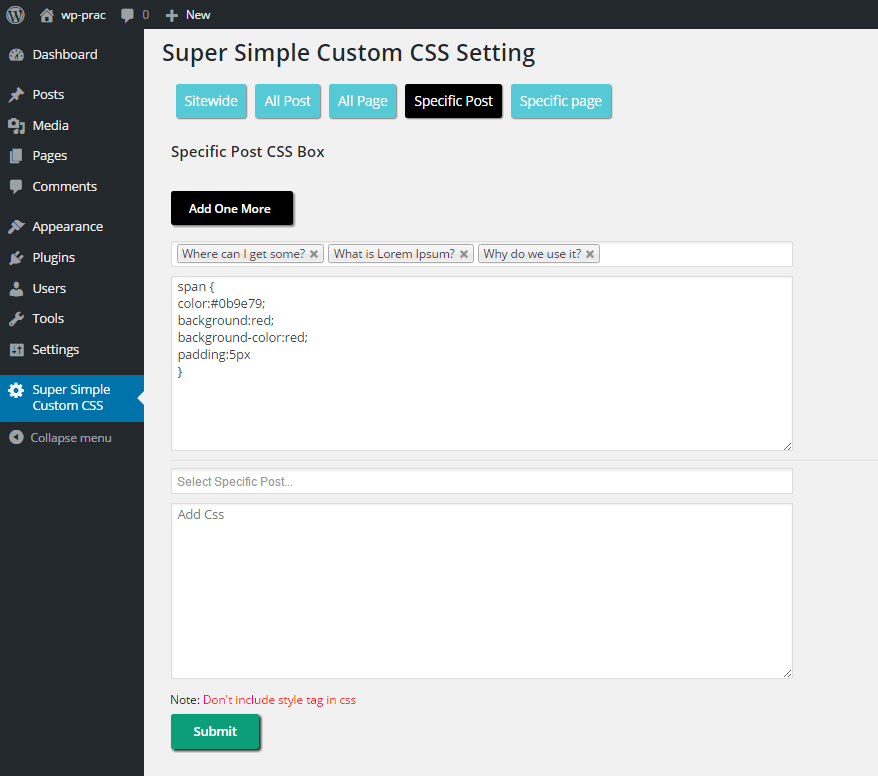
Apply CSS to Specific Post using Super Simple Custom CSS plugin.

Apply CSS to Specific Page using Super Simple Custom CSS plugin.

Apply CSS to All Post using Super Simple Custom CSS plugin.

Apply CSS to All Page using Super Simple Custom CSS plugin.

Apply CSS to Entire website using Super Simple Custom CSS plugin.

Apply CSS to perticuler page or post using Super Simple Custom CSS plugin.
Changelog
2.0
- Feature: Implemented css editor
1.2
- fixed: > css bug
- fixed: quotes issue of title from dropdown
- compatible with 4.7.5
1.1
- fixed: @media bracket bug
- fixed: double quote syntax bug
- fixed: bracket bug
- fixed: Internal page css box bug
1.0.0
- Initial version