

Super Simple Social Share Icons
A lightweight and powerful solution for adding beautiful social sharing buttons to your WordPress site.
Plugin info
Maintenance & Compatibility
Maintenance score
Stale • Last updated 210 days ago • Support resolved 0% • 2 reviews
Is Super Simple Social Share Icons abandoned?
Likely maintained (last update 210 days ago).
Compatibility
Similar & Alternatives
Explore plugins with similar tags, and compare key metrics like downloads, ratings, updates, support, and WP/PHP compatibility.
Description
Super Simple Social Share Icons provides an elegant and efficient way to add social sharing functionality to your WordPress site. With a focus on performance and user experience, this plugin offers customizable sharing buttons for popular social networks.
Features
- Clean, modern design with multiple style options
- Support for major social networks (Facebook, X/Twitter, LinkedIn, Pinterest, WhatsApp, Bluesky)
- Customizable button styles (Brand colors, Light, Dark, Custom)
- Flexible positioning (Above content, Below content, or Both)
- Shortcode support for custom placement
- Adjustable icon sizes and spacing
- Mobile-friendly and responsive design
- No external dependencies or tracking scripts
- Lightweight and performance-focused
Supported Networks
- X (formerly Twitter)
- Bluesky
Support
For support please visit:
https://voltblocks.com/contact/
For documentation visit:
https://voltblocks.com/documentation/
Support the development:
https://www.buymeacoffee.com/voltblocks
Installation
- Upload the plugin files to the
/wp-content/plugins/super-simple-social-share-iconsdirectory, or install the plugin through the WordPress plugins screen directly. - Activate the plugin through the ‘Plugins’ screen in WordPress
- Use the Settings->Social Share screen to configure the plugin
- Choose your preferred networks and customize the appearance
Frequently Asked Questions
Yes, you can choose to display the buttons above content, below content, or both. You can also use the shortcode [super_simple_share] to place the buttons anywhere in your content.
Yes, you can choose from preset styles (Brand colors, Light, Dark) or set custom colors for the background, icons, and borders.
No, Super Simple Social Share Icons is built with performance in mind. It loads minimal CSS and JavaScript, and only when needed.
Yes, the plugin doesn’t track users or load any external scripts. It simply generates sharing links that users can click to share your content.
Review feed
Screenshots
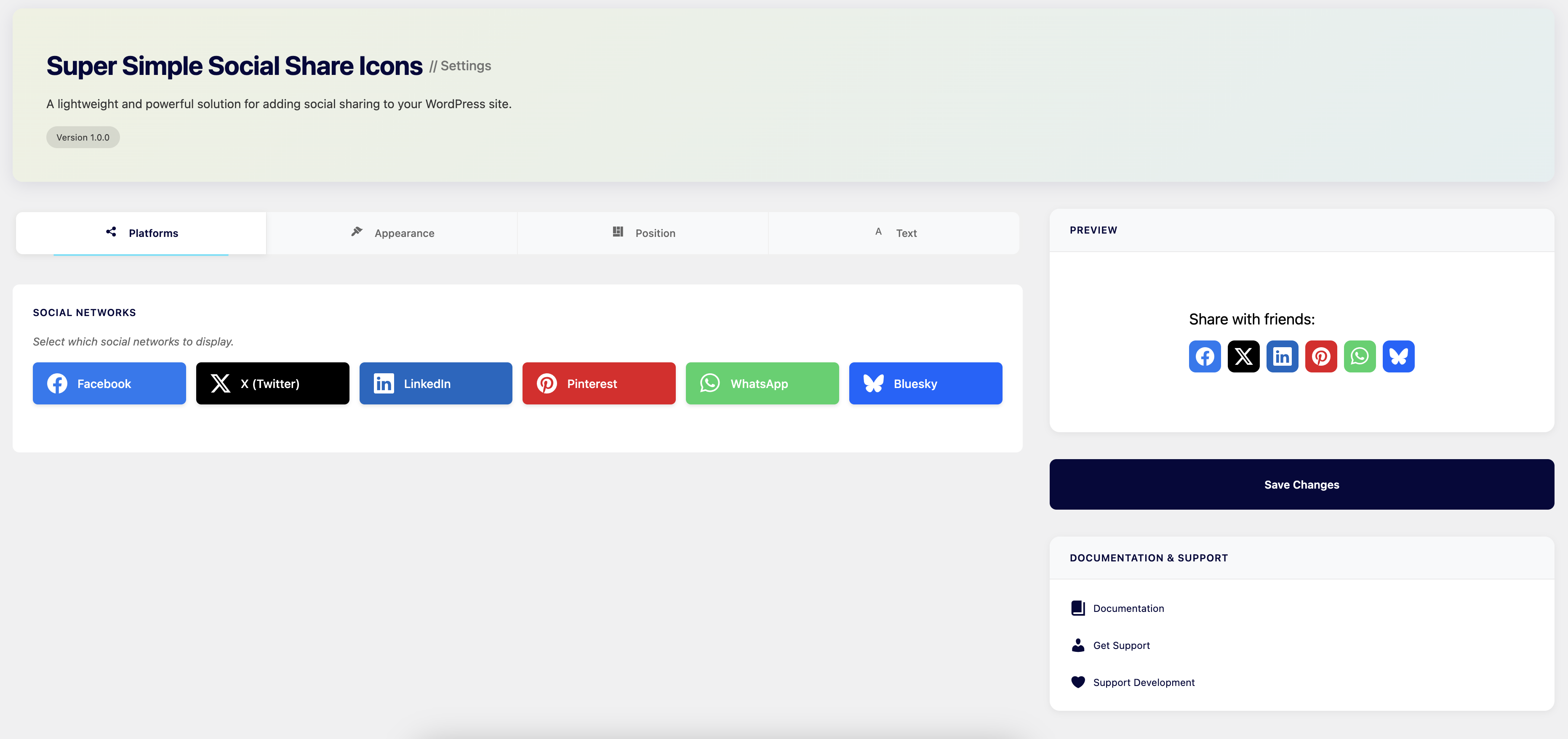
Social Share Buttons Display

Admin Settings Interface

Style Customization Options
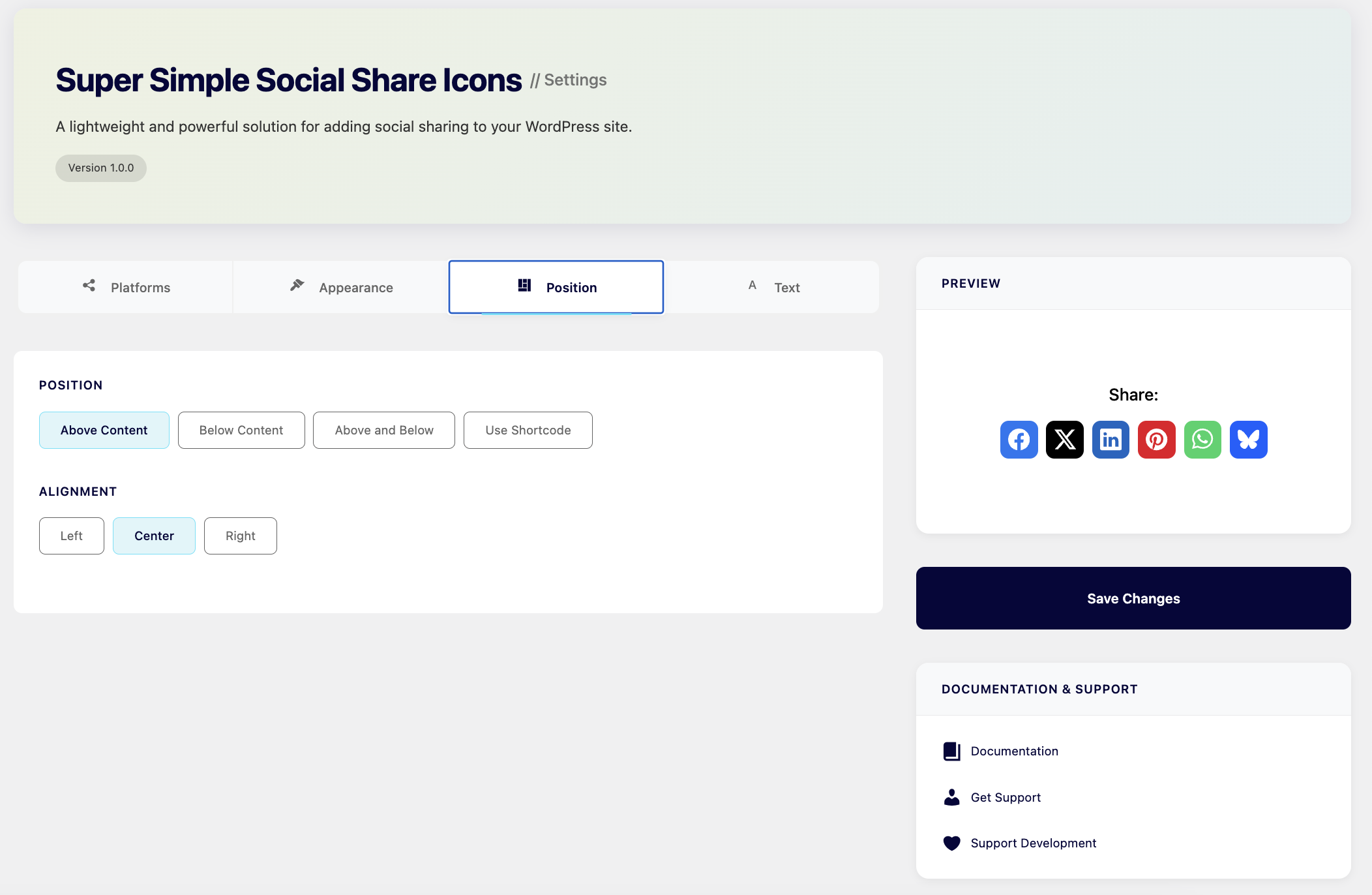
Position and Alignment Settings
Changelog
1.0.2
- Fixed critical version mismatch issue that prevented plugin installation
- Updated SSSI_VERSION constant to match plugin header version
- Resolved “The plugin does not have a valid header” error
- Ensures proper plugin validation and installation on WordPress sites
1.0.1
- Fixed social share icons not displaying correctly on the blog archive page.
- Improved styling to ensure consistency across all pages.
- Updated plugin structure to better handle shortcode placement.
1.0.0
- Initial release