

Super Video player – Fully Customizable Video Player with Playlist
Improve WordPress user experience with Super Video Player plugin. Self-hosted, supports mp4/OGG, captions, and subtitles for engagement.
Plugin info
Maintenance & Compatibility
Maintenance score
Maintained • Last updated 131 days ago • 31 reviews
Is Super Video player – Fully Customizable Video Player with Playlist abandoned?
Likely maintained (last update 131 days ago).
Compatibility
Languages
Similar & Alternatives
Explore plugins with similar tags, and compare key metrics like downloads, ratings, updates, support, and WP/PHP compatibility.
Description
The #1 No-Code Video Player Plugin – Trusted by 3000+ Websites Worldwide
Super Video Player | Documentation | Pricing | Support | Demo
Super Video Player is a flexible and fully responsive video player plugin for WordPress. It allows you to embed MP4 and other video formats with ease. You can customize the player to match your site design and support playback across all major browsers and devices.
The plugin supports video embedding using shortcodes or Gutenberg blocks, making it easy to add video players to posts, pages, or widgets without writing any code. With built-in customization options, users can control video behavior such as autoplay, loop, mute, and more.
Video Tutorial
Super Video Player Features
- Live Stream – Play .m3u8 and .mpd file
- Make the player look how you want with the markup you want
- Full support for VTT captions and screen readers.
- Support multiple subtitle files for multiple languages.
- The video player is compact so it does not take a lot of real estate on your webpage
- HTML5 compatible so the video files embedded with this plugin will play on iOS devices
- Works on all major browsers -Edge, IE7, IE8, IE9, Safari, Firefox, Chrome
- The video player is responsive. That means it works with any screen size
- The player can be used to embed video files on your WordPress posts or pages
- If you are selling video files from your site then you can use this plugin to offer a preview
- Add the video player to any post/page using shortcode
- Use autoPlay option to play a video file as soon as the page loads
- You can play unlimited video
- Support picture-in-picture mode
- Powered by html5
Super Video Player Pro Features
- Playlist: Add multiple videos to play a list of the videos.
- Video Quality: Set different qualities for the video.
- Show/Hide every control of the video player.
- Set the Initial volume for the video.
- Set seek time in seconds
- Click to play: Click or tap on the video container will toggle the play/pause.
- Enable/Disable tooltips for the controls
- Multiple Layout: Offers of variety of themes or layouts to customize the video player’s appearance.
- Video Title & Description: Display the video’s title and description below or above the player.
- Variety Styles: Customize the font, size, color and alignment of the video title and description.
- All features available on the gutenberg block.
- You can Easily use to shortcode for your gutenberg
- Continuous Playback on Playlist
- Social Share Button on Player
User Feedback
⭐⭐⭐⭐⭐ So simple to use. Excellent!
❛❛A very neat and efficient way of playing self-hosted videos via WordPress.❜❜
– Did you like this plugin? Dislike it? Have a feature request? Please share your feedback with us
How to use Super Video Player
- After install you can see a sidebar menu in the dashboard called “Super Video Player”
- Add one or more Videos from Here.
- You will get Shortcode for every Video In The Editor Screen And Video Lists.
- Copy Shortcode
- Past the shortcode in post, page, widget areas To publish them. if you want to publish a player in template file use
- Enjoy !
Gutenberg Block for Super Video Player
- This plugin add a Gutenberg Block Called “Super Video Player” Under the Common Category
- Go to your WordPress Admin interface and open a post or page editor.
- Click the plus button in the top left corner or in the body of the post/page.
- Search or See in the Common Block Category and select Super Video Player.
- Click the Icon to add it.
- Select A Video from dropdown List
- Publish and Enjoy !
Installation
This section describes how to install the plugin and get it working.
E.g
- Upload
plugin-directoryto the/wp-content/plugins/directory - Activate the plugin through the ‘Plugins’ menu in WordPress
- Use shortcode in page, post or in widgets.
- If you want video in your theme php file, Place
<?php echo do_shortcode('YOUR_SHORTCODE'); ?>in your templates
Frequently Asked Questions
You can install as others regular wordpress plugin. No different way. Please see on installation tab.
You can play mp4, ogg video file.
You can publish unlimited video with unlimited player.
Please report security bugs found in the source code of the Super Video Player plugin through the Patchstack Vulnerability Disclosure Program. The Patchstack team will assist you with verification, CVE assignment, and notify the developers of this plugin.
Review feed
Screenshots
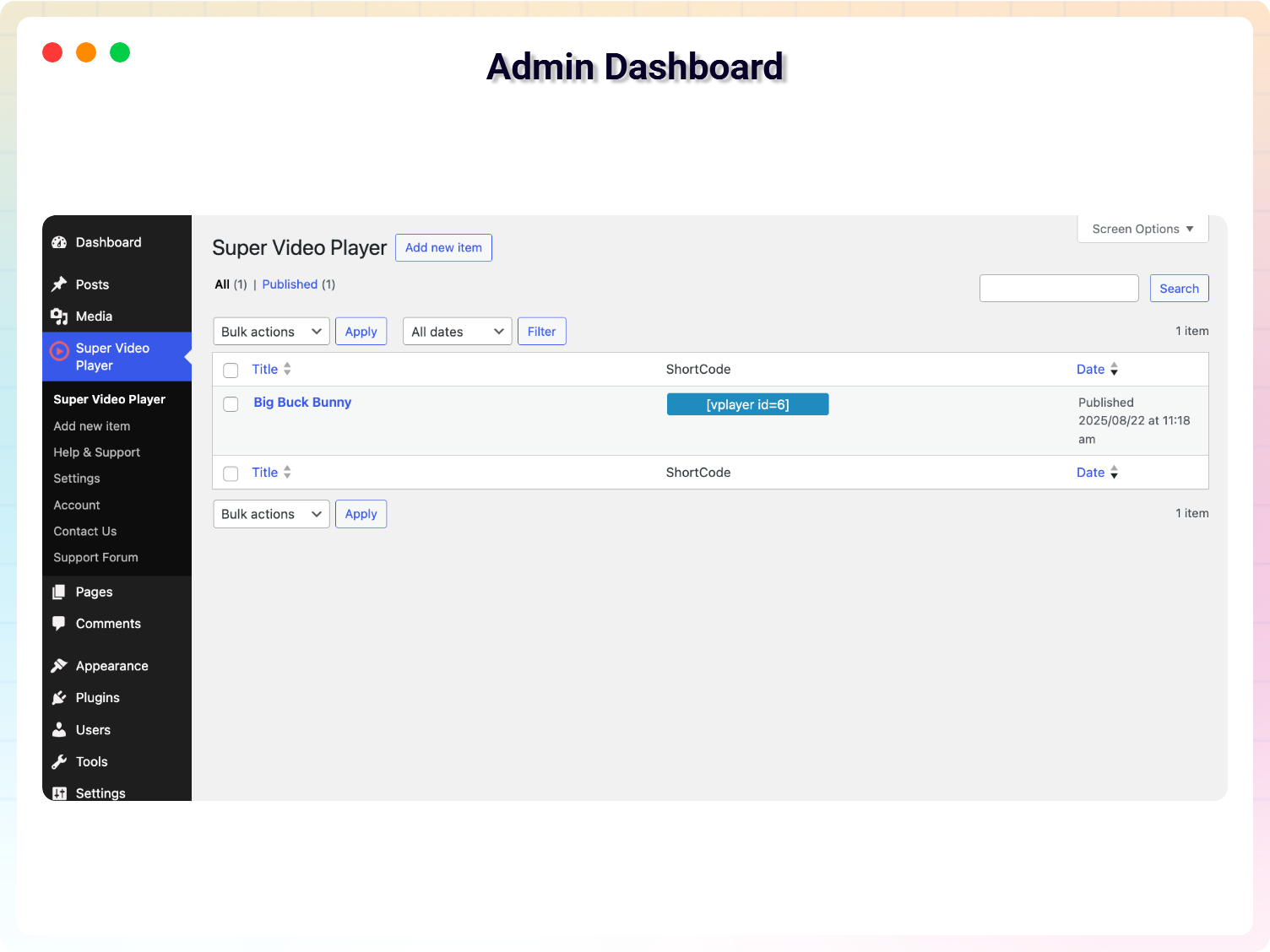
Admin Dashboard
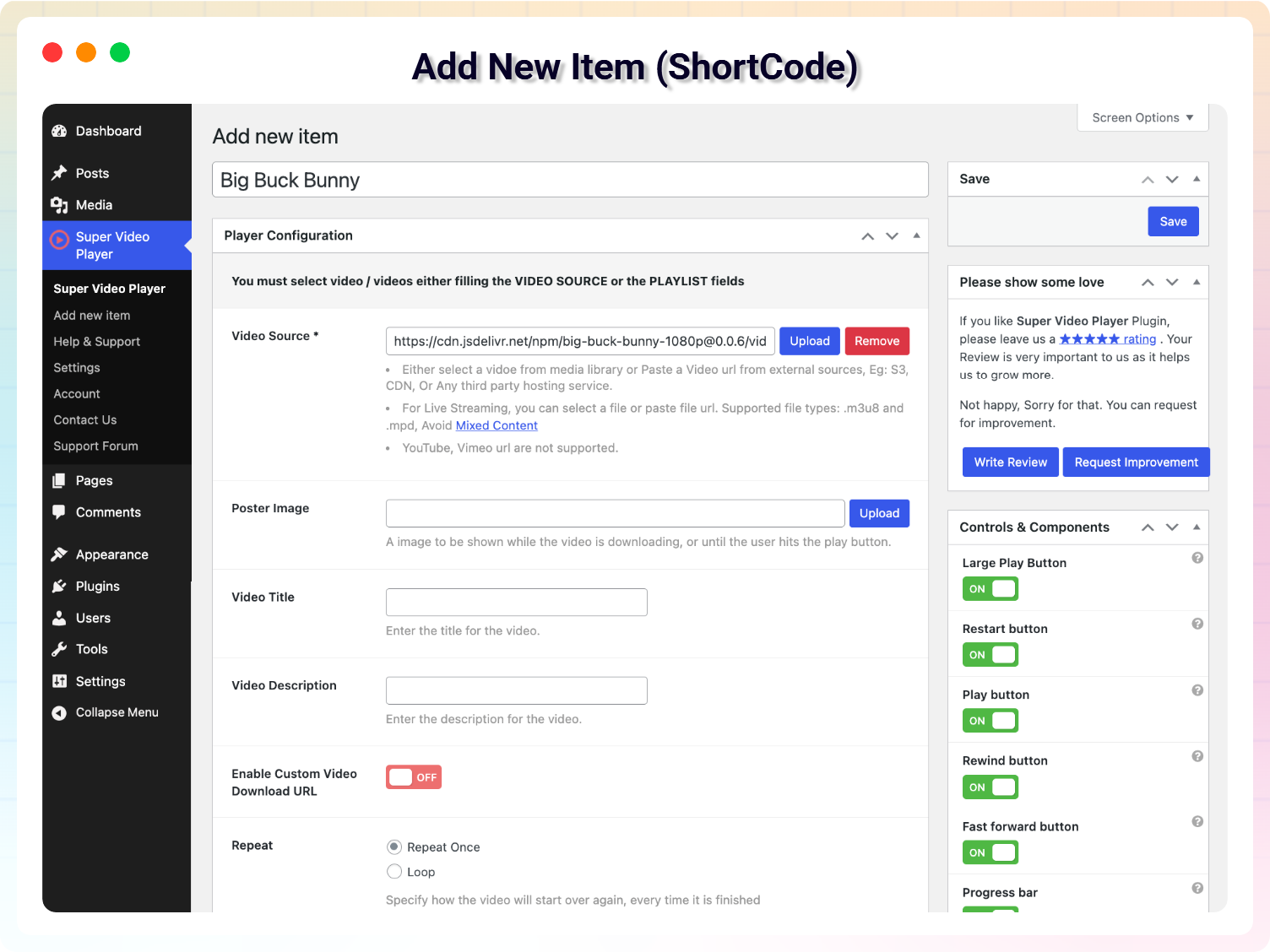
Add New Item (ShortCode)
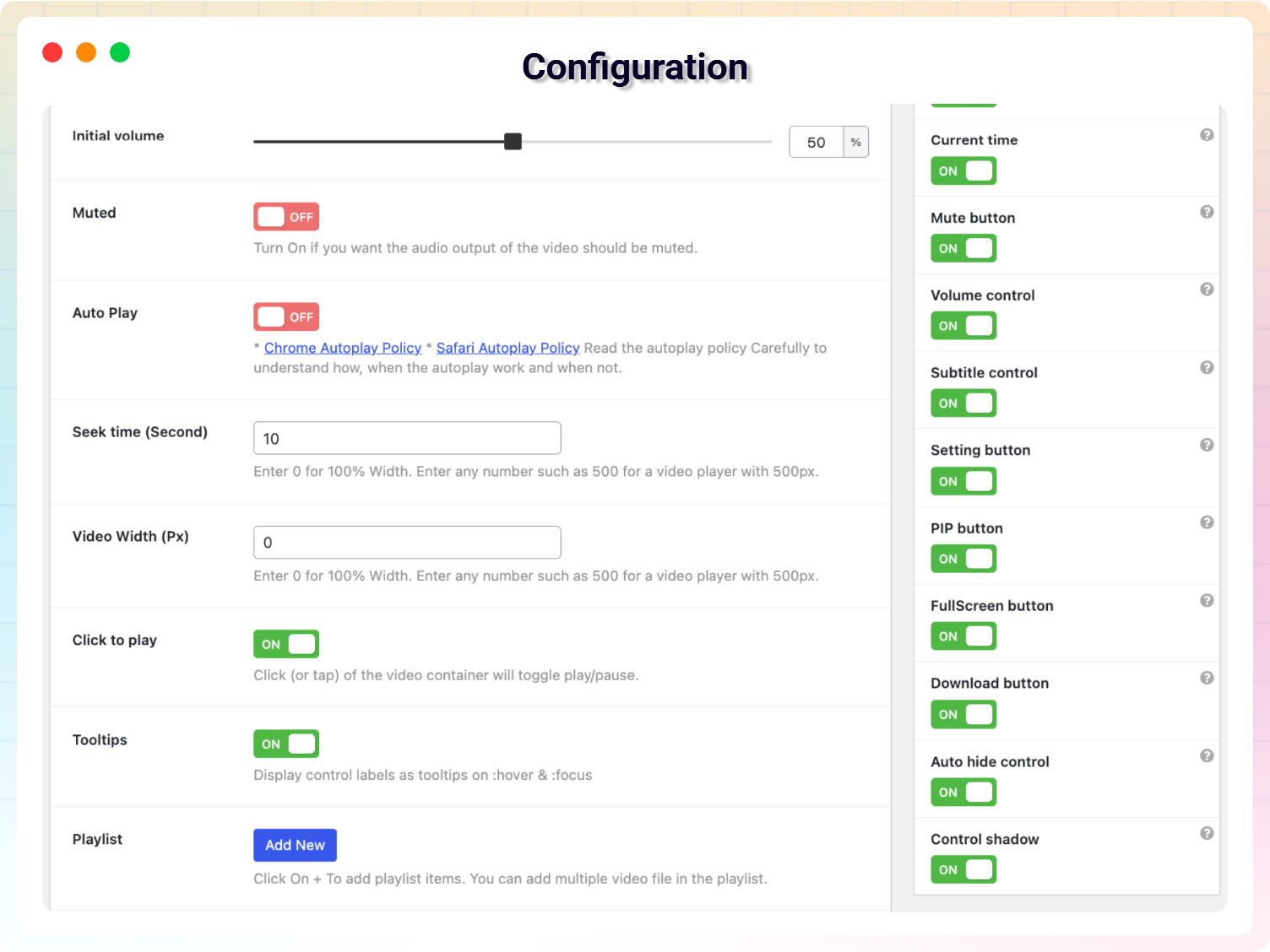
Configuration
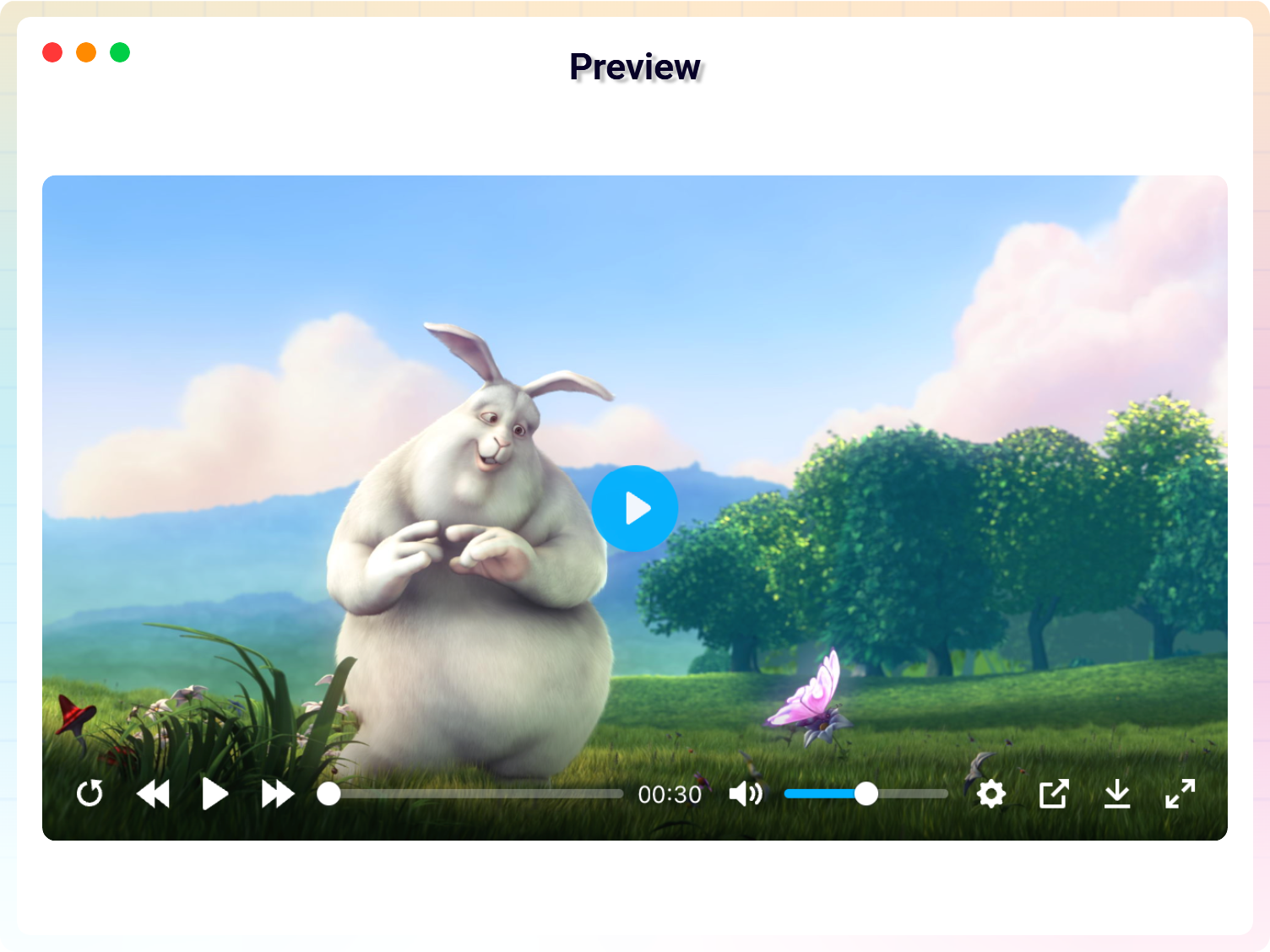
Single Preview
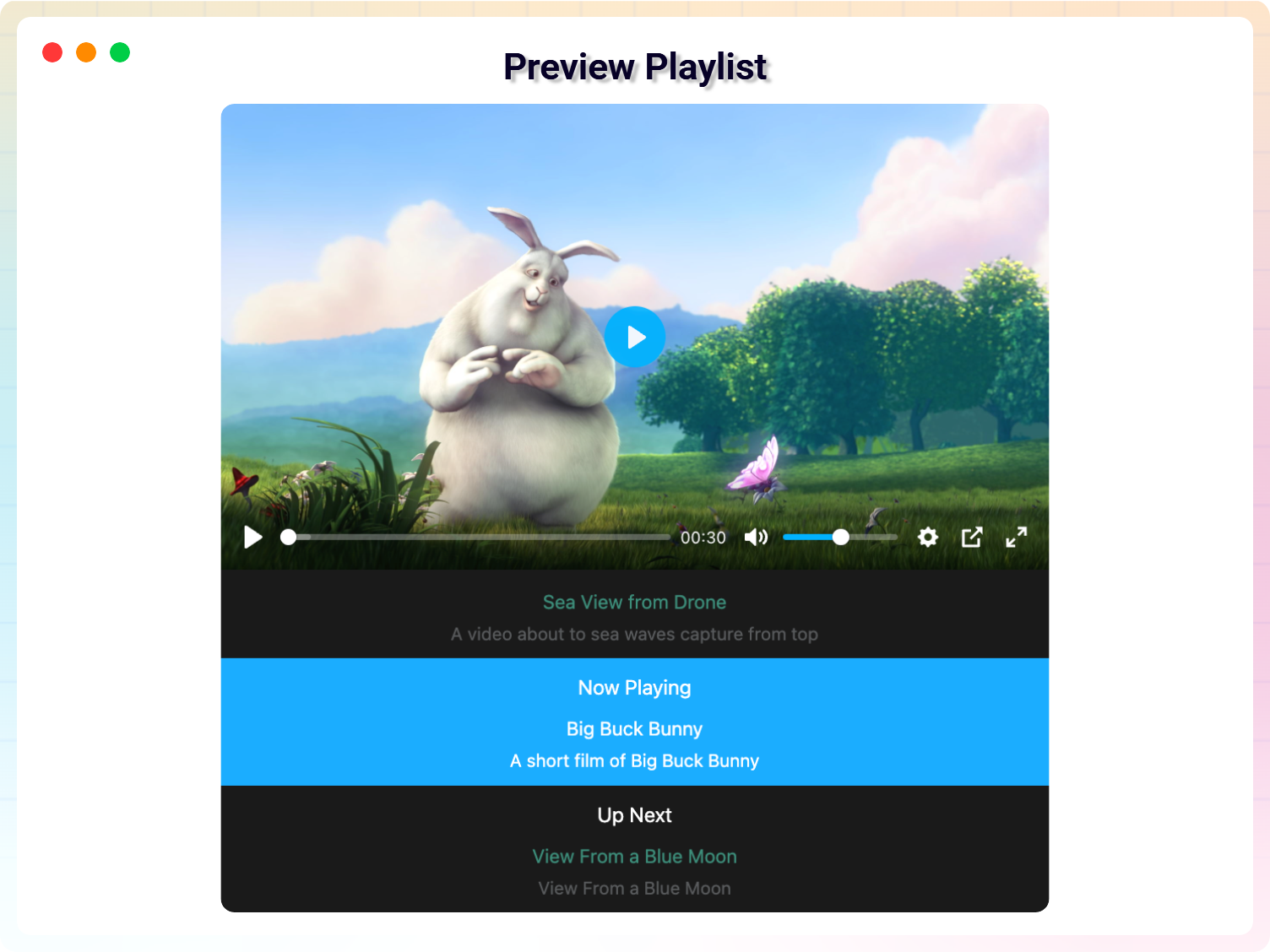
Preview Playlist - Default
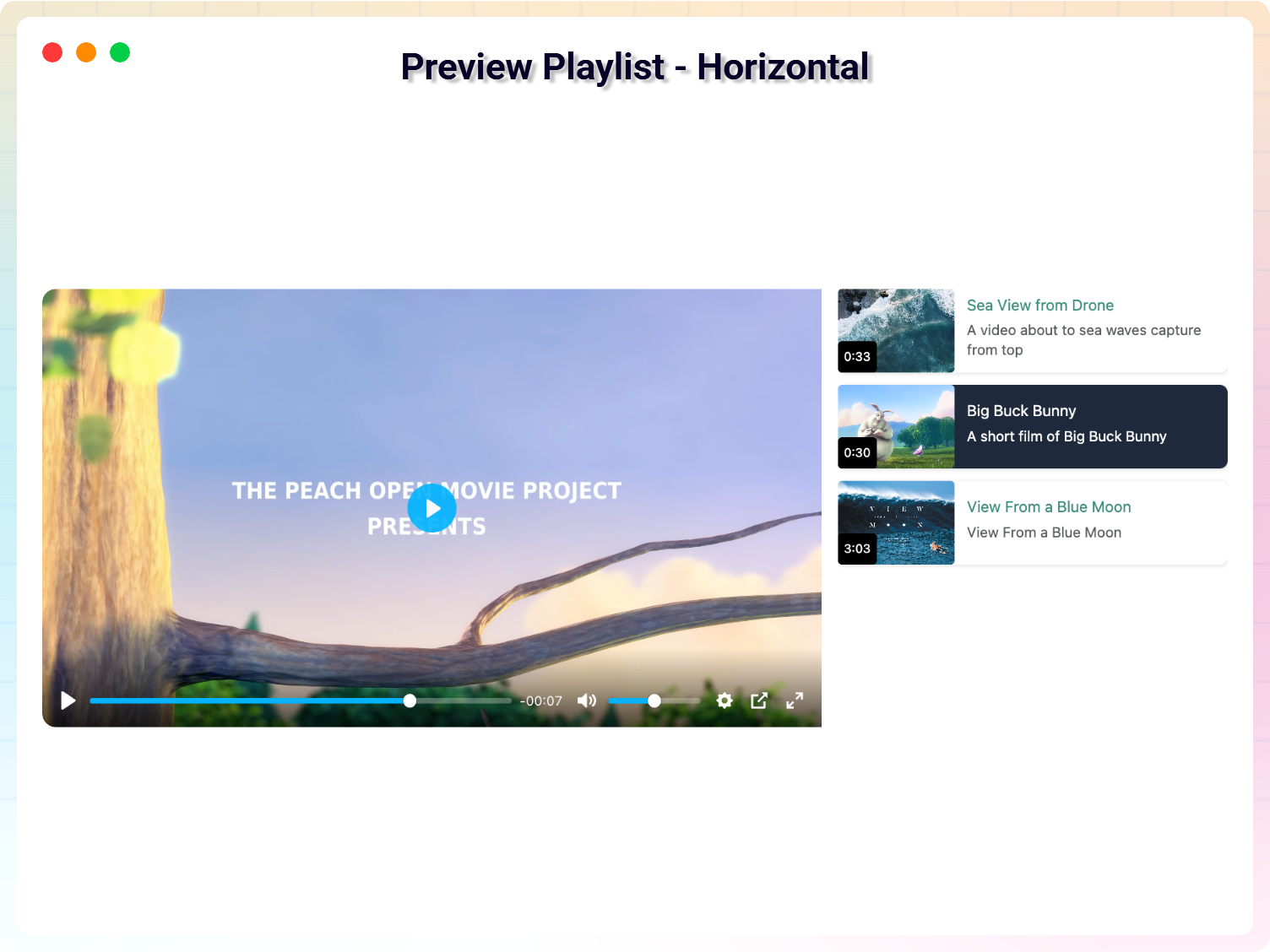
Preview Playlist - Horizontal
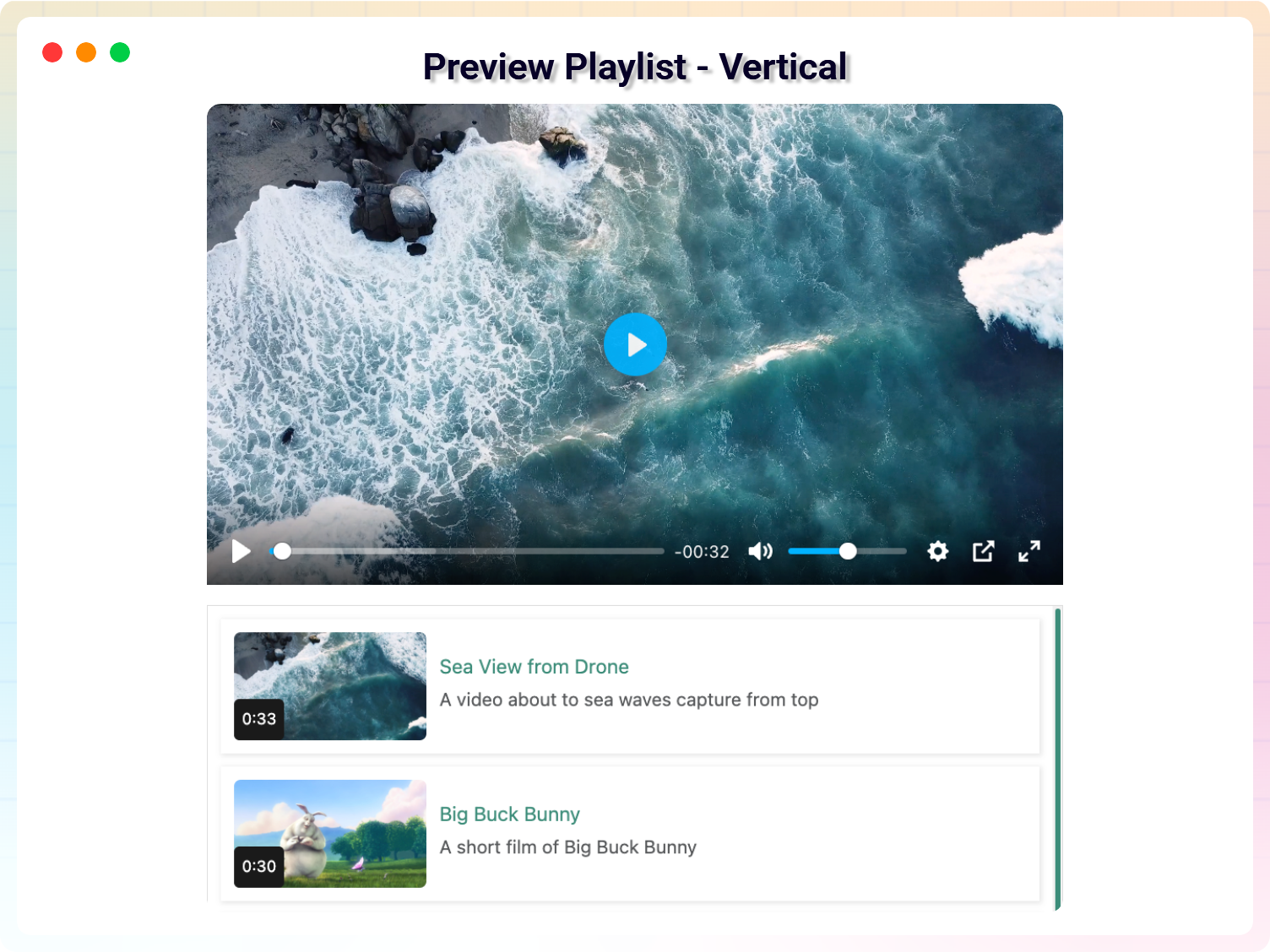
Preview Playlist - Vertical
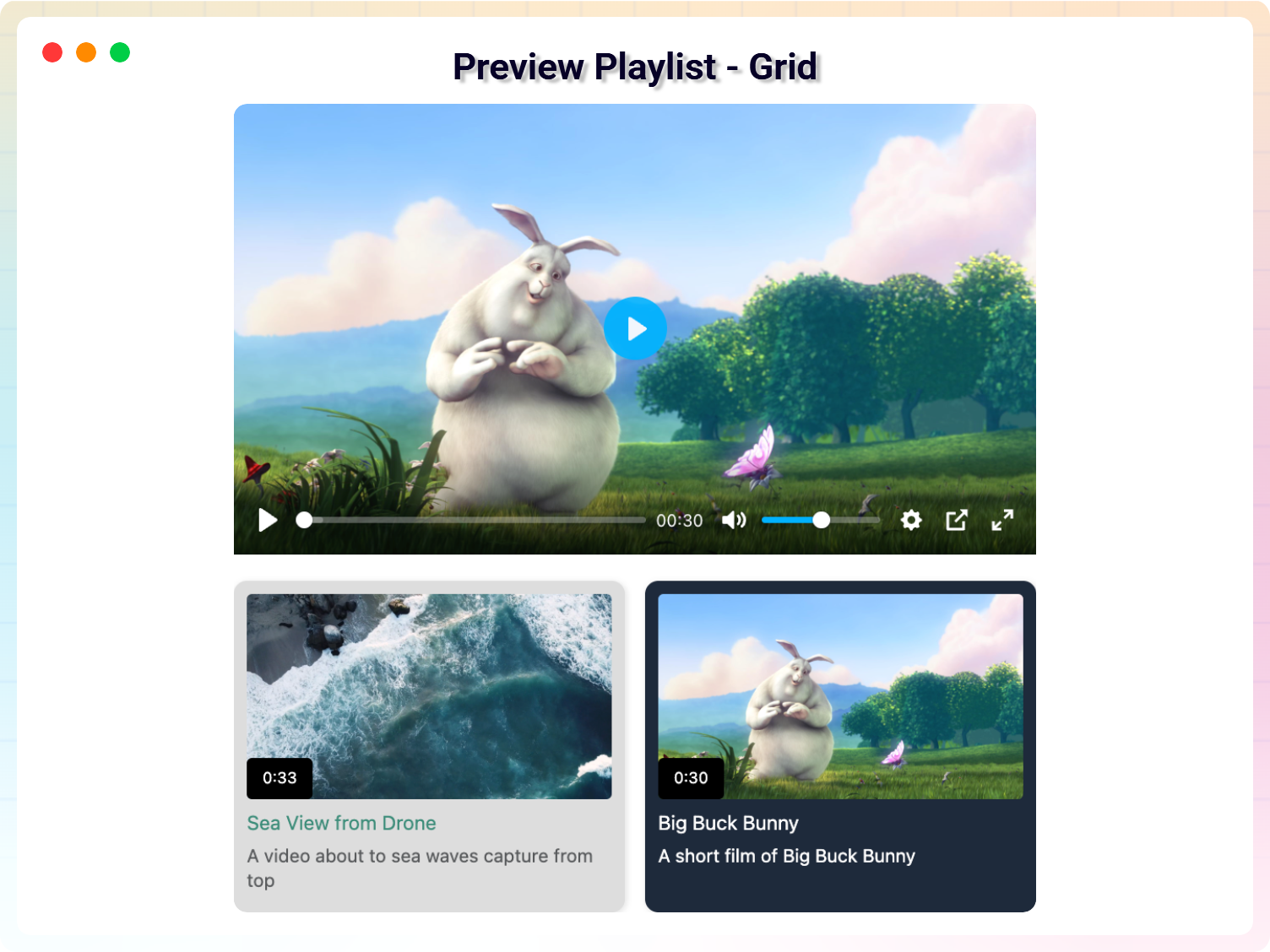
Preview Playlist - Grid
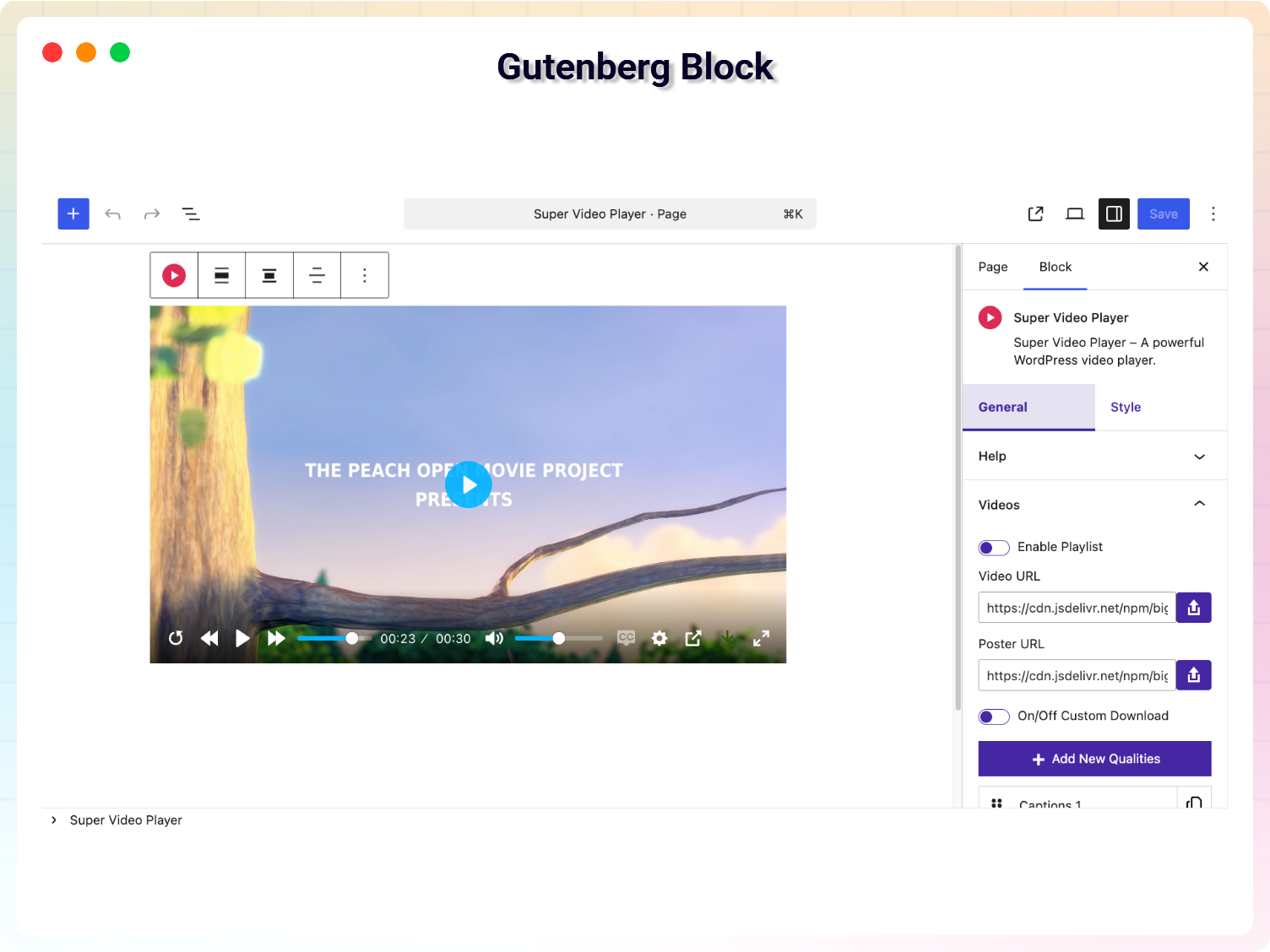
Gutenberg Block
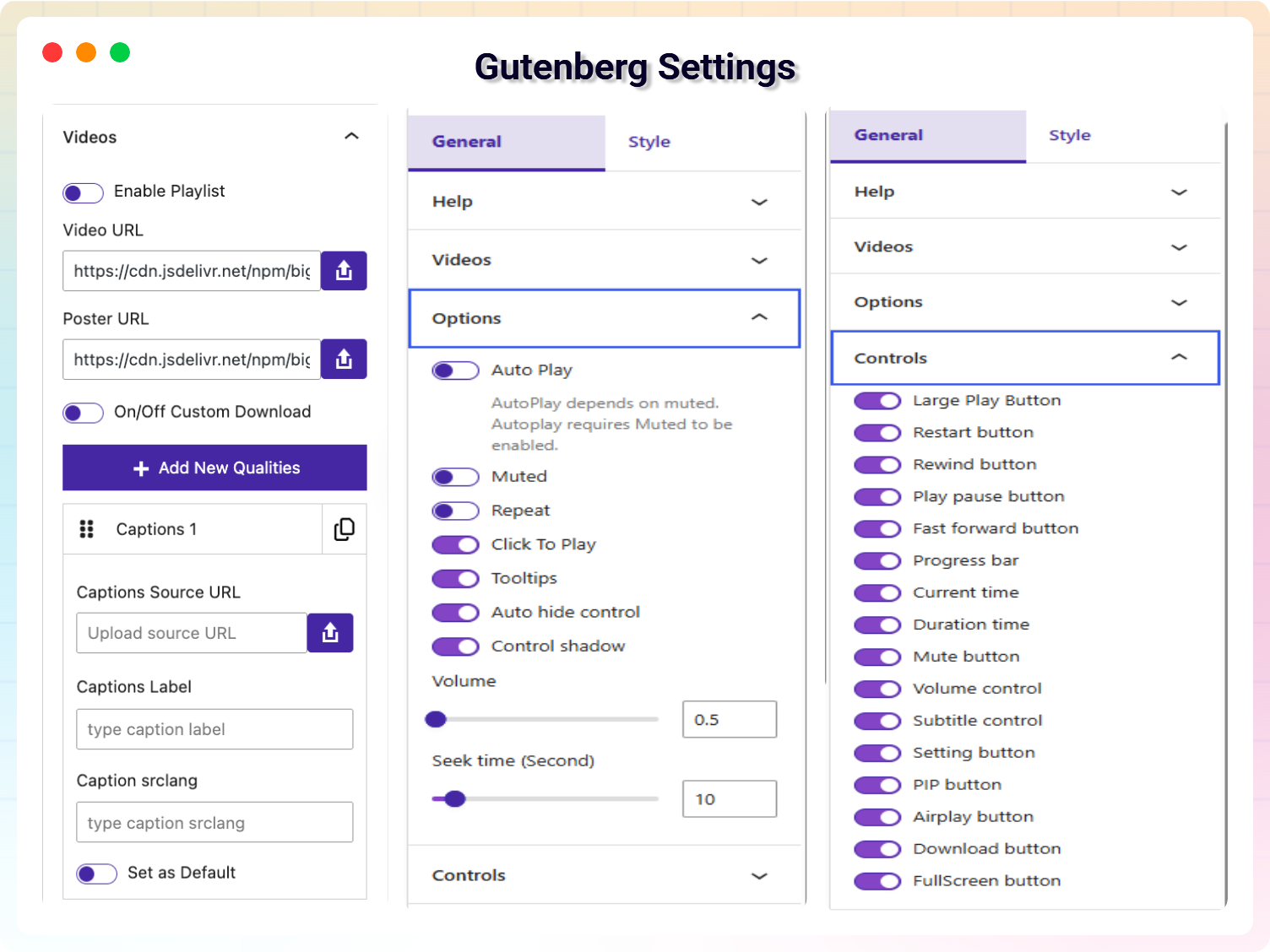
Gutenberg Block Settings
Changelog
1.8.6 – 17 Nov, 2025
- Share button features added
1.8.5 – 3 Nov, 2025
- Customization Horizontal Layout
- Added new features: Continuous Playback on Playlist option
1.8.4 – 03 Oct, 2025
- Added a modern dashboard
- Fix the mpd, hls file on the video
1.8.3 – 10 Sep, 2025
- Fix the text_domain issue in admin
1.8.2 – 07 Sep, 2025
- Add demo on dashboard
- Change the plugin display name
1.8.1 – 03 Sep, 2025
- Fixed the some issue for phlox theme
- Add default video url
1.8.0 – 26 Aug, 2025
- Added new version
1.7.6 – 04 Aug, 2025
- Just Testing
1.7.5 – 19 Sep, 2024
- Update: Codestar Framework
- Update: Freemius WordPress SDK
1.7.3 – 7 Aug, 2024
- Fixed: Removed unexpected exe file
1.7.2 – 27 June, 2024
- Improved: code refactored
1.7.1 – 30 March, 2024
- Improved: code refactored
1.7.0 – 23 Sep, 2023
- Improved: code refactored
1.6.12
- Fixed: add inline style to block
1.6.11
- Update Freemius WordPress SDK
1.6.9
- Fixed Security issue
- update library
1.4.1
- Enabled live streaming for Free users.
- Fixed a minor bug on mixed content.
1.4.0
- Fixed a css issue.
- Improvement on live streaming
1.3.2
- Added player translation option in settings
- Added Playlist options
- Added Live stream support for PRO user (.mpd and .m3u8 file support)
1.3.1
- Fixed the large play button issue
- Fixed click to play option
1.3
- Add support for Gutenberg Block
1.2
- Fix an issue.
- add support for external source
1.1
- Fix Multiplayer issue.
- Added How to use Article
- Improved Performance
1.0
- Initial Release