

Support SVG – Upload svg files in wordpress without hassle
This plugin will help you to upload svg format image in WordPress media library regardless of the theme. That is, it works with every theme.
Plugin info
Maintenance & Compatibility
Maintenance score
Maintained • Last updated 164 days ago
Is Support SVG – Upload svg files in wordpress without hassle abandoned?
Likely maintained (last update 164 days ago).
Compatibility
Similar & Alternatives
Explore plugins with similar tags, and compare key metrics like downloads, ratings, updates, support, and WP/PHP compatibility.
Description
The SVG Support plugin enables SVG (Scalable Vector Graphics) support in WordPress. This lightweight plugin allows you to upload and use SVG files in your WordPress media library without any restrictions.
This plugin is designed to be minimalistic and focuses solely on enabling SVG support. It does not enqueue any additional scripts or stylesheets in the frontend, ensuring it won’t affect the loading speed of your website.
See plugin’s GitHub repo Support SVG
Features
- Enables SVG uploads in WordPress media library
- Supports SVG thumbnail display in the Media Library
- Applies necessary security measures to sanitize SVG uploads
- Lightweight and does not enqueue any frontend scripts or stylesheets
PRIVACY POLICY
This plugin does not collect, log, sell or trade any kind of information about your website. You can easily verify that this plugin is not phoning home using a network traffic inspector like WireShark.
ABOUT THE MAKER
I am Sayedul Sayem, a Bangladeshi full-stack WordPress developer and free and open source enthusiast. You can contact me at my LinkedIn for consultation or just to say hello. I love talking to new people. So don’t hesitate.
Installation
- Upload the plugin folder after extracting it to the “/wp-content/plugins/support-svg directory. Alternately, install the plugin through the WordPress plugins screen directly.
- Activate the plugin through the ‘Plugins’ screen in WordPress
- Now go to media from WordPress dashboard and you can upload svg images.
Frequently Asked Questions
Yes. You don’t need to do anything else other than activating the plugin.
Yes, this plugin should work alongside other media-related plugins without any conflicts.
SVG files can potentially contain malicious code, so it’s crucial to exercise caution when allowing SVG uploads from untrusted sources. This plugin applies security measures to sanitize SVG uploads, but it’s recommended to only upload SVG files from trusted sources.
Review feed
Screenshots

Unable to upload svg format image without Support Svg.

Enable uploading permission svg format image with Support Svg.

A good preview with grid view.
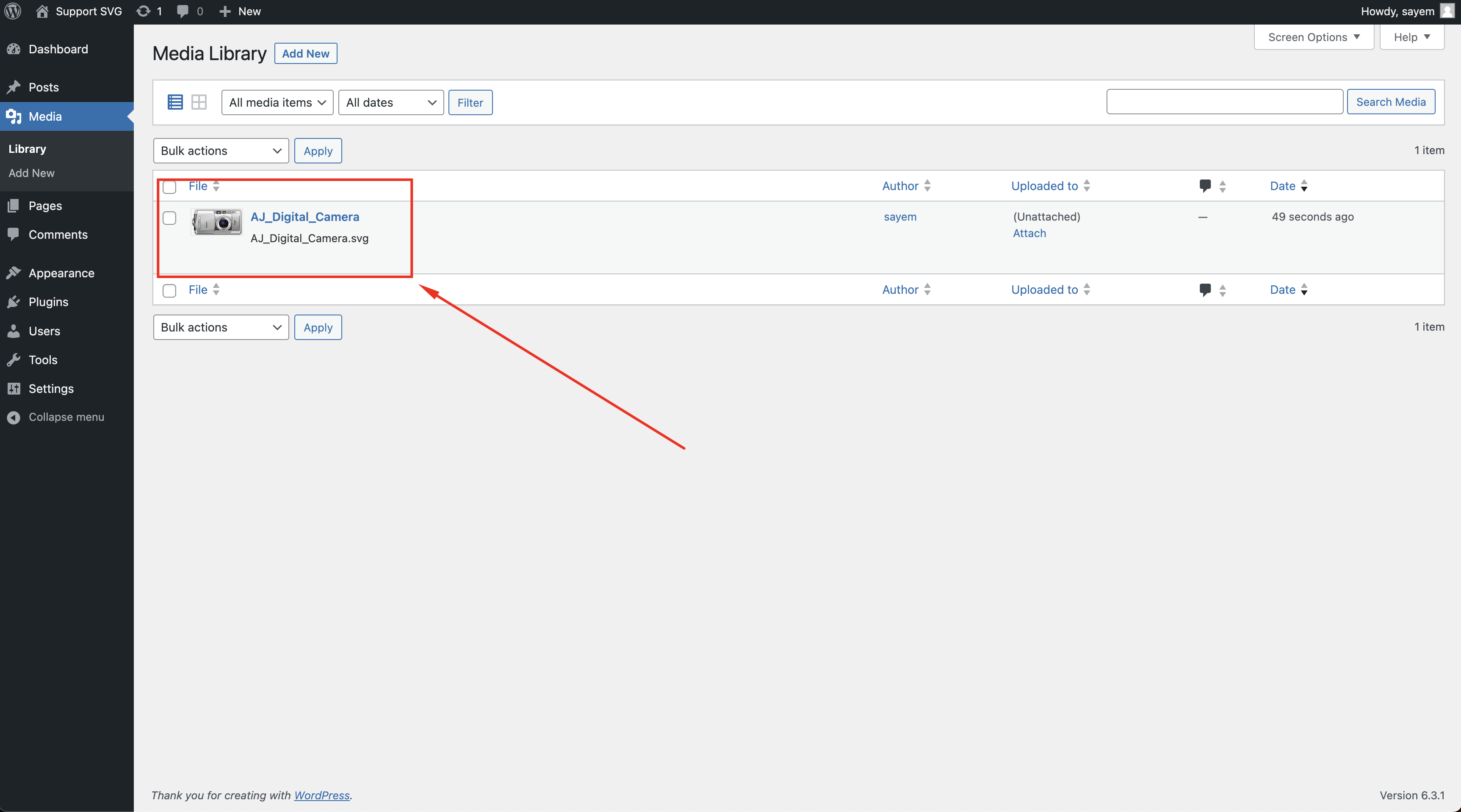
A good preview with list view.
Changelog
1.1.2
- Fix: compatibility with WordPress 6.8.x
1.1.1
- Fix: Enhanced sanitization of SVG files uploaded via REST API to further improve security and prevent potential vulnerabilities.
1.1.0
- Fix: Sanitize svg for improving security.
1.0.0
- Initial release.