

Swaptify
Cost-effective website personalization for perfected user experience and dramatically more conversions.
Plugin info
Maintenance & Compatibility
Maintenance score
Stale • Last updated 201 days ago
Is Swaptify abandoned?
Likely maintained (last update 201 days ago).
Compatibility
Similar & Alternatives
Explore plugins with similar tags, and compare key metrics like downloads, ratings, updates, support, and WP/PHP compatibility.
Description
This plugin integrates WordPress with Swaptify’s hosted personalization software. Swaptify’s free plan, “Nano,” allows you to perform 1000 instances of personalized “swaps” every month. Pricing is usage-based with full control over your monthly budget and swap limit.
Swaptify’s personalization engine allows for flicker-free dynamic content, event-tracking, analytics, influential content reports, and — most importantly — easy portability to new website designs and infrastructures.
What Does Swaptify Do?
- Build personalized segments of content that “swap” based on rules and visitor types.
- Customize your user journey with relevant, contextual content at every stage of the purchase cycle.
- Set up content experiments, and analyze your most influential content using a statical approach that is faster and more effective than A/B tests.
- Use Swaptify personalization and analytics to improve conversion rates by making continual improvements to your user experience.
Why Choose Swaptify?
- Intuitive swap builder that works with classic editor, Gutenberg, and any page builder that generates and accepts shortcodes, e.g. Elementor, WP Bakery, Divi, and more.
- Hosted infrastructure allows your configurations and data to survive major website changes.
- Flicker-free content display. This might seem like a small thing, but when you play with other content personalization tools, you’ll quickly understand why this is a big deal.
- Easy visitor type triggers on page load, element-click, or custom JavaScript.
- Easy conversion tracking that can hook into existing Google Tag Manager setup or run independently.
- Best-in-class Analytics system and Reports to analyze the influence of every swap that leads to a conversion.
- Demonstrated lift in customer conversion rates by an average of 50%.
How Does it Work?
- Create a content segment using the WordPress plugin.
- Fill in your swappable content, optionally assigning each swap to a visitor type.
- Paste the segment shortcode into your page builder wherever you want your swaps to show.
- Set up your content display rules on the Swaptify website.
- OPTIONAL: Create visitor type triggers to analyze user behavior and deduce what type of customer they are, and then power your swaps accordingly.
- OPTIONAL: Set up conversion event tracking for page views, element clicks, form submissions, and any other detectable behavior. This will allow you to analyze your most influential content.
- OPTIONAL: Set your maximum billing tier on the Swaptify website to control your costs and scale your usage based on success metrics.
Setting Visitor Types
Visitor types can be set explicitly, with the customer selecting their own use case, or they can be set implicitly based on the visitors’ behavior. Currently, Swaptify only sets one visitor type at a time. This is in order to accurately break down conversion rates by visitor type.
To show dynamic content from a range of customer-selected preferences, use a cookie to set their content preferences and Swaptify’s cookie rules to control your swaps.
Available Rule Conditions
- First Time Visitor
- Returning Visitor
- Time Since Last Visit
- Page Visited (any session)
- Cookie Value
- Date
- Day of Week
- Location
- Referrer URL
- Page Visit (this session)
- Session Length
- User Agent
- Page URL
- URL Parameters
Note: When a Rule is triggered, it overrides the visitor type.
Analytics and Reports
Conversion events can be triggered via click, page view, or custom JavaScript with our easy integration tools. The JavaScript conversion tag can be used inside your existing Tag Manager setup and fire based on existing triggers. Once conversion events are flowing, Swaptify’s analytics reports will deduce your most influential content. Please note that in order to attribute conversions to content, Swaptify’s data model is built differently than Google Analytics. When a conversion is triggered, Swaptify resets the session so that it can attribute that conversion to the content that was seen leading up to it. This means that your data will often not match GA4. Swaptify’s data model also contains browser validation, which tends to exclude more robot traffic than GA4, but if you want to include that traffic to compare metrics across Swaptify and GA4, you can turn off the browser validation feature.
Getting Started Video Guide
Visit https://swaptify.com/getting-started/ to watch a video of the Swaptify set up process from start to finish.
External Services
The Swaptify Plugin connects to the Swaptify API to send usage data and return content. The information passed to the Swaptify API includes visitor IP address and page URL. This information is stored with Swaptify and used when analyzing visitor activity from page to page.
All data passed and stored to Swaptify falls under the Swaptify Privacy Policy and Terms and Conditions
Installation
NEEDED This section describes how to install the plugin and get it working.
- Install the plugin from the WordPress plugin store or upload the zip file using the upload plugin interface in the admin section
- Activate the plugin through the ‘Plugins’ menu in WordPress
- If you don’t already have a Swaptify account, you can sign up for free at app.swaptify.com
- In the admin menu, you’ll see the Swaptify section. Hover over it to reveal the submenu and click
configuration - Enter your Swaptify API Access Token, found at app.swaptify.com/account/api and click save
- You should return to the same page with a list of your properties now present
- Select the property for this site and click save
- Under the Swaptify menu, click
shortcode generatorto start making swaps!
Frequently Asked Questions
Review feed
Screenshots
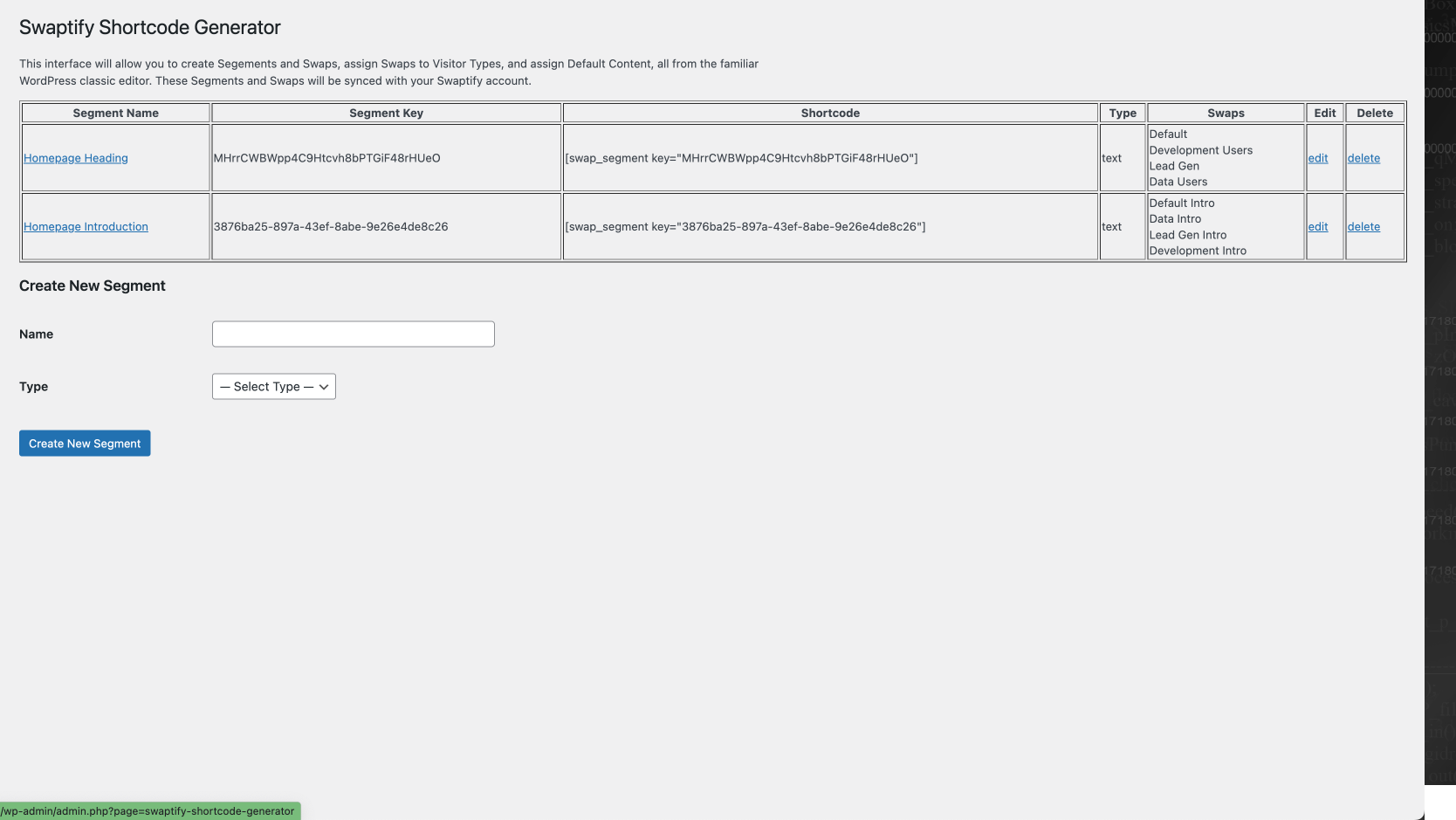
Shortcode Generator
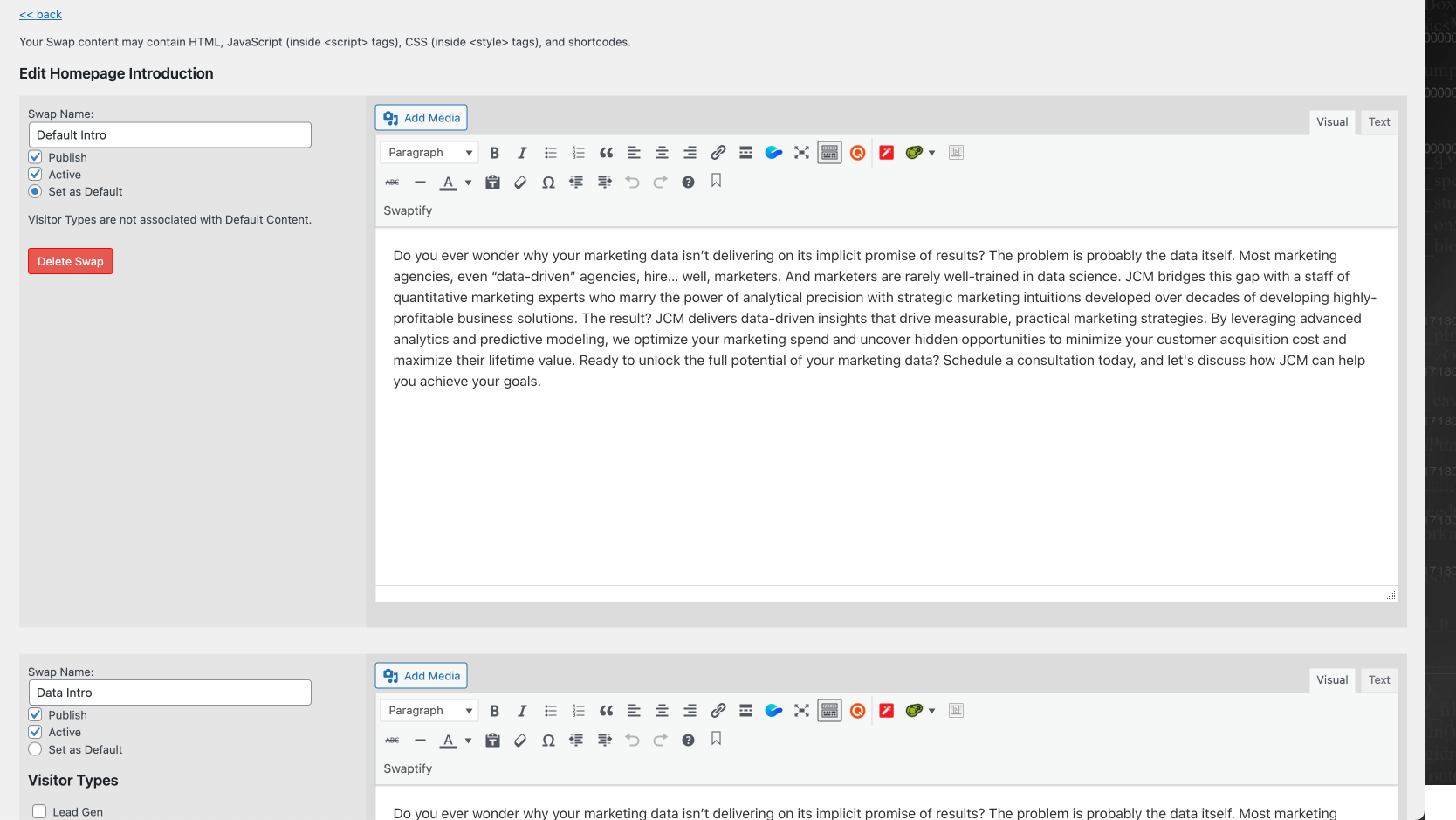
Editing a Swap
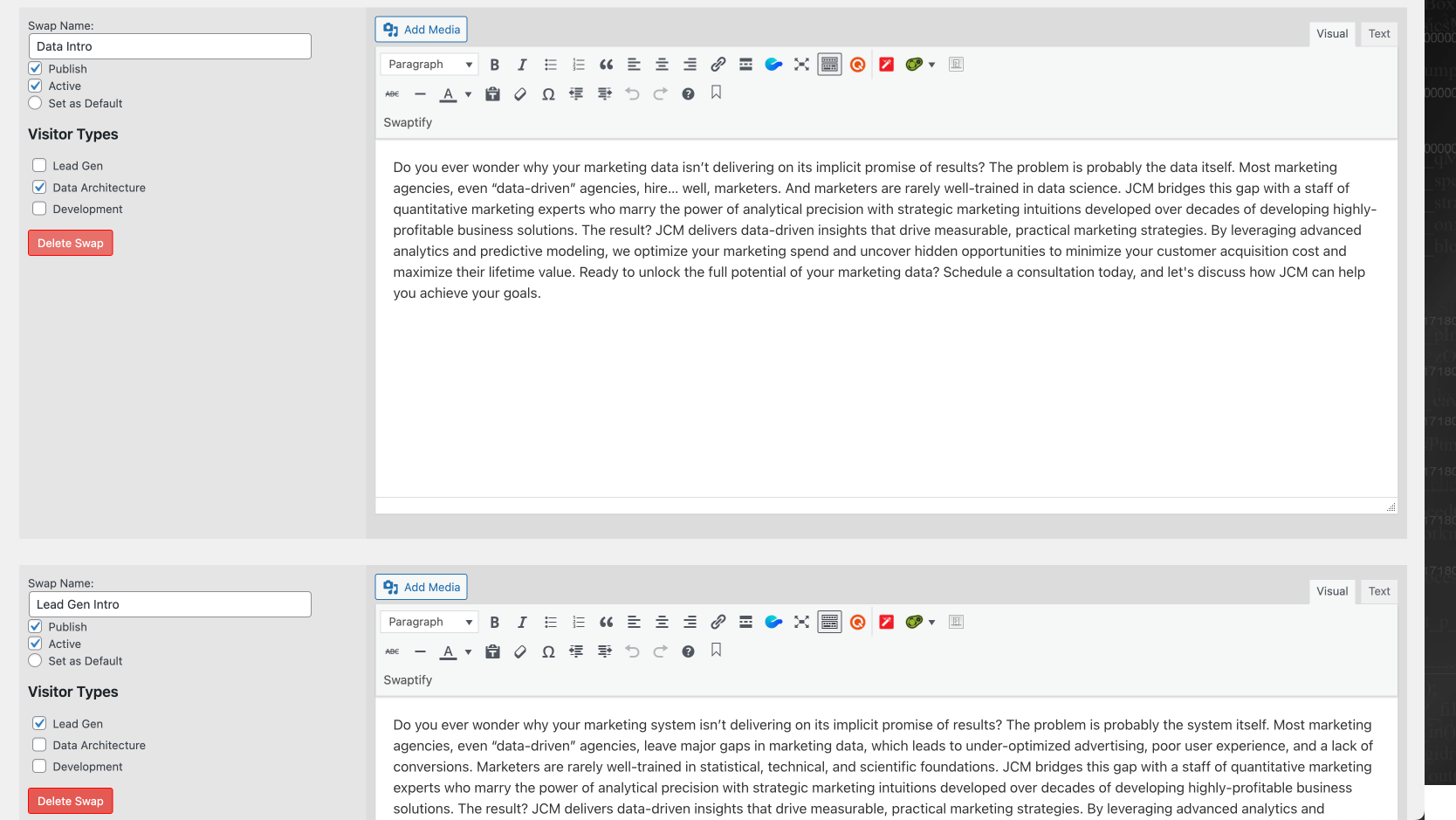
Editing a Swap part 2
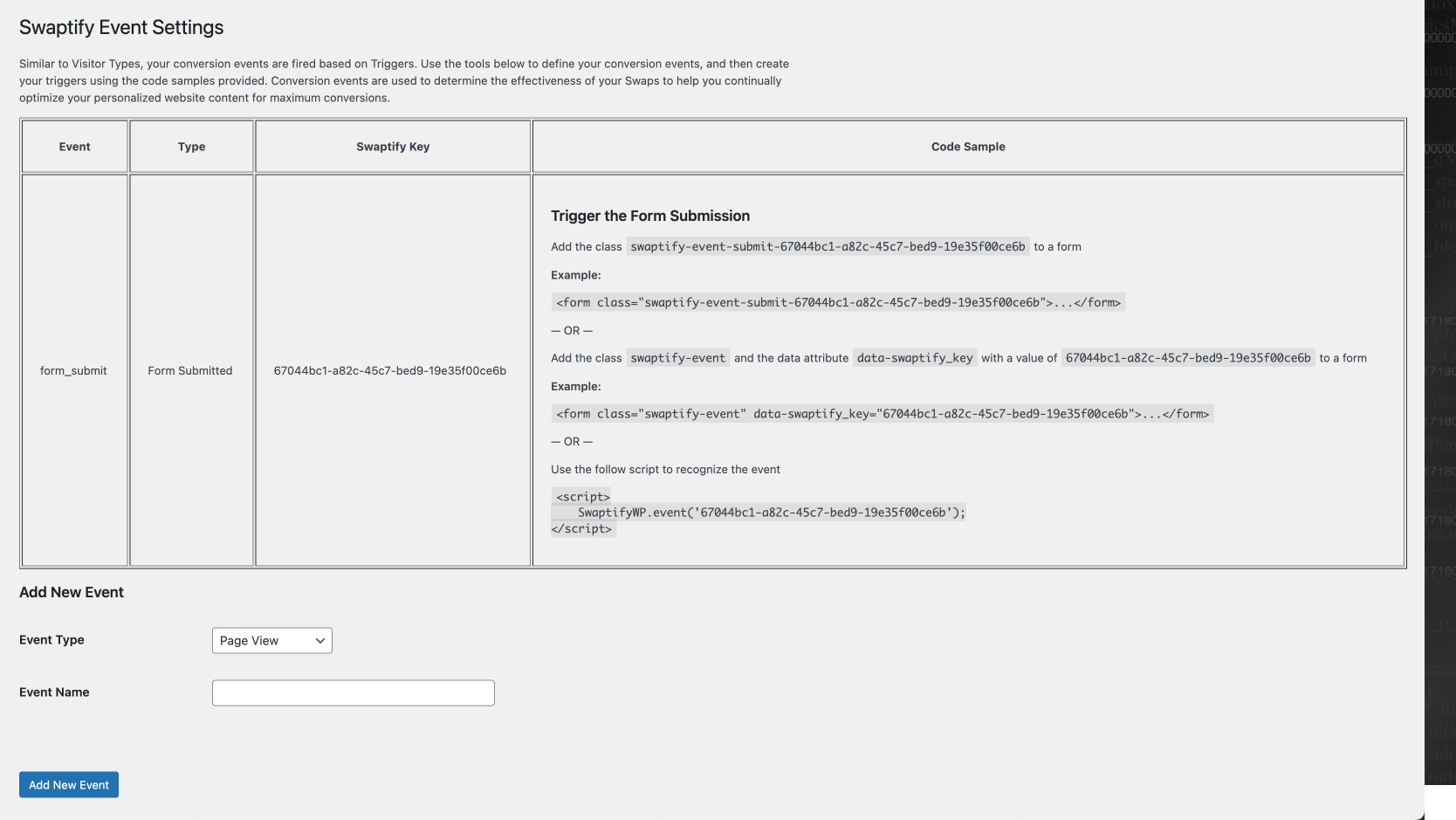
Events
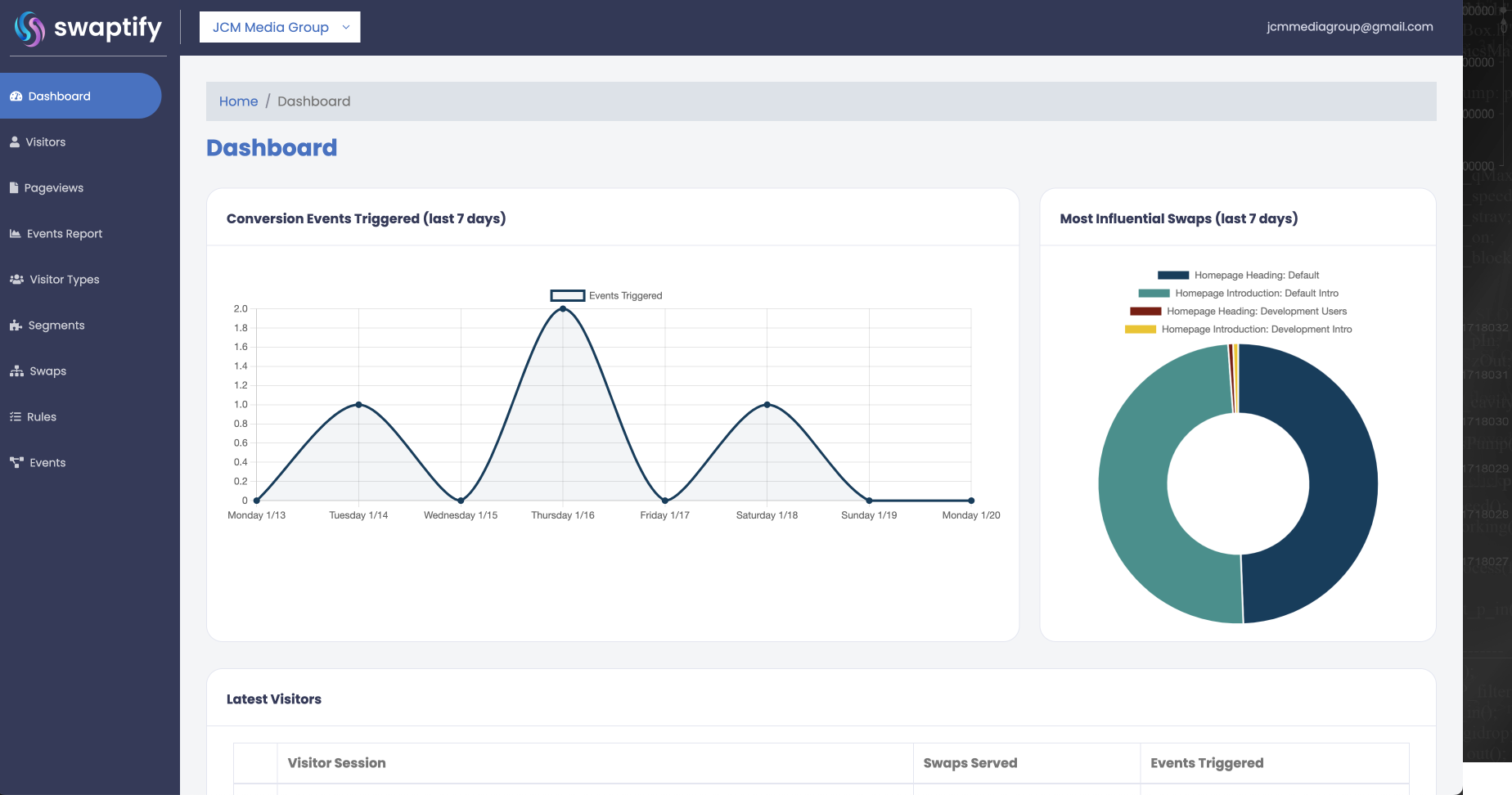
Swaptify Dashboard
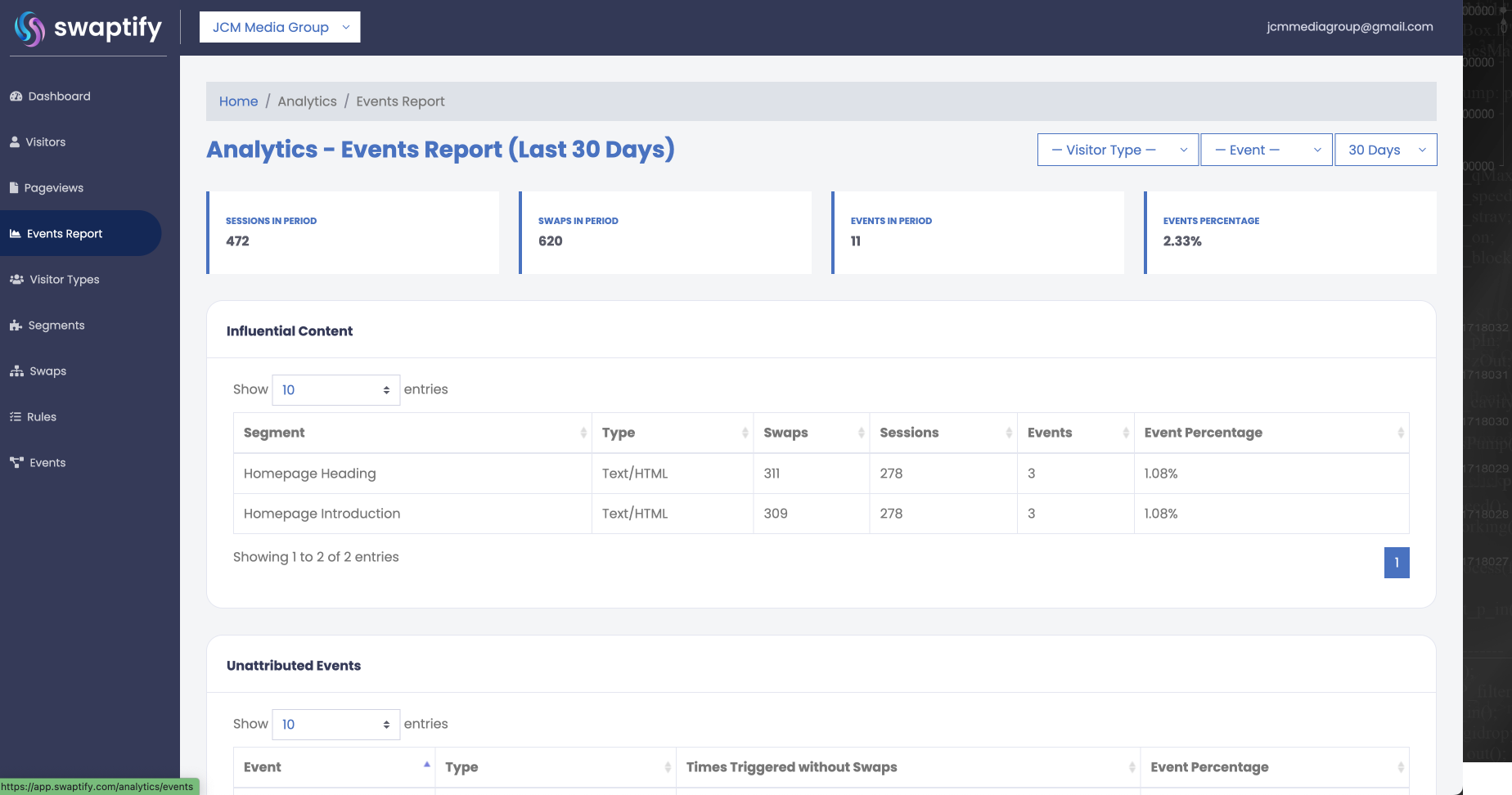
Analytics
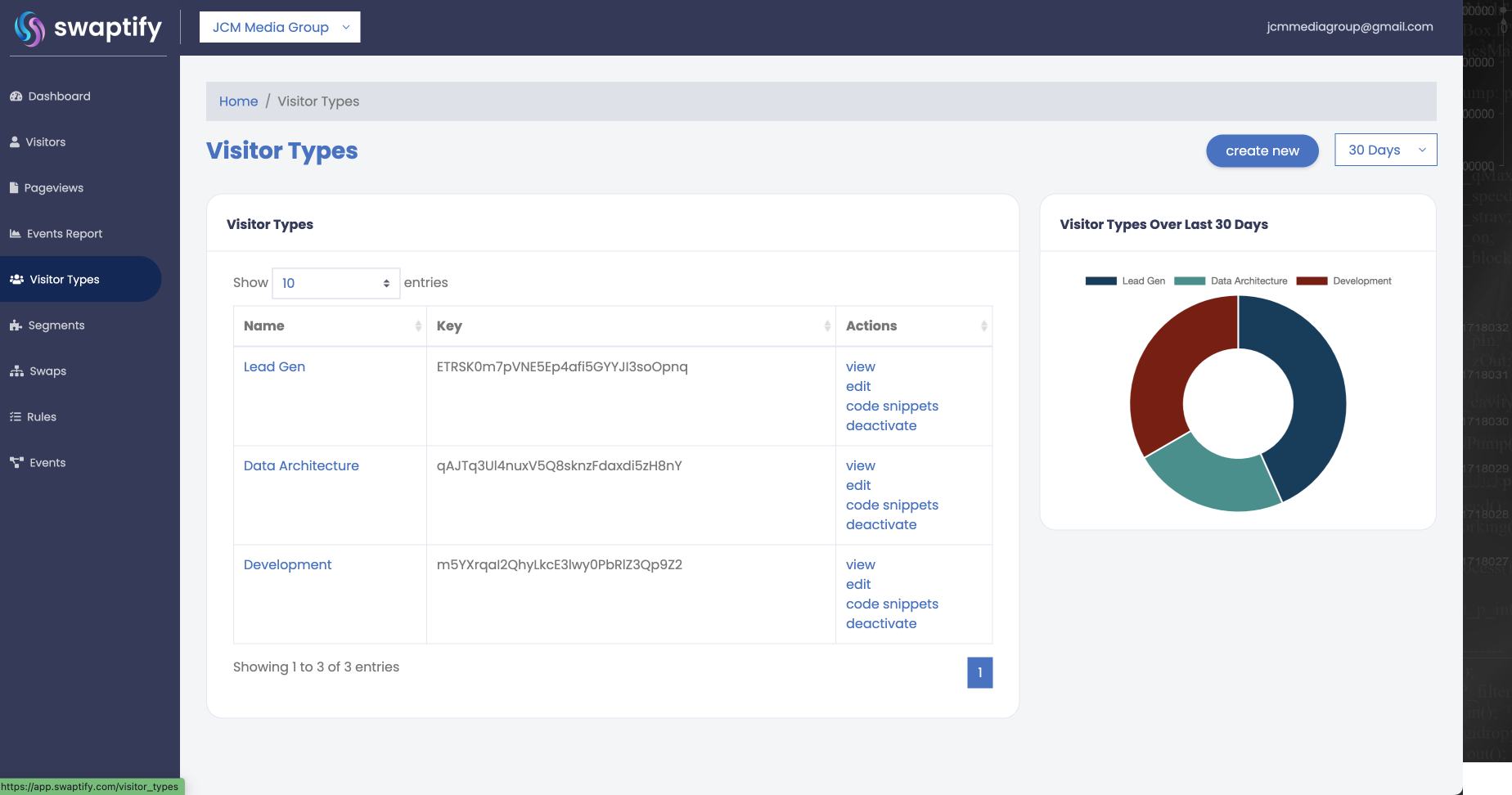
Visitor Types
Changelog
1.0.0
- Swaptify launch version