

Swifty Image Widget
Super simple but powerful widget that allows adding single or multiple images to your widget positions, using native media uploader.
Plugin info
Maintenance & Compatibility
Maintenance score
Possibly abandoned • Last updated 967 days ago • 12 reviews
Is Swifty Image Widget abandoned?
Possibly abandoned (last update 967 days ago).
Compatibility
Similar & Alternatives
Explore plugins with similar tags, and compare key metrics like downloads, ratings, updates, support, and WP/PHP compatibility.
Description
Super simple but powerful widget that allows adding single or multiple images to your widget positions, using native media uploader. You can add caption for each image to act as testimonial, or you can use it as banner advertising module because its not being blocked with Ad Blocker. It doesn’t load any javascript on front end so its super fast. Use drag and drop to rearrange images.
Check out demo in sidebar here
Major features in Swifty Image Widget include:
- Easily select image from your media collection
- Add one or add multiple images
- Chose full size, one from registered sizes by your theme or define your custom size
- Add caption that will show below image (optional)
- Add link (optional)
- Enable/disable rel nofollow
- Drag and Drop to rearrange images
- Arrange images/banners next to each other or below each other
- Not being blocked by AdBlocker
- Just one css file (0.5kb) called for front styling, no scripts.
- Super Light and Super Fast
- Responsive
- Secure and written with best practices
Check my other plugins at www.wpgens.com
If you have any suggestions/feedback to improve Swifty Image Widget, please get in touch with me via email [email protected] .
Also be sure to check out Swifty Bar. Plugin that you will fall in love with 🙂
Installation
- Upload the Swifty Image WIdget plugin to your blog, Activate it.
- Go to Widget Page and move Swifty Image Widget to desired widget position.
Frequently Asked Questions
Review feed
Simple and useful
Screenshots
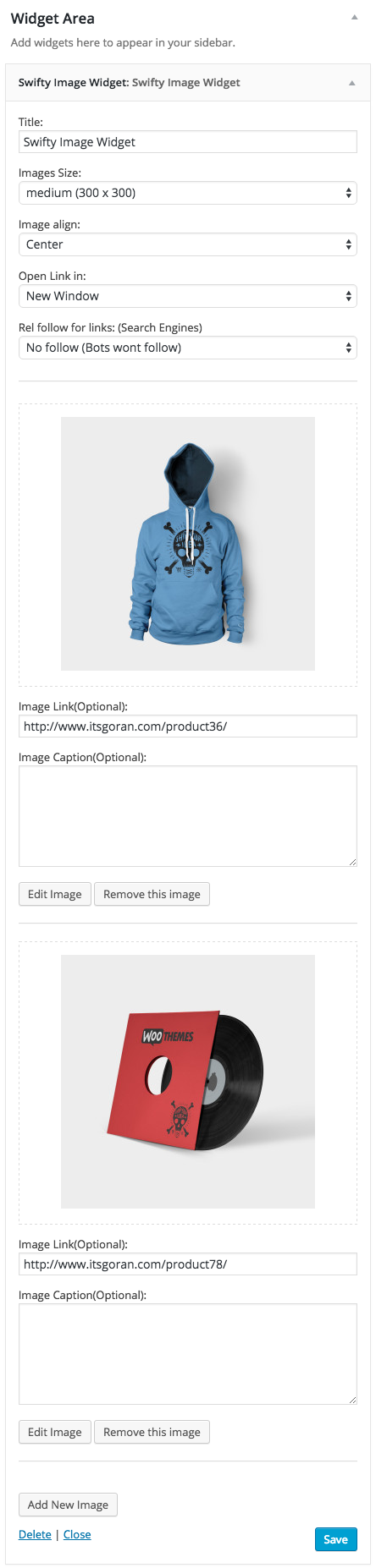
screenshot-1.png

screenshot-2.png
Changelog
1.1.1
- Support for latest WP version
1.1.0
- Support for PHP 8.0 and latest WP version
1.0.3
- WP version update
1.0.1
- Fixed double IDs and removed double hrefs on older browsers
1.0
- Initial Release 22 August 2015