

Synapse – Data Bridge for Automation
The data bridge for WordPress. A powerful REST API to monitor sites and automate workflows with n8n, Zapier, Make, and your own scripts.
Plugin info
Maintenance & Compatibility
Maintenance score
Maintained • Last updated 162 days ago
Is Synapse – Data Bridge for Automation abandoned?
Likely maintained (last update 162 days ago).
Compatibility
Similar & Alternatives
Explore plugins with similar tags, and compare key metrics like downloads, ratings, updates, support, and WP/PHP compatibility.
Description
Tired of logging into countless WordPress sites for routine checks? Synapse transforms your website into a powerful “WordPress Data Bridge”, giving you programmatic access to the data you need. Connect your site to automation platforms like n8n, Zapier, Make, or your own custom applications.
Synapse is the essential tool for developers, agencies, and security-conscious site owners who want to build efficient workflows, monitor sites remotely, and manage WordPress like a pro.
A POWERFUL LOCAL DASHBOARD & ROBUST API IN ONE
Even as a standalone tool, Synapse provides a valuable local dashboard in your WordPress admin area. Get an instant overview of:
- Available Updates: All pending updates for core, plugins, and themes at a glance.
- Website Health Status: Proactively monitor your site’s health and security.
- Moderation Queue: See how many comments or posts are awaiting your approval.
But the true power lies in its API. See the full User Documentation to get started.
KEY API FEATURES (FREE VERSION)
The free version provides the endpoints you need for essential monitoring and maintenance:
- Monitor Available Updates (
/updates): Get a detailed JSON list of all pending WordPress core, plugin, and theme updates. - Check Site Health (
/site-health): Receive a comprehensive, machine-readable status report on your site’s performance and security. - View Moderation Queue (
/moderation): Check the number of pending comments and posts. - Execute Remote Updates (
/updates/...): Trigger plugin, theme, or core updates securely and remotely—perfect for automated maintenance scripts.
Explore the full Synapse REST API Documentation to see all possibilities.
WHAT CAN YOU BUILD WITH SYNAPSE? (AUTOMATION USE CASES)
Synapse is designed to be the central hub for your WordPress automation workflows. Here are just a few examples:
- Proactive Security Monitoring: Build a daily workflow in n8n that checks for security updates and sends a notification to your Slack or Discord channel.
- Instant Issue Alerts: Set up an automation that sends a push notification to your phone the moment your site’s health status becomes “critical”.
- Efficient Content Management: Automatically create a new task in Trello or Asana whenever a new post is submitted for moderation.
- Automated Maintenance Workflows: Create a script that automatically creates a backup of your site and then triggers all pending plugin and theme updates via the Synapse API.
FROM A SINGLE SITE TO AN ENTIRE NETWORK
This free plugin is the perfect “Connector” to monitor and manage a single WordPress site.
Looking to manage multiple client sites from a single, central dashboard? The Synapse PRO version allows you to connect all your websites and manage them from one central location, run selective updates without logging in, and much more. The upcoming Synapse ULTIMATE will provide advanced API endpoints for user and content management, making it the ultimate tool for agencies and power users.
Installation
Frequently Asked Questions
Synapse is the easiest way. Once you install the plugin, generate a secure API key in the settings. Then, in your automation tool, use the “HTTP Request” or “Webhook” node to call the API endpoints provided by this plugin (e.g., https://YOUR-DOMAIN.com/wp-json/synapse/v1/updates?api_key=YOUR_KEY).
Yes, security is our top priority. All requests require a unique, 40-character API key. Furthermore, our granular permission system allows you to create keys with specific access rights (“scopes”). For example, you can create a key that can only read update information but cannot execute updates.
The free version gives you access to the most critical monitoring data: Update Status, a full Site Health check, and the Moderation Queue. You can also use it to remotely execute updates for core, themes, and plugins.
This free plugin is designed to be installed on each individual site you want to connect. To manage all your sites from a single, central dashboard, you need our PRO version. The PRO version is the command center for agencies and professionals managing multiple client sites.
Review feed
Screenshots
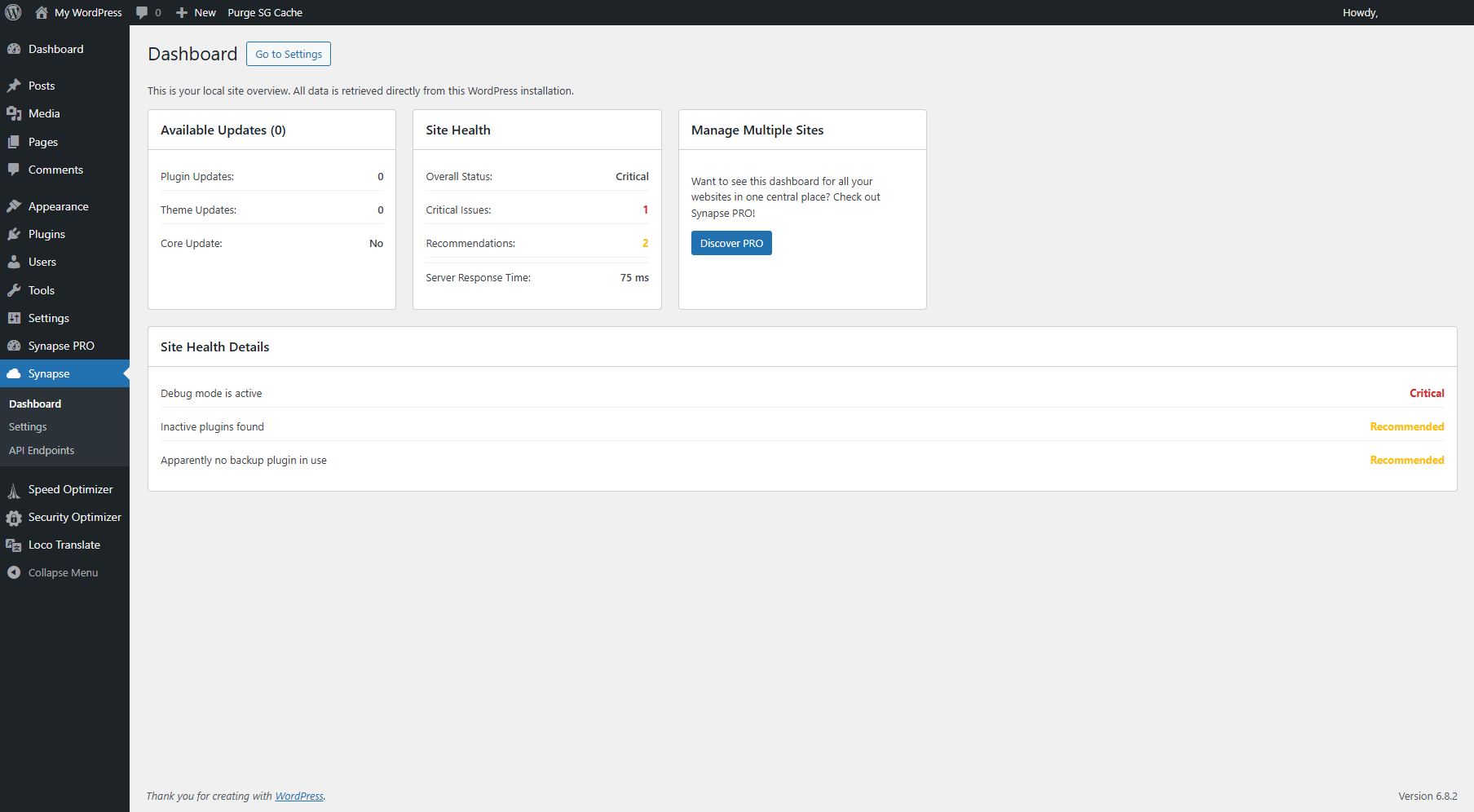
The clear local dashboard gives you an instant overview of your website's status.
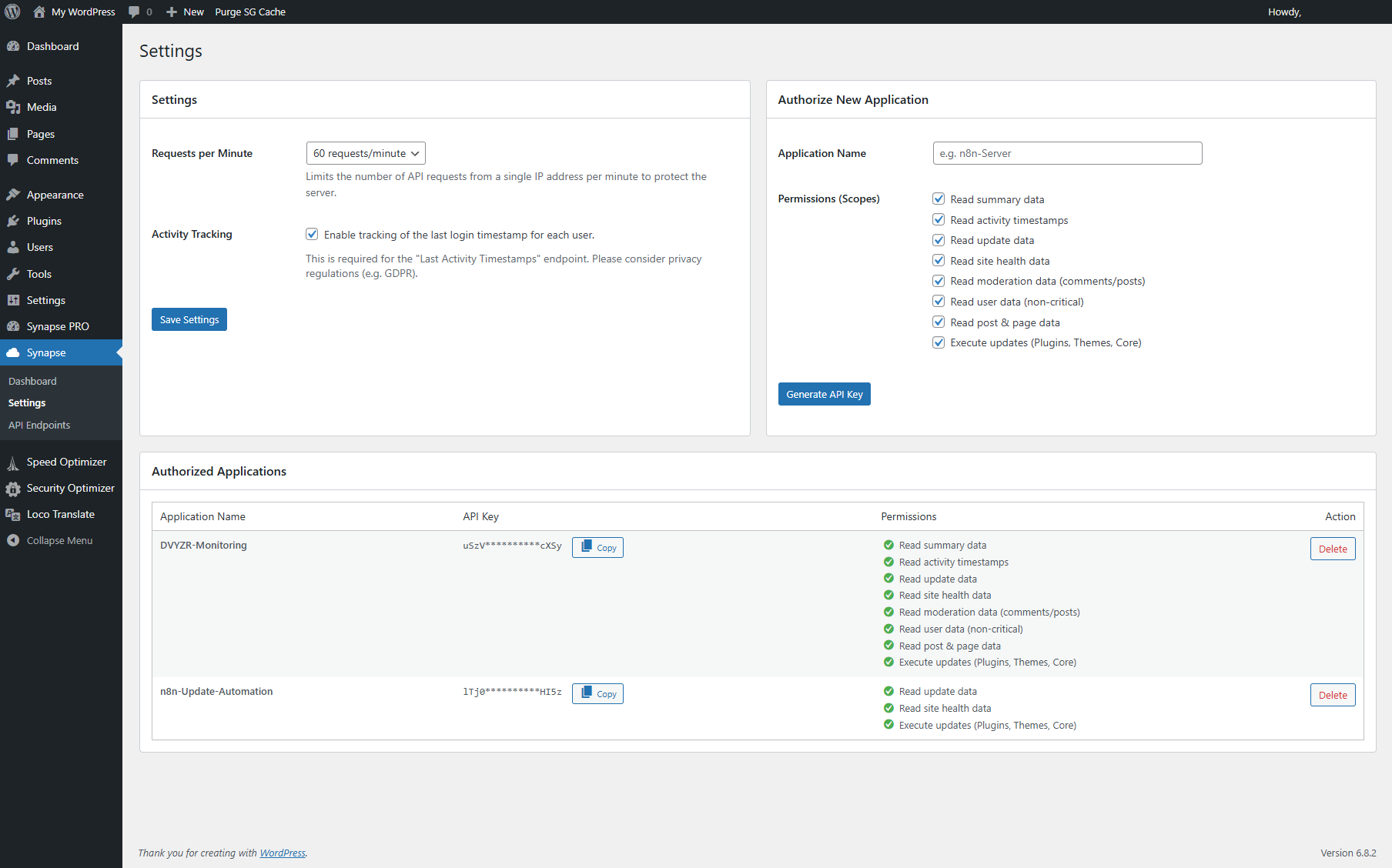
The API key generation page, including granular, scope-based permissions for enhanced security.
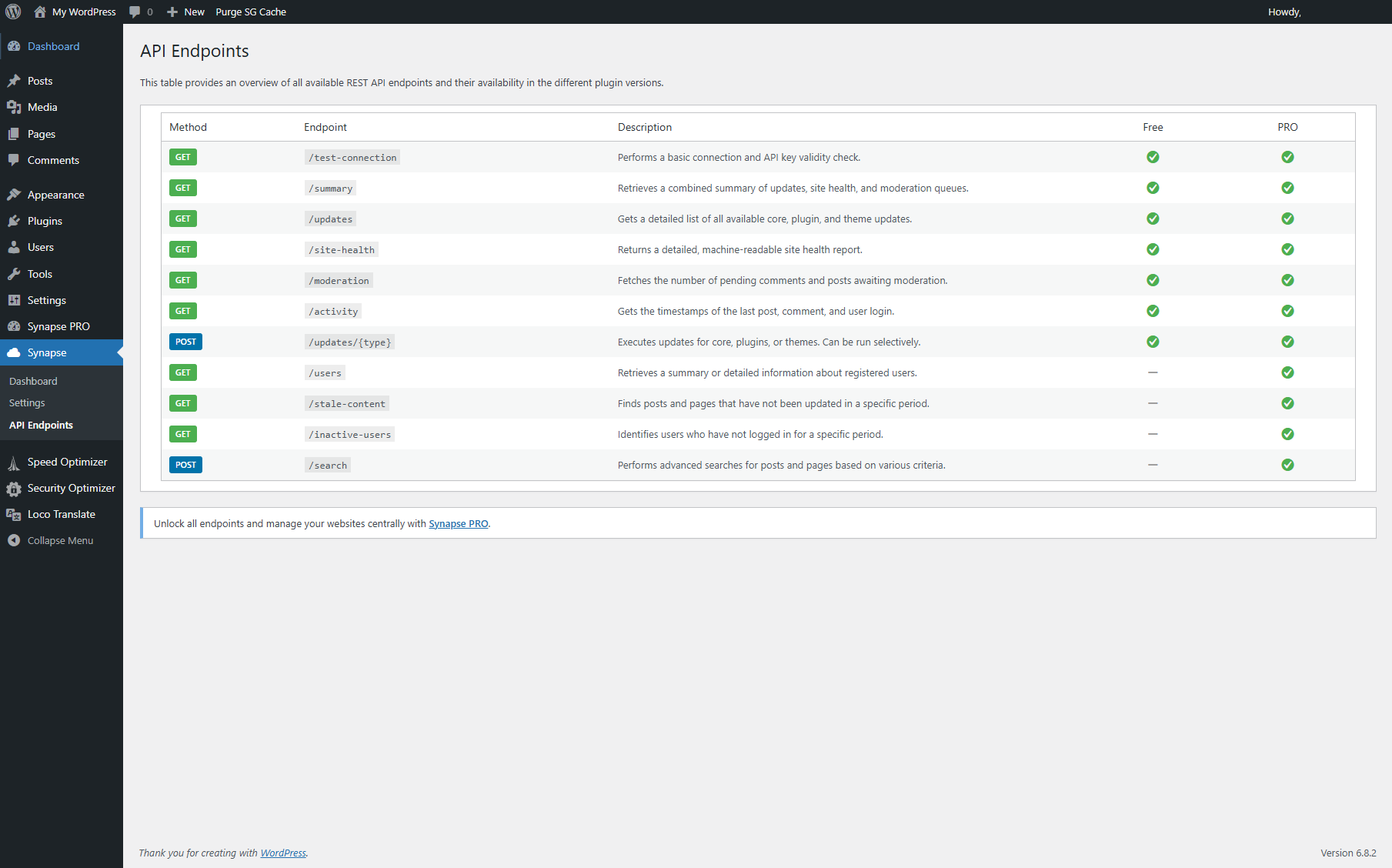
Overview of the currently available REST API endpoints you can use in Synapse (FREE & PRO).
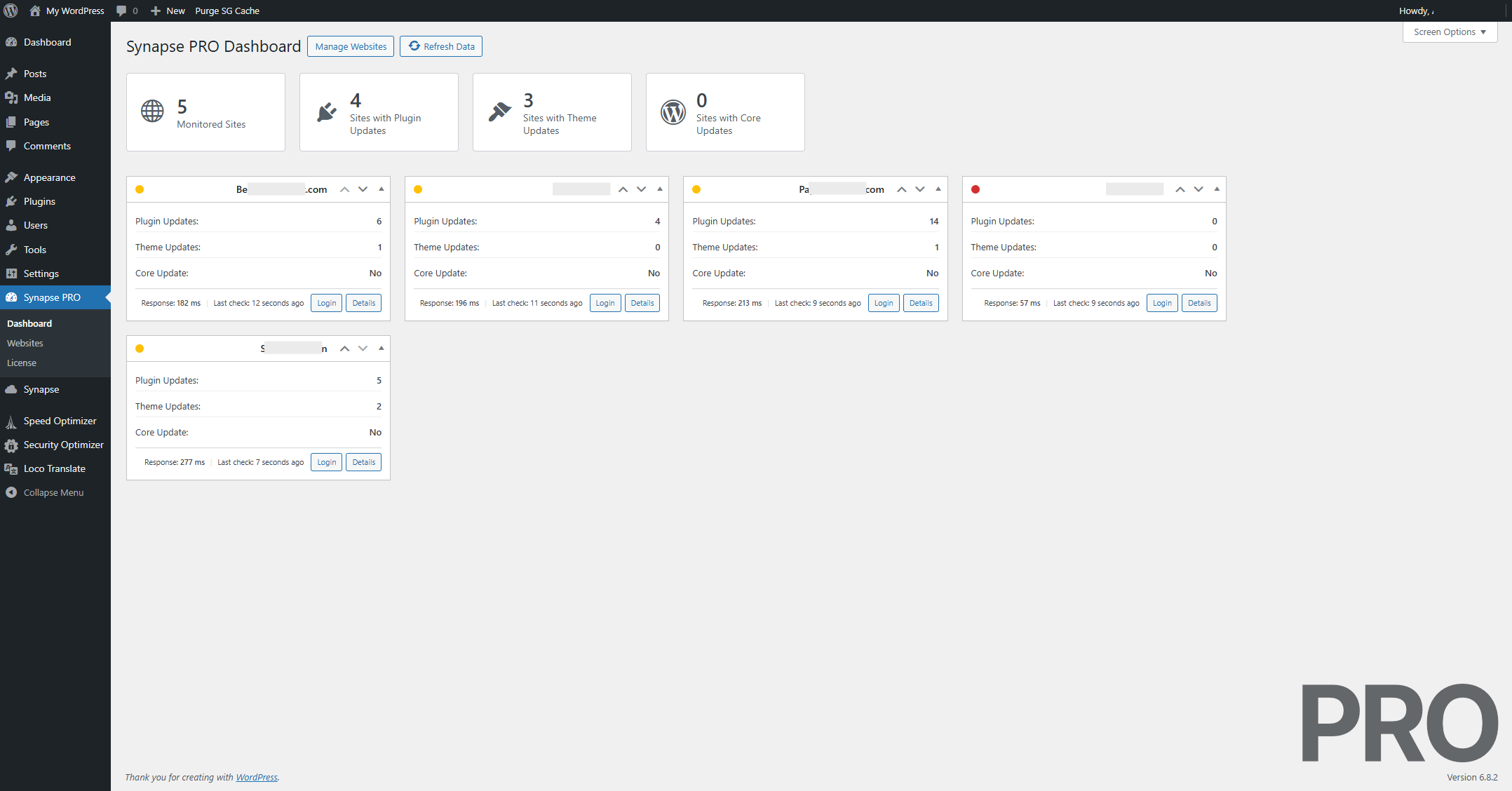
Example view of the PRO version's dashboard with connected external WP instances.
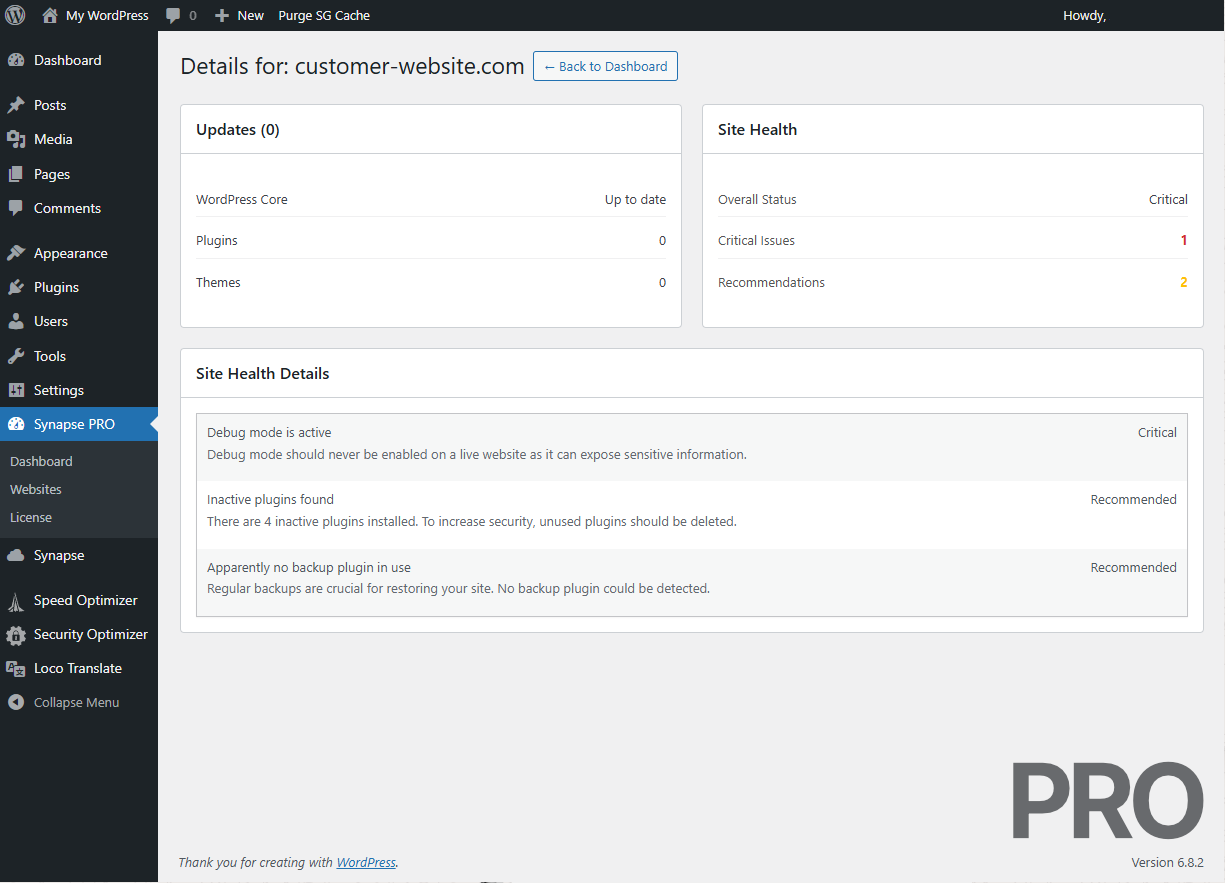
Comprehensive update overview, website health check results and recommendations for a single instance. (PRO)
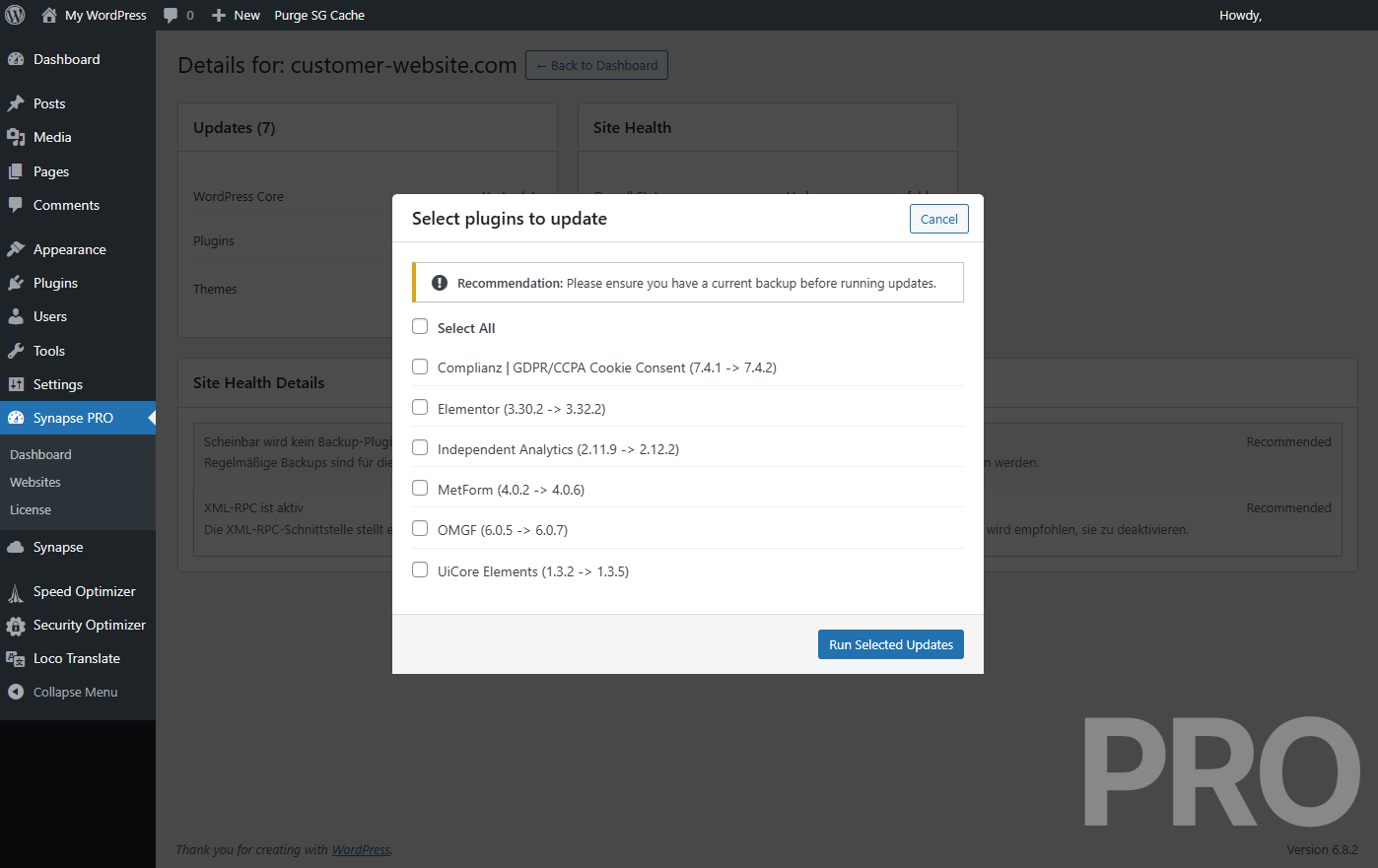
Modal with detailed information on the available plugin updates, including the current and new versions. (PRO)
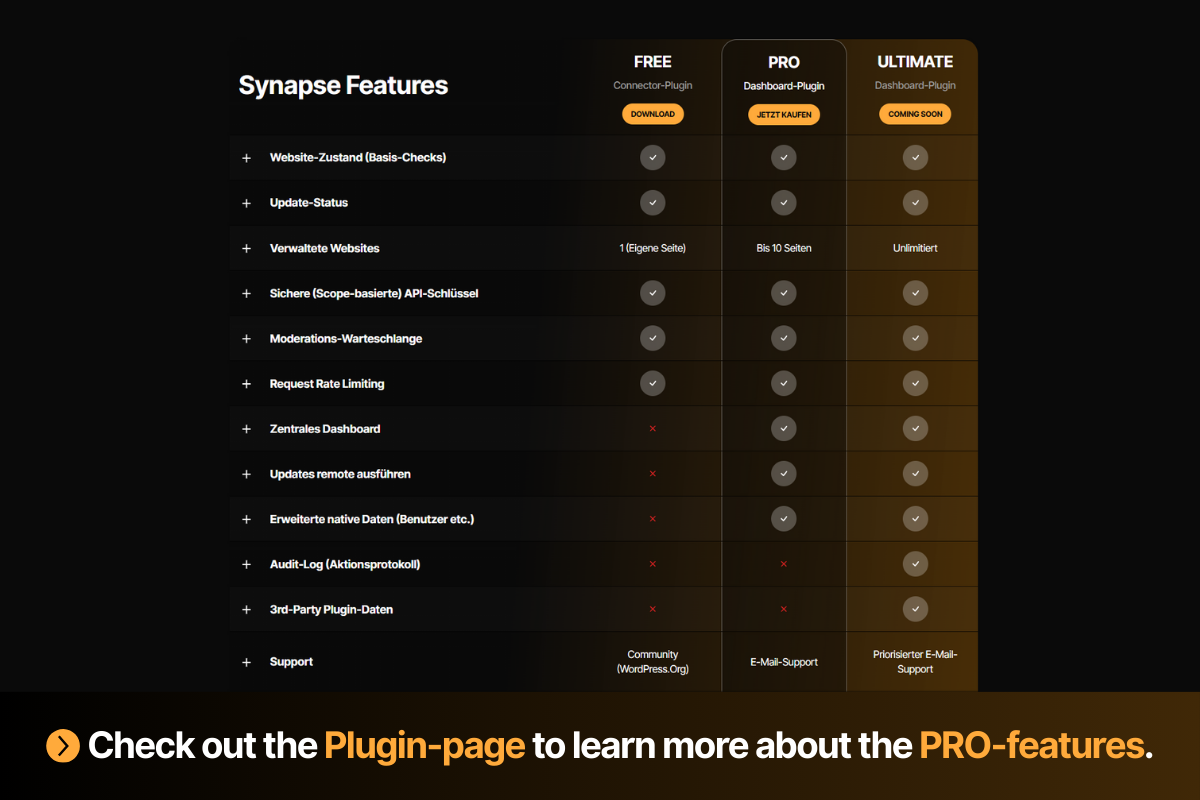
Comparison table of the FREE, PRO and ULTIMATE (coming soon) features.
Changelog
1.0.0
- Initial release of Synapse.
- Feature: Added API endpoints for Update Status, Site Health, and Moderation Queue.
- Feature: Added API endpoints to remotely execute Core, Plugin, and Theme updates.
- Feature: Implemented a local dashboard for a quick overview of site status.
- Security: Implemented scope-based API keys for granular access control.