

Syncio — Multistore Product & Inventory Sync For WooCommerce
Real-time sync inventory and products across multiple WooCommerce and Shopify stores.
Plugin info
Maintenance & Compatibility
Maintenance score
Stale • Last updated 332 days ago
Is Syncio — Multistore Product & Inventory Sync For WooCommerce abandoned?
Likely maintained (last update 332 days ago).
Compatibility
Similar & Alternatives
Explore plugins with similar tags, and compare key metrics like downloads, ratings, updates, support, and WP/PHP compatibility.
Description
Seamlessly sync inventory and products across multiple WooCommerce and Shopify stores. Efficiently manage WooCommerce multistores with real-time stock sync and bulk product import and export.
🔗 Getting Started Guide | 📚 Documentation
Third-Party Libraries
This plugin makes use of the following third-party libraries:
– intercom.js: npm package
– Compressed file: /js/intercom.min.js CDN link
– Uncompressed file: /assets/js/intercom-uncompressed.js/js/sweetalert.min.js
- SweetAlert.js: [GitHub Repository](https://github.com/t4t5/sweetalert)
- Compressed file:[CDN link](https://unpkg.com/[email protected]/dist/sweetalert.min.js)/assets/js/sweetalert-uncompressed.js
- Uncompressed file:
– Bootstrap.js Bootstrap v5.0.0-beta2
– Compressed file: ‘/View/bootstrap.css’
– Uncompressed file: Link
Why Choose Syncio?
Syncio is the ultimate solution for WooCommerce multi stores. Whether you’re running multiple WooCommerce stores or migrating from Shopify (or vice versa), Syncio ensures your inventory and products stay in perfect harmony.
🏆 Trusted by 10,000+ stores
⭐ 4.7/5 star rating on the Shopify App Store
🔄 Syncs over 2 million products daily
Key Features
-
Real-time Inventory Sync: Keep stock levels accurate across all your stores, preventing overselling and improving customer satisfaction. Set it and forget it – Syncio handles all your stock syncing automatically.
-
Bulk Product Import/Export: Save time by migrating and syncing entire product catalogs with a single click.
-
Multistore Product Management: Easily manage and sync products across multiple WooCommerce stores.
-
Cross-Platform Compatibility: Seamlessly connect WooCommerce to WooCommerce, WooCommerce to Shopify, and Shopify to Shopify stores.
Supercharge Your Multistore Operations
-
Prevent Overselling: Real-time stock sync ensures you never sell out-of-stock items.
-
Expand with Ease: Easily add new stores to your network as your business grows.
-
Save Time: Automate tedious inventory and product management tasks.
-
Boost Efficiency: Manage all your stores from a single dashboard.
-
Improve Customer Experience: Ensure product availability and consistent information across all your stores.
Perfect For:
-
Retailers managing multiple stores
-
Brands expanding to new markets
-
Businesses transitioning from WooCommerce to Shopify (or vice versa)
-
Multi-vendor marketplaces
-
Multi-location retailers
What Our Users Say
“Syncio has helped KOOKAÏ maximize sales by managing product and inventory across multiple regions. We have a large volume of SKUs which require constant changes to our stock file. Syncio has saved our team hours of work per week by updating our products in real time and providing us with the information we need to make prompt and informed business decisions.” – KOOKAI, Fashion Retailer
“The Syncio app is an absolute game changer for my business. As a multi-vendor marketplace, it streamlines everything. The support team is fabulous and has hopped on 1 on 1 calls to help get everything set up and running smoothly. Could not recommend this app and team more” – Modatrova, Multi Vendor Marketplace
Supported Platforms
-
WooCommerce
-
Shopify
How to Get Started
Syncio creates a link between online stores (WooCommerce and/or Shopify). You’ll need at least two stores to connect, these stores can be stores controlled by within your own organisation or by a third party.
To get started, install the Syncio — Multistore Product & Inventory Sync For WooCommerce plugin.
Once the plugin has been installed, follow the steps to get setup and register with Syncio from within the plugin:
-
Give Syncio permissions to Sync your data
-
Register to set up your Syncio app
-
Start using the Syncio app to connect and sync stores
Key requirements
* Each store needs Syncio installed to enable the sync.
* Each store requires a separate Syncio account, we recommend using the email associated with the admin account for each install.
* You can select store type during the installation.
* Products or variations to be synced require unique SKUs. If your products lack SKUs. Syncio can auto-generate these for you.
Follow this guide for detailed step-by-step instructions for installation.
Syncio is your trusted partner in multistore inventory management. Start syncing your WooCommerce and Shopify stores and take control of your multi-store operations.
Installation
Frequently Asked Questions
Syncio is designed to be compatible with all standard WooCommerce themes. If you encounter any issues, please contact our support team.
Syncio syncs inventory in real-time.
Yes! Syncio supports syncing between WooCommerce to WooCommerce, WooCommerce to Shopify, and Shopify to Shopify stores.
The free plan of Syncio allows syncing up to 25 products. For unlimited product syncing, you will need to subscribe to our priced tiers (checkout on website).
No, Syncio is optimized for performance and runs its syncing processes in the background, ensuring no impact on your site’s speed.
Yes! We offer a 14-day free trial of all our priced plans.
Review feed
Screenshots

Connect with suppliers locally or invite existing partners
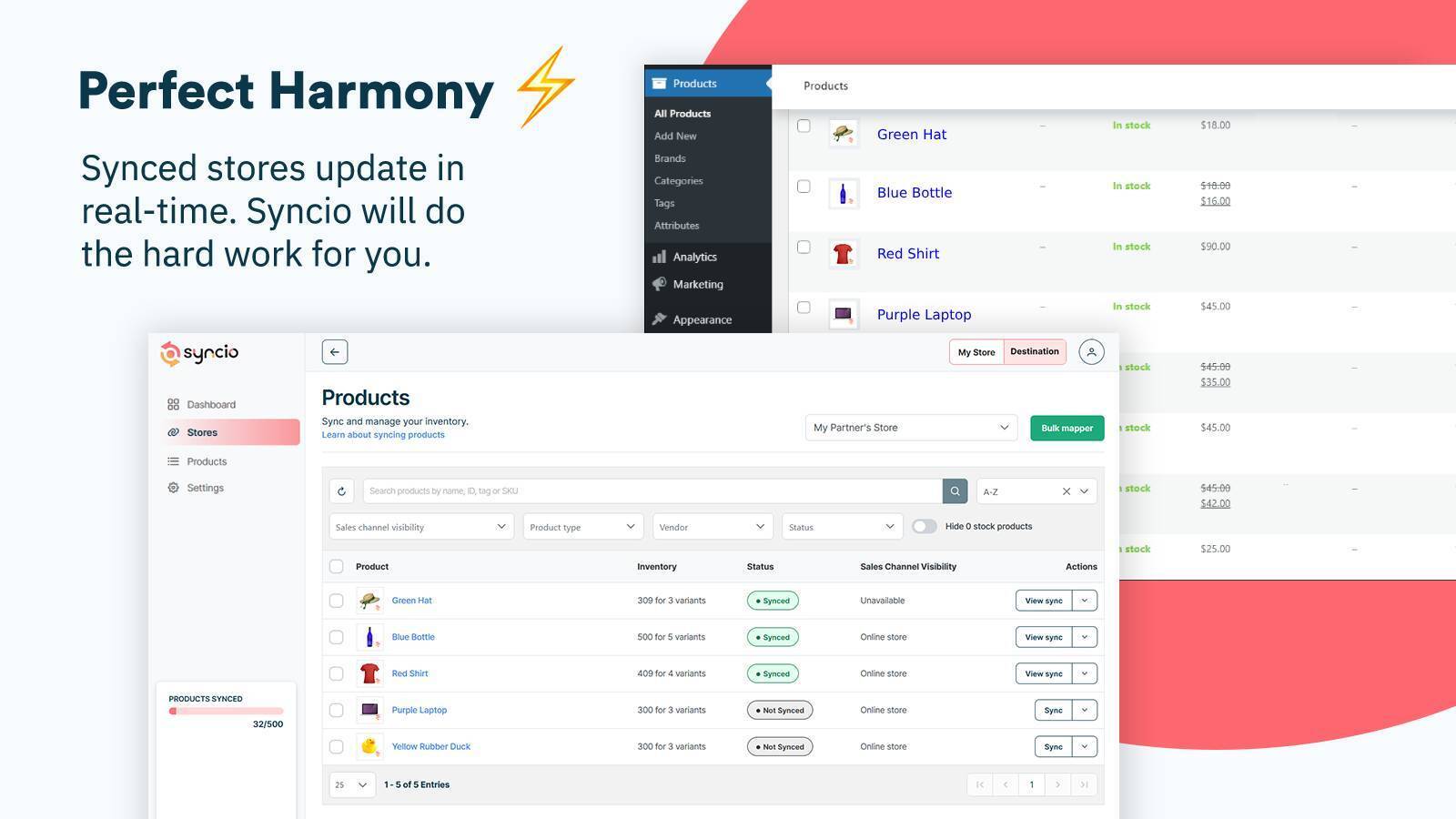
Prefect Harmony with your products order and connected store orders and products
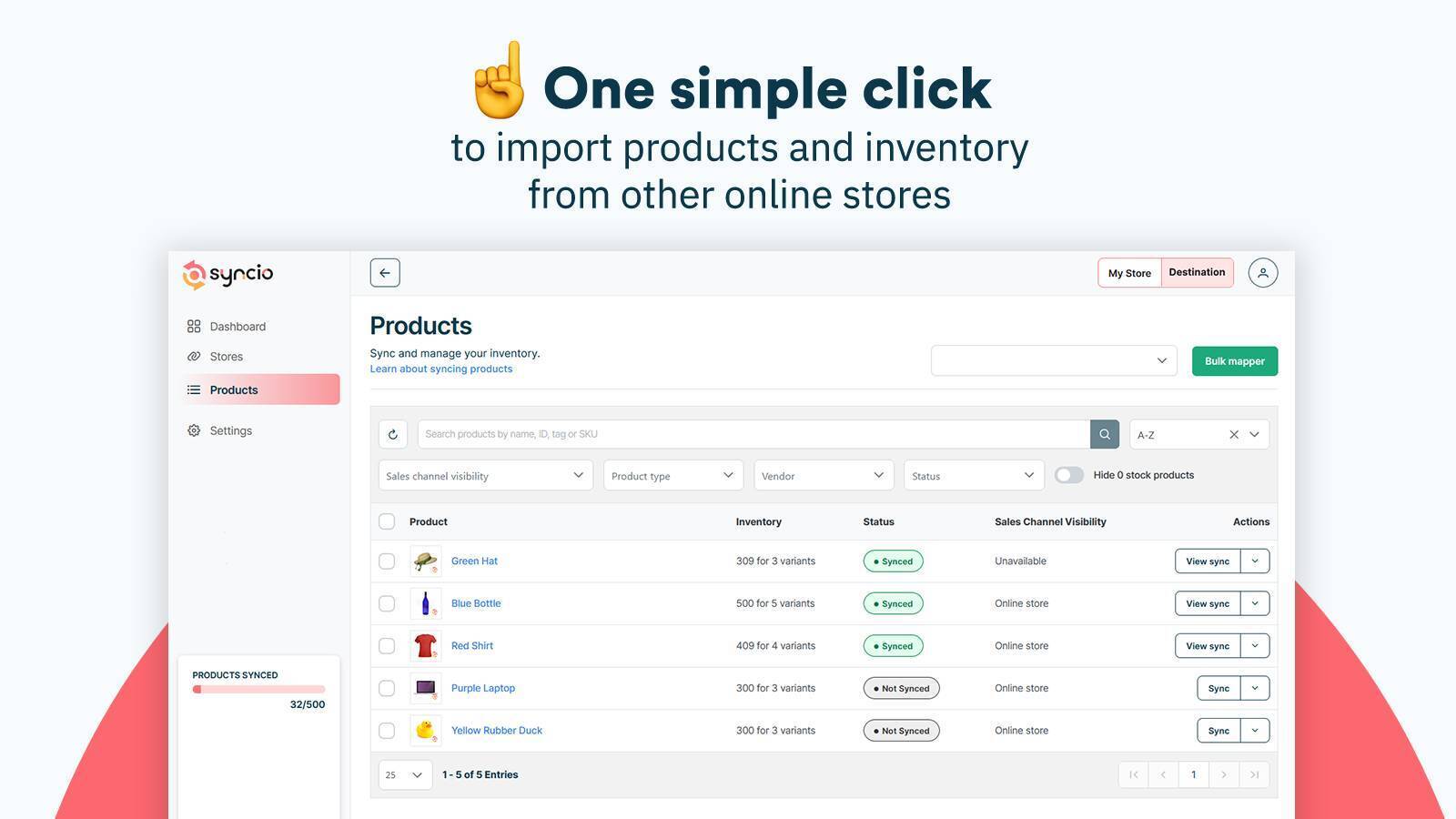
Simple one click import
Changelog
1.0.20
- make plugin compatible when setting are changed
- updated few tests to make sure everything is working
- minor bug fix
1.0.19
- fix issues with pages
1.0.18
- made some UI improvement
- fixed security bugs
- other bugs
1.0.17
- fixed intercom bug
1.0.16
- fixed some security bugs
- added intercom for customer support
1.0.15
- updated readme
- added images,icons and Screenshots
1.0.14
- fixed some security bugs
- data sanitize
- updated readme
1.0.09
- added suppport for PHP 7.4
- added health check for the plugin
- register to Syncio
- login to Syncio added
1.0.08
This version fixes a security related bug. Upgrade immediately.