

Tabs Block for Classic Editor
A lightweight shortcode plugin that enables tabbed content blocks in Classic Editor and Gutenberg, with easy buttons for fast shortcode insertion.
Plugin info
Maintenance & Compatibility
Maintenance score
Stale • Last updated 241 days ago
Is Tabs Block for Classic Editor abandoned?
Likely maintained (last update 241 days ago).
Compatibility
Similar & Alternatives
Explore plugins with similar tags, and compare key metrics like downloads, ratings, updates, support, and WP/PHP compatibility.
Description
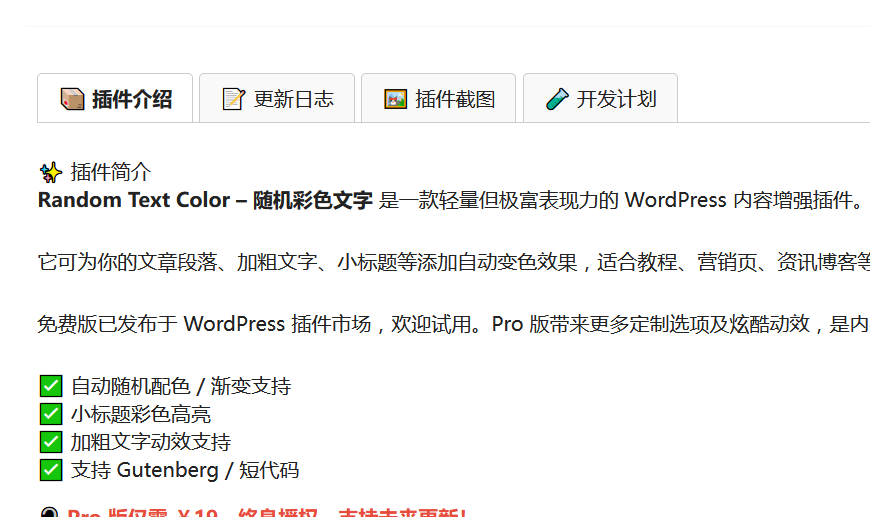
Tabs Block for Classic Editor is a clean and elegant tab display plugin for WordPress posts and pages. It supports:
- A toolbar button in the Classic Editor to insert tab shortcodes via popup
- A sidebar menu button in Gutenberg for quick tab shortcode insertion
- Simple and flexible shortcode format compatible with most themes
- Responsive frontend tab UI that automatically generates switchable tab sections
Shortcode usage example:
[tabsblcl_tabs]
[tabsblcl_tab title=”标签1″]这里是内容[/tabsblcl_tab]
[tabsblcl_tab title=”标签2″]这里是内容[/tabsblcl_tab]
[/tabsblcl_tabs]
License
This plugin is released under the GPL v2 or later.
Developer: TuDouCode
Website: https://tudoucode.cn
Installation
- Upload the plugin folder to
/wp-content/plugins/, or install via the WordPress plugin dashboard. - Activate the plugin through the “Plugins” menu in WordPress.
- In the Classic Editor, you will see an “Insert Tabs” button on the toolbar.
- In Gutenberg, a “Insert Tabs” option will appear in the sidebar menu.
- Click the button and follow the prompt to generate the tab shortcode.
- Save your post and view the tabbed content on the frontend.
Frequently Asked Questions
This plugin supports both the Classic Editor and the Gutenberg Editor. The Classic Editor includes a toolbar button, while Gutenberg has a sidebar button for shortcode insertion.
Use [tabsblcl_tabs] to wrap multiple [tabsblcl_tab title="Tab Title"]Content[/tabsblcl_tab]. Example:
[tabsblcl_tabs]
[tabsblcl_tab title="Tab 1"]Your content here[/tabsblcl_tab]
[/tabsblcl_tabs]
Yes. You can customize the styles using your theme or custom CSS targeting .tbc-tabs-container and related class names.
Yes. Even if you only have one tab, you must wrap it with [tabsblcl_tabs] for the frontend JavaScript to function properly.
Review feed
Screenshots

Changelog
1.1
- Added Gutenberg sidebar tab shortcode insertion button
- Improved Classic Editor button popup interaction
- Minor fixes and improved compatibility
1.0
- Initial release with Classic Editor support for tab shortcodes
- Frontend tab-switching display functionality