
Tag Display
Tag Display is a flexible WordPress plugin to showcase tags with clean, modern styles and customization.
Plugin info
Maintenance & Compatibility
Maintenance score
Stale • Last updated 228 days ago
Is Tag Display abandoned?
Likely maintained (last update 228 days ago).
Compatibility
Similar & Alternatives
Explore plugins with similar tags, and compare key metrics like downloads, ratings, updates, support, and WP/PHP compatibility.
Description
Tag Display allows you to present your WordPress tags using different templates, improving user engagement and navigation.
Choose between three customizable templates:
- Default Template: Clean and modern tag buttons with subtle hover effects.
- Minimal Template: Simple text links separated by commas for a clean look.
- Tag Cloud Template: Tags displayed in a cloud format with varied sizes and rotations.
Features:
– Multiple tag templates for flexible styling.
– Easy shortcode integration: [s7n_tag_display] or [s7n_tag_display template="minimal"].
– Admin settings page for customization.
– Automatic or manual tag display.
– Support for custom taxonomies alongside WordPress tags.
– Optimized for performance and easy to configure.
License
This plugin is licensed under the GPLv2 or later.
Installation
- Upload the
tag-displayfolder to the/wp-content/plugins/directory. - Activate the plugin through the ‘Plugins’ menu in WordPress.
- Go to Settings -> Tag Display to customize your preferences.
- Use the shortcode
[s7n_tag_display]in your posts or pages.
Frequently Asked Questions
Simply activate the plugin, customize your settings, and use the shortcode [s7n_tag_display] wherever you want the tags to appear.
Yes, you can select between Default, Minimal, and Tag Cloud templates directly from the settings page or via shortcode:
[s7n_tag_display template=”minimal”]
Yes, Tag Display is regularly updated to ensure compatibility.
Review feed
Screenshots
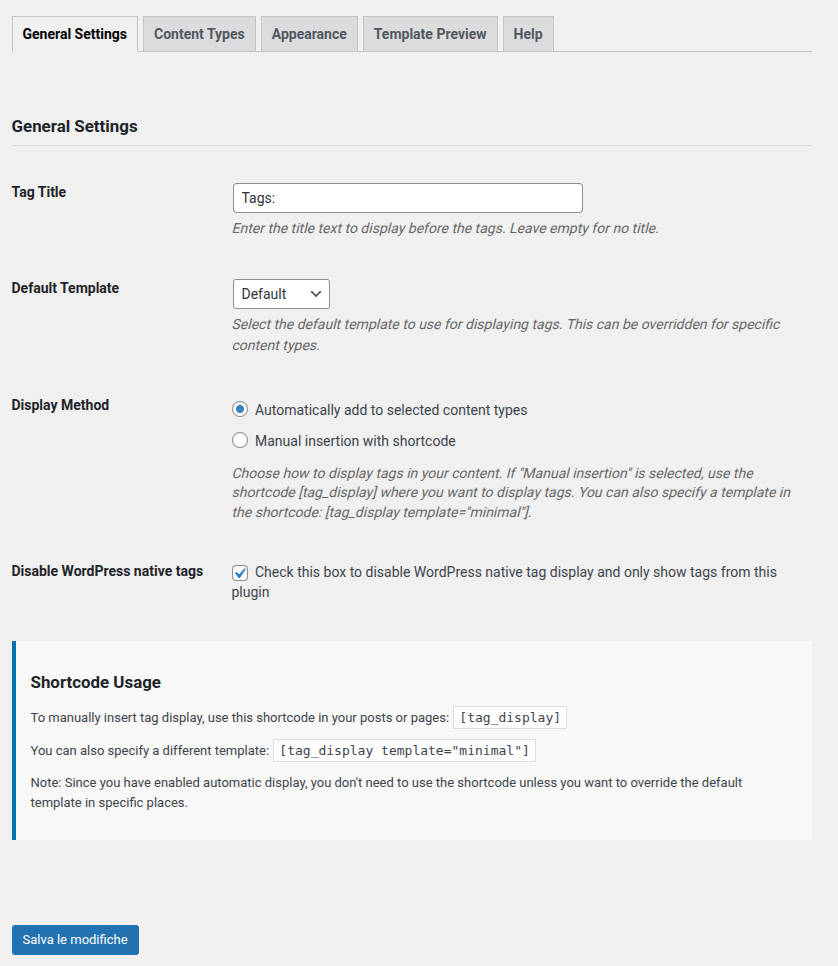
General Settings

Content Types

Appearance

Template Preview

Help
Changelog
1.2.0
- Added support for custom taxonomies.
- Terms from selected custom taxonomies are now displayed alongside WordPress tags.
- Updated templates to use get_term_link() for better compatibility with custom taxonomies.
- Added new admin setting to select which custom taxonomies to include.
1.0.0
- Initial release.
- Added three customizable templates.
- Integrated shortcode support.
- Created admin settings page.