

Google Tag Manager & Google Analytics for AMP
Provide support for Google Analytics & Google Tag Manager on pages supported by the AMP Project (Accelerated Mobile Pages).
Plugin info
Maintenance & Compatibility
Maintenance score
Possibly abandoned • Last updated 3274 days ago
Is Google Tag Manager & Google Analytics for AMP abandoned?
Possibly abandoned (last update 3274 days ago).
Compatibility
Similar & Alternatives
Explore plugins with similar tags, and compare key metrics like downloads, ratings, updates, support, and WP/PHP compatibility.
Description
Add support for Google Analytics and Google Tag Manager to your AMP pages
(Accelerated Mobile Pages) on WordPress. The plugin will provide you with an
easy set-up of your accounts on both GA & GTM to make sure you can start
measuring and supporting your AMP pages better.
Features
- Enable the tracking codes for Google Tag Manager & Google Analytics.
- Provide custom variables and data for AMP.
- Be able to customize the custom dimensions for Google Analytics.
- Add outbound link tracking for Google Analytics.
Installation
From within WordPress
1. Visit ‘Plugins > Add New’.
2. Search for ‘Google Tag Manager & Google Analytics for AMP’.
3. Activate Google Tag Manager & Google Analytics for AMP from your Plugins page.
4. Go to “after activation” below.
Manually
1. Upload the gtm-ga-wordpress-amp folder to the /wp-content/plugins/ directory.
2. Activate the Google Tag Manager & Google Analytics for AMP plugin through the ‘Plugins’ menu in WordPress.
3. Go to “after activation” below.
Frequently Asked Questions
Review feed
Screenshots
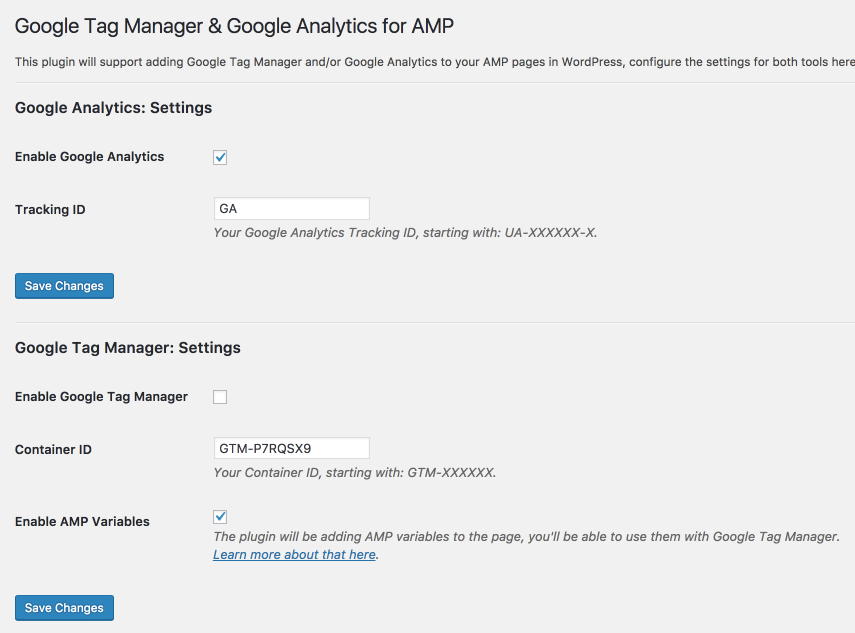
Dashboard settings

Changelog
1.0.0
- Enable the tracking codes for Google Tag Manager & Google Analytics.
- Provide custom variables and data for AMP.
- Be able to customize the custom dimensions for Google Analytics.
- Add outbound link tracking for Google Analytics.