

Tainacan URL Metadata Type
This plugin is not required anymore if you are using Tainacan 0.21.0, as the URL metadata type has become an official metadata type inside the plugin.
Plugin info
Maintenance & Compatibility
Maintenance score
Possibly abandoned • Last updated 710 days ago • 1 reviews
Is Tainacan URL Metadata Type abandoned?
Possibly abandoned (last update 710 days ago).
Compatibility
Similar & Alternatives
Explore plugins with similar tags, and compare key metrics like downloads, ratings, updates, support, and WP/PHP compatibility.
Description
Tainacan is an open-source, powerful and flexible digital repository platform for WordPress.
This plugin expands the Tainacan plugin functionality by adding support to an extra metadata type, useful for displaying URL links as an embed content, either via WordPress auto embed feature or by forcing the usage of an iframe. It is a solution for those interested on having more than one Document of type URL or expecting the attachments list to accept URL as well.
Find out more
- Visit our official website: https://tainacan.org/
- Check our documentation Wiki: https://wiki.tainacan.org/
- Source code on GitHub: https://github.com/tainacan/tainacan-metadata-type-url
Installation
Upload the files to the plugins directory and activate it. You can also install and activate directly from the admin panel.
This plugin will only work with Tainacan plugin active, with a version greater than 0.16;
Frequently Asked Questions
Review feed
Uma integração sublime com a web
Screenshots

Create the metadata on your collection and set its options;

Create a new item on the collection, and add URL metadata values to it;

If the link does not auto embeds, you can force to display inside an iframe;
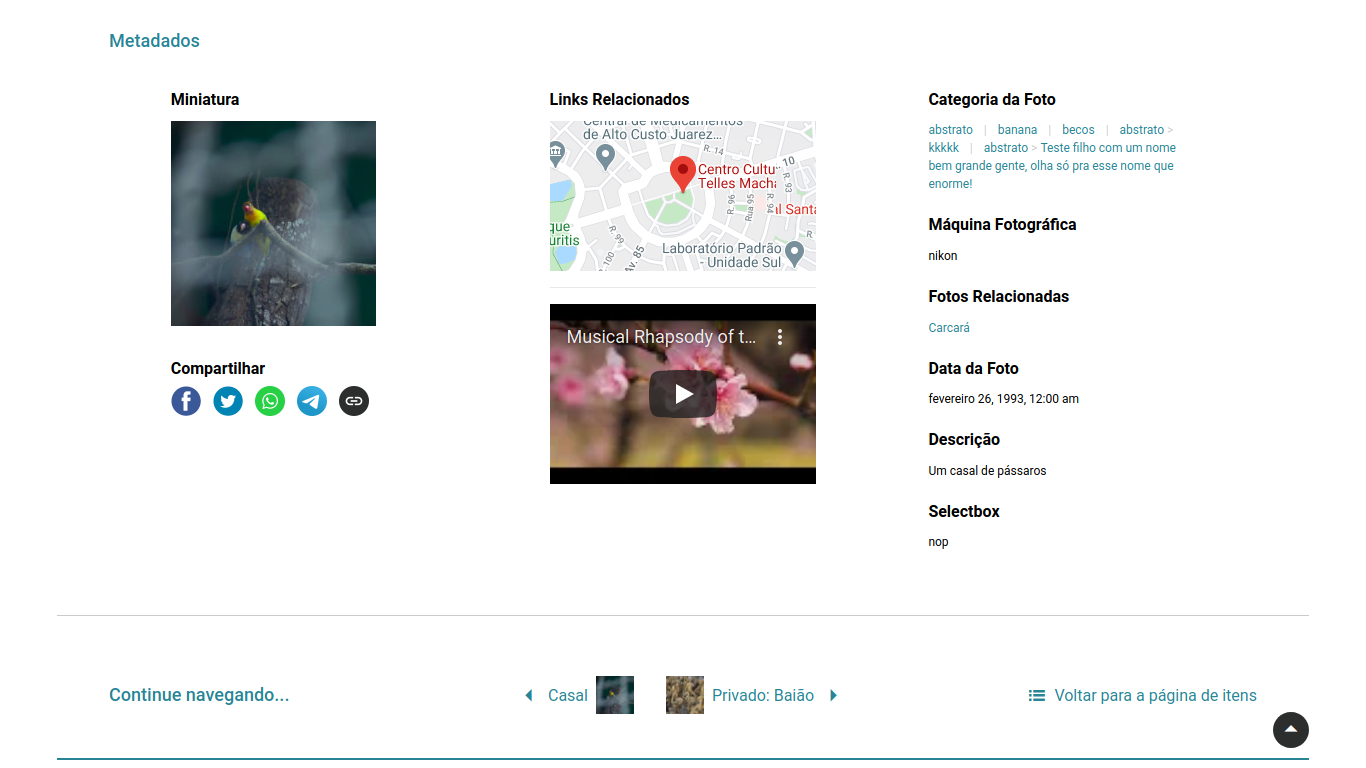
Visualize the metadata published on your theme;
Changelog
0.2.0
- Trim URL before checking as valid
- Adds wp-element-button class to buttons
- Adds Tainacan update and deprecation warning
0.1.1
- Adds responsive wrapper from Tainacan plugin
0.0.9
- Improves style of multivalue separator and links as buttons
0.0.8
- Allows setting custom placeholder
0.0.7
- Fixes link markdown issue on single-valued metadata
0.0.6
- Allows markdown links to display labels like this: label
- Adds option to display link with a button style
- Validates url input on the server side instead of frontend
0.0.5
- Bug fixes on the preview update
0.0.4
- Disables preview when metadata is inside of item submission block
0.0.3
- Better namespacing and fixes multivalued previews
0.0.2
- First release of the Tainacan URL Metadata Type