

TaskPress
Trello-style Kanban boards for WordPress. Manage projects with drag-and-drop cards, lists, and team collaboration. BETA VERSION.
Plugin info
Maintenance & Compatibility
Maintenance score
Actively maintained • Last updated 83 days ago
Is TaskPress abandoned?
Likely maintained (last update 83 days ago).
Compatibility
Similar & Alternatives
Explore plugins with similar tags, and compare key metrics like downloads, ratings, updates, support, and WP/PHP compatibility.
Description
⚠️ BETA VERSION – This is a beta release for testing and feedback. While fully functional, we’re actively seeking user input to improve the plugin before the stable 1.0 release.
TaskPress brings Trello-style Kanban boards directly into your WordPress dashboard. Perfect for teams, agencies, and businesses who want to manage projects without leaving WordPress.
🚀 Key Features
Core Functionality:
- Kanban Boards – Visual project management with intuitive drag-and-drop interface
- Multiple Boards – Create unlimited boards for different projects and teams
- Lists & Cards – Organize tasks into customizable workflow columns
- Drag & Drop – Smooth card movement powered by SortableJS
- User Assignments – Assign tasks to specific team members
- Due Dates – Set and track deadlines for better time management
- Color Labels – Categorize and prioritize cards with custom colored labels
- Rich Text Editing – Full WordPress WYSIWYG editor for card descriptions
- Comments System – Threaded comments with rich text support for team collaboration
- Activity Tracking – Complete activity log for all card changes and movements
- Responsive Design – Works perfectly on desktop, tablet, and mobile devices
User Management:
- Custom Roles – Project Manager (full access) and Project Member (limited access) roles
- Granular Permissions – Control who can create, edit, and delete content
- User Assignment – Assign cards to specific team members with visual indicators
- Permission-Based Actions – Actions shown based on user capabilities
Technical Features:
- AJAX API – Full AJAX API support via WordPress admin-ajax.php
- Frontend Shortcode –
[taskpress]for standalone app-like pages - Security First – Proper nonce verification and capability checks throughout
- WordPress Standards – Follows WordPress coding standards and best practices
- Virtual Pages – Boards page works like WooCommerce Shop (can be set as homepage)
- Centralized Routing – Clean template architecture for maintainability
🎯 Perfect For
- Development teams managing sprints and backlogs
- Marketing teams tracking campaigns and content calendars
- Agencies managing multiple client projects
- Freelancers organizing their work and deadlines
- Product teams planning features and releases
- Support teams tracking tickets and issues
- Any team that needs visual project management
📋 How It Works
- Create a Board – Set up a board for your project or team
- Add Lists – Create workflow columns (e.g., “To Do”, “In Progress”, “Done”)
- Create Cards – Add tasks with titles, descriptions, labels, and due dates
- Assign Members – Assign cards to team members
- Drag & Drop – Move cards between lists as work progresses
- Collaborate – Add comments, edit descriptions, track activity
- Track Progress – Monitor everything from your WordPress dashboard
👥 User Roles
Project Manager – Full access to create, edit, and delete boards, lists, and cards. Can manage all aspects of projects and team members.
Project Member – Access to assigned boards with ability to manage their own cards, add comments, and update task status.
Administrator – Full access to all TaskPress features plus plugin settings and configuration.
📱 Shortcode
Use the [taskpress] shortcode to display boards on any page or post:
[taskpress]
This creates a standalone app-like experience for your team members, perfect for creating a dedicated project management page.
💻 Developer Friendly
- Clean Code – Well-documented, modular code structure
- WordPress Standards – Follows WordPress coding standards and best practices
- AJAX Endpoints – Comprehensive AJAX API for custom integrations
- Hooks & Filters – Action and filter hooks for extensibility
- Modern JavaScript – Clean JavaScript with jQuery and SortableJS
- Namespaced – Proper PHP namespacing to avoid conflicts
- Secure – Security-first approach with nonce verification and sanitization
🔒 Privacy
TaskPress does not collect or store any personal data outside of your WordPress installation. All data is stored in your WordPress database and follows WordPress privacy standards. No external services are contacted, and no data is transmitted to third parties.
Support
Beta Testing Support:
For support and to report beta issues, please visit:
- WordPress.org Support Forums: https://wordpress.org/support/plugin/taskpress/
- GitHub Issues: https://github.com/jakaria-istauk/taskpress/issues
- Documentation: Check the docs/ folder in the plugin directory
Your feedback is valuable for improving the plugin! When reporting issues, please include:
- WordPress version
- PHP version
- Active theme and plugins
- Steps to reproduce the issue
- Expected vs actual behavior
- Screenshots (if applicable)
- Browser and device information
Contribute
TaskPress is open source software. We welcome contributions!
Ways to Contribute:
- Report bugs and issues
- Suggest new features
- Improve documentation
- Beta testing and feedback
- Code contributions
- Translations
Development:
- GitHub Repository: https://github.com/jakaria-istauk/taskpress
- Coding Standards: WordPress Coding Standards
- Testing: Thoroughly test all changes
- Pull Requests: Welcome for bug fixes and features
Third Party Libraries
TaskPress includes the following third-party libraries:
-
SortableJS – MIT License – Drag and drop functionality
- Version: 1.15.0
- Homepage: https://sortablejs.github.io/Sortable/
- License: https://github.com/SortableJS/Sortable/blob/master/LICENSE
-
Select2 – MIT License – Enhanced select dropdowns
- Version: 4.0.13
- Homepage: https://select2.org/
- License: https://github.com/select2/select2/blob/develop/LICENSE.md
All libraries are included locally and do not make external requests. No data is transmitted to third parties.
Roadmap
Planned for 1.0 Stable:
- Enhanced error handling and validation
- Performance optimizations
- User feedback integration
- Comprehensive testing suite
- Improved accessibility (WCAG compliance)
- Enhanced mobile experience
- Better internationalization support
- Advanced security hardening
Future Enhancements:
- Real-time collaboration with WebSockets
- File attachments on cards
- Email notifications and alerts
- @mentions in comments
- Advanced filtering and search
- Time tracking functionality
- Analytics and reporting dashboard
- Card templates and automation
- Third-party integrations (Slack, Teams, etc.)
- Custom themes and branding
Credits
Development:
- Built with ❤️ for the WordPress community
- Follows WordPress coding standards and best practices
- Inspired by Trello’s intuitive interface
Special Thanks:
- WordPress community for best practices and support
- Trello for UI/UX inspiration
- SortableJS for excellent drag-and-drop library
- All beta testers and early adopters
License
TaskPress is licensed under the GPL v2 or later.
This program is free software; you can redistribute it and/or modify it under the terms of the GNU General Public License as published by the Free Software Foundation; either version 2 of the License, or (at your option) any later version.
This program is distributed in the hope that it will be useful, but WITHOUT ANY WARRANTY; without even the implied warranty of MERCHANTABILITY or FITNESS FOR A PARTICULAR PURPOSE. See the GNU General Public License for more details.
You should have received a copy of the GNU General Public License along with this program; if not, write to the Free Software Foundation, Inc., 51 Franklin Street, Fifth Floor, Boston, MA 02110-1301, USA.
Installation
Automatic Installation
- Log in to your WordPress admin panel
- Navigate to Plugins > Add New
- Search for “TaskPress”
- Click “Install Now” and then “Activate”
Manual Installation
- Download the plugin zip file
- Log in to your WordPress admin panel
- Navigate to Plugins > Add New > Upload Plugin
- Choose the downloaded zip file and click “Install Now”
- Activate the plugin
After Activation
- Go to TaskPress in your WordPress admin menu
- Create your first board
- Add lists and cards to get started
- Use the
[taskpress]shortcode on any page to display boards on the frontend
Frequently Asked Questions
Yes, TaskPress 0.0.1 is a beta release. While fully functional and tested, we’re actively seeking user feedback to improve the plugin before the stable 1.0 release. Please test thoroughly and report any issues you encounter.
Yes! Use the [taskpress] shortcode on any page to create a frontend board view. This provides a standalone app-like experience for your team members without the WordPress admin interface.
You can create unlimited boards with TaskPress. Each board can have unlimited lists and cards.
Yes, you can assign cards to any user with the Project Manager or Project Member role. Each card can be assigned to one user at a time.
Yes, TaskPress is fully responsive and works great on desktop, tablet, and mobile devices. The drag-and-drop functionality is touch-friendly for mobile users.
Yes! TaskPress includes a full comments system with threaded replies, rich text editing, and activity tracking. Team members can collaborate directly on cards.
TaskPress provides comprehensive AJAX endpoints that allow you to integrate with other tools and services. All endpoints use WordPress admin-ajax.php for compatibility.
Future enhancements are planned including real-time collaboration, file attachments, email notifications, time tracking, and more. The current beta version includes core functionality to gather user feedback before expanding features.
TaskPress is designed for single WordPress installations. Multisite compatibility may be added in future versions based on user demand.
TaskPress creates two custom roles: Project Manager (full access to all features) and Project Member (limited access to assigned boards and cards). Administrators have full access by default.
Yes! TaskPress follows your theme’s styling and provides CSS classes for customization. The plugin uses a Trello-inspired design that works well with most themes. You can override styles in your theme’s CSS.
Yes, TaskPress includes a color-coded labels system. You can create custom labels at the board level and apply them to cards for categorization and prioritization.
Yes, you can set due dates for any card. Due dates help you track deadlines and prioritize work.
Yes, security is a top priority. TaskPress follows WordPress security best practices including nonce verification, capability checks, data sanitization, and SQL injection prevention.
Currently, all data is stored in your WordPress database. Export functionality may be added in future versions. You can access your data directly from the database if needed.
Yes, you can use the [taskpress] shortcode in any page builder that supports WordPress shortcodes (Elementor, Beaver Builder, Divi, etc.).
Your data remains in the database when you deactivate TaskPress. If you reactivate the plugin, all your boards, lists, and cards will still be there.
Yes! TaskPress supports a virtual “Boards” page similar to WooCommerce Shop. You can set it as your homepage in Settings > Reading while keeping it accessible at the /boards URL.
Please use the WordPress.org support forums or visit our GitHub repository at https://github.com/jakaria-istauk/taskpress to report issues or request features.
Review feed
Screenshots
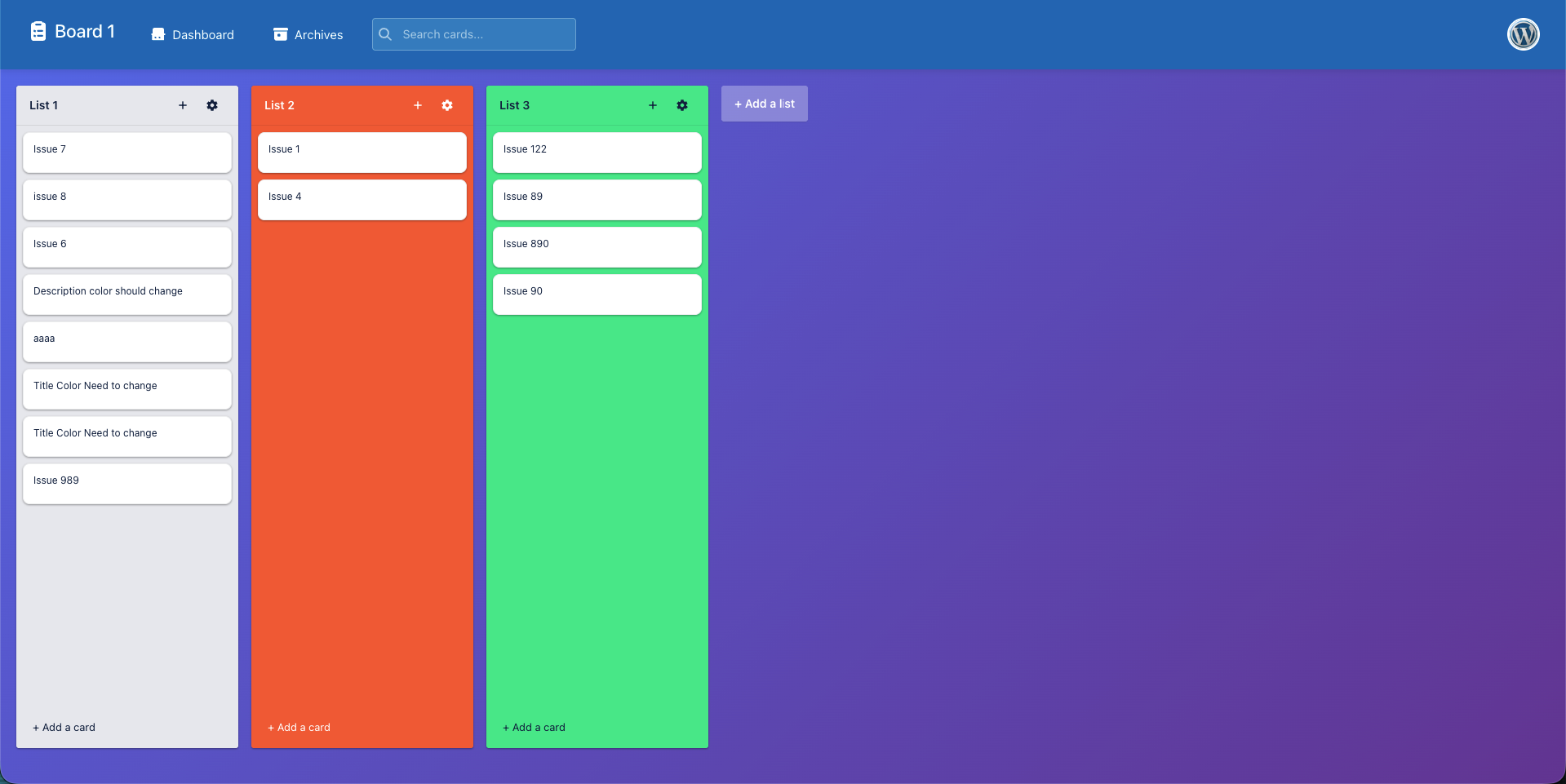
Kanban board view with drag-and-drop cards
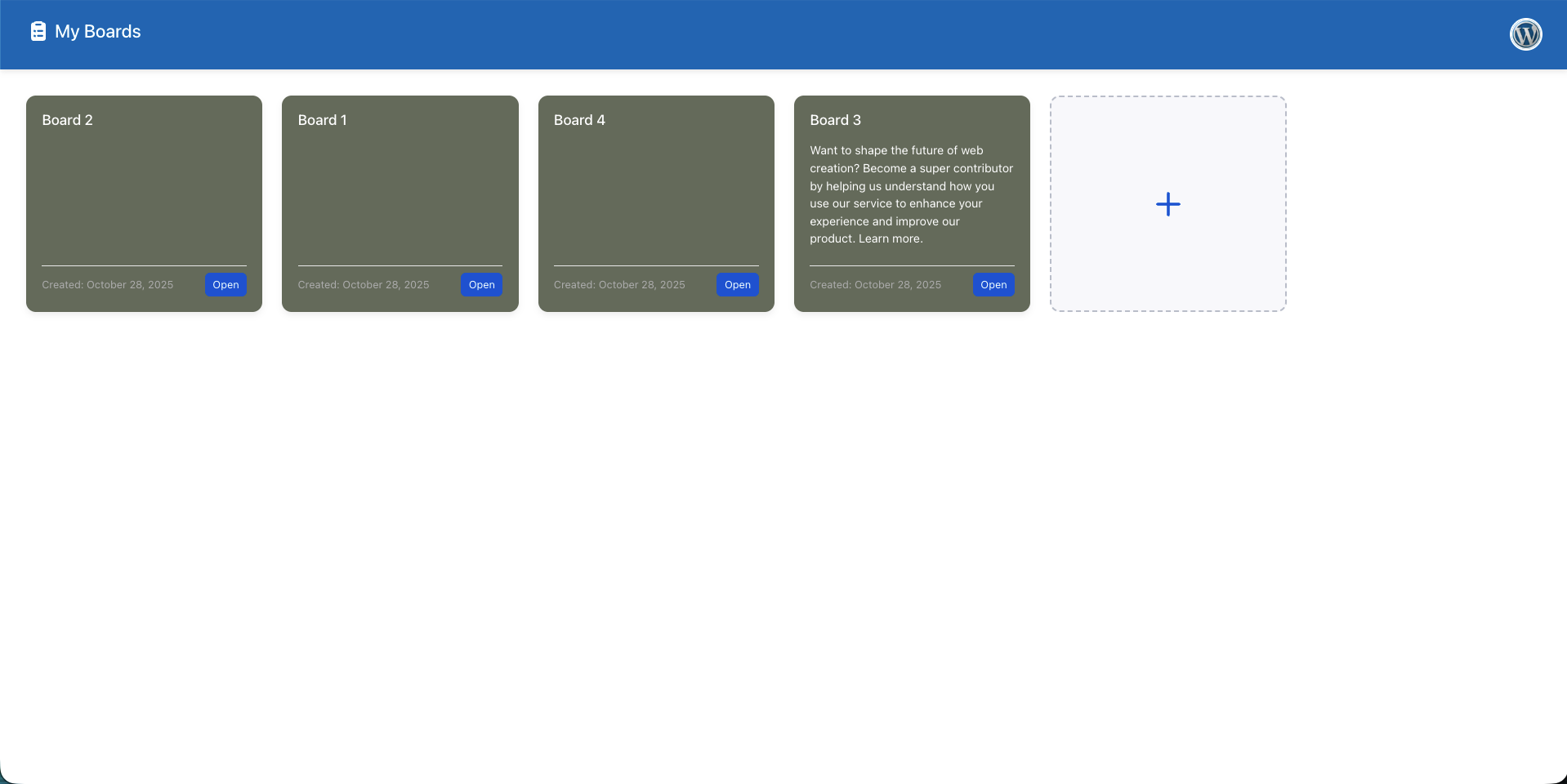
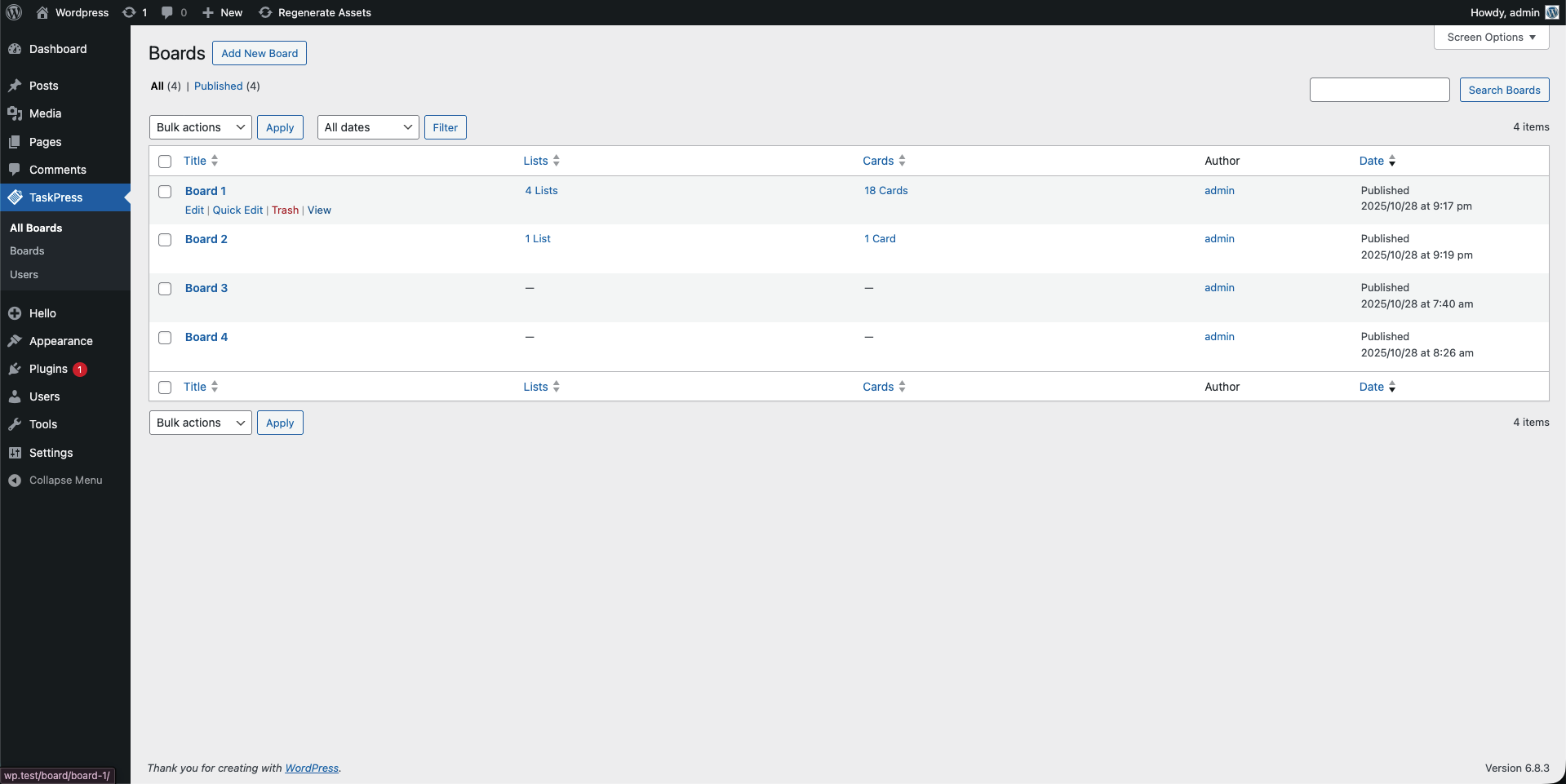
Admin boards management page
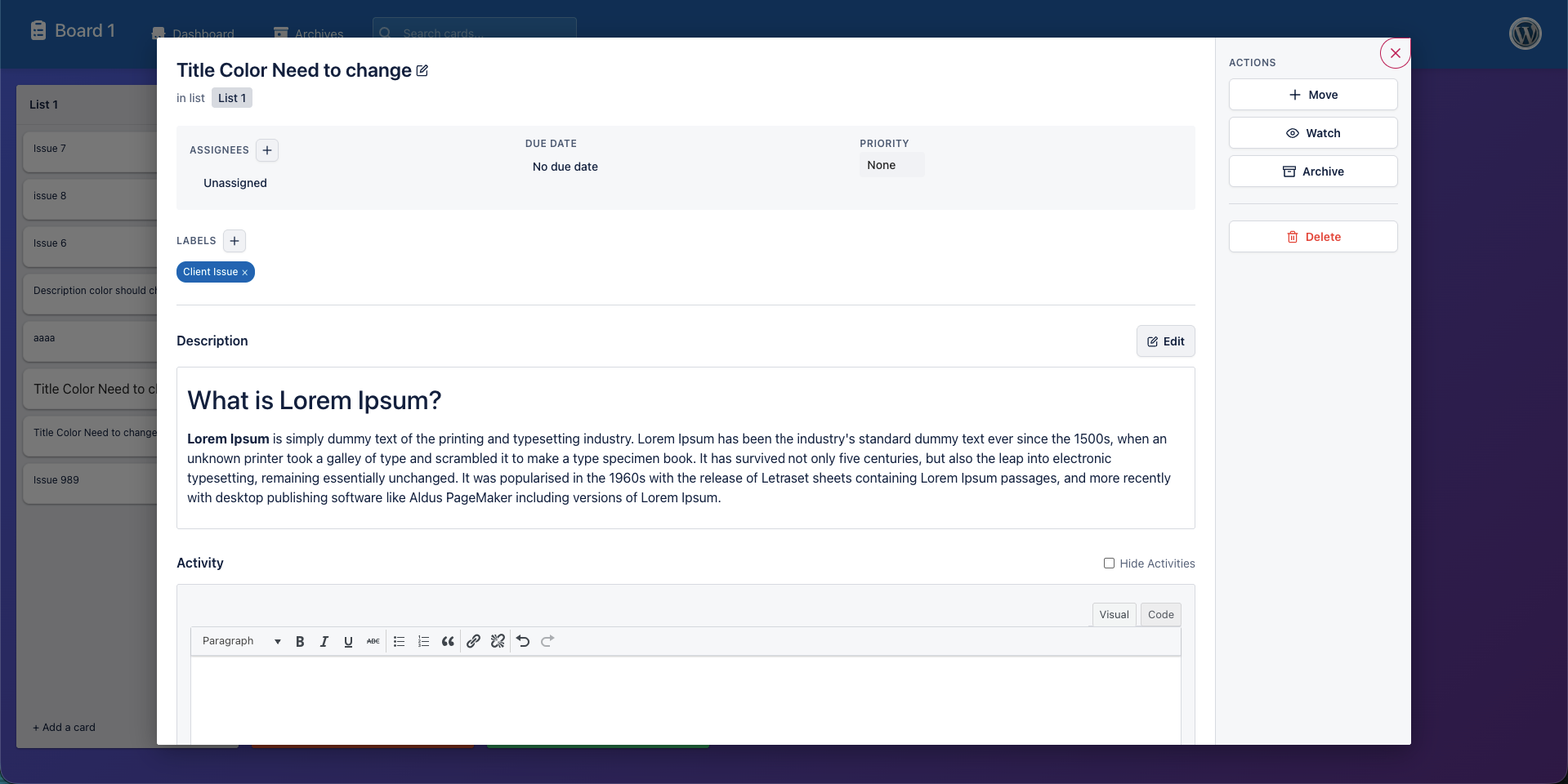
Card detail modal with all options
Frontend board view for team members
Mobile responsive design
Changelog
0.0.1 – 2025-11-25
BETA RELEASE – Initial public beta for testing and feedback
Added:
- Kanban-style board interface with drag-and-drop functionality
- Multiple boards support for different projects
- Lists (columns) within boards for workflow stages
- Cards (tasks) that can be moved between lists
- Card details including title, description, labels, due dates, and user assignments
- Rich text editor (WordPress WYSIWYG) for card descriptions
- Comments system with threaded replies and rich text support
- Activity tracking and logging for all card changes
- Custom user roles: Project Manager and Project Member
- Granular capability system for fine-grained permissions
- User assignment functionality for cards
- Color-coded labels system for categorization
- Due date tracking for deadline management
- Frontend shortcode
[taskpress]for standalone pages - Responsive design for desktop, tablet, and mobile
- AJAX API endpoints for all operations
- Security features: nonce verification, capability checks, data sanitization
- Virtual “Boards” page (can be set as homepage)
- Centralized template routing system
- Click-to-edit card titles with auto-save
- Dropdown stage selection to move cards between lists
- Permission-based action visibility
- Touch-friendly drag-and-drop for mobile devices
- Browser compatibility: Chrome, Firefox, Safari, Edge, mobile browsers
Technical Details:
- WordPress 5.8+ compatibility
- PHP 7.4+ requirement
- MySQL 5.6+ support
- SortableJS integration for drag-and-drop
- Select2 integration for enhanced dropdowns
- WordPress coding standards compliance
- Proper namespacing and modular code structure
- Comprehensive inline documentation
Known Limitations (Beta):
- Some advanced features are still in development
- Performance optimizations are ongoing
- Limited translation support (English only)
- Documentation is being expanded
- No real-time collaboration (planned for future)
- No file attachments (planned for future)
- No email notifications (planned for future)
Beta Testing Notes:
This is a beta release. Please test thoroughly and report any issues via the WordPress.org support forums or GitHub. Your feedback is valuable for improving the plugin before the stable 1.0 release!