
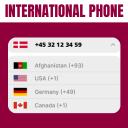
Telephone field for Elementor Forms
The plugin helps you in creating a country drop-down list with country flag.
Plugin info
Maintenance & Compatibility
Maintenance score
Maintained • Last updated 127 days ago • Support resolved 100% • 6 reviews
Is Telephone field for Elementor Forms abandoned?
Likely maintained (last update 127 days ago).
Compatibility
Languages
Similar & Alternatives
Explore plugins with similar tags, and compare key metrics like downloads, ratings, updates, support, and WP/PHP compatibility.
Description
DEMO: https://demo.add-ons.org/demo-international-phone-field/
Pro Version: https://add-ons.org/plugin/elementor-forms-international-phone-input-mask-field/
Document: https://add-ons.org/document-elementor-forms-international-phone-masking-field/
The Telephone field for the Elementor Forms plugin helps you in creating a country drop-down list with country flags. The tag field will automatically add countries name in standard drop-down field of Elementor Forms.
It supports all modern browsers and touch based devices.
Features
- Easy to use
- Phone number validation: Ensure submitted phone numbers are real numbers. No more throwaway numbers. Less typos.
- Use Phone meta in conditional logic.: Trigger conditional logic based on captured metadata.
- Capture phone meta: Capture phone type, location, carrier, and more.
- Filtered and preferred countries.: Filter which countries are available for selection and place preferred countries at top of selectable list.
- Auto-detect default country.: Automatically detect the country code by visitor location or set a default country.
- Selectable country codes with flags. Customers can easily select their country code and will appreciate country flags as a visual aid.
Pro Version
- Auto-detect default country
- Search country
- Country Search
- 30-day money-back guarantee
- 1-year support
Installation
Normal installation
- Download the telephone-field-for-Elementor-Forms.zip file to your computer.
- Unzip the file.
- Upload the
telephone-field-for-Elementor-Formsdirectory to your/wp-content/plugins/directory. - Activate the plugin through the ‘Plugins’ menu in WordPress.
- Document: https://add-ons.org/document-elementor-forms-international-phone-masking-field/
Frequently Asked Questions
The blurred national flag image is due to other plugins optimizing the image incorrectly. Please contact us to fix it.
This is a popup feature of elementor, to fix the error you enable Prevent Closing on Overlay in the popup settings.
https://add-ons.org/document-elementor-forms-international-phone-masking-field/#document-h2-8
Review feed
Screenshots

Frontend Working

Backend settings

Frontend select country

Frontend in smartphone

Frontend in smartphone choose

Frontend in smartphone Search
Changelog
1.5.0
- Added: Support RTL
1.4.8
- Added: Only us phone format
1.4.7
- Fixed: keyup popup
1.4.4
- Fixed: Background input
1.4.2
- Fixed: is_plugin_active function doesn’t exist
1.4.1
- Fixed: Mobile popup
1.4.0
- Fixed: Compatible with LiteSpeed Cache plugin
1.3.8
- Fixed: Change text The phone format to Invalid phone format
1.3.7
- Fixed: Check Validation
1.3.6
- Fixed: Compatibe with Repeater Fields for Elementor Forms
1.3.5
- Added: Search country
1.3.4
- Version 1.0 Initial Release