

Text to Speech for WordPress (AI Voices by Mementor)
Text to Speech WordPress plugin with natural AI voices, transcription, accessibility tools & SEO benefits. Includes 10,000 free credits.
Plugin info
Maintenance & Compatibility
Maintenance score
Maintained • Last updated 133 days ago • Support resolved 100% • 5 reviews
Is Text to Speech for WordPress (AI Voices by Mementor) abandoned?
Likely maintained (last update 133 days ago).
Compatibility
Languages
Similar & Alternatives
Explore plugins with similar tags, and compare key metrics like downloads, ratings, updates, support, and WP/PHP compatibility.
Description
Add Text to Speech to WordPress in Seconds
Text to Speech (TTS) by Mementor transforms your written content into natural, human-like audio. It helps make your website accessible to everyone — from readers who prefer to listen, to users with visual impairments or learning differences.
Powered by ElevenLabs, this plugin delivers lifelike speech that sounds warm and engaging. No setup, API key, or coding required — just install and start converting your WordPress posts into audio instantly.
Adding text to speech increases time-on-page and user engagement, both of which can improve your SEO. The plugin is built with WCAG 2.1/2.2 and ADA accessibility standards in mind.
You also get Speech-to-Text (STT) features in PRO — perfect for transcription, captions, or converting podcasts and video to readable text.
🔊 Key Benefits of Text to Speech by Mementor
- Instant setup – No API keys or external accounts required.
- Human-like AI voices – Powered by ElevenLabs, the world’s best neural TTS engine.
- Automatic player – Adds a responsive, mobile-friendly audio player to posts, pages, and WooCommerce products.
- Accessibility ready – Meets WCAG 2.1 Level AA standards with ARIA labels, keyboard shortcuts, and screen-reader support.
- Improved SEO – Engaged visitors stay longer and interact more.
- Free credits – 10,000 free text-to-speech characters included at activation.
- Lightweight & optimized – Works with caching and performance plugins; no effect on Core Web Vitals.
- Speech-to-Text (PRO) – Transcribe audio and video files with 99% accuracy.
⚙️ How It Works
- Install and activate the plugin.
- Publish or update a post or page.
- A text-to-speech audio player automatically appears below the first paragraph.
- Visitors can play, pause, or download the spoken version instantly.
That’s it — your site now speaks.
🎥 Watch the Plugin in Action
See full walkthrough, features, and pricing
✨ Why Choose This Text to Speech Plugin?
1. Simple and Fast
No accounts, API keys, or coding needed. Install, activate, and start listening.
2. Natural AI Voices
Powered by ElevenLabs for the most realistic speech available. Choose from male, female, and multilingual voices that sound truly human.
3. Accessibility & Compliance
Fully compatible with WCAG 2.1 AA and ADA guidelines. Improve inclusivity and reach a broader audience with text-to-speech functionality.
4. Works With Any Theme or Page Builder
Seamlessly integrates with Elementor, Gutenberg, Divi, Visual Composer, and any WordPress theme. Responsive on mobile, tablet, and desktop.
5. Optimized for SEO
Audio players increase dwell time and improve accessibility signals, helping your content rank better. PRO includes AudioObject schema for enhanced search visibility.
🚀 Features
🆓 Free Text to Speech Features
- 10,000 free characters to convert text to audio immediately
- Natural AI voices – male and female in multiple languages
- Automatic player added to posts, pages, and WooCommerce products
- Zero-click install – works right after activation
- Mobile-first player with speed control (0.5x–2x), seek, and download
- Accessibility ready – ARIA labels, keyboard control, high contrast
- Audio auto-updates when post content changes
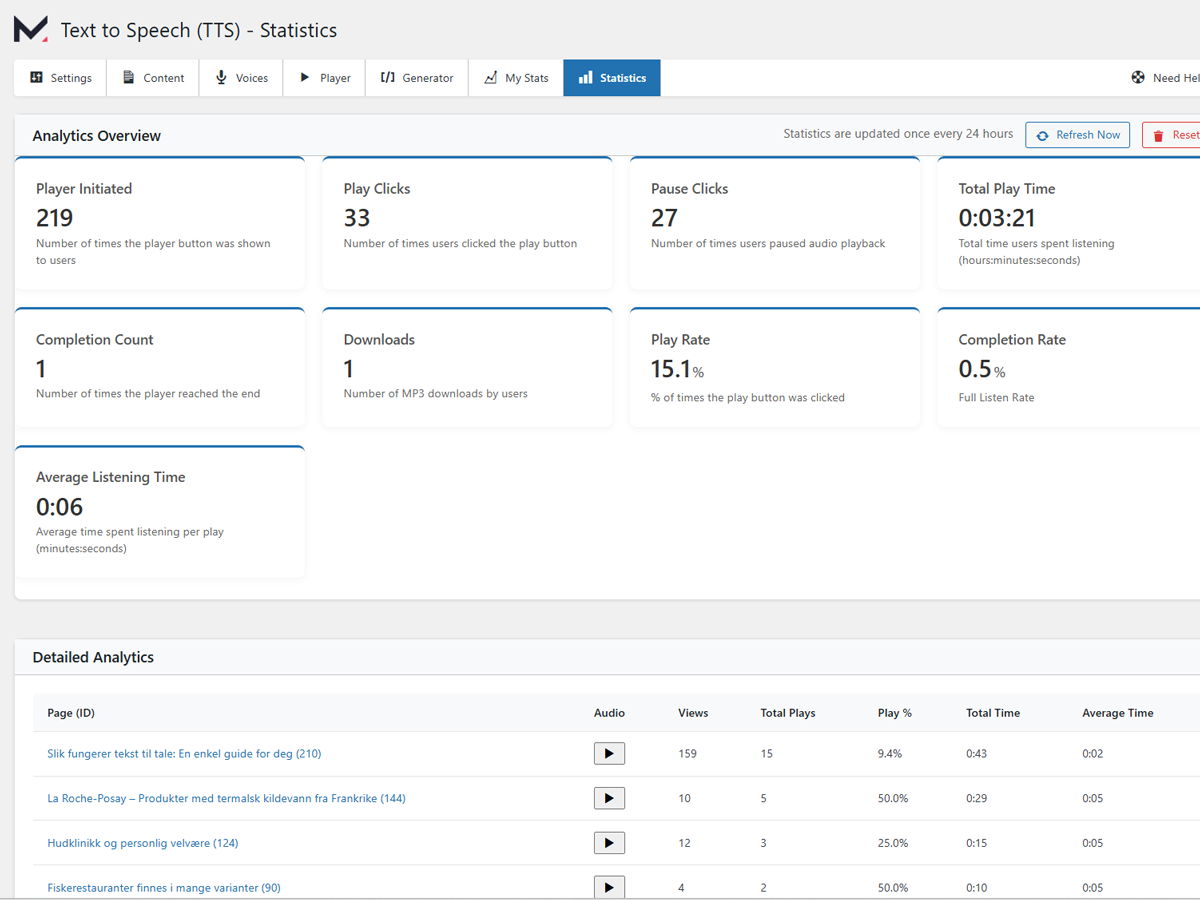
- Statistics dashboard – track plays, completion rates, and engagement
- Shortcode and block support for custom placement
- Content filtering – exclude elements using CSS selectors or “no-audio” class
- Optimized performance – works with caching and minification plugins
- Multisite support – compatible across WordPress networks
💎 Text to Speech PRO (US $3.99/month, billed annually)
- 75,000 characters/month — 15× more than free tier
- 600+ voices across 70+ languages
- Premium 44.1 kHz audio quality
- Speech to Text (STT) transcription with high accuracy
- Bulk audio generation for multiple posts
- WooCommerce product narration
- Voice cloning with your ElevenLabs Voice ID
- Word replacement and pronunciation correction
- SSML support for advanced control
- Custom pauses between headings and paragraphs
- AudioObject schema for SEO
- Custom intro/outro branding
- Amazon S3 Media Offload integration
- Advanced analytics dashboard
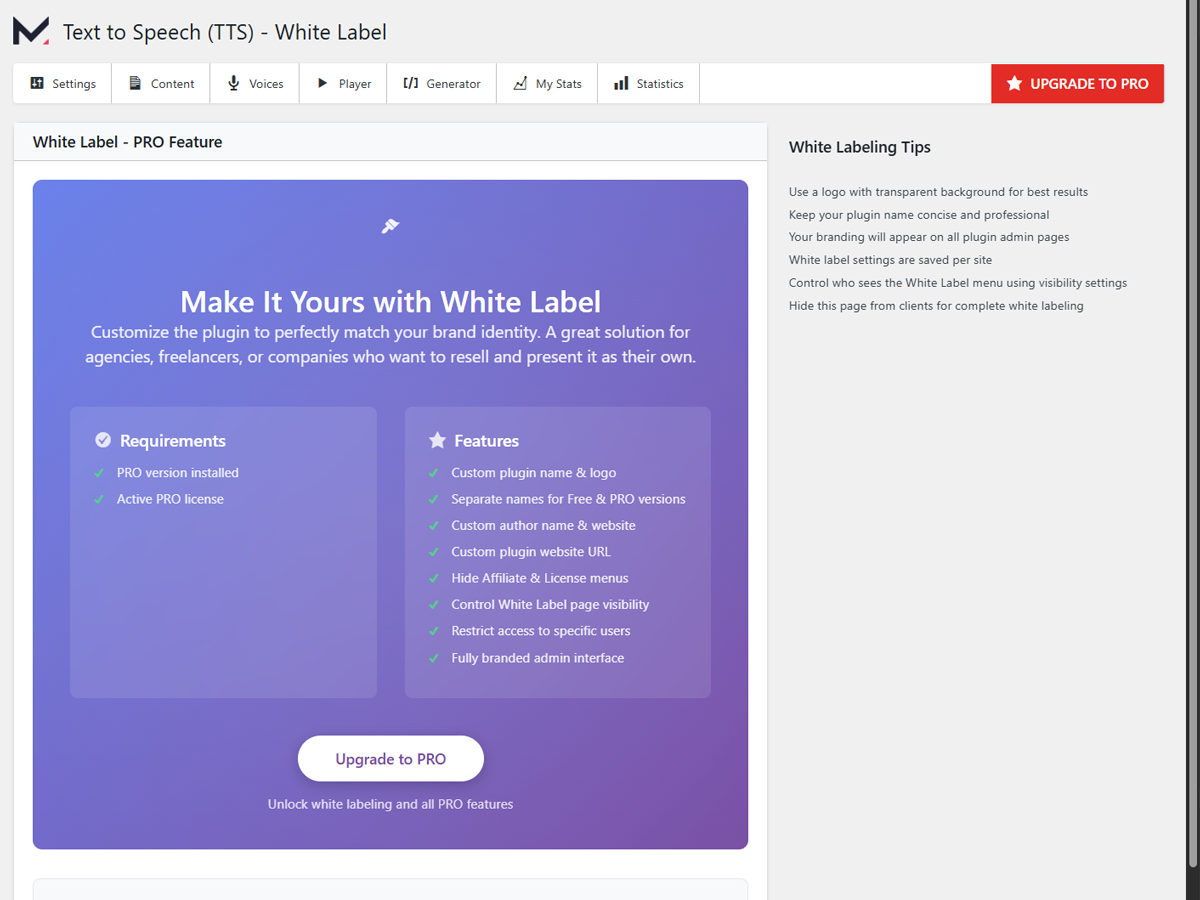
- White-label mode for client sites
- Priority support from Mementor team
🌍 Supported Languages
Plan
Languages / Voices
Free
32 languages
PRO
70+ languages, 600+ voices
Compatible with WPML, Polylang, TranslatePress, Weglot, and other translation plugins.
Popular voices include English (US/UK/AU), Norwegian, Spanish, French, German, Italian, Portuguese, Hindi, Japanese, and more.
♿ Accessibility & SEO Advantages
- Meet WCAG 2.1 AA and ADA requirements
- Increase average session time
- Help users with dyslexia, ADHD, or visual impairments
- Boost SEO through rich media and structured data
- Create inclusive content for multilingual audiences
💡 Use Cases
- Accessibility & inclusion – add spoken alternatives for all content
- Blogs & news sites – offer podcast-style reading experiences
- E-commerce – add spoken product descriptions
- Education – assist students with learning differences
- Long-form content – make lengthy posts easier to consume
- Multitaskers – allow listening while driving or exercising
- Content creators – repurpose written posts into audio
More Tools Developed by Mementor
Explore other projects and tools created by Mementor Webdesign & Digitalt Markedsføringsbyrå AS, focusing on web accessibility, SEO, and automation.
- QR Code Generator for WordPress – Create and manage dynamic QR codes directly in WordPress.
- Mementor Core – Lightweight framework powering Mementor’s WordPress plugins.
- HYIP Monitor – Educational platform tracking and reviewing high-yield investment programs.
- BestPris.no – Price monitoring and comparison service for e-commerce stores.
- SEO-Analyse.no – Learn more about search engine optimization, audits, and website performance insights.
🔧 Installation
Standard Installation
- Go to Plugins Add New in your WordPress admin.
- Search for “Text to Speech (TTS) by Mementor.”
- Click Install Now Activate.
- You’ll instantly receive 10,000 free text-to-speech characters.
- (Optional) Connect your free ElevenLabs account for 10,000 monthly characters, or upgrade to PRO for 75,000.
- Adjust player options in Settings Text to Speech.
Quick Start Guide
- Automatic mode – players appear automatically on posts/pages
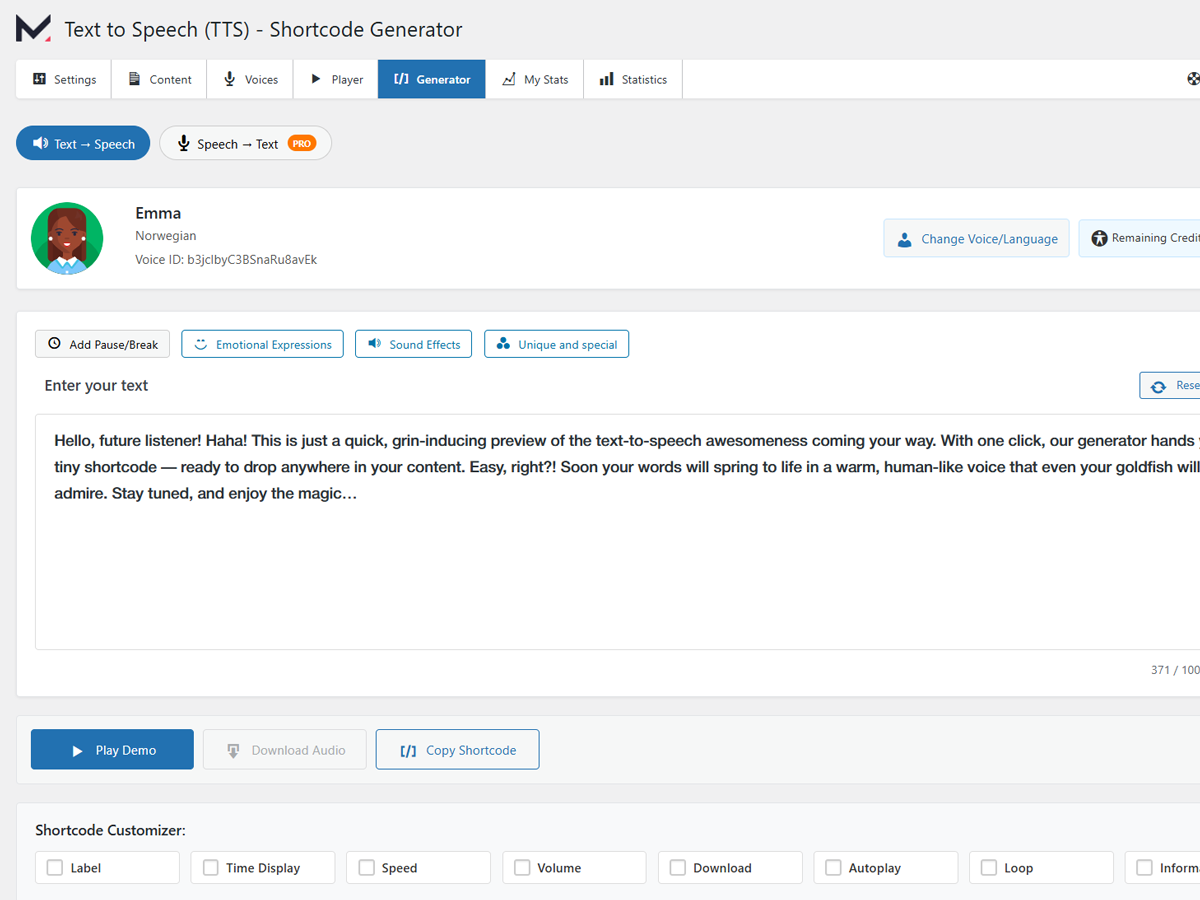
- Generator – test voices and preview audio before publishing
- My Stats – track credit usage and generation count
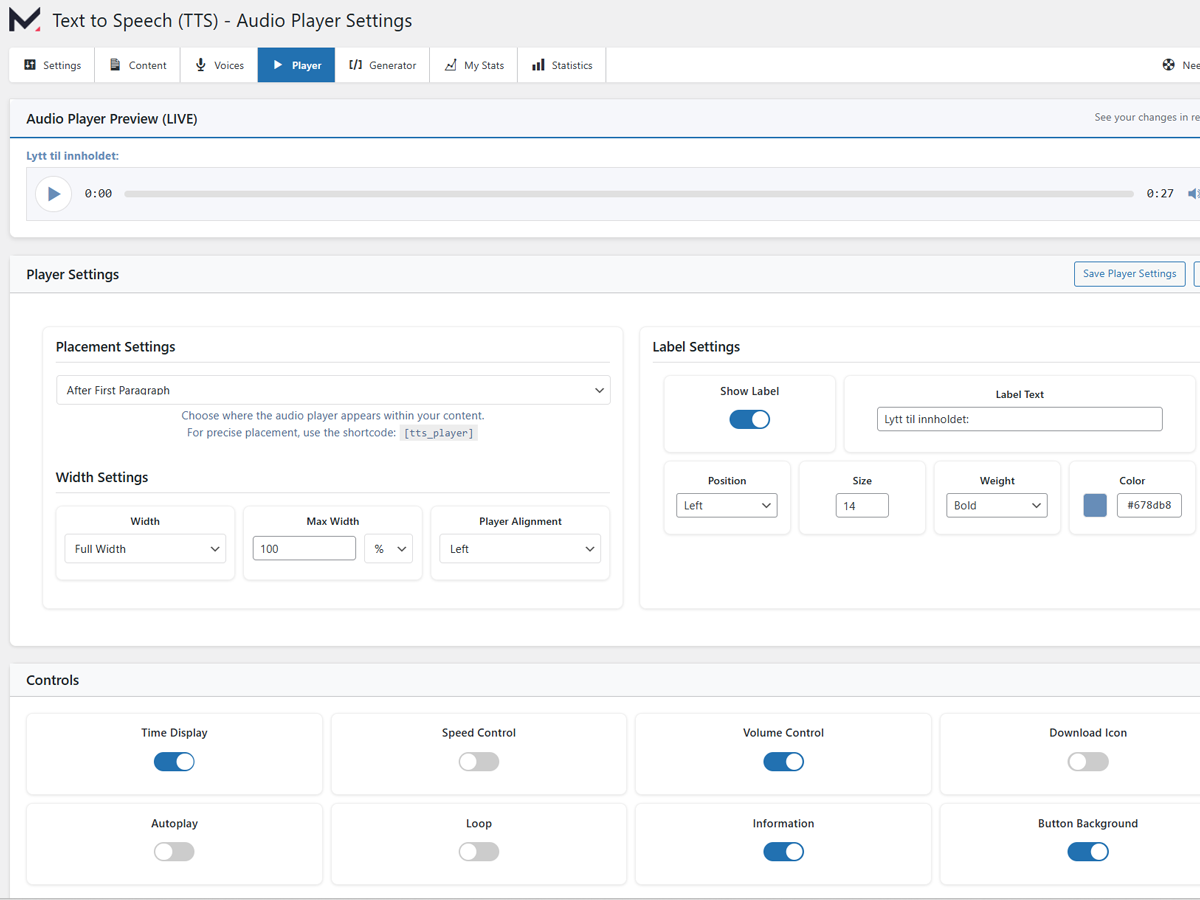
- Player Settings – change position, size, or button color
- Content Rules – exclude or include elements via CSS selectors
- Analytics – enable listener statistics in Settings
- Bulk Generation (PRO) – process entire post lists at once
❓ Frequently Asked Questions
Do I need an API key for text to speech?
No. You get 10,000 free characters automatically. When they’re used, connect your free ElevenLabs key for monthly credits, or upgrade to PRO for 75,000 characters/month.
Is the text to speech player WCAG compliant?
Yes. All audio controls include ARIA labels, keyboard navigation, and color-contrast support, meeting WCAG 2.1 AA standards.
Which languages does text to speech support?
The free plan supports 32 languages. PRO unlocks the full 70+ language library and 600+ voices.
Does text to speech work with Elementor, Divi, or Gutenberg?
Yes. It integrates with all popular page builders and standard WordPress themes.
Can I bulk-convert existing posts to audio?
Yes. Upgrade to PRO and use Tools Bulk Generate Audio.
Will text to speech slow down my site?
No. The player is lazy-loaded and fully cache-compatible. Audio generation happens off-site.
Can I use my own voice?
Yes, PRO users can enter their custom ElevenLabs Voice ID for cloned voices.
How does Speech to Text work?
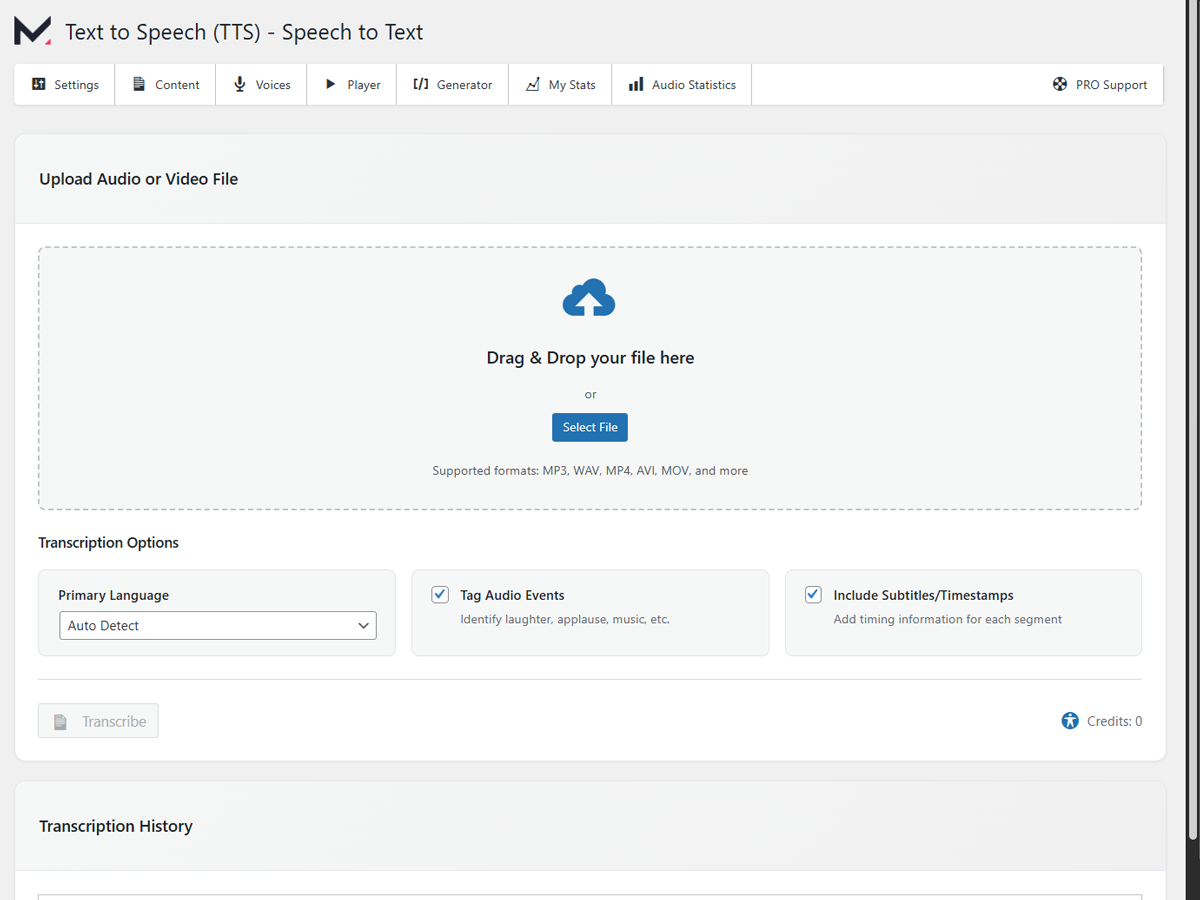
Upload an audio or video file in the Speech to Text tab. The system transcribes it using ElevenLabs’ high-accuracy ASR model (supports 99 languages).
What happens when I run out of credits?
Existing audio remains playable. New audio won’t generate until credits renew or you upgrade to PRO.
Is the audio SEO-friendly?
Yes. PRO adds AudioObject schema markup, improving rich-result eligibility and voice-search visibility.
Can I test voices before publishing?
Yes. Use the Generator page to preview different voices and languages.
Does the plugin store any personal data?
No personal data is collected. Only text sent for synthesis and optional analytics data are processed securely.
🖼 Screenshots
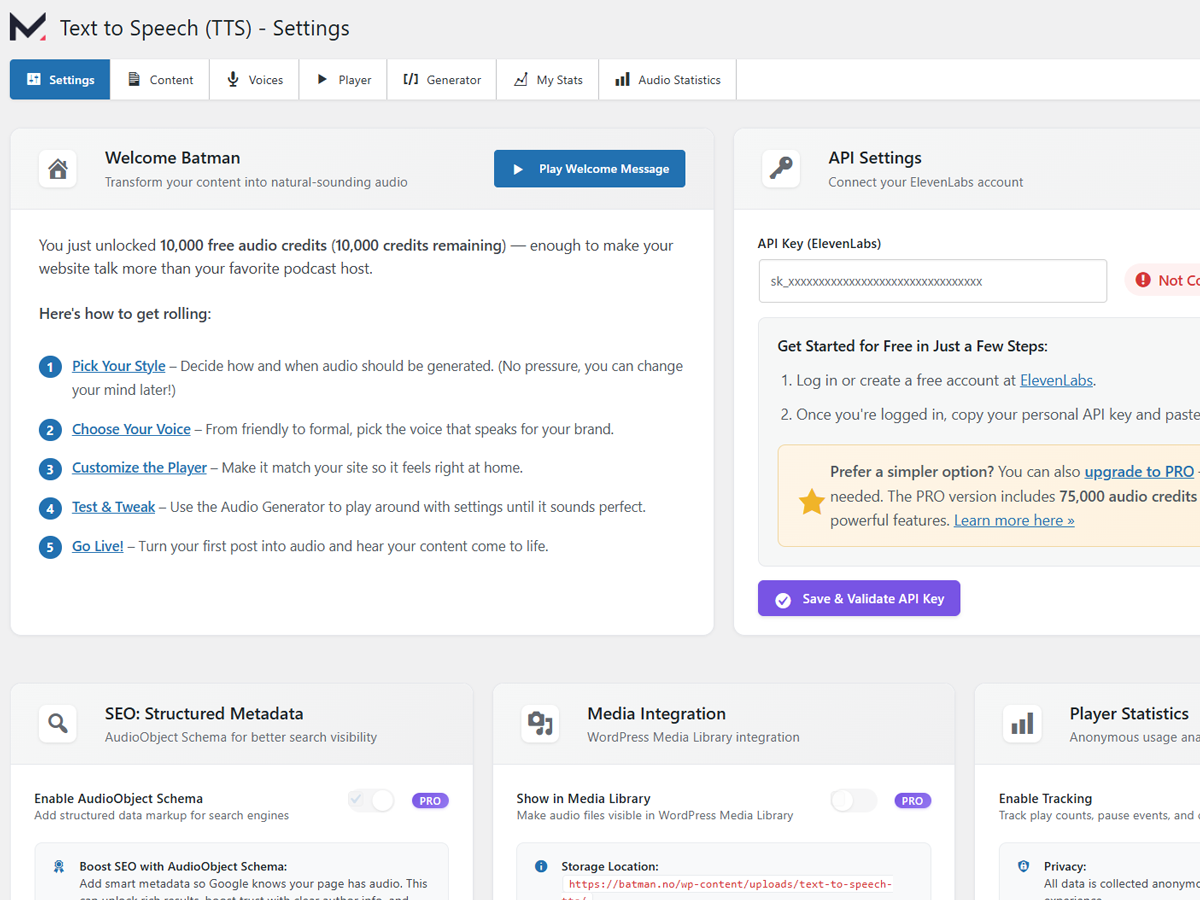
- Dashboard – ready to generate text to speech instantly
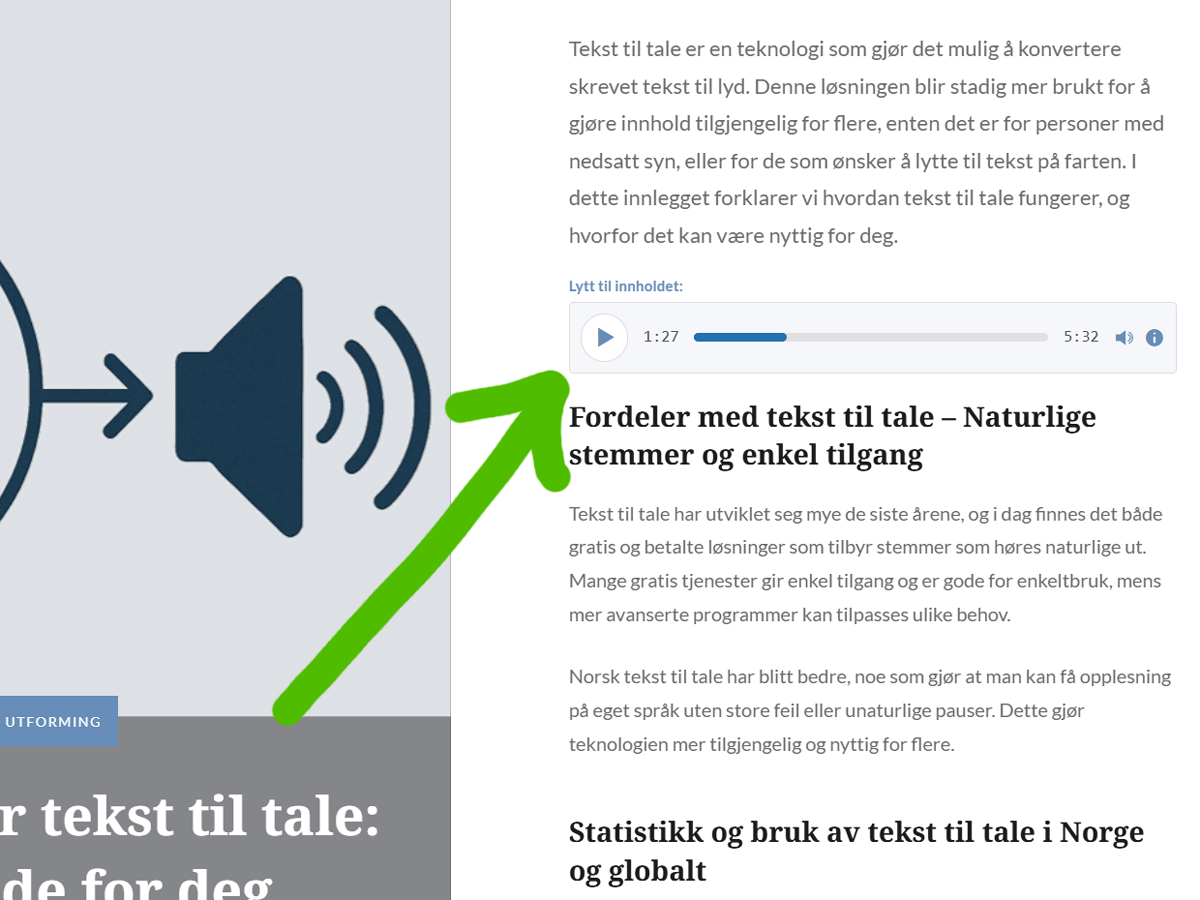
- Audio player automatically added to posts
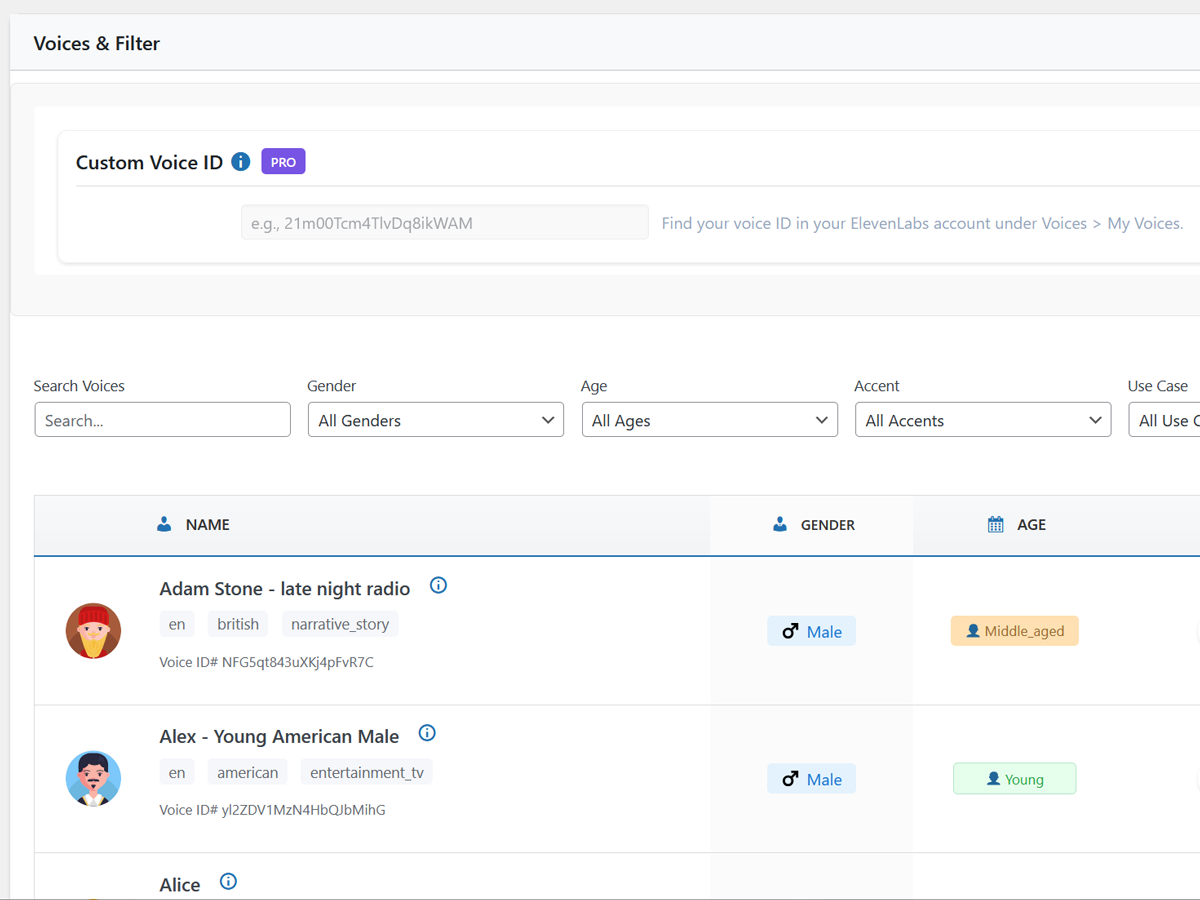
- Voice and language selector
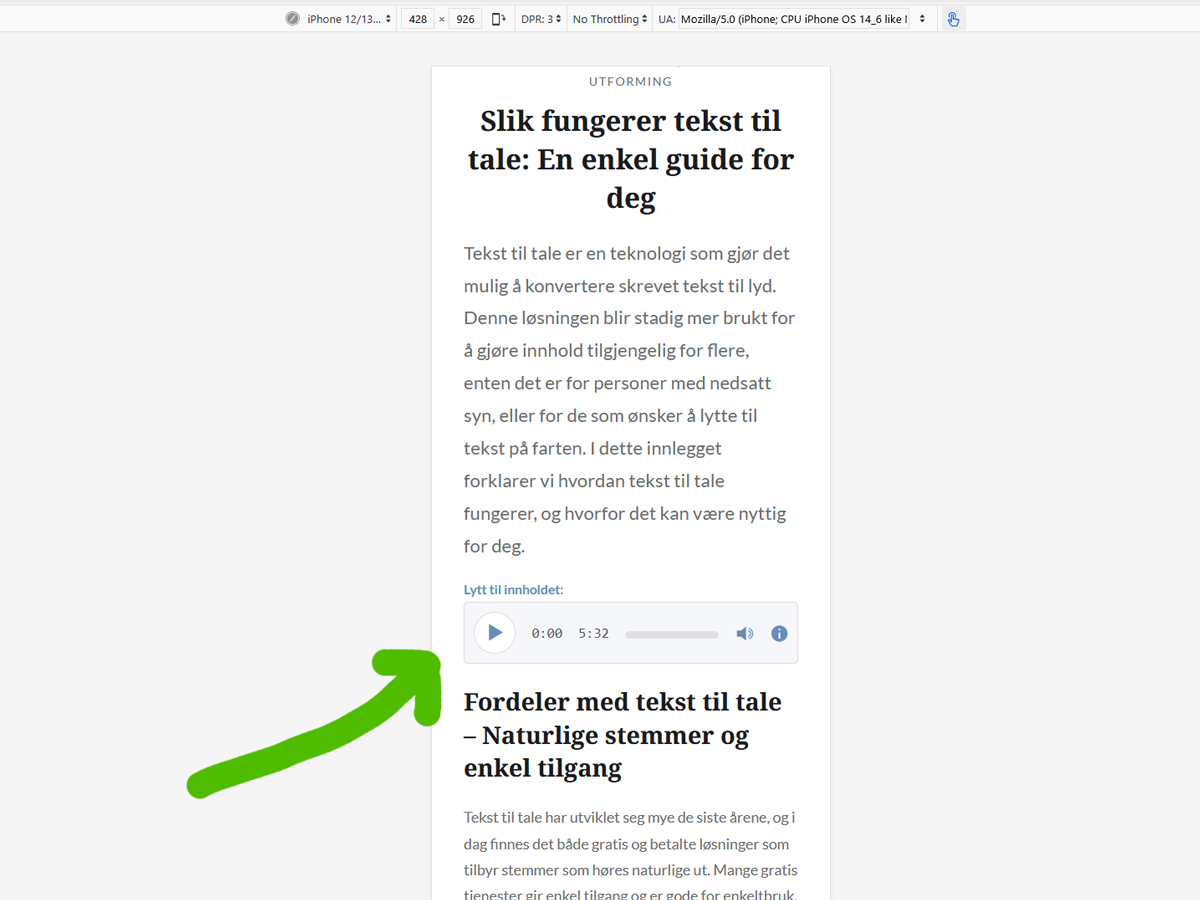
- Mobile-optimized player
- Engagement analytics
- Shortcode & block generator
- Audio settings panel
- White-label branding options
- Speech-to-Text transcription interface
🧩 Technical Details
- Performance: Lazy-loaded, minimal impact on page load
- Storage: Local
/uploads/text-to-speech-tts/or Amazon S3 (PRO) - Format: MP3 optimized for web playback
- Caching: Works with WP Rocket, W3 Total Cache, LiteSpeed Cache, etc.
- Security: Encrypted API keys, nonce checks, secure file handling
- Developer API: Filters and hooks for custom integration
- Database: Single metadata table (
wp_mementor_tts_speeches) - Compatibility: WordPress 5.6+ 6.8; PHP 7.2–8.x; Multisite supported
- REST API: Ready for external integrations
- Ajax: Async generation prevents timeouts
🔄 Changelog
1.9.0 – 2025-11-20
- New: S3 Delete Support – Delete audio files directly from Amazon S3 storage
- Added IAM policy requirement for
s3:DeleteObjectpermission - Automatic detection of S3 URLs and proper cleanup
- See setup guide below for IAM configuration
- Added IAM policy requirement for
- New: Scheduled Posts – Generate audio for scheduled posts before they go live
- Fixed: Player Persistence Bug – Player no longer appears after deleting audio with auto-generation enabled
- Now properly deletes database records and clears all caches
- Fixed: Excerpt Issue – Player HTML no longer appears in post excerpts
- Multi-layer detection prevents player injection in archive pages, custom loops, and templates
- Added safety net filters and developer control options
- Fixed: Progress Bar Colors – Custom progress bar colors now work correctly
- Removed
!importantflags preventing color customization
- Removed
S3 IAM Policy Update Required:
If using Amazon S3 Media Offload, add this inline policy to your IAM user:
- In IAM Users [YOUR_USER] Permissions tab
- Click “Add permissions” “Create inline policy”
- Select the JSON tab
-
Paste this (replace [YOUR_BUCKET] with your bucket name):
json

{

"Version": "2012-10-17",

"Statement": [

    {

        "Effect": "Allow",

        "Action": [

            "s3:PutObject",

            "s3:DeleteObject",

            "s3:GetObject"

        ],

        "Resource": "arn:aws:s3:::[YOUR_BUCKET]/*"

    },

    {

        "Effect": "Allow",

        "Action": [

            "s3:ListBucket"

        ],

        "Resource": "arn:aws:s3:::[YOUR_BUCKET]"

    }

]

} -
Click “Next”
- Name it: S3TTSAccess (or your preference)
- Click “Create policy”
1.8.93 – 2025-11-07
- Fixed: PRO API key now correctly used when PRO license is active with available credits (resolves “free_users_not_allowed” error for PRO users).
- Fixed: API key selection order corrected to prioritize PRO key over user’s free-tier key during audio generation.
- Fixed: Audio players from Elementor and ThePlus are now completely ignored during text-to-speech generation.
- Fixed: Prevented player buttons and track details (like “Play,” “Pause,” or timestamps) from being read aloud.
- Fixed: Stopped unwanted player code from adding random words or sounds to the generated audio.
- Improved: Enhanced debug logging for PRO API key selection to diagnose voice availability issues.
- Improved: Smarter filtering now removes both shortcodes and visual player elements before narration.
- Improved: Full compatibility with all major audio player plugins, including ThePlus Audio, WordPress MediaElement, and Plyr.
1.8.92 – 2025-11-07
- Fixed: Audio player no longer appears in post excerpts (resolves stray “0:000:001.0x” text).
- Improved: Compatibility with Advanced Excerpt and similar excerpt plugins.
- Improved: More accurate excerpt detection on archive pages and custom templates.
1.8.91 – 2025-11-07
- Fixed: Player background colors now immune to theme CSS overrides
- Fixed: Player customization settings (colors, padding, borders) now work consistently across all themes
- Improved: Automatic cache clearing when player settings are saved
1.8.9 – 2025-11-07
- Fixed: Multi-admin generation conflicts
- Fixed: Voice cache refresh
- Improved: Voice cache system stability
1.8.8 – 2025-10-24
- Fixed: Media Offload (S3) detection improvements
1.8.7 – 2025-10-24
- Security: Encrypted Amazon S3 keys
- Fixed: API rate-limit issues
- Improved: Settings UI
1.8.6 – 2025-10-23
- New: Media Offload – Amazon S3 storage
- New: Download button for generator history
- Improved: Audio detection for external URLs
1.8.0 – 2025-10-08
- New: Speech to Text (PRO) with drag-and-drop uploads
- New: Multi-format transcription with timestamps and event tagging
- Fixed: Permission and caching issues
- Improved: API handling and grid layout
Earlier updates improved design, SEO schema, and ElevenLabs integration.
🔐 External Services
ElevenLabs API
- Purpose: Converts your text into natural-sounding speech
- Data sent: Post text, voice ID, API key (if used)
- When: On manual or automatic audio generation
- Storage: MP3 files saved locally or on S3; text stored in ElevenLabs account
- Limits:
- Free tier – 10 000 characters/month
- Mementor PRO – 75 000 characters/month
- Links: Terms • Privacy
Mementor Software Licensing (Lemon Squeezy)
- Handles checkout for PRO version; no data auto-sent by plugin.
- Mementor Terms • Privacy
- Lemon Squeezy Buyer Terms • Privacy
🔒 Privacy
- No user tracking beyond optional analytics
- Only content text sent for speech synthesis
- API keys stored encrypted
- Full data removal on uninstall
🙌 Credits
Natural voice synthesis by ElevenLabs
Developed by Mementor Webdesign & Digitalt Markedsføringsbyrå AS
This plugin includes an affiliate link to ElevenLabs. If you purchase through this link, Mementor may earn a small commission at no extra cost to you.
Installation
Standard Installation:
- In WordPress admin go to Plugins Add New, search “Text to Speech (TTS) by Mementor.”
- Click Install Now Activate.
- Enjoy 10 000 one-off audio credits straight away.
- (Optional) Connect an ElevenLabs API key for 10 000 free characters every month, or upgrade to PRO for 75 000.
- Adjust player style under Settings Text to Speech if desired.
Quick Start Guide:
After activation, your plugin is ready to use! Here’s how to get the most from it:
- Automatic Mode: Audio players automatically appear on all new posts/pages
- Test Voices: Visit Text to Speech Generator to test different voices before publishing
- Monitor Usage: Check Text to Speech My Stats to track your credit usage
- Customize Player: Go to Text to Speech Player to adjust appearance, position, and behavior
- Exclude Content: Use Text to Speech Content to set rules for what gets converted
- Track Engagement: Enable statistics in Text to Speech Settings to see listener analytics
- Generate in Bulk (PRO): Select multiple posts in Text to Speech Content and click “Generate Audio”
First Steps:
1. Create or edit a post/page
2. The audio player will appear automatically after publishing
3. Click play to test your AI-powered audio!
Frequently Asked Questions
No API key required! You’ll automatically receive 10,000 free text-to-speech audio credits just for activating the plugin.
When those are used up, you can connect your free ElevenLabs account for 10,000 credits every month — or upgrade to PRO for even higher limits and extra features.
Yes. Output audio, controls, ARIA labelling and keyboard support meet WCAG 2.1 AA guidelines.
English (US, UK, AU, CA) and Norwegian. PRO unlocks the full 70-language catalogue.
Absolutely. We test with Elementor, Gutenberg, Divi, Visual Composer and stock Twenty-series themes.
Yes – upgrade to PRO and use Tools Bulk Generate Audio to process back-catalogues in one click.
The audio player is lazy-loaded and compatible with caching/optimisation plugins. Generation happens off-site.
Free offers several English & Norwegian voices. PRO adds 600+ voices and personal voice cloning via ElevenLabs.
Use the Content settings page to add CSS selectors for elements you want to exclude, or add the “no-audio” class to any element in your content.
Yes! Enable Statistics in settings to track plays, completion rates, and engagement metrics for each audio file.
The plugin continues to work but won’t generate new audio. Existing audio files remain playable. You can upgrade to PRO or connect your own ElevenLabs API key.
PRO users can use ElevenLabs voice cloning feature by entering their custom Voice ID in the voice settings.
Audio automatically regenerates when you update content (if enabled). You can also manually regenerate from the post editor or use bulk regeneration in PRO.
Yes! Audio files are properly indexed with metadata and can improve dwell time, which positively impacts SEO.
Yes, use the Generator page to test different voices and languages with sample text before generating audio for your content.
Yes! PRO users can enable AudioObject Schema markup which helps search engines understand your audio content. This can unlock rich results in Google, improve voice search visibility, and boost overall SEO performance.
Review feed
Screenshots
Changelog
1.8.5 – 2025-10-10
- Fixed: Custom introduction and outro text no longer duplicates in generated audio
- Fixed: Audio player now correctly appears after the first paragraph on Elementor pages
- Improved: Author name now uses custom ‘author’ field when available instead of WordPress username
1.8.4 – 2025-10-09
- Fixed: CSS conflicts with Elementor accordion components and other page builder content
- Fixed: Overly broad CSS selectors affecting page content outside the player
- Improved: Changed descendant selectors to child selectors for better CSS specificity
- Improved: Added explicit CSS protection for Elementor widgets and page builder content
1.8.3 – 2025-10-09
- Fixed: PRO users without ElevenLabs API key seeing “Free Credits Exhausted” during audio generation
- Improved: Enhanced credit verification to properly bypass free credit checks for active PRO users
- Improved: PRO users with 75,000 monthly credits can now generate audio without connecting API key
1.8.2 – 2025-10-09
- New: PRO version badge in settings header showing current version and update status
- New: Visual update notification when PRO plugin update is available
- Fixed: PRO users with remaining credits incorrectly seeing “Free Credits Exhausted” message
- Fixed: “Refresh Stats” button permission error in PRO Usage Stats section
- Fixed: Non-functional “Refresh Stats” button in ElevenLabs API Usage section
- Improved: Added AJAX handler for refreshing ElevenLabs statistics cache
- Improved: Enhanced PRO credit system to properly distinguish PRO credits from free credits
1.8.1 – 2025-01-09
- New: PRO plugin update system using free plugin constants for reliable updates
- Performance: Instant update checks with no network latency
1.8.0 – 2025-10-08
- New: Speech to Text (PRO) – Complete transcription feature for converting audio and video files to text
- New: Speech to Text admin page with drag-and-drop file upload interface
- New: Support for multiple audio and video formats in Speech to Text transcription
- New: Automatic language detection for transcriptions with support for 99 languages and multiple voice styles
- New: Audio event tagging to identify laughter, applause, music and other events in transcriptions
- New: Optional subtitle timestamps for precise timing information in transcriptions
- New: Transcription export in multiple formats – TXT, DOCX (RTF), and JSON
- New: Transcription history to view and manage all previous transcriptions
- Improved: Modern 3-column grid layout for transcription options with responsive design
- Improved: Better API key handling and permission error messages for Speech to Text
- Fixed: Database table auto-creation for transcriptions when plugin is already activated
- Fixed: PRO feature detection for Speech to Text page access control
Earlier versions
Earlier versions of Text to Speech for WordPress introduced major upgrades to design, performance, and usability — including a full admin UI overhaul, bulk audio generation, white-labeling for PRO users, improved credit tracking, and expanded multilingual voice access.
Updates also enhanced SEO with AudioObject schema, optimized content handling for Elementor and other page builders, and resolved multiple API and encryption issues to ensure smoother ElevenLabs integration and cleaner audio output.