

Theme Blvd Favicon
Add a favicon and bookmark icons for apple touch devices to your Theme Blvd theme. An alternative to default favicon support in WordPress 4.3+.
Plugin info
Maintenance & Compatibility
Maintenance score
Possibly abandoned • Last updated 3857 days ago • 1 reviews
Is Theme Blvd Favicon abandoned?
Possibly abandoned (last update 3857 days ago).
Compatibility
Similar & Alternatives
Explore plugins with similar tags, and compare key metrics like downloads, ratings, updates, support, and WP/PHP compatibility.
Description
After activating this plugin, a new section of Favicon options will be added to the Theme Options page of your Theme Blvd theme. Here you can configure a standard favicon along with bookmark icons for all portable Apple devices. All settings are completely optional.
In WordPress 4.3, default favicon support was added to WordPress within the customizer. However, this plugin can still be useful if you’re looking to expand support of your favicon to touch device icons. In the future, I hope to re-write this plugin to work with, and expand on, the default WordPress favicon system.
NOTE: For this plugin to do anything, you must have a theme with Theme Blvd framework v2.1+ activated.
Installation
- Upload
theme-blvd-faviconfolder to the/wp-content/plugins/directory - Activate the plugin through the ‘Plugins’ menu in WordPress
- Go to Appearance > Theme Options > Configuration to use.
Frequently Asked Questions
Review feed
Screenshots
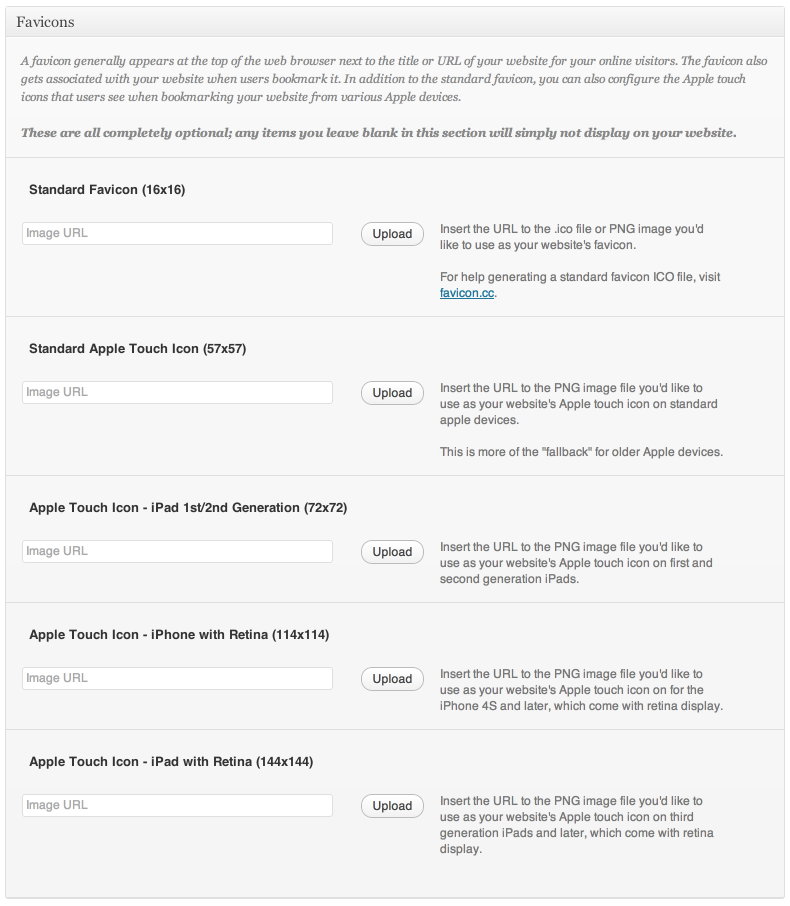
Options added to your current theme at Appearance > Theme Options > Configuration.
Changelog
1.0.2 – 09/10/2015
- Code cleanup and very minor security fixes.
- Added GlotPress compatibility.
1.0.1 – 07/30/2013
- Added compatibility for Theme Blvd Framework v2.3+.
- Added
themeblvd_favicon_optionsfilter to favicon options.
1.0.0 – 08/31/2012
- This is the first release.