

Themify – WooCommerce Product Filter
This plugin helps shoppers quickly find products in your WooCommerce shop by filtering through price, categories, attributes, tags, and more.
Plugin info
Maintenance & Compatibility
Maintenance score
Possibly abandoned • Last updated 399 days ago • Support resolved 0% • 72 reviews
Is Themify – WooCommerce Product Filter abandoned?
Possibly abandoned (last update 399 days ago).
Compatibility
Similar & Alternatives
Explore plugins with similar tags, and compare key metrics like downloads, ratings, updates, support, and WP/PHP compatibility.
Description
Shopping online can be very time consuming, especially if you have to shift through hundreds of products. With the Product Filter, you can help shoppers easily find products on your WooCommerce shop. This free WordPress plugin allow users to easily filter through products by price range, categories, attributes, tags, and much more. As users select a filter they’ll be able to see live search results where products will instantly be displayed on the page. In addition to this, we’ve added the ability to create filter combinations! Unlike many other product filters, where you can only select one filter at a time, Product Filter allows multiple selections which help shoppers to refine the product search results.
Keeping you in mind, this powerful plugin comes with a simple easy-to-use drag and drop form Builder, making it easy for you to create an unlimited number of search forms. The Product Filter plugin is a must-have tool for any ecommerce site!
Plugin documentation is available at: https://themify.me/docs/wc-product-filter-documentation
Features:
- Live search results
- Drag and drop form builder
- Multiple filter combinations
- Vertical or horizontal layout
- Works with Divi, Elementor and Themify Builder product module
Installation
- Upload the whole plugin directory to the
/wp-content/plugins/directory - Activate the plugin through the ‘Plugins’ menu in WordPress
- Go to WP Admin > Product Filters to add a new form.
- Copy the [searchandfilter] shortcode and paste that to where you want to show the filter form.
- Enjoy!
Please visit plugin’s installation guide page: https://themify.me/docs/wc-product-filter-documentation#installing
Frequently Asked Questions
Review feed
Screenshots

Product Filter form displayed in the sidebar
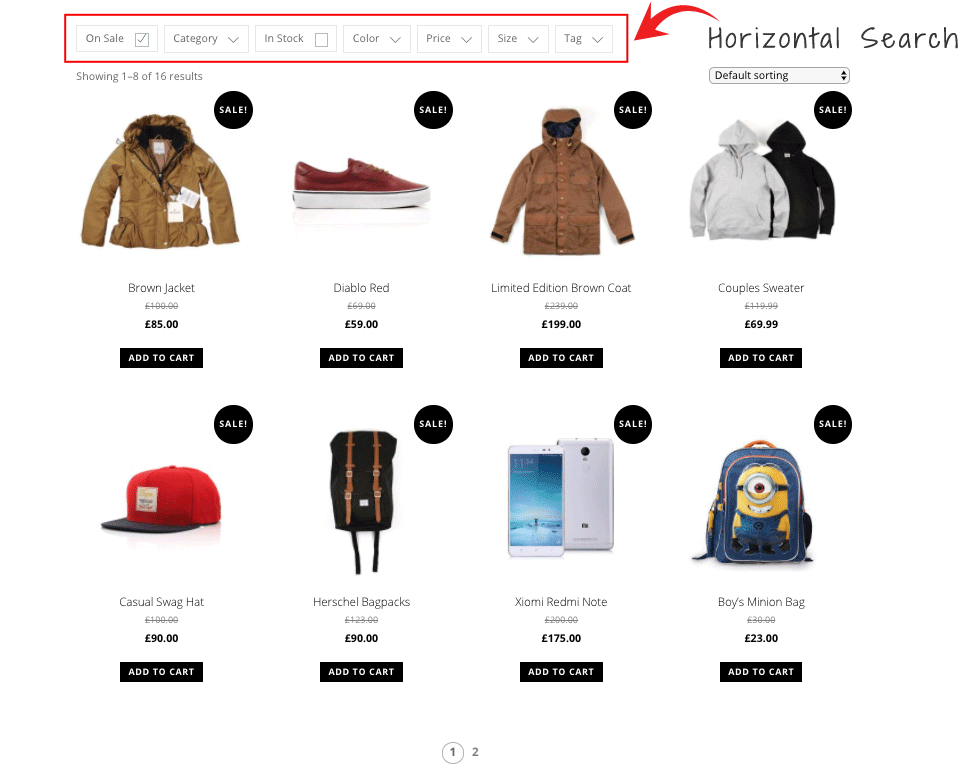
Horizontal Search
Changelog
The changelog is located at: https://themify.org/changelogs/themify-wc-product-filter.txt