

TintCal
A beautiful and simple event calendar plugin for Japanese users. Add a calendar to any site with a shortcode, block, or widget.
Plugin info
Maintenance & Compatibility
Maintenance score
Actively maintained • Last updated 77 days ago
Is TintCal abandoned?
Likely maintained (last update 77 days ago).
Compatibility
Similar & Alternatives
Explore plugins with similar tags, and compare key metrics like downloads, ratings, updates, support, and WP/PHP compatibility.
Description
TintCal is a new kind of event calendar plugin designed for Japanese website creators and administrators.
It eliminates the complexity and confusion often found in plugins made overseas, responding to the simple need of “just wanting to place an event calendar” with the best usability and a beautiful design.
= Key Features =
- Easy Event Registration: Anyone can intuitively register and edit events from the WordPress admin screen.
- Shortcode/Block Support: Place a calendar anywhere just by adding the
[tintcal id="..."]shortcode or a dedicated block in the editor. - Responsive Design: The calendar displays beautifully without breaking its layout on smartphones or tablets.
- Simple Settings: Basic customizations, such as the calendar header and weekend colors, can be easily configured.
- Holiday Display: Automatically displays Japanese public holidays on the calendar.
- Simple Category Management: You can register one type of schedule as a category and color-code the calendar.
Installation
- Upload the plugin files to the
/wp-content/plugins/directory, or install the plugin through the WordPress plugins screen directly. - Activate the plugin through the ‘Plugins’ screen in WordPress.
- Configure the settings by navigating to Settings > TintCal in your WordPress dashboard.
Frequently Asked Questions
Add the shortcode [tintcal id="..."] to the post or page where you want the calendar to appear.
For basic questions, please use the official support forums on WordPress.org.
Temporarily disable cache/optimization plugins (JS/CSS minification, lazy loading) and any CDN. If the issue persists, switch to a default theme (e.g., Twenty Twenty-Five) to check for theme/plugin conflicts. Please include exact reproduction steps.
Clear browser, server, and plugin caches, and purge your CDN if you use one. Confirm the Plugins screen shows “Version: 2.2.6”.
- WordPress and PHP versions (e.g., WP 6.6 / PHP 8.1)
- Theme and major active plugins
- Steps to reproduce (1 2 3)
- Expected result vs actual result
- Screenshots or error logs, if possible
Review feed
Screenshots
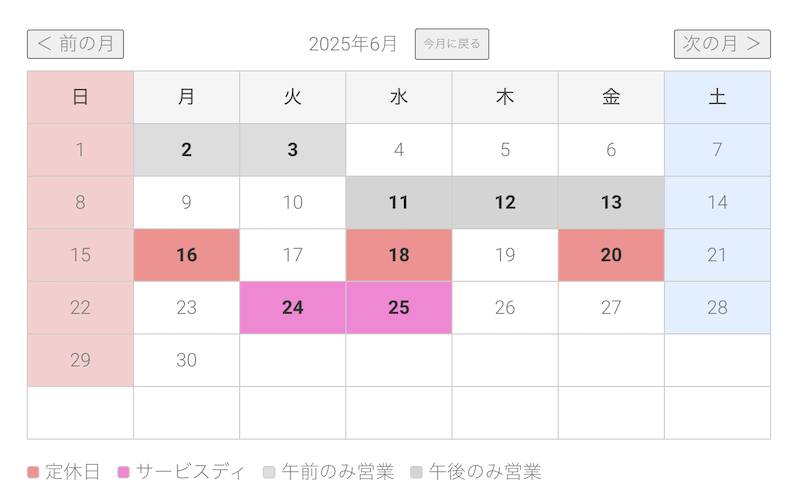
The calendar display on the front-end.
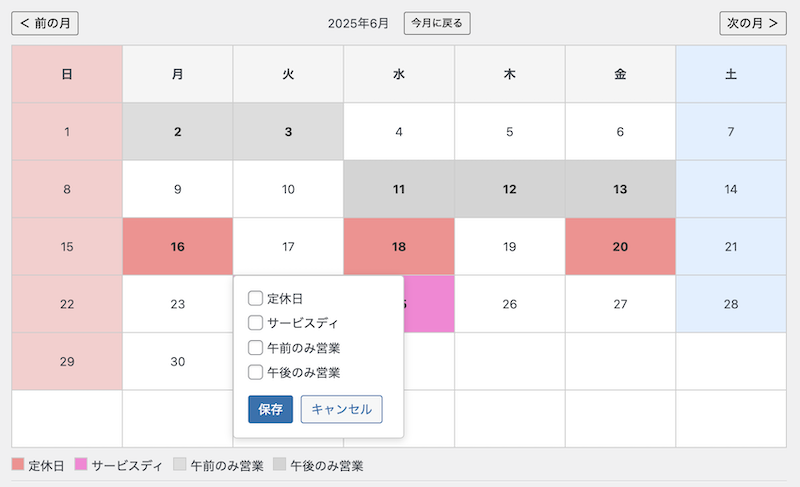
The event registration screen.
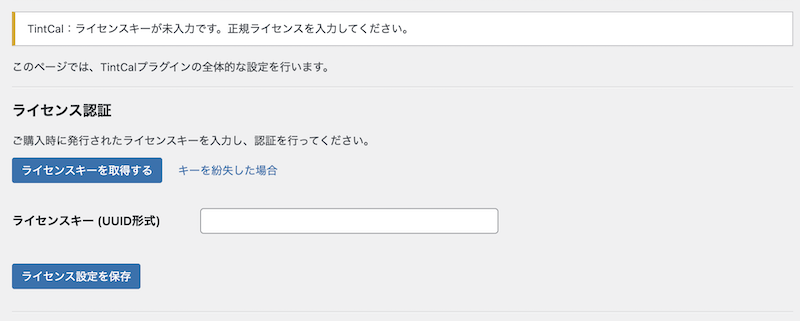
The plugin settings screen.

The base settings screen.
Changelog
2.2.6
- Compatibility: Confirmed WordPress 6.9 support and updated “Tested up to”.
- Maintenance: Synced plugin header and internal version constant to 2.2.6.
2.2.5
- Enhancement: Added full translation coverage for 11 additional locales with updated
.po/.mofiles. - Fix: Corrected translation strings with unescaped quotes in localized admin text.
- Fix: Resolved issues where Simplified Chinese translations could not be compiled due to syntax errors.
2.2.4
- Enhancement: Added full internationalization support via
load_plugin_textdomain()and localized JavaScript strings. - Enhancement: Provided English and Japanese translation files (
.po/.mo) plus updated.pottemplate. - Enhancement: Localized Japanese public holiday names based on the active site language.
- Fix: Front-end and admin calendars now display translated weekday headers/month labels.
- Documentation: Updated stable tag and changelog for version 2.2.4.
2.2.3
- Fix: Category override bug in free version – form now properly disables when 1 category limit is reached
- Improvement: Enhanced security with WP_Filesystem API and proper fallback
- Improvement: Performance optimization with Transient API caching for holiday data
- Improvement: Added comprehensive PHPDoc documentation
- Improvement: Enhanced accessibility with ARIA attributes
- Improvement: Improved maintainability with CSS custom properties
- Technical: Added automated deployment workflow for WordPress.org
2.2.2
- Fix: incorrect calendar layout in some themes.
2.2.1
- Initial release on wordpress.org.
2.2.0
- Major refactoring for the public release. Removed license verification and Pro features.
- Simplified the settings page and admin menus.
- Added a page to introduce the Pro version.
- Fixed a bug where category visibility settings were not saved correctly in the block editor.
- Fixed a bug where the export file name date was incorrect depending on the time zone.
2.1
- Initial public release.