

TL Coming Soon – Maintenance Mode & Under Construction
Coming Soon, Maintenance Mode and Under Construction plugin for WordPress.
Plugin info
Maintenance & Compatibility
Maintenance score
Possibly abandoned • Last updated 1808 days ago • 2 reviews
Is TL Coming Soon – Maintenance Mode & Under Construction abandoned?
Possibly abandoned (last update 1808 days ago).
Compatibility
Similar & Alternatives
Explore plugins with similar tags, and compare key metrics like downloads, ratings, updates, support, and WP/PHP compatibility.
Description
TL Coming Soon – Maintenance Mode & Under Construction plugin will help you create awesome Coming Soon, Maintenance Mode and Under Construction pages with all the necessary features like a premium version but it’s completely free.
With 15+ Templates available in many different categories, it will help you easily customize them the way you want. Additionally, responsive design is available and will adapt to any device.
You can set solid background color, gradient background color, image background, image slider background (slideshow), pattern background, video background with YouTube link, direct link or manual upload. Also, supports customizing overlays and opacity for your background.
Easily change text, translate text on the TL Coming Soon settings page and use the built-in countdown, subscribe form, and more.
Features
- 15+ Templates available in many different categories: Forest, Cosmos, Particles, Polygonal, Cloud, 3D Box, Medical, Creative, Sport, Wedding, Restaurant, Pacman, Building, Seminar, App, and more.
- Modern and fully Responsive.
- Flexible and user-friendly setup.
- Works with any WordPress Theme.
- Build with Bootstrap 4.5.
- Support Contact Form 7.
- Countdown.
- Google Analytics Tracking.
- Insert Header, Footer and Custom CSS.
- Favicon, Logo.
- Solid Background Color, Gradient Color, Image Background, Image Slider Background (Slideshow), Pattern Background, Video Background with YouTube link, direct link or manual upload.
- Opacity and Blur Background.
- Subscribe form through popular Email Marketing providers like Campaign Monitor, ConvertKit, GetResponse, MailChimp, SendInBlue, FeedBurner.
- Built-in Live Preview, Translation.
- Coming Soon Admin Bar notification.
- GDPR ready.
- Online documentation.
Support
If you have any problems, questions or recommendations about TL Coming Soon, don’t think twice. Please open a ticket in the official support forum. We answer all questions within hours!
Want to say “Thank You”? Please leave a review to support us.
Installation
Install online through WordPress Admin Dashboard
- Open WordPress Admin Dashboard. Navigate to “Plugins” => “Add New”
- Type “TL Coming Soon” in the search input box
- Plugin will show up as the first on the list, click “Install Now”
- Activate, then open the plugin settings page located in the main WordPress Admin Menu under the name “Coming Soon”
Upload manually through WordPress Admin Dashboard
- Open WordPress Admin Dashboard. Navigate to “Plugins” => “Add New”
- Click “Upload Plugin” button. Then select `tl-coming-soon.zip` from your directory
- Click “Install Now”
- Activate, then open the plugin settings page located in the main WordPress Admin Menu under the name “Coming Soon”
Upload manually FTP
- Download `tl-coming-soon.zip` and extract the `tl-coming-soon.zip` zip file to your computer
- Upload the extracted `tl-coming-soon` directory to the `/wp-content/plugins/` directory
- Activate, then open the plugin settings page located in the main WordPress Admin Menu under the name “Coming Soon”
Frequently Asked Questions
With 15+ templates available in different categories with fully customizable flexible interface. TL Coming Soon will bring you a great experience.
Just go to Coming Soon => Translation tab where you can translate used texts.
If you have any ideas to help us improve this plugin or simply report a bug? Please let us know by drop a message on the official WordPress Support forum.
Review feed
Customer Satisfaction
Screenshots

Forest Template

Cosmos Template

Particles Template

Polygonal Template
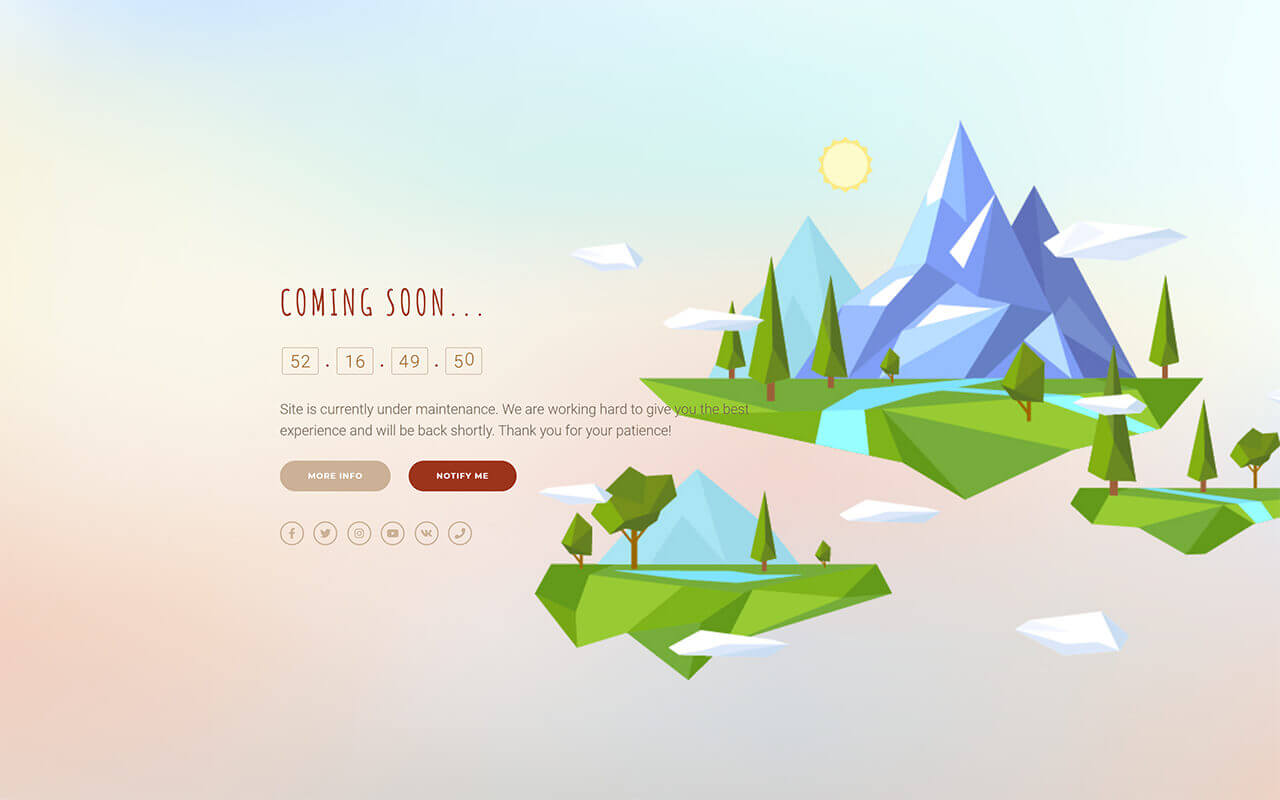
Cloud Template

3D Box Template

Medical Template

Creative Template

Sport Template

Wedding Template

Restaurant Template

Pacman Template

Building Template

Seminar Template

App Template

General Settings Page

Template Settings Page

Design Settings Page

Social Settings Page

Translation Settings Page
Changelog
1.0.2 – Release Date: February 22, 2021
Fixed issue with footer copyright text
Minor bug fixes.
1.0.1 – Release Date: January 28, 2021
Added compatibility with WordPress 5.6
Minor bug fixes.
1.0.0 – Release Date: October 5, 2020
Initial release.