

Toggle wpautop
Easily disable the default wpautop filter on a post by post basis.
Plugin info
Maintenance & Compatibility
Maintenance score
Possibly abandoned • Last updated 1822 days ago • 32 reviews
Is Toggle wpautop abandoned?
Possibly abandoned (last update 1822 days ago).
Compatibility
Similar & Alternatives
Explore plugins with similar tags, and compare key metrics like downloads, ratings, updates, support, and WP/PHP compatibility.
Description
Note: This plugin does not support the block editor but should continue to work without issue when using it with custom post types and the Classic Editor Plugin.
Before WordPress displays a post’s content, the content gets passed through multiple filters to ensure that it safely appears how you enter it within the editor.
One of these filters is wpautop, which replaces double line breaks with tags, and single line breaks with
This plugin displays a checkbox in the publish meta box of the post edit screen that disables the wpautop filter for that post.
Also adds a ‘wpautop’, or ‘no-wpautop’ class to the post_class filter to help with CSS styling.
Installation
- Upload the plugin folder to the
/wp-content/plugins/directory - Activate the plugin through the ‘Plugins’ menu in WordPress
- Proceed to the Settings->Writing and select which post types should have the option to disable the wpautop filter.
Frequently Asked Questions
Right now, no. wpautop is a great filter, and in most cases you should not need it disabled globally. However, if there is enough demand for this feature we can add it.
Yes.
Review feed
Screenshots

The disable wpautop checkbox on post edit screens.
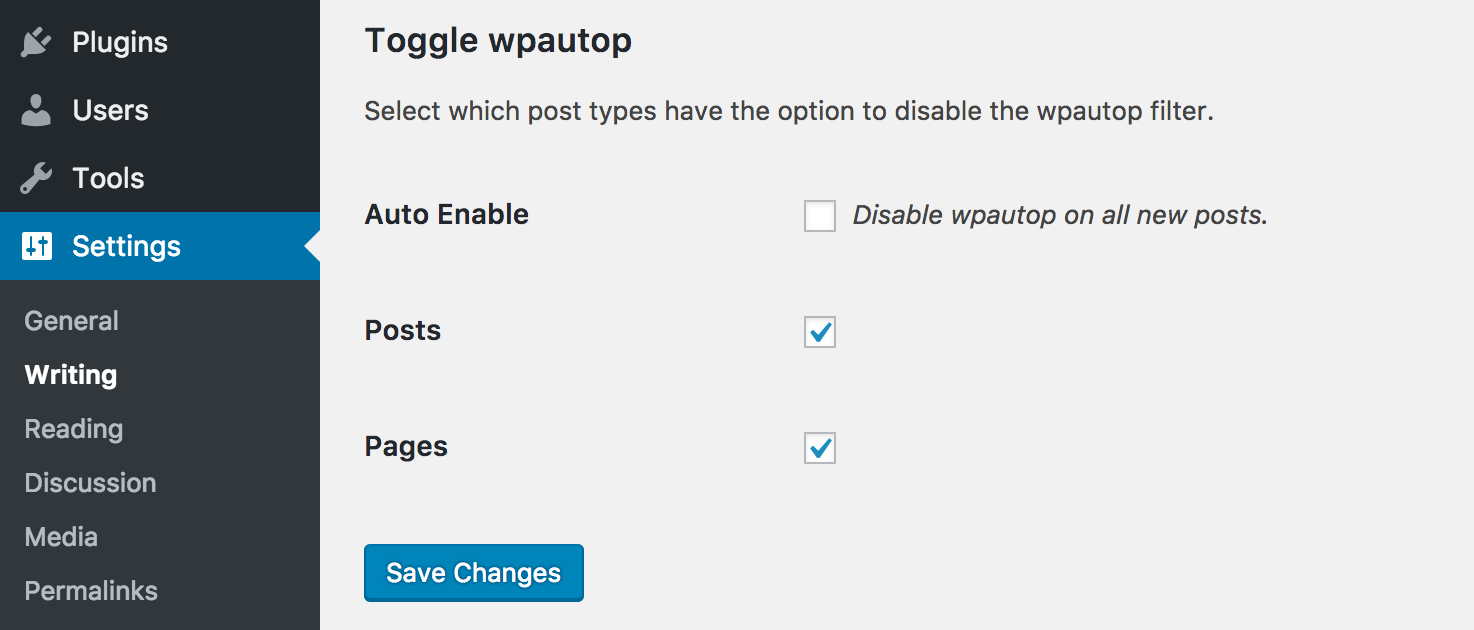
Settings->Writing page with plugin settings.
Changelog
1.3.0
- Fixed minor sanitization of within the admin
- Fixed minor WPCS and PHPCS notices
- Updated plugin branding for .org
- Updated readme to link to the Classic Editor Plugin
- Updated deployment process to make releases easier
1.2.5
- Fixing an issue where http://translate.wordpress.org did not detect the stable version correctly.
1.2.4
- A few additional steps to make the plugin accessible to http://translate.wordpress.org.
1.2.3
- Move translations to http://translate.wordpress.org.
1.2.2
- Fixing PHP syntax error.
1.2.1
- Added ability for i18n using grunt-wp-i18n
- Added english default .pot
- Added minor security hardening so the class file would exit if called directly
- Updated code formatting to be more inline with WordPress coding standards
- Updated some method descriptions
- Updated plugin description to be more… descriptive.
1.2.0
- Add a setting to disable wpautop automatically on new posts.
- Add filter (lp_wpautop_show_private_pt) for enabling the plugin on private post types.
1.1.2
- Fixing bug that was preventing other settings on the writing page from saving.
1.1.1
- Fixing bug where users upgrading from 1.0 would not receive the defaults for settings that were introduced in 1.1.
1.1
- Adding the ability to choose which post types have the option to disable the wpautop filter on the Settings->Writing page.
- When activating the plugin for the first time, all post types are set to have the ability to disable the wpautop filter. This can be changed on the Settings->Writing page.
- Adding an uninstall hook to remove all traces of the plugin.
1.0
- Hello world!