
Top Bar
Simply the easiest way to add a topbar to your website. Create a notification bar in no-time and show a message and a button to your visitors.
Plugin info
Maintenance & Compatibility
Maintenance score
Stale • Last updated 195 days ago • Support resolved 0% • 43 reviews
Is Top Bar abandoned?
Likely maintained (last update 195 days ago).
Compatibility
Developers
Similar & Alternatives
Explore plugins with similar tags, and compare key metrics like downloads, ratings, updates, support, and WP/PHP compatibility.
Description
Simply the easiest way to add a topbar to your website. This plugin adds a simple and clean notification bar at the top of your website, allowing you to display a nice message to your visitors as well as a custom link. What you see is what you get, and it’s totally free.
No limitation for the Free version
The Free version of the Top Bar plugin is not limited.
The PRO version gives you access to a lot of new features: allow users to close the Top Bar, choose an initial state, add a bottom border, set a time before the Top Bar appears, bottom positioning, user visibility settings (only for guests or registered users), change the font-size…
Fully translatable
- POT files included (/lang/)
Available fields/options
- Status (active or inactive)
- Stay visible when scrolling
- Message (obviously)
- Button text
- Button URL
- Color
Usage
Go to the plugin’s documentation if you need more information on how to use this plugin.
Support
Find help on our support platform for this plugin (we’ll answer you fast, promise).
Installation
Installation
- In your WordPress admin panel, go to Plugins > New Plugin
- Find our Top Bar plugin by WP Darko and click Install now
- Alternatively, download the plugin and upload the contents of top-bar.zip to your plugins directory, which usually is /wp-content/plugins/
- Activate the plugin
Usage
Go to the plugin’s documentation for information on how to use it.
Frequently Asked Questions
The Free version of the Top Bar plugin is not limited.
The PRO version gives you access to a lot of new features: allow users to close the Top Bar, choose an initial state, add a bottom border, set a time before the Top Bar appears, bottom positioning, user visibility settings (only for guests or registered users), change the font-size…
- POT files included (/lang/)
Go to the plugin’s documentation if you need more information on how to use this plugin.
Find help on our support platform for this plugin (we’ll answer you fast, promise).
Review feed
Great plugin does exactly what it promises.
Does exactly what it describes
Screenshots
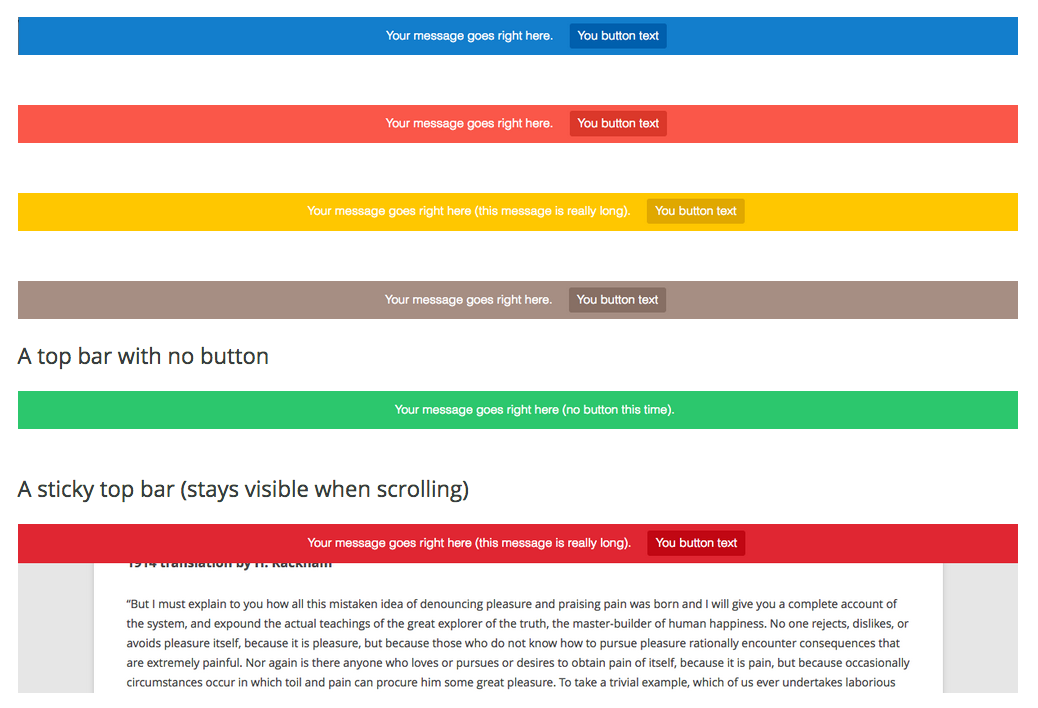
Top Bar (front view)

Configuring the Top Bar (admin view)
Changelog
3.0.6
- Fixed minor vulnerability issue
3.0.5
- Fixed minor vulnerability issue
3.0.4
- Security update
3.0.3
- Replaced deprecated jQuery methods
3.0.2
- Fixes JS bug with settings
- Fixes issues with specific character in the message
3.0
- Fixes CSS issues
- Fixes JS issues
- [New feature] Detect fixed navigation (automatically finds and fixes conflicts)
- [New feature] Button link behavior (same/new window)
- Updated setting panel
- Updated admin menus
- Better fonts for message/button
2.0
- Adds cleaner and faster option screen
- Fixes CSS issues
- Fixes JS issues
1.2
- Plugin is now translation ready
- Added French translation
- Added Spanish translation
- Minor CSS fixes
1.1
- Cleaning code
- Minor bug fixes
1.0
- Initial release