

Top Scroller
Top Scroller plugin allows the visitor to easily and safely scroll back to the top of the page.
Maintenance 22/1001669d since update
Active installs
100
Downloads
2,190
Reviews
5
Age
5.0y
Plugin info
Total downloads: 2,190
Active installs: 100
Total reviews: 5
Average rating: 5
Support threads opened: 0
Support threads resolved: 0 (0%)
Available in: 2 language(s)
Contributors: 1
Last updated: 9/6/2021 (1669 days ago)
Added to WordPress: 4/19/2021 (4 years old)
Minimum WordPress version: 5.2
Tested up to WordPress version: 5.8.12
Minimum PHP version: 7.2
Maintenance & Compatibility
Maintenance score
Possibly abandoned • Last updated 1669 days ago • 5 reviews
22/100
Is Top Scroller abandoned?
Possibly abandoned (last update 1669 days ago).
Compatibility
Requires WordPress: 5.2
Tested up to: 5.8.12
Requires PHP: 7.2
Similar & Alternatives
Explore plugins with similar tags, and compare key metrics like downloads, ratings, updates, support, and WP/PHP compatibility.
No similar plugins found yet.
Description
Top Scroller plugin allows the visitor to easily scroll back to the top of the page, with fully customizable options. Top Scroller plugin has the following features.
Features
- Displays a button when user scrolls down the page.
- Compatible with all WordPress themes.
- It is user friendly and very easy to install.
- Zero coding skills required to set up this plugin.
- Scrolls the page back to top with animation.
- Customizable options via the admin panel
- You can change background color.
- You can change hover color.
- You can set icon size.
- You can change icon color.
- You can change icon color when hover.
- Create Font Awesome icon button.
- Pages/Posts filter.
Installation
- Search for Top Scroller through ‘Plugins > Add New’ interface.
- Find the plugin box of Top Scroller and click on the ‘Install Now’ button.
- Then activate Top Scroller plugin.
-or-
- Download the .zip package.
- Unzip into the subdirectory ‘top-scroller’ within your local WordPress plugins directory.
- Refresh plugin page and activate plugin.
Frequently Asked Questions
No FAQ available
Review feed
No reviews available
Screenshots
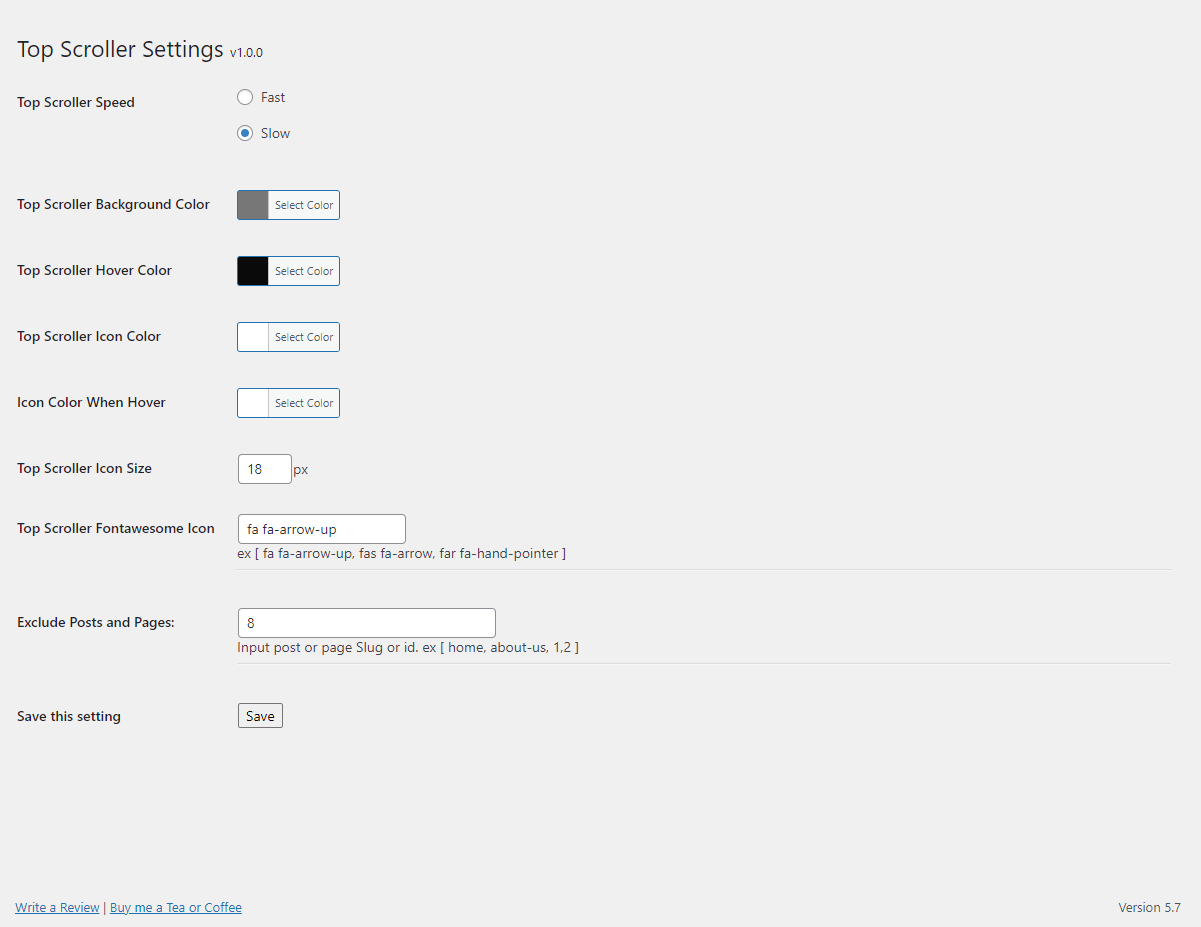
screenshot-1
Changelog
1.0.0
- Initial release