

Traction External Links Speed Bump
Activates a speed bump on all external links and gives site owner the ability to enter a list of domains or specific links that when clicked will not …
Plugin info
Maintenance & Compatibility
Maintenance score
Stale • Last updated 224 days ago • 4 reviews
Is Traction External Links Speed Bump abandoned?
Likely maintained (last update 224 days ago).
Compatibility
Similar & Alternatives
Explore plugins with similar tags, and compare key metrics like downloads, ratings, updates, support, and WP/PHP compatibility.
Description
Some websites for compliance reasons or just because they want to need to provide the user with a notice when a link is clicked that is not in that websites control. Traction External Links Speed Bump is a simple no frills plugin that provides a basic speed bump overlay when a link is clicked on a site that doesn’t match the site host’s domain name.
The plugin offers the following customization options:
- Omitted Domains – Enter a comma separated list of domain names that you don’t want to trigger the speed bump.
- Omitted Links – Enter a comma separated list of links that you don’t want to trigger the speed bump.
- Customize Text – Customize the speed bump text as well as the continue and cancel button text.
Read the FAQ for information on how to customize the CSS used in this plugin.
Installation
There are a few options for installing and setting up this plugin.
Upload Manually
- Download and unzip the plugin
- Upload the ‘traction-external-links-speed-bump’ folder into the ‘/wp-content/plugins/’ directory
- Go to the Plugins admin page and activate the plugin
Install Via Admin Area
- In the admin area go to Plugins > Add New and search for “Traction External Links Speed Bump”
- Click install and then click activate
To Setup The Plugin
- Go to Settings > Speed Bump. Enter any domain names or links you want omitted, then customize the speed bump message and button text.
Frequently Asked Questions
Here is the basic markup for how the speed bump is displayed.
<pre>
    <div id="trelsb-external-link-modal" class="modal" tabindex="-1" role="dialog" aria-labelledby="trelsb-external-link-modal-message">

        <p id="trelsb-external-link-modal-message">
            You are about to leave the current site.
        </p>

        <a class="button trelsb-external-link-modal-continue"  tabindex="1" href="https://clickedlinkurl.com" aria-label="Continue">
            Continue
        </a>

        <span class="button trelsb-external-link-modal-close" tabindex="2" aria-label="Close">
            Cancel
        </span>

    </div>
</pre>
You can style the speed bump just like you would any other HTML elements.
In the off chance that you have a link not working with this plugin like you expect it to you can use the trelsb_handle_links function in your own JavaScript file to make the speed bump activate when the link is clicked. Just add a class name to the link and then use the code below.
<pre>
    jQuery(".link_class_name").click(function(event) {
        trelsb_handle_links(event, this)
    });
</pre>
Review feed
Still working great!
Screenshots
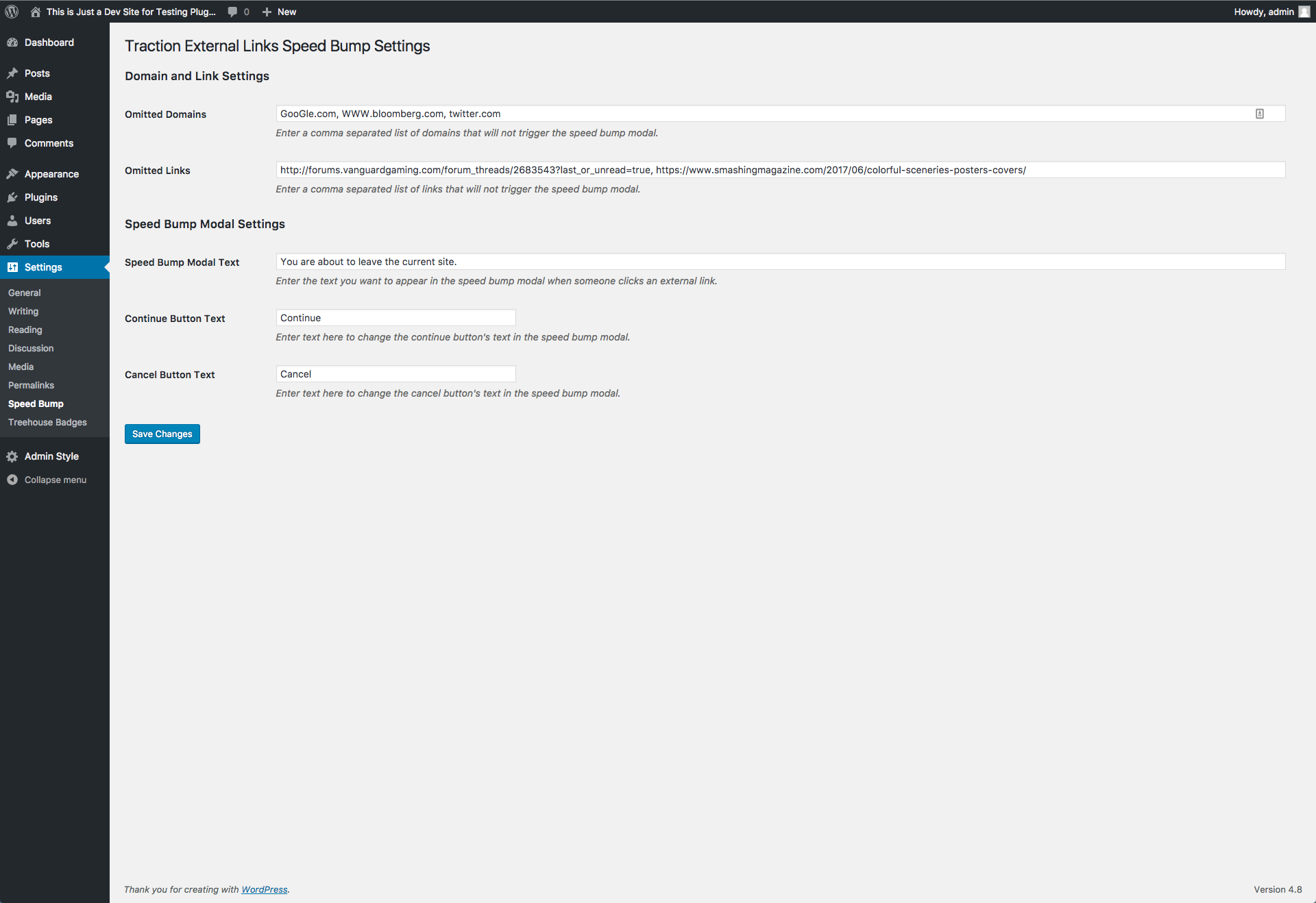
Once you have installed the plugin, navigate to Settings > Speed Bump in the admin area and fill in the text inputs with the sites, links, and text you want to customize.
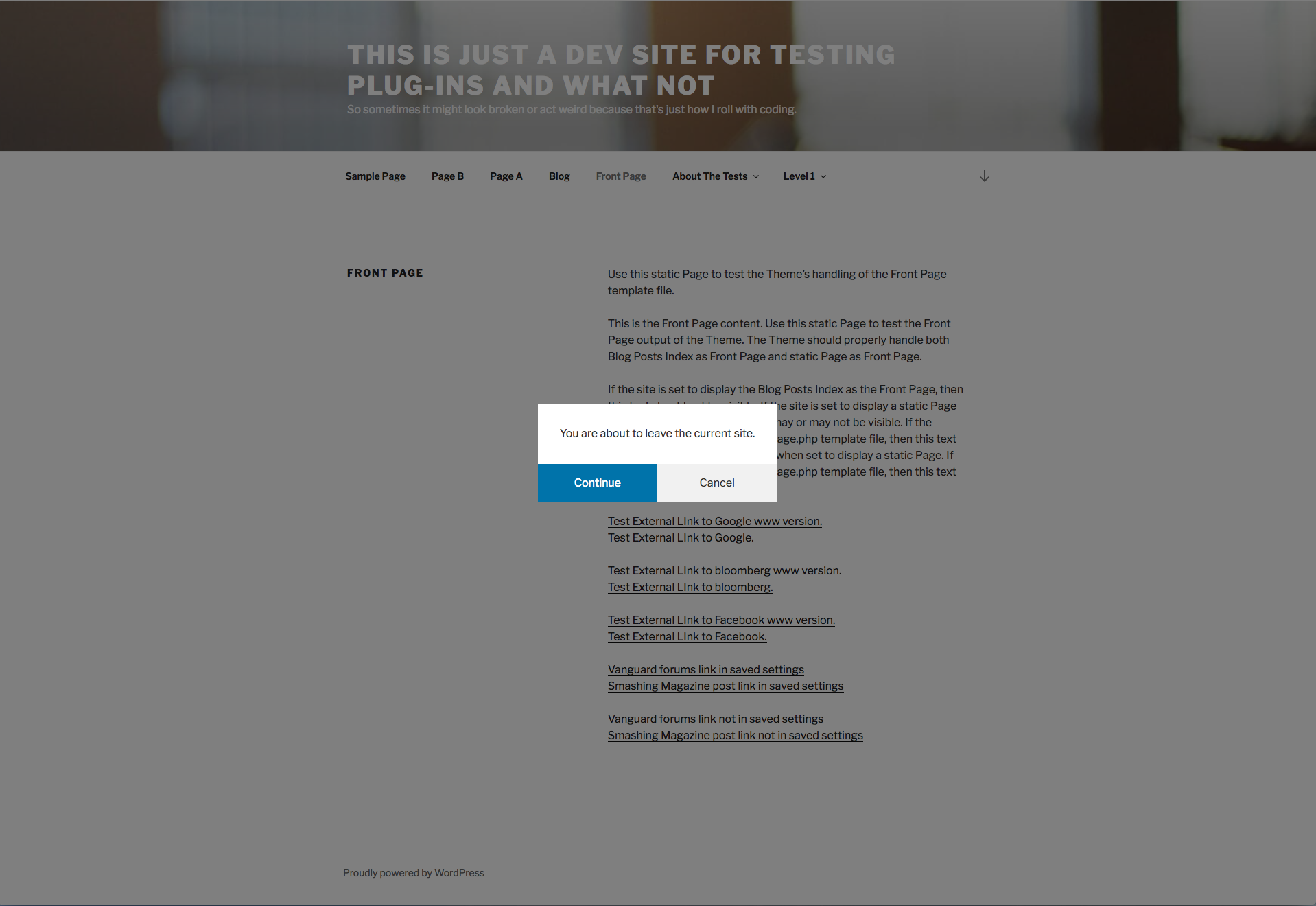
A preview of the speed bump.
Changelog
1.9.8
- Sanitize ignored links field correctly to remove extra characters added when list of links included spaces between them. Click save settings after this update to remove extra characters that were being added.
1.9.7
- Add new check for anchor links that have no href, empty/whitespace only, or exactly ‘#’.
1.9.6
- Bump up tested to version number to WordPress 6.6.1.
1.9.5
- Remove extra line of code that was causing a warning message on the admin/settings page for the plugin.
1.9.4
- Remove extra / in url for plugin JS and CSS files being loaded on frontend of website. Update tested up to version to 6.2.2.
1.9.3
- Make trelsb_handle_links JavaScript function available globally so it can be called and used in other files for when a link doesn’t run through the event properly. This is a patch for an error that was possibly being caused by UberMenu. See support thread on issue.
1.9.2
- Move stopPropagation call to fix issue with WPBakery accordion functionality.
1.9.1
- Set focus on Continue button when modal opens. Add spacebar support on links in modal. Close modal when clicking outside of modal area.
1.9
- Remove modal open class when hitting continue button. Also added conditional check on link clicked target.
1.8
- Add check for use of Gallery Custom Links plugin and add back in the event handle if using plugin.
1.7
- Remove .trelsb-modal-open class on body tag when opening internal link with _blank set as target.
1.6
- Set a max height and overflow-y: auto to the modal message to prevent text overflow issue when modal message is long. Disable scrolling of website in the background while modal message is open.
1.5
- Set max width to modal styles for readability of longer messages. Change modal text setting area from basic text input to text area and allow use of HTML tags.
1.4
- Fix issue causing exception links and domain links to open in a new tab.
1.3
- Fix error that was removing the link target from links.
1.2
- Fix error keeping popup from working in Firefox.
1.1
- Change class name of popup modal from .modal to .trelsb-modal to prevent conflicts with other CSS libraries such as Bootstrap.
0.9.2
- Fix bug where the string saved for omitted links was being converted to all lowercase and making the comparison of links that had capital letter not work to trigger the speed bump.
0.9.1
- Change the way the ignored domains field is sanitized to fix error where http:// was being added to first item entered. Also fixes encoding of any spaces in list when saving changes.
- Changed javascript to account for adding of http:// or https:// to domain names in ignored list.
0.9
- Initial launch of the plugin
- Omit domains from triggering speed bump by entering in a list
- Omit links from triggering speed bump by entering in a list
- Customize speed bump message and button text