

Travel Map
Create and display a beautiful, interactive travel map on your website. Choose your transport modes, update your itinerary using geolocation, etc.
Plugin info
Maintenance & Compatibility
Maintenance score
Maintained • Last updated 119 days ago • 1 reviews
Is Travel Map abandoned?
Likely maintained (last update 119 days ago).
Compatibility
Developers
Similar & Alternatives
Explore plugins with similar tags, and compare key metrics like downloads, ratings, updates, support, and WP/PHP compatibility.
Description
TravelMap plugin allows you to create, trace and manage your travel itinerary right from your WordPress admin. Free to use without having to create an account.
Here is a DEMO of what it looks like on a blog post.
Features:
- An interactive map in your WordPress admin
- Instantly show where you are, where you’ve been and where you’re about to go
- Trace your itinerary using different colors for different transport modes
- One click geolocation: pin a new spot on your map to update your itinerary
- Embed the map anywhere on your website
Features that require a TravelMap account:
- Multiple maps (free)
- Link photos and articles to your map (free)
- Trace lines following the roads (premium)
- Custom theme and map style (premium)
- Live Tracking with GPS tracker (contact us)
- And many more…
For more details about our premium offers, visit the pricing page.
If you have any question or suggestion, don’t hesite to contact us.
Installation
- Upload the plugin files to the
/wp-content/plugins/travelmap-blogdirectory, or install the plugin through the WordPress plugins screen directly (search for ‘Travel Map’) - Activate the plugin through the ‘Plugins’ menu in WordPress
- Open the TravelMap page (via main WordPress menu) to start tracing your itinerary
Frequently Asked Questions
No, you can start using right away after installing and activating the plugin.
Yes, all the basic features are free to use. If you want more features, you need to have a TravelMap account. See our pricing page for details on the free and premium offers.
Simply log in to your account. Your trips will be synced and you can manage them directly on WordPress admin or go to your TravelMap admin for more flexibility.
You can find more information on the Support page of TravelMap.
Review feed
Screenshots
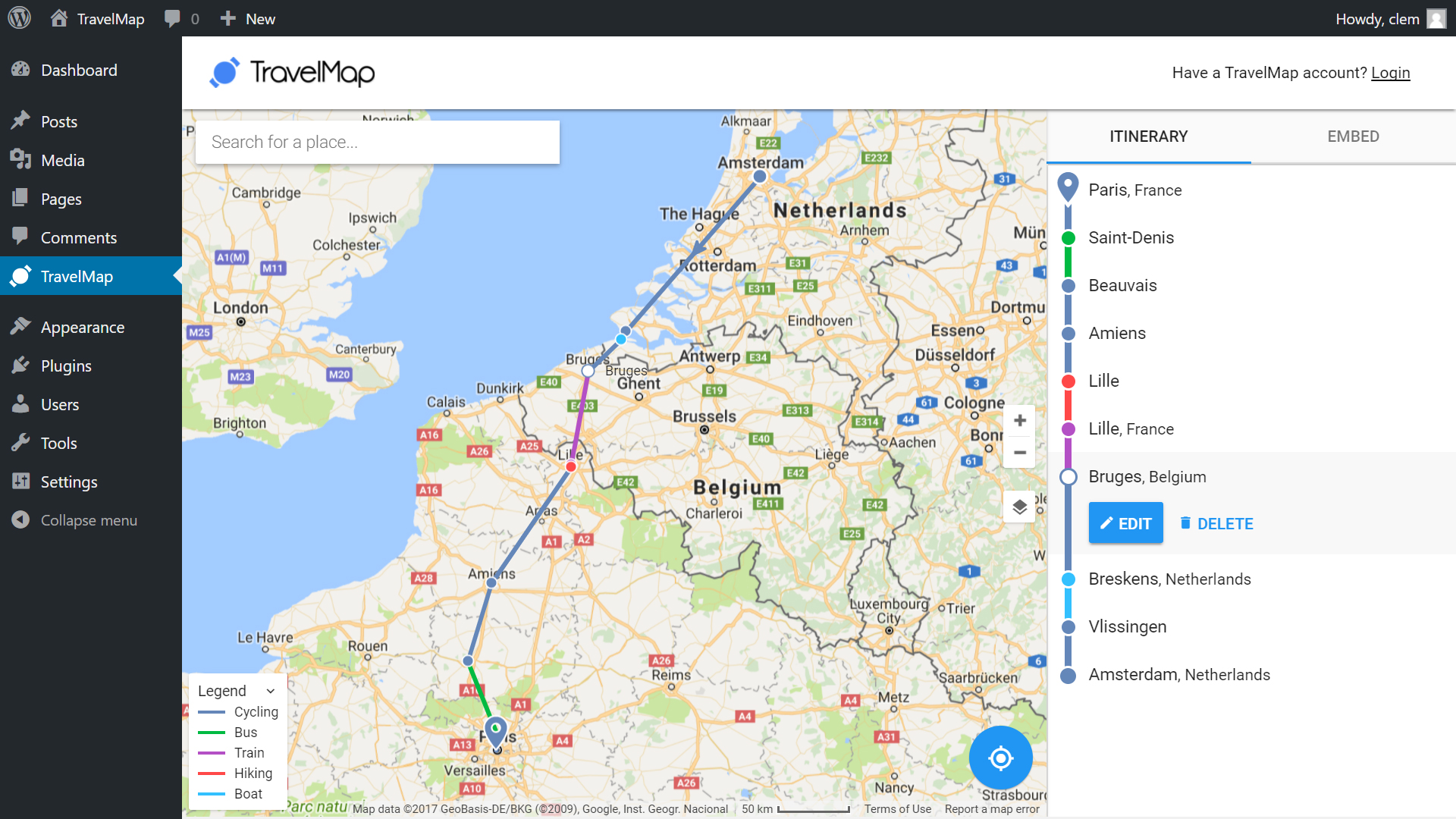
Admin Map - Update your itinerary from your WordPress admin
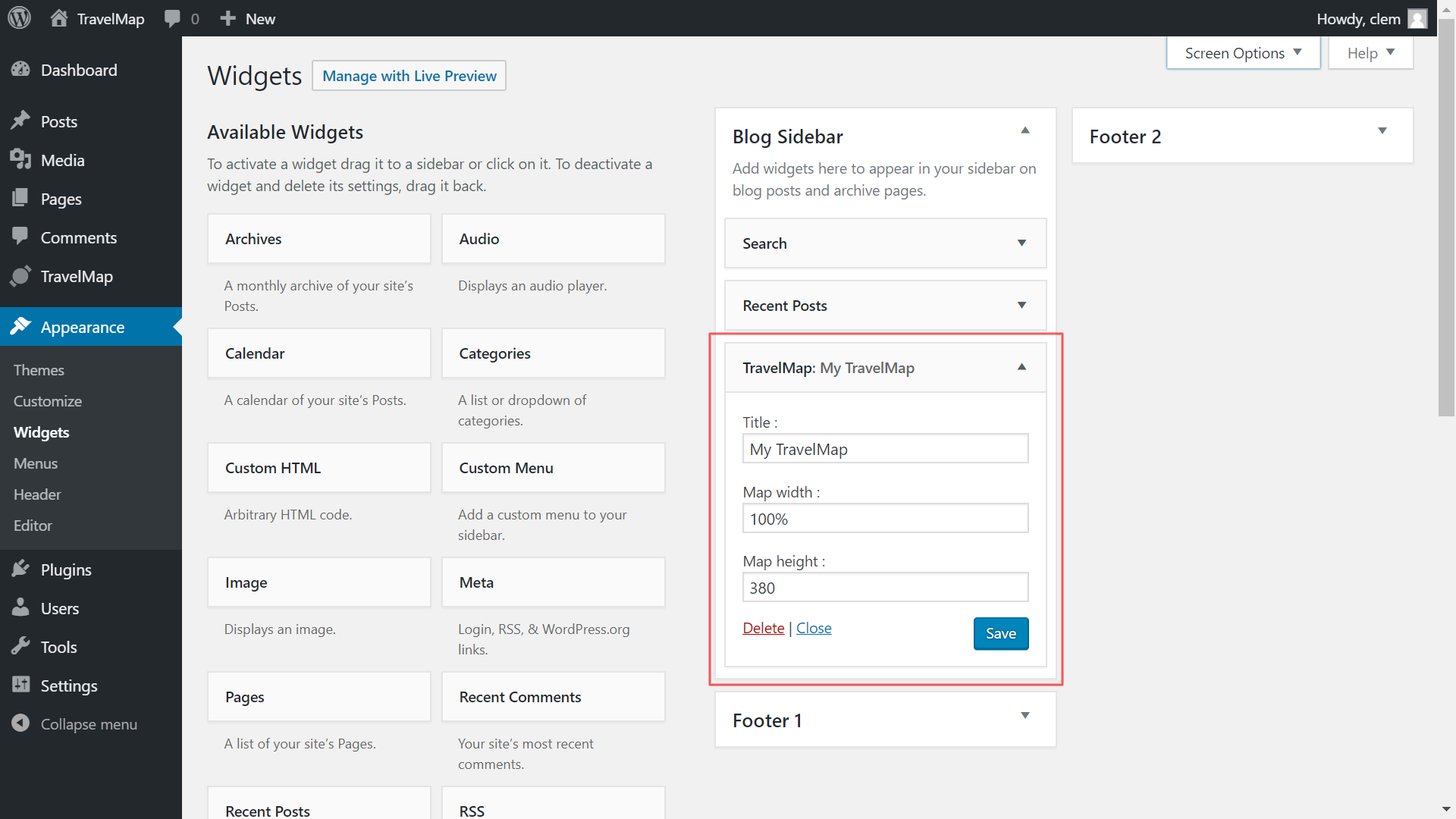
Widget - Embed your TravelMap map on all pages
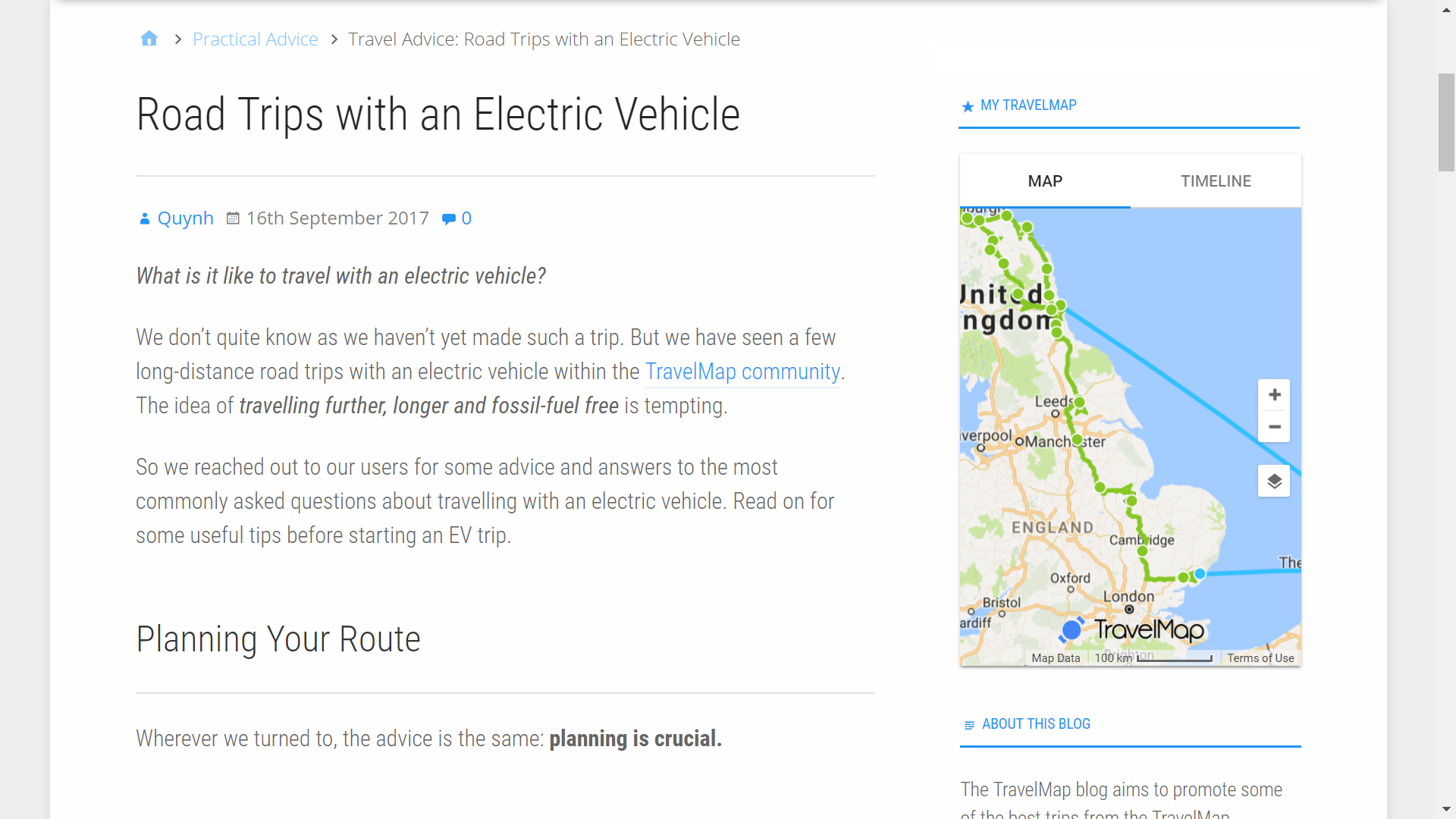
Widget example - Map displaying in sidebar
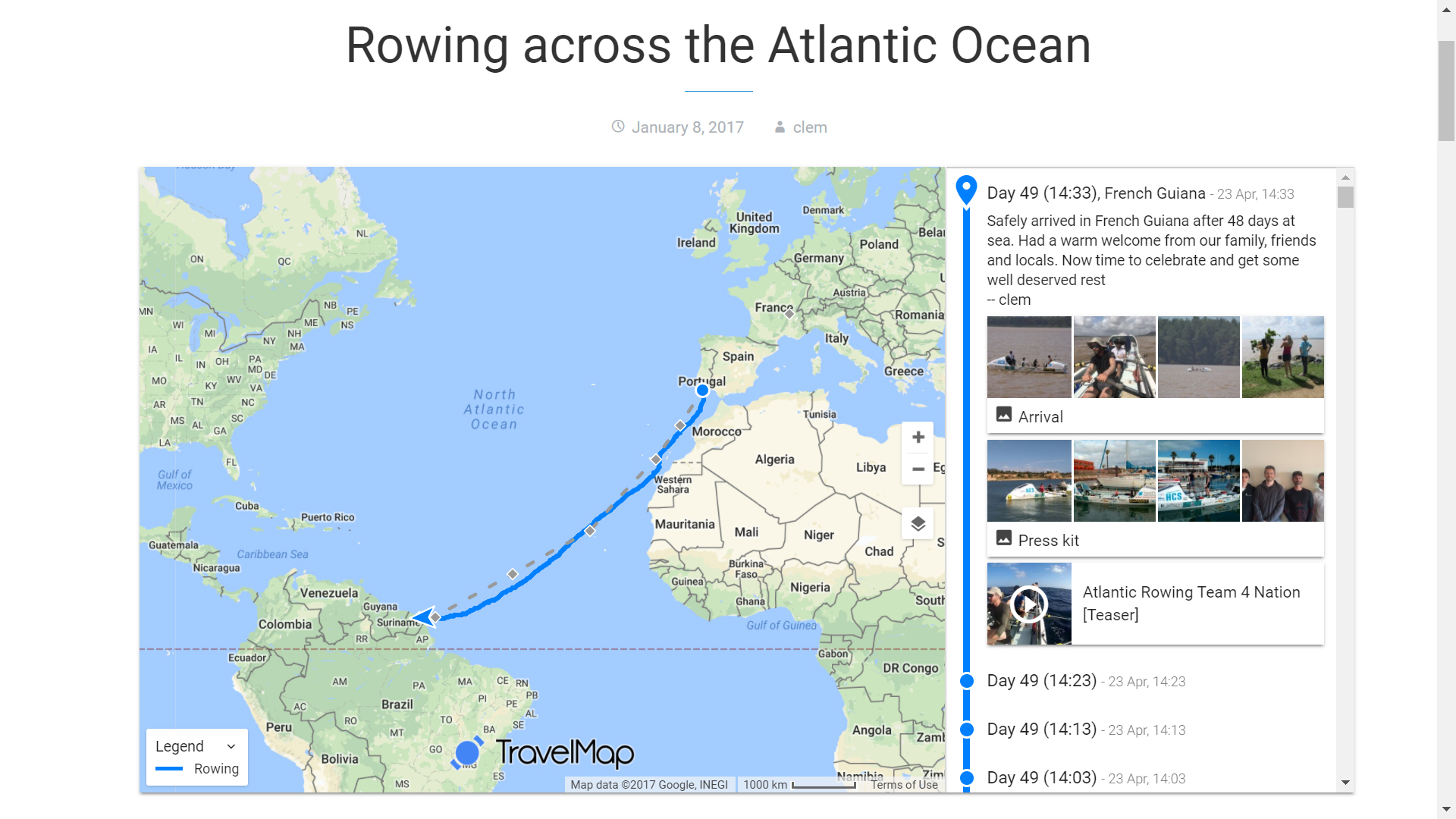
Shortcode example - Map displaying inside a post
Changelog
1.0.4
- Fix CSRF issue on unused /clear-account endpoint
1.0.3
- Fix embed code showing world map
1.0.2
- Fix XSS vulnerability. Patched on our end so all the previous versions are secure as well.
1.0.1
- Added support for PHP 5.3
1.0.0
- Update your map from your WordPress admin
- Does not require a TravelMap account anymore
- Tested with WordPress 4.9
0.1.2
- Tested with WordPress 4.7
0.1.1
- Added support for PHP 5.3
0.1.0
- First version. Still in beta.