

TW Recent Posts Widget
A simple and flexible widget for WordPress which will show recent posts from selected category allowing increased customization to display recent post …
Plugin info
Maintenance & Compatibility
Maintenance score
Possibly abandoned • Last updated 3048 days ago • 15 reviews
Is TW Recent Posts Widget abandoned?
Possibly abandoned (last update 3048 days ago).
Compatibility
Similar & Alternatives
Explore plugins with similar tags, and compare key metrics like downloads, ratings, updates, support, and WP/PHP compatibility.
Description
TW Recent Posts Widget is advanced version of the WordPress Recent Posts widget allowing increased customization to display recent posts from category you define.
Output will depend on your settings, and you may define to set post title, post date, featured image and post excerpt.
If you set to display featured image, than you will be able to define image width and height in px.
If you set to display excerpt, than you will be able to define how many characters to print and also you may add custom read more text.
Installation
Install and Activate
- Unzip the downloaded
tw-recent-posts-widgetzip file - Upload the
tw-recent-posts-widgetfolder and its contents into thewp-content/plugins/directory of your WordPress installation - Activate TW Recent Posts Widget from Plugins page
Implement
1) Go to the Appearance / Widgets tab and make new instance of this widget as many time as you wish.
Configure
1) Features
- Display post title
- Display post date
- Display post thumbnails, with customizable size
- Display post excerpt and how long the excerpt should be
- Display read more link with custom text linked to post
- Custom post order by: date, ID, title, author, comment count, rand
- Multiple widgets
2) The styles can be changed with the following methods:
- Add your custom CSS to your theme’s
styles.css - Modify the
tw-recent-posts-widget.cssfile in thetw-recent-posts-widgetplugin directory
Note: The first option will ensure that TW Recent Posts updates will not overwrite your custom styles.
Frequently Asked Questions
Installation Instructions
Install and Activate
- Unzip the downloaded
tw-recent-posts-widgetzip file - Upload the
tw-recent-posts-widgetfolder and its contents into thewp-content/plugins/directory of your WordPress installation - Activate TW Recent Posts Widget from Plugins page
Implement
1) Go to the Appearance / Widgets tab and make new instance of this widget as many time as you wish.
Configure
1) Features
- Display post title
- Display post date
- Display post thumbnails, with customizable size
- Display post excerpt and how long the excerpt should be
- Display read more link with custom text linked to post
- Custom post order by: date, ID, title, author, comment count, rand
- Multiple widgets
2) The styles can be changed with the following methods:
- Add your custom CSS to your theme’s
styles.css - Modify the
tw-recent-posts-widget.cssfile in thetw-recent-posts-widgetplugin directory
Note: The first option will ensure that TW Recent Posts updates will not overwrite your custom styles.
Review feed
Screenshots

The widget configuration dialog.
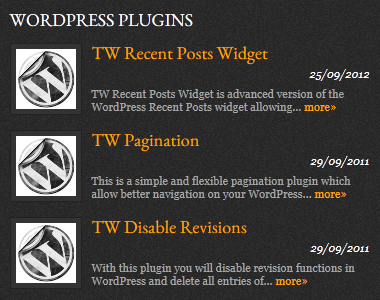
The widget output based on it's settings
Changelog
1.0.5
- Removed constructor method for WP_Widget which is now deprecated
- Fixed bug with listing categories
1.0.4
- Removed PHP4 constructor
- Code improvements
1.0.3
- New feature : Show post date
- New feature : Ability to show posts from all categories
1.0.2
- Bugfix : Restore original Query & Post Data
1.0.1
- Bugfix : Remove various PHP notices
1.0
- Initial release