

AuthPress
Advanced WordPress 2FA plugin with multiple authentication providers: Telegram, Email, Authenticator Apps, and extensible custom providers.
Plugin info
Maintenance & Compatibility
Maintenance score
Stale • Last updated 199 days ago • Support resolved 100% • 5 reviews
Is AuthPress abandoned?
Likely maintained (last update 199 days ago).
Compatibility
Similar & Alternatives
Explore plugins with similar tags, and compare key metrics like downloads, ratings, updates, support, and WP/PHP compatibility.
Description
AuthPress is a comprehensive two-factor authentication plugin for WordPress that evolved from Telegram-only support into a flexible multi-provider 2FA solution. Secure your WordPress site with multiple authentication methods and an extensible provider system.
🚀 Key Features
- Multiple Authentication Providers: Telegram, Email, Authenticator Apps (TOTP), Recovery Codes
- Extensible System: Developers can create custom providers (SMS, Passkey, etc.)
- Easy Configuration: Setup multiple 2FA methods in minutes
- Enhanced Security: Advanced logging, rate limiting, and secure code storage
- User Flexibility: Users can enable multiple providers for redundancy
- Admin Control: Centralized provider management and monitoring
- Professional Logging: WP_List_Table implementation with pagination and filtering
📱 Telegram Provider (Original)
- Instant authentication code delivery via Telegram bot
- Failed login attempt notifications for administrators
- Works on any device with Telegram installed
- Simple setup with Bot Token from @BotFather
- Admin security alerts and monitoring
📧 Email Provider
- Send verification codes via email
- Configurable token duration (default: 20 minutes)
- HTML formatted emails with security information
- Works with all email providers
- Perfect fallback when other methods unavailable
🔐 Authenticator Apps (TOTP)
- Standard TOTP (Time-based One-Time Password) support
- Compatible with Google Authenticator, Authy, Microsoft Authenticator, 1Password, Bitwarden
- Works completely offline – no internet connection required
- Easy setup with QR codes or manual secret entry
- 6-digit codes that refresh every 30 seconds
🔧 Extensible & Developer-Friendly
- Custom Providers: Simple API for creating custom 2FA methods
- SMS Support: Ready-to-use SMS providers available as extensions
- Passkey Support: Modern WebAuthn implementation available
- Plugin Architecture: Each provider can be a separate plugin
- Seamless Integration: All providers work together in unified interface
Installation
Frequently Asked Questions
AuthPress supports multiple 2FA methods:
* Telegram: Receive codes via Telegram bot (original feature)
* Email: Send verification codes to user’s email address
* Authenticator Apps: Google Authenticator, Authy, Microsoft Authenticator, etc. (TOTP standard)
* Recovery Codes: Emergency backup codes for account recovery
* Custom Providers: SMS, Passkey, and other extensions available
Yes! Users can enable multiple providers for redundancy. For example, they can use both Telegram and Email, so if one method is unavailable, they can use the other.
AuthPress features an extensible architecture. Check the developer documentation at AuthPress Custom Providers Developer Guide in the plugin directory for complete instructions on creating custom providers.
Yes, AuthPress uses the standard TOTP (Time-based One-Time Password) protocol, which is compatible with all major authenticator apps including Google Authenticator, Authy, Microsoft Authenticator, 1Password, Bitwarden, and KeePass.
Yes, you can customize the logo using the authpress_logo filter hook. Add this code to your theme’s functions.php or a custom plugin:
// Custom logo on "AuthPress" login screen:
function custom_authpress_logo(){
  $image_path = home_url('/images/');
  $image_filename = 'custom-two-factor-telegram.png';
  return $image_path . $image_filename;
}
add_filter('authpress_logo', 'custom_authpress_logo');
AuthPress provides recovery codes – single-use backup codes that can be used when your primary 2FA methods are unavailable. Store these codes securely offline when you generate them.
Yes, administrators can view user 2FA status, disable 2FA for specific users if needed, and monitor all authentication activities through the advanced logging system.
Review feed
If you use Telegram, this plugin is essential for your site
Screenshots
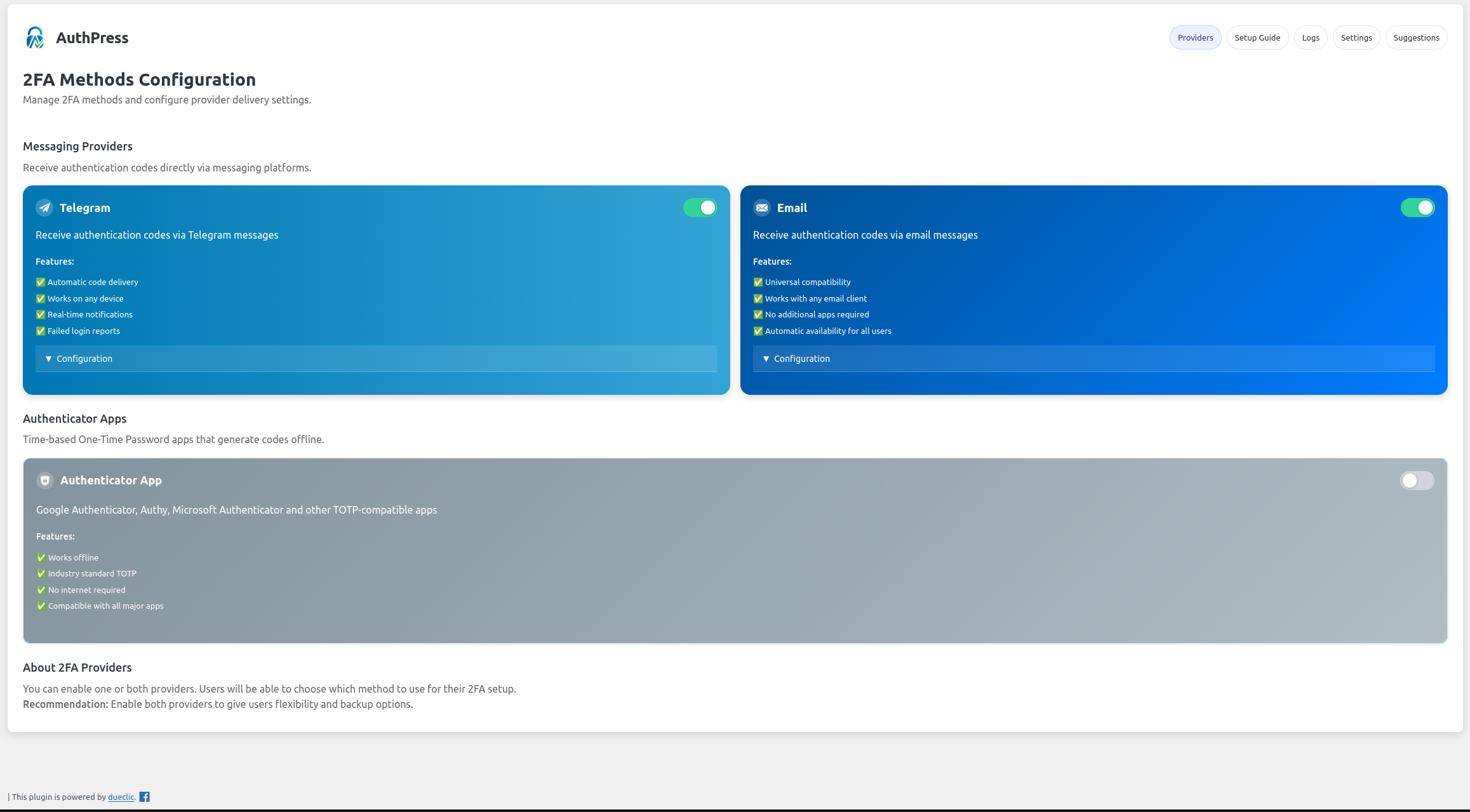
Provider Configuration Dashboard - Central configuration page showing all available 2FA providers: Telegram, Email, Authenticator, and any installed custom providers.
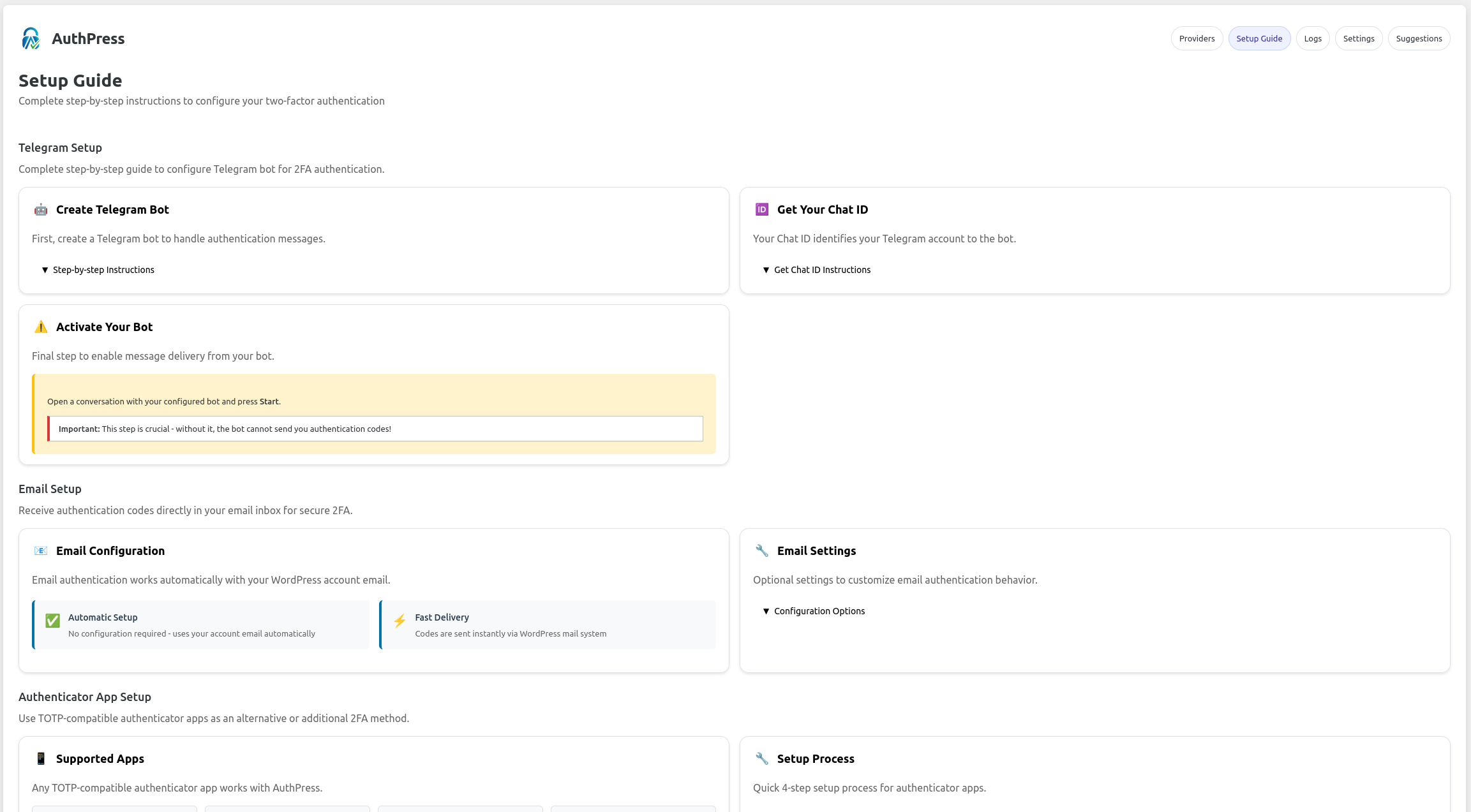
Telegram Provider Setup - Configure your Telegram bot token and notification settings. Simple setup process with Bot Token from @BotFather.
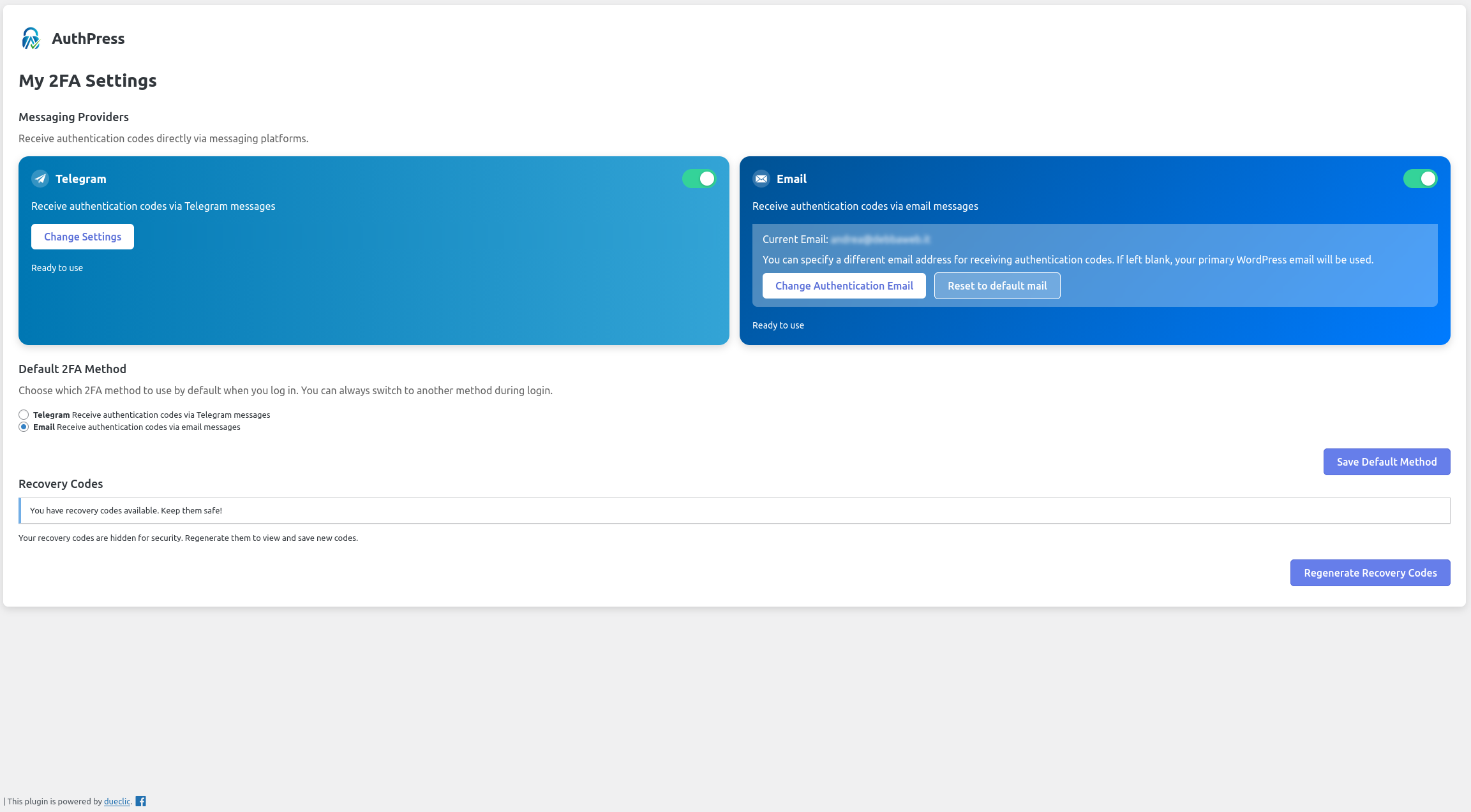
User Profile 2FA Section - Users can enable and configure multiple 2FA methods directly from their WordPress profile page.
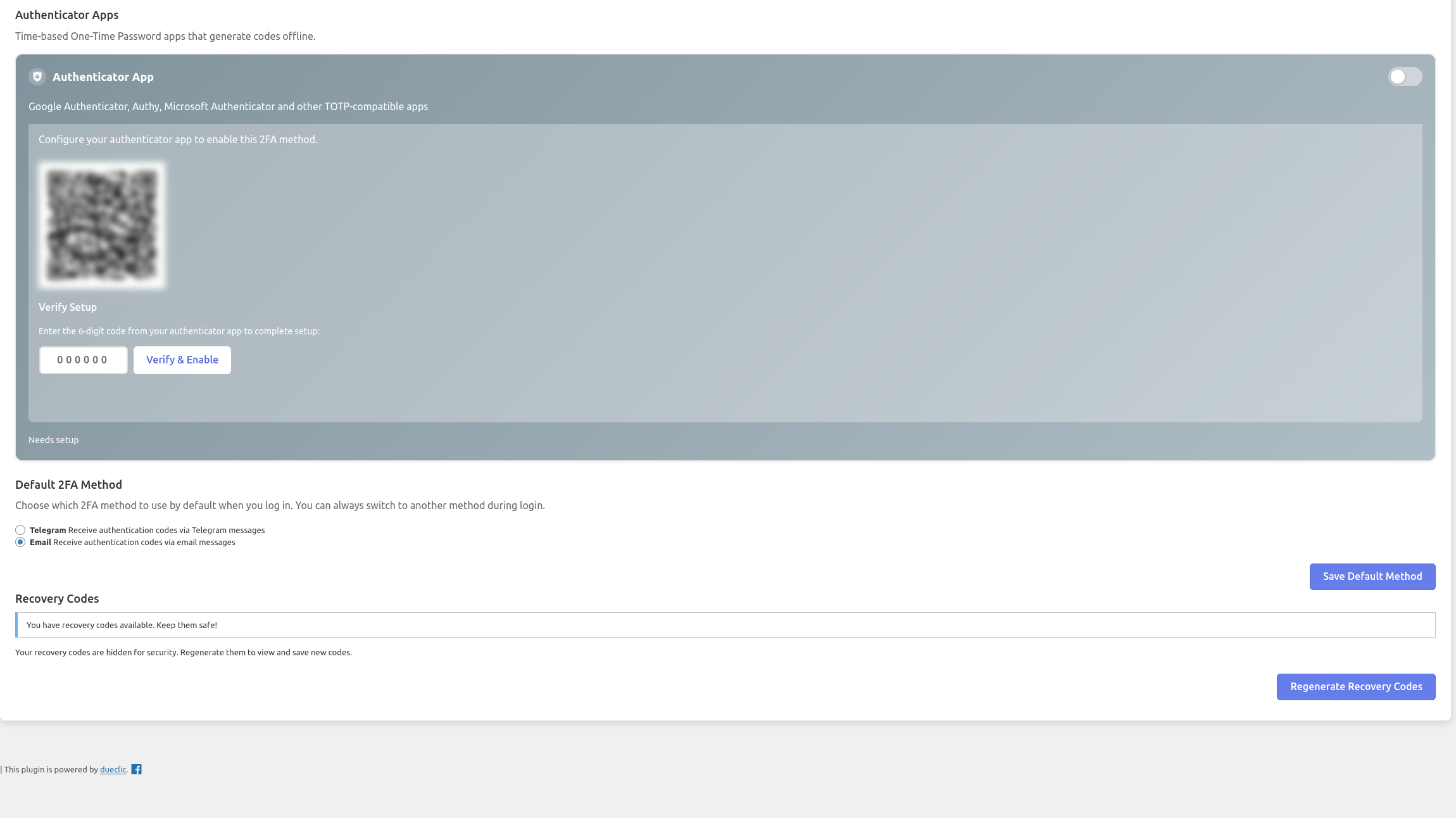
Authenticator App Setup - QR code generation for easy setup with Google Authenticator, Authy, and other TOTP apps..
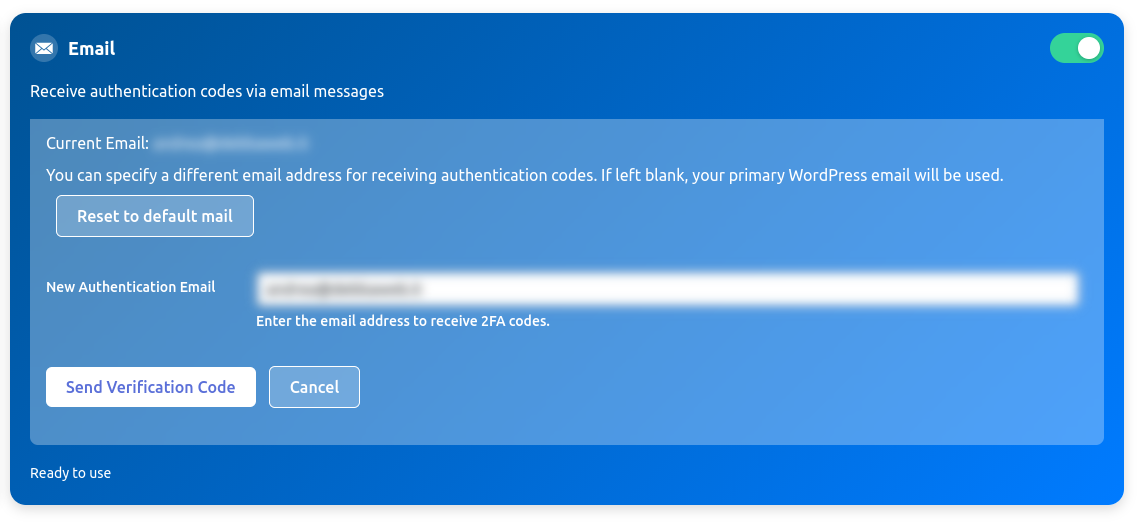
Email Provider Configuration - Configure the email-based 2FA system.
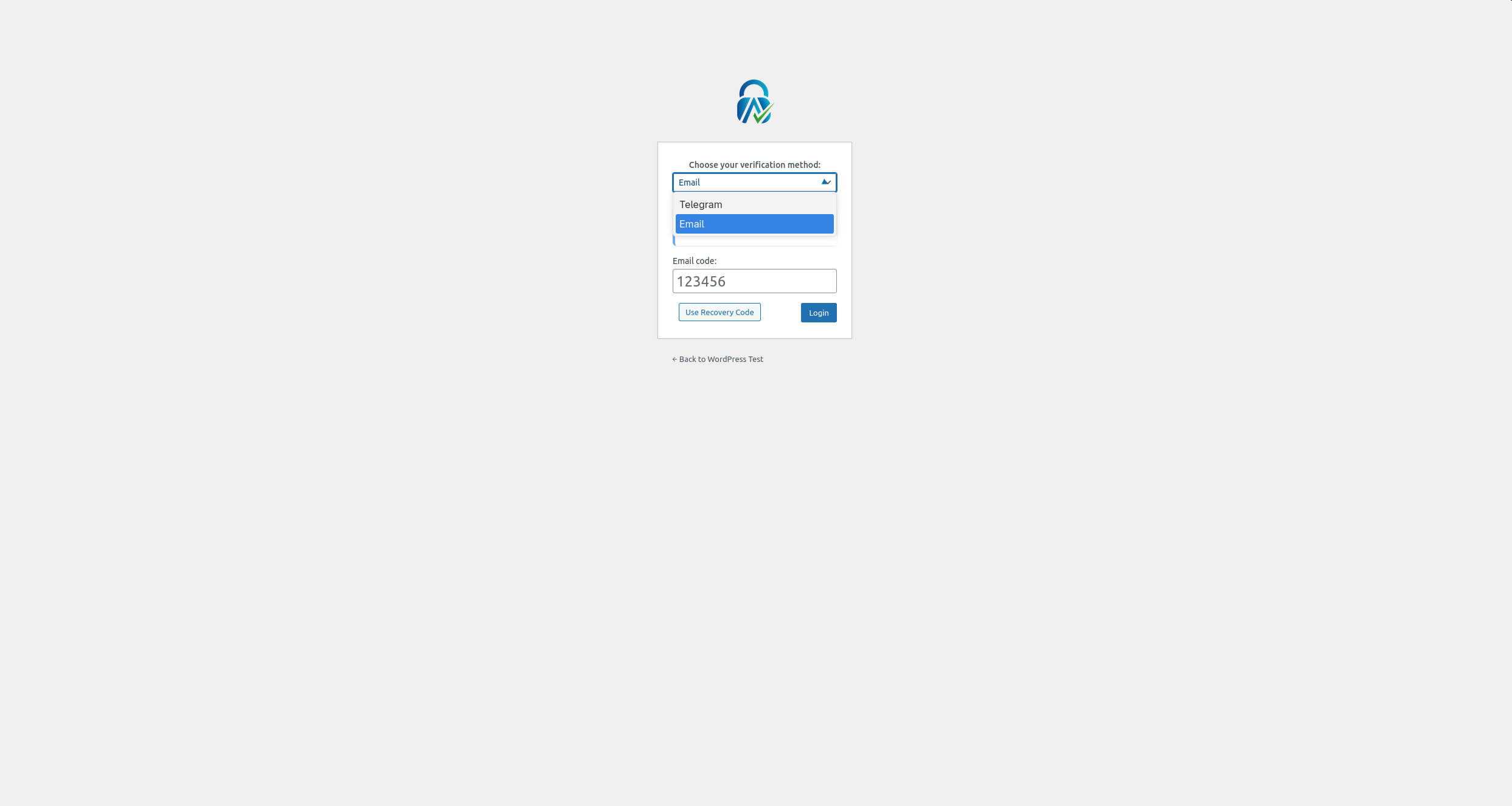
2FA Login Interface - Modern login screen where users choose their preferred authentication method and enter verification codes.
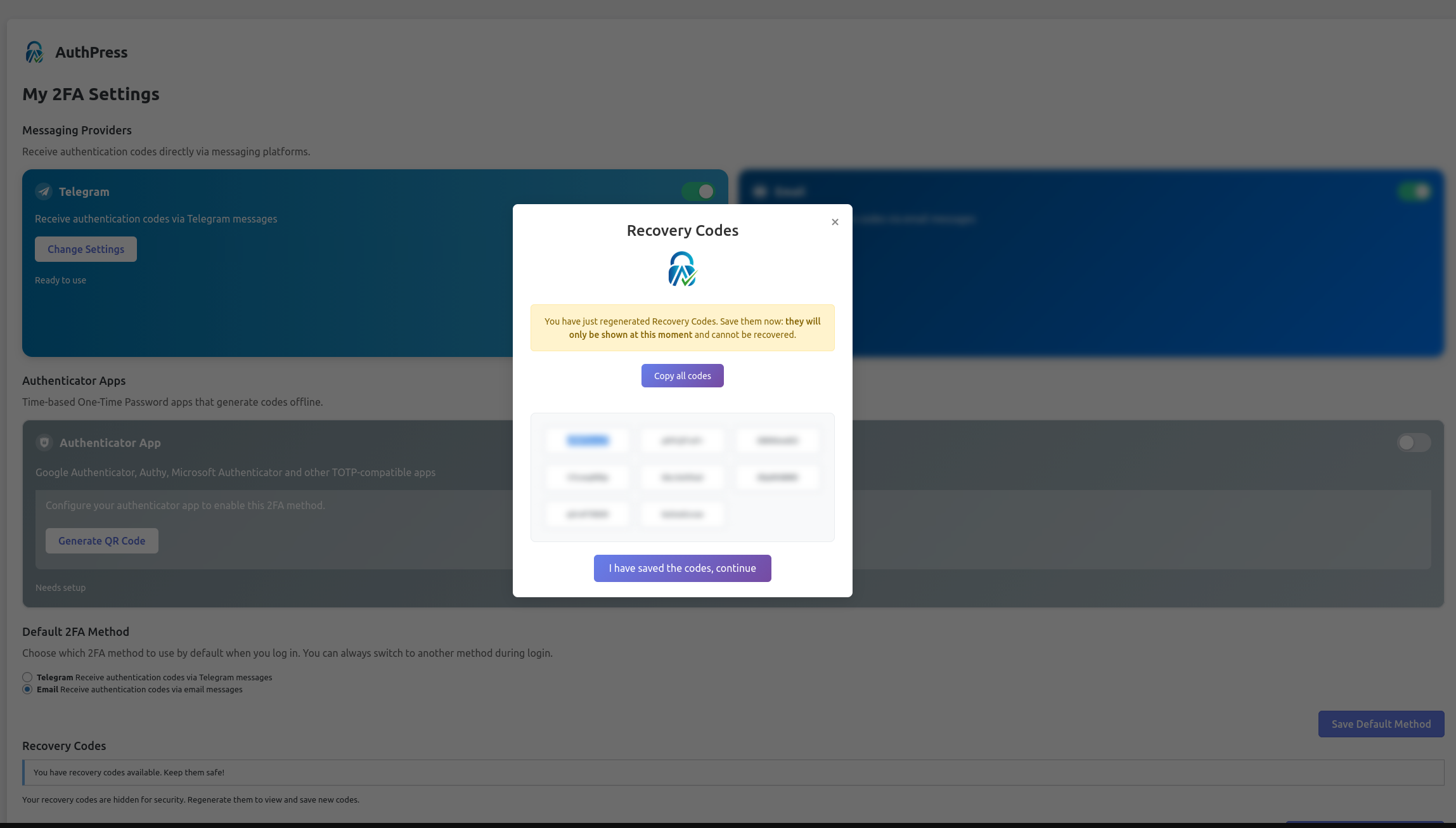
Recovery Codes Generation - Emergency backup codes interface for account recovery when primary methods are unavailable.
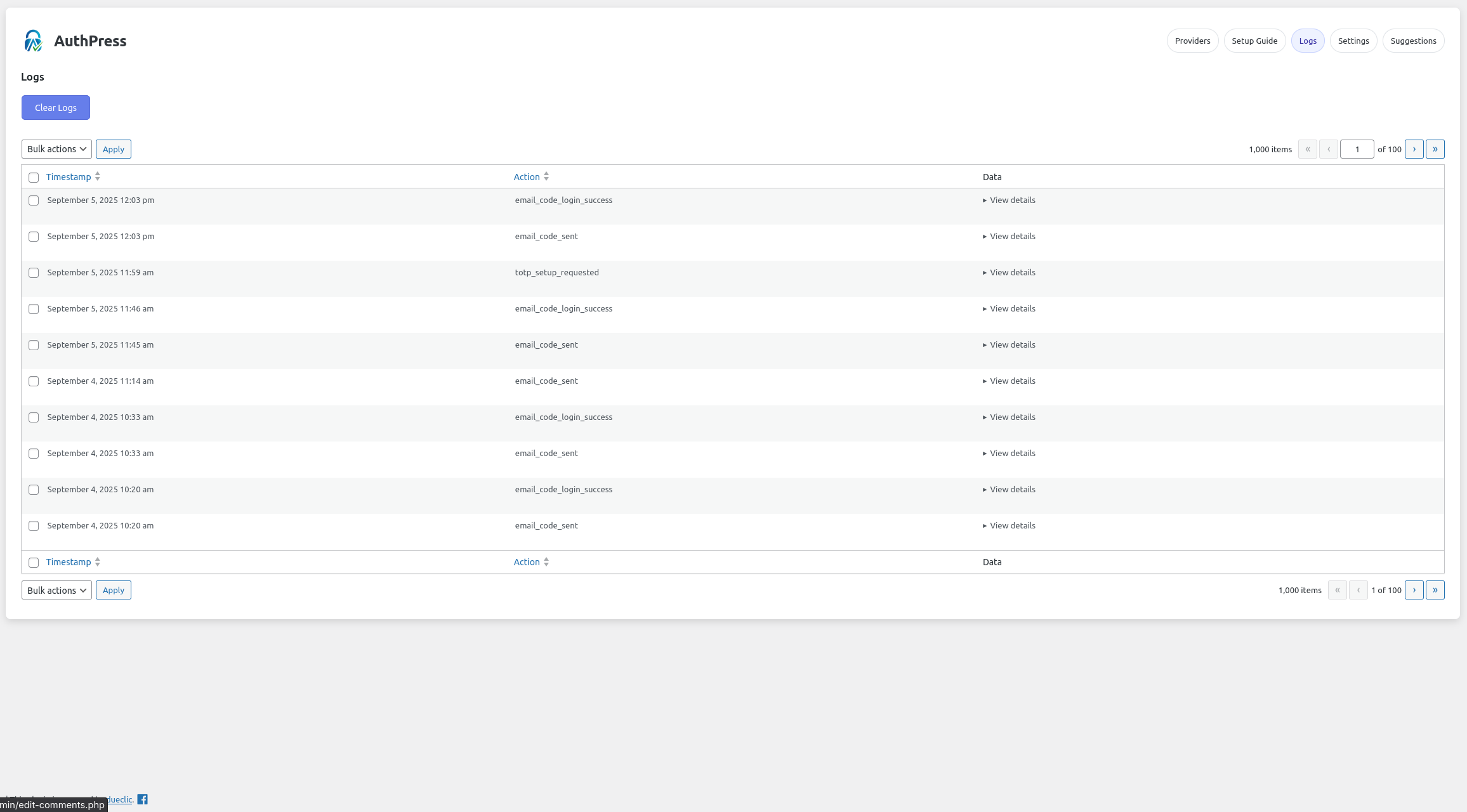
Professional Logging System - Advanced activity monitoring with WP_List_Table implementation, pagination, filtering, and detailed authentication logs.
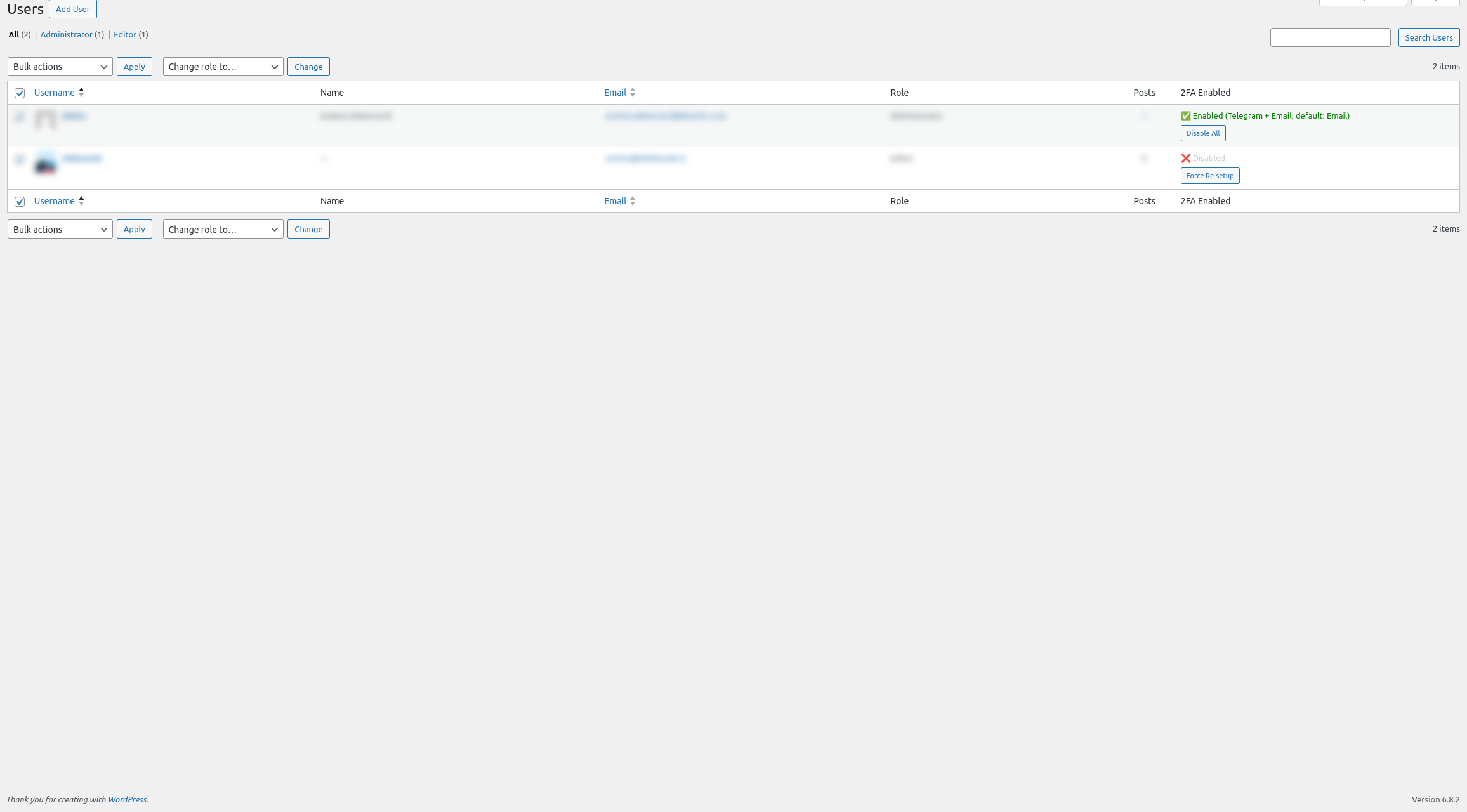
Admin User Management - View all users' 2FA status, manage individual configurations, and monitor security across your WordPress site.
Changelog
4.0.2
- i18n fixes
4.0.1
- Bugfix – rely on PHPQrCode instead of using composer installation
4.0.0
- 🎉 Major Release – Rebranded to AuthPress – Reflecting evolution from Telegram-only to comprehensive 2FA solution
- 🔧 Extensible Provider System – Complete architecture for developers to create custom 2FA providers
- 📧 Email Provider – Built-in email-based 2FA with configurable token duration and HTML templates
- 🔐 Enhanced TOTP Support – Improved authenticator app integration with QR codes and manual setup
- 🛠️ Developer API – Comprehensive hooks and filters system for custom provider development
- 📊 Professional Logging – Advanced WP_List_Table implementation with pagination, sorting, and filtering
- 🗄️ Database Architecture – Migrated from WordPress options to optimized MySQL tables for better performance
- 🎨 Complete UI/UX Redesign – Modern interface with improved user experience and accessibility
- 🌐 Enhanced Internationalization – Better i18n support including JavaScript string translations
- 🔒 Advanced Security Features – Improved validation, rate limiting, and secure code storage
- 🔑 Recovery Codes System – Emergency backup codes for account recovery scenarios
- 📱 Multi-Provider Support – Users can enable multiple 2FA methods for redundancy and flexibility
- ⚡ Performance Improvements – Optimized database queries and reduced memory usage
- 🧩 Plugin Architecture – Custom providers can be distributed as separate WordPress plugins
3.5.4
- i18n fixes
3.5.3
- Manage 2FA Columns in Users List
- Better management for token validation
3.5.2
- Timestamp bugfixes
3.5.0
- Enhanced Logs System: Replaced simple logs with professional WP_List_Table implementation featuring pagination (10 items per page), sorting, and bulk actions
- Improved User Interface: Complete UI overhaul with enhanced styling, better form layouts, and improved user experience
- Advanced Database Management: Migrated to MySQL tables for better performance and reliability instead of WordPress options
- Better Chat ID Validation: Enhanced Chat ID validation with proper format checking for both user and group chats
- JavaScript Translations: Implemented proper internationalization for all JavaScript messages using wp_localize_script
- Enhanced User Feedback: Added contextual status messages during 2FA configuration with clear visual indicators
- Template System: Introduced dedicated error templates for better error handling and user guidance
- Timestamp Formatting: Logs now respect WordPress date/time format settings for consistent display
- Bug Fixes: Fixed duplicate Chat ID input elements issue and improved form validation
- Performance Improvements: Optimized database queries and reduced memory usage
3.4
- Added Logs
- Implemented a webhook system for getting informations about user_id ( /get_id command )
- Improve message style in Telegram with button confirmation
3.3
- Extended compatibility to WP 6.8
3.2
- Extended compatibility to WP 6.7
3.1
- Updated auth code storage
- Fix Suggestions tab
3.0
- Extended compatibility to WP 6.6
2.9
- Extended compatibility to WP 6.3
2.8
- Extended compatibility to WP 6.2
2.7
- Fix security issues
2.6
- Extended compatibility to WP 6.1
- Fix security issues
2.3
- Extend compatibility to WP 5.9
2.2
- Bugfixes
2.1
- Extend compatibility to WP 5.8
2.0.0
- Extend compatibility to WP 5.7
1.9.1
- Backend performance improvements (Javascript and CSS)
1.9
- Backend perfomance improvements
1.8.4
- Improved markup in setup page
- Tested up to WordPress 5.4
1.8.3
- Introduced
two_factor_login_telegram_logofilter hook to customize the logo in «AuthPress» login screen - Added new screenshot to show the
two_factor_login_telegram_logofilter hook in action - Added FAQ entry to explain of
two_factor_login_telegram_logofilter hook use. - Updated plugin name to “WP 2FA with Telegram” (Previusly “WP Two Factor Authentication with Telegram”)
- Remove folders /languages and /screenshot from plugin root directory. Those directories are not uselful anymore.
- Fixed some fields in plugin header comment and Readme file according to the best practices recommended by WP Developer Handbook and Plugin i18n Readiness.
1.8.2
- Small improves of code
- Updated the screenshots of plugin
1.8.1
- Fixed text domain in two strings of FAQ section
1.8
- Added two new options to failed login attempt message you can enable or disable when you need: Show site name & show site URL
1.7
- Added missing translations strings
1.6
- Improvements for WordPress 5.3
1.5
- Fixed a bug which prevented user to disable Telegram 2FA
- Fixed a bug which prevented user to receive a new code if inserted code is wrong
1.4
- Bugfixes, new logo and cover
1.3
- Extended compatibility to WP 4.9.4
1.2
- In failed send with Telegram the IP address behind a CloudFlare proxy (Thx Manuel for suggestion)
1.1
- Insert english translation
- Introduced a tab for report problems or leave suggestions
1.0
- First public release