

UDW Delivery – Uber Direct for WooCommerce
Delivery service for WooCommerce integrating with Uber Direct API.
Plugin info
Maintenance & Compatibility
Maintenance score
Possibly abandoned • Last updated 379 days ago • Support resolved 0%
Is UDW Delivery – Uber Direct for WooCommerce abandoned?
Possibly abandoned (last update 379 days ago).
Compatibility
Similar & Alternatives
Explore plugins with similar tags, and compare key metrics like downloads, ratings, updates, support, and WP/PHP compatibility.
Description
Integrates Uber Direct delivery service for WooCommerce with automatic handling of delivery requests and status updates.
Features
- Easy setup and configuration through WooCommerce settings
- Automatic handling of delivery requests
- Real-time status updates
- Multiple language support
External services
This plugin connects to Uber Direct API to obtain delivery information. It’s needed to show the delivery information in the WooCommerce admin orders page, meta box in admin single order page, customer cart and customer checkout.
It sends your Uber API Credentials and the stores’s address every time that a request is made. To get delivery quotes and create deliveries, this plugin also sends the customers address and order informations.
This service is provided by “Uber Technologies Inc.”: terms of use, privacy policy.
Installation
- Make sure that your’s store Address is already setted up in WooCommerce -> Settings -> General – this will be use by Uber Direct as the Pickup Location.
- Go to WooCommerce -> Settings -> Integration -> Uber Direct, and set you Uber Direct credentials obtained in https://developer.uber.com/docs/deliveries/get-started.
- Go to WooCommerce -> Settings -> Shipping -> Zones and add the zone where Uber Direct will work with your deliveries. In this settings, you need to add Uber Direct as a Shipping Method for this zone. Remember that WooCommerce will only display Uber Direct as a shipping method in the client’s cart, if his zipcode matches the same zone that you configured here.
- Reccomendation: in WooCommerce -> Settings -> Shipping -> Shipping settings, is recommended that your shop hides the shipping costs until the client inserts his address for delivery.
Frequently Asked Questions
Uber Direct is a delivery service from Uber that allows businesses to send packages directly to customers using Uber’s network of drivers.
You can obtain your credentials at developer.uber.com as explained here.
Review feed
Screenshots
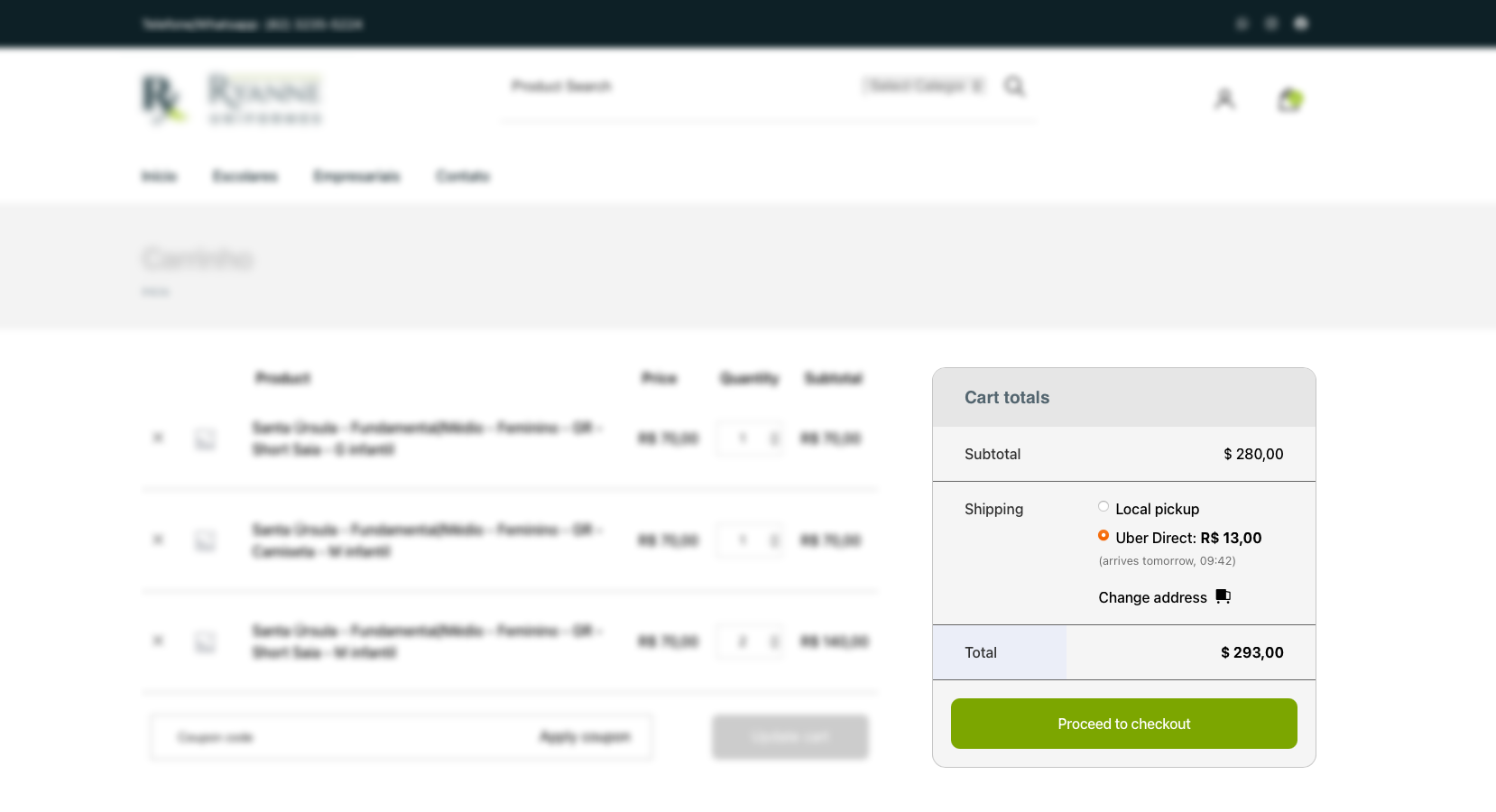
Customer checkout page displaying Uber Direct shipping option
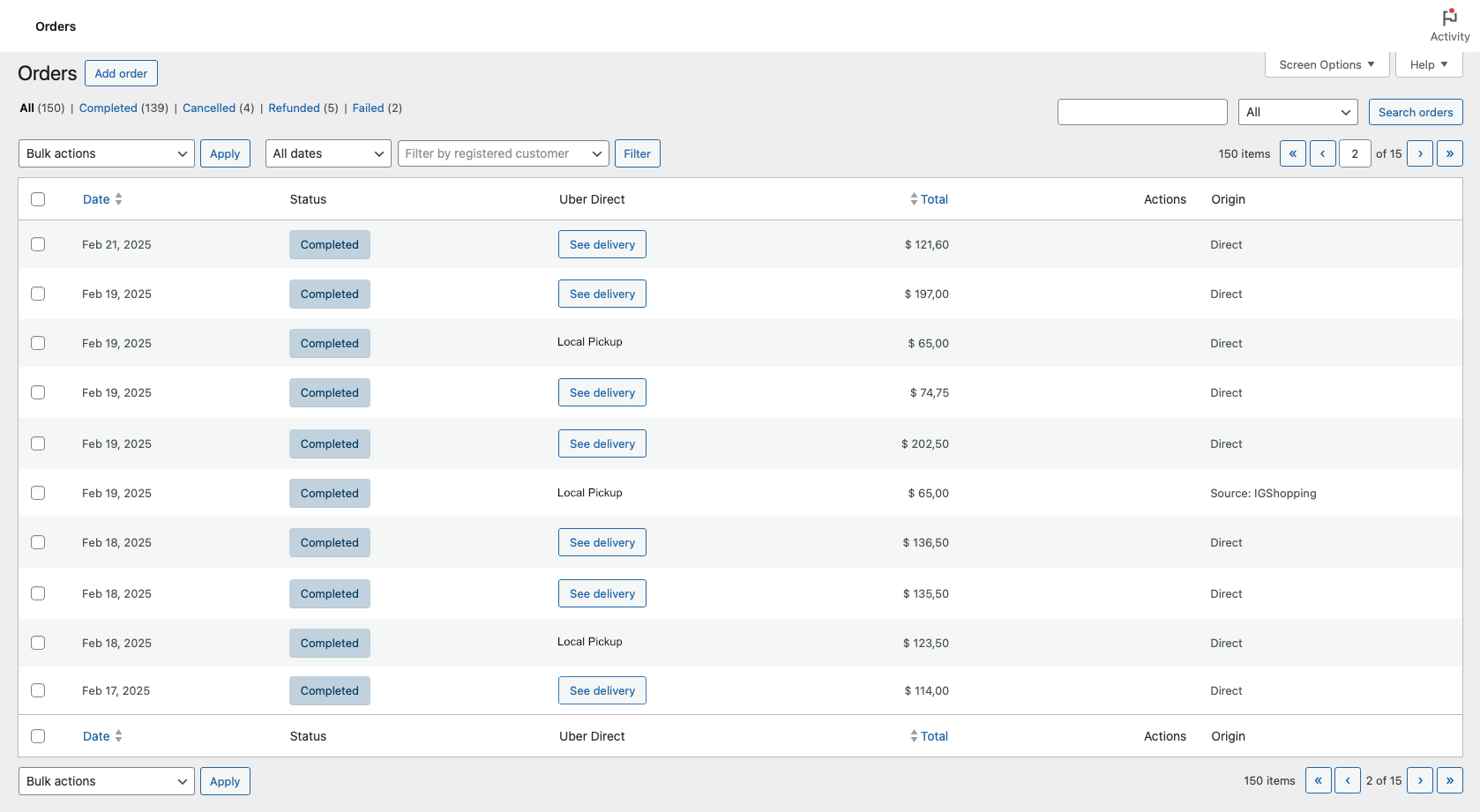
Call a delivery directly from the list in Orders Page
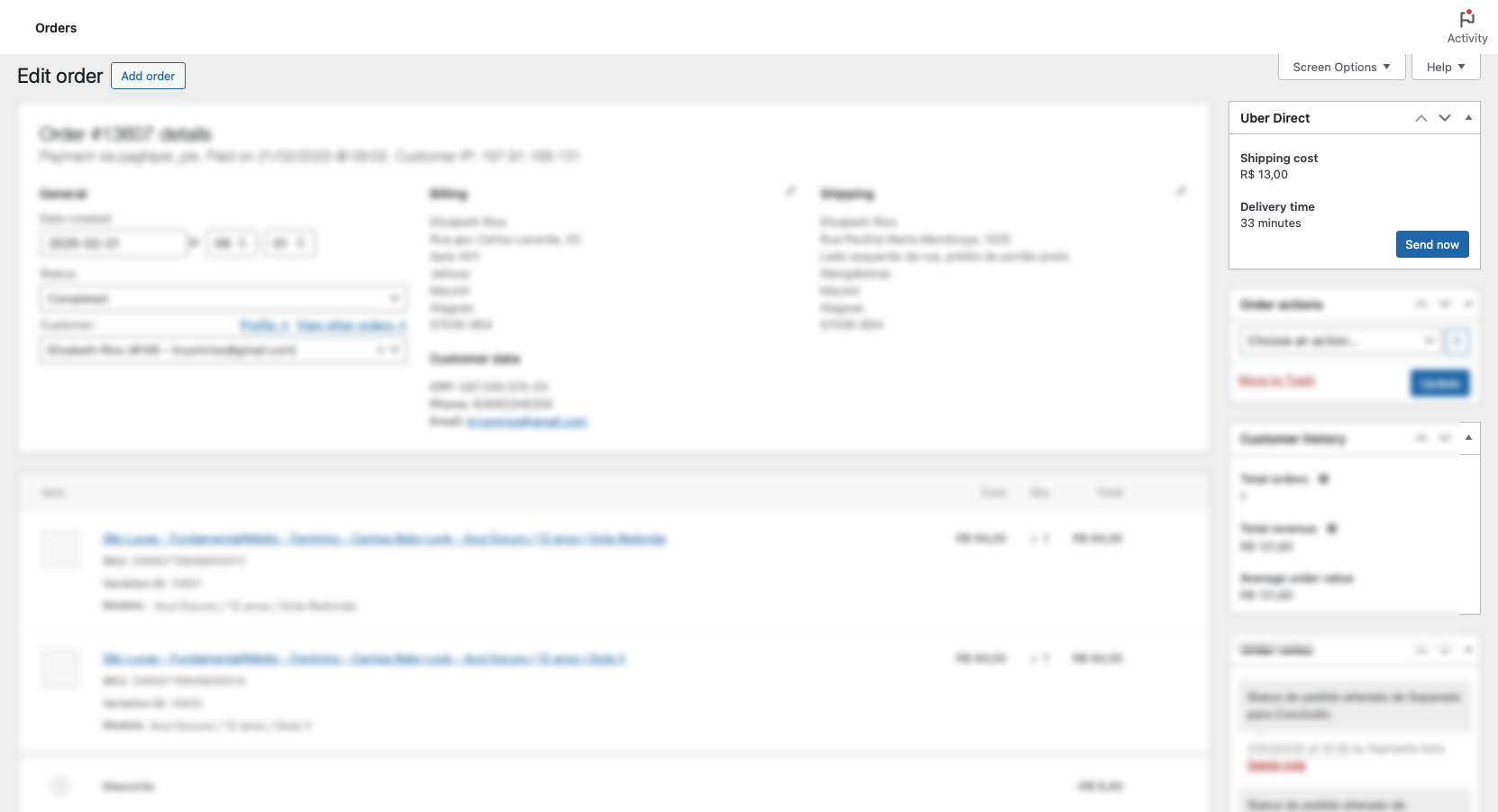
Order details page showing delivery status and tracking information
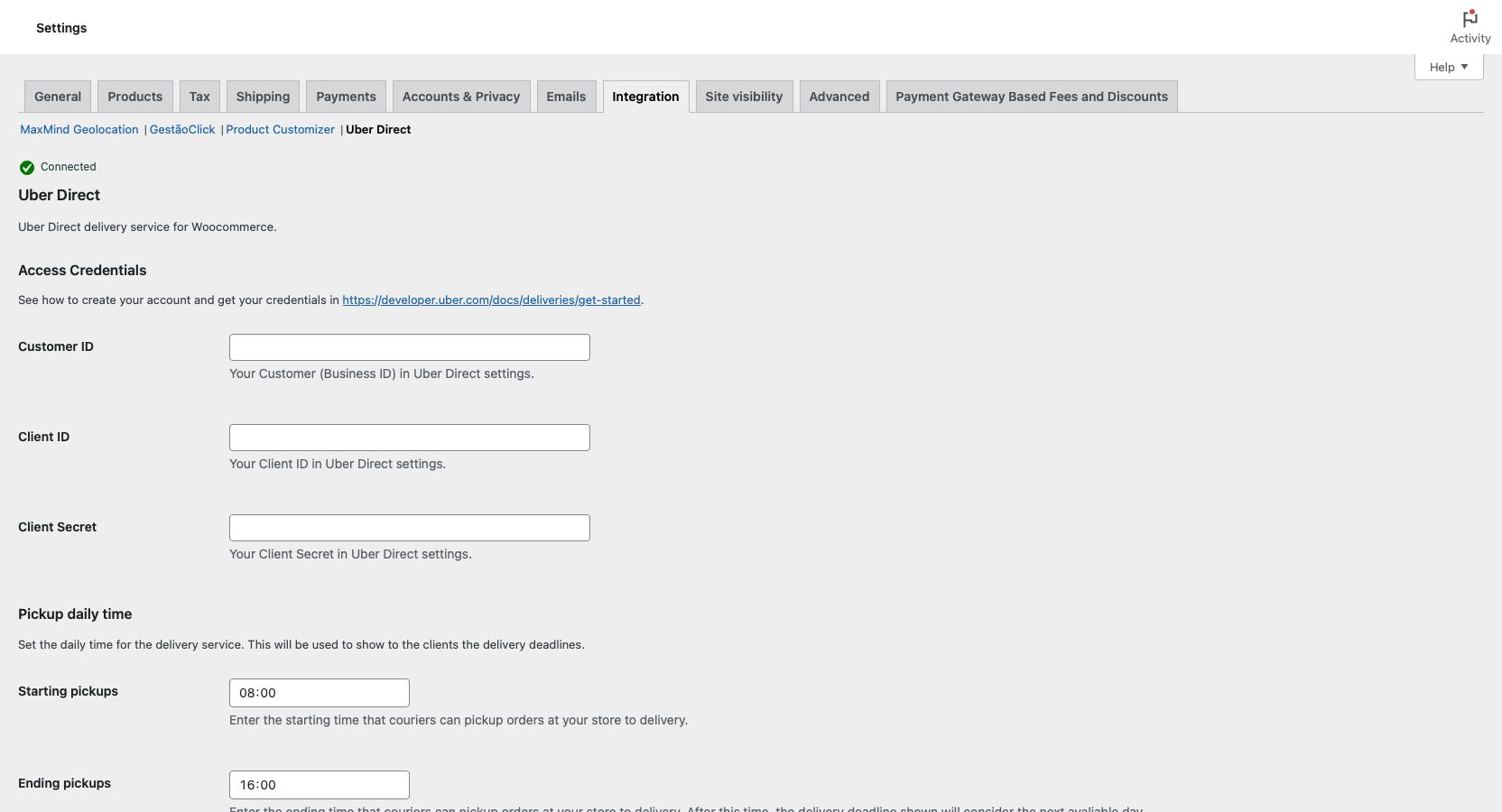
WooCommerce Integration settings page where you can configure your Uber Direct API credentials
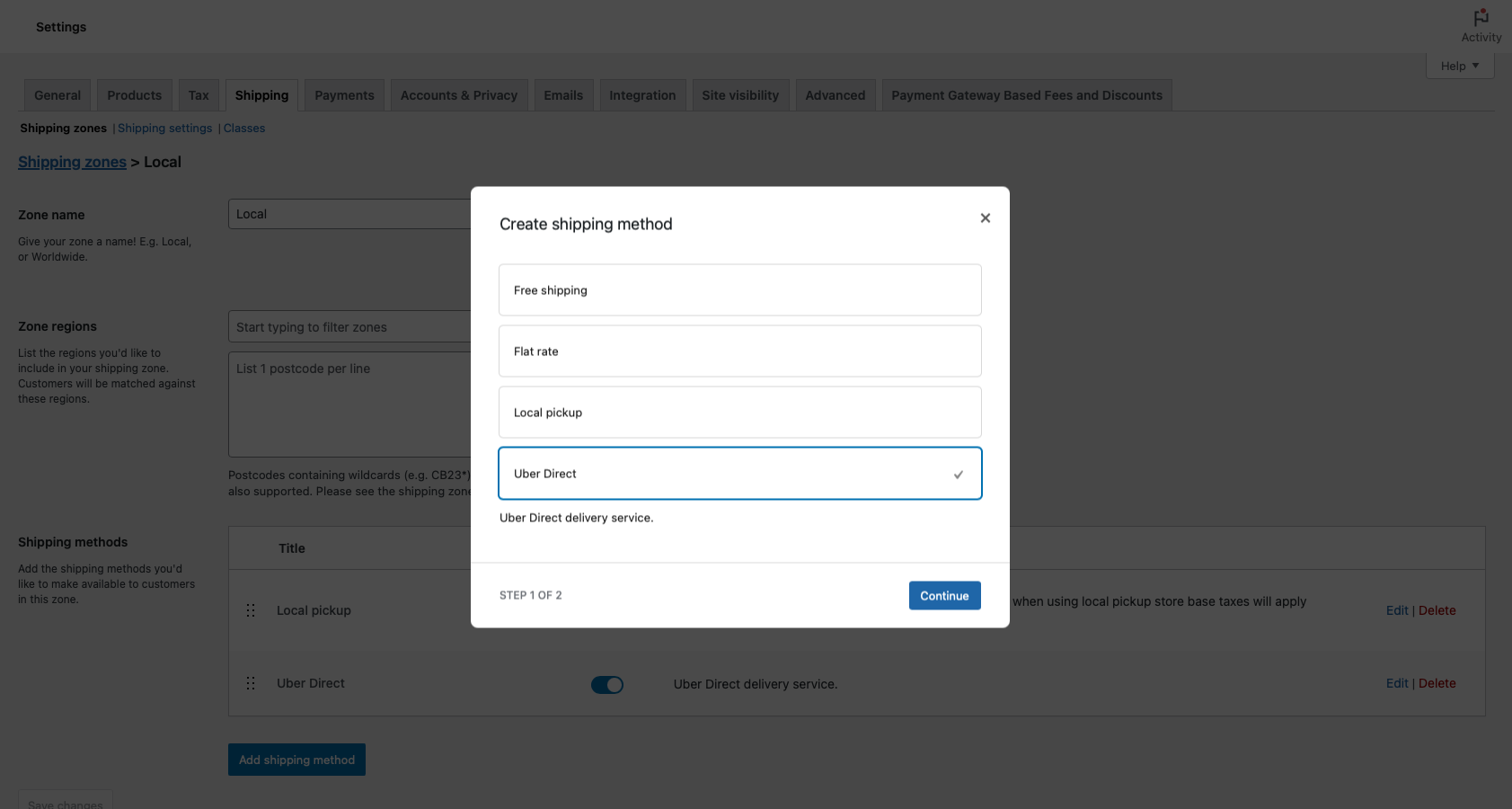
Shipping zone configuration with Uber Direct enabled as a shipping method