

Ultimate 3D Testimonial Slider, List & Grid
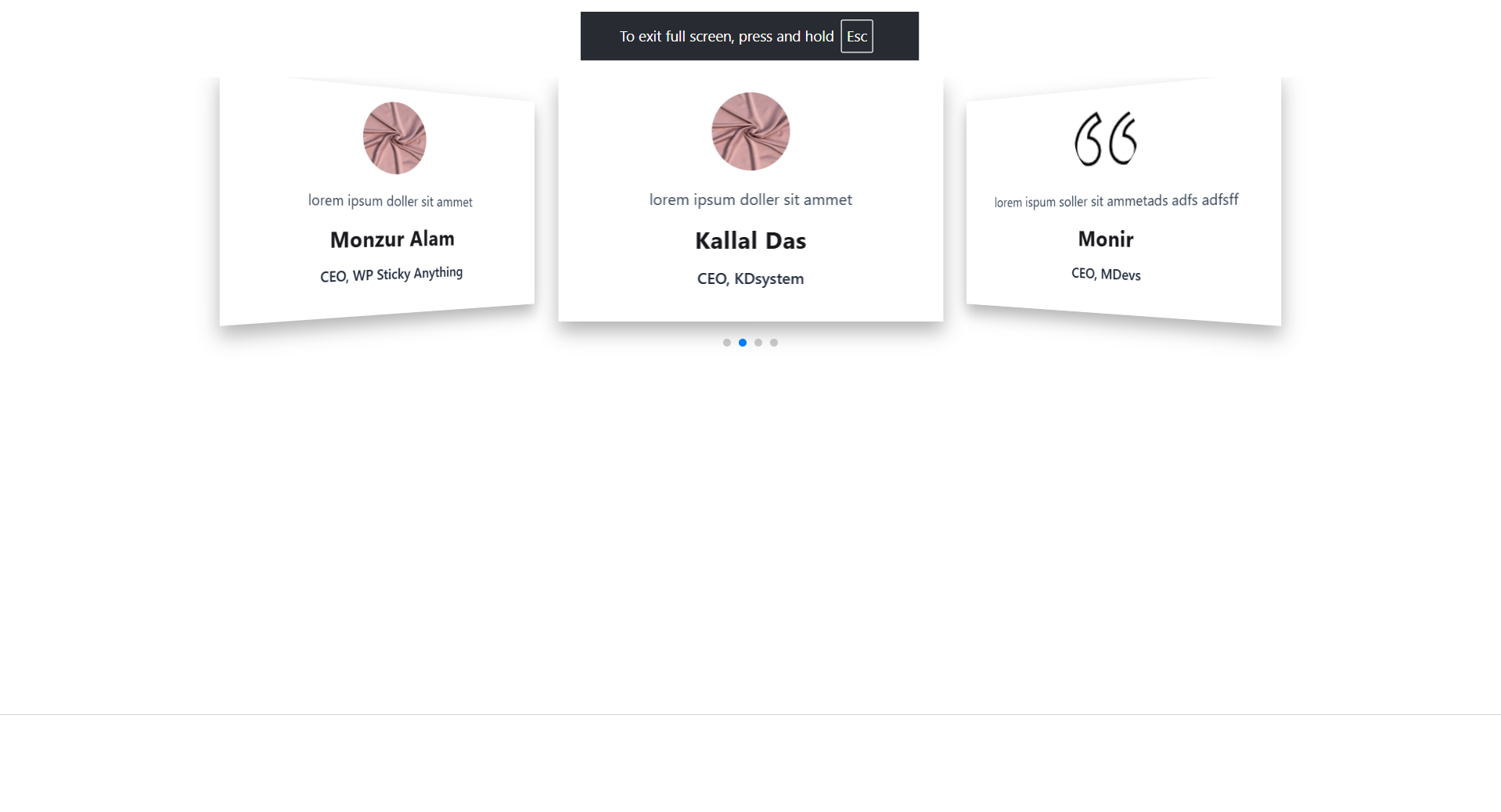
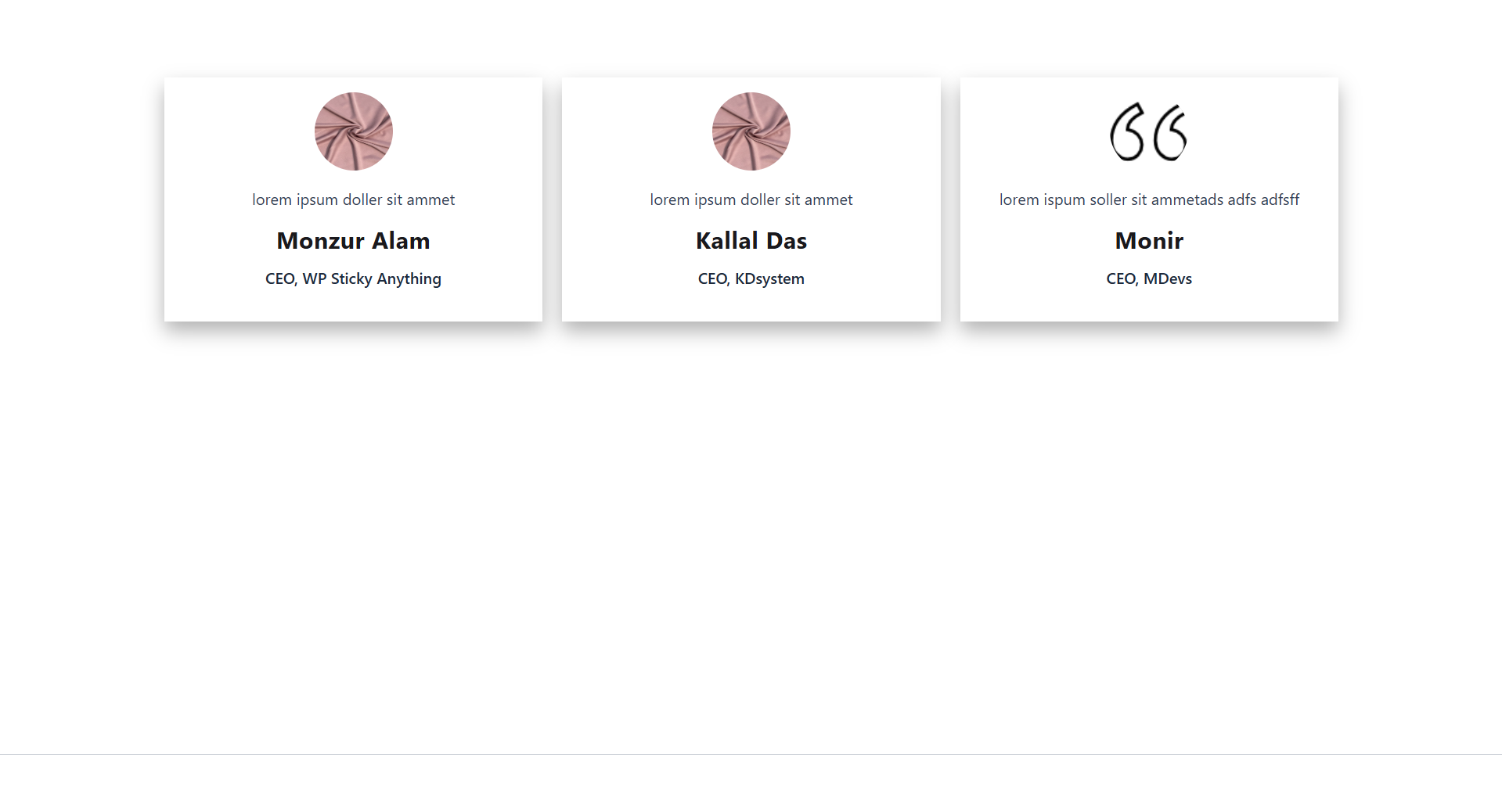
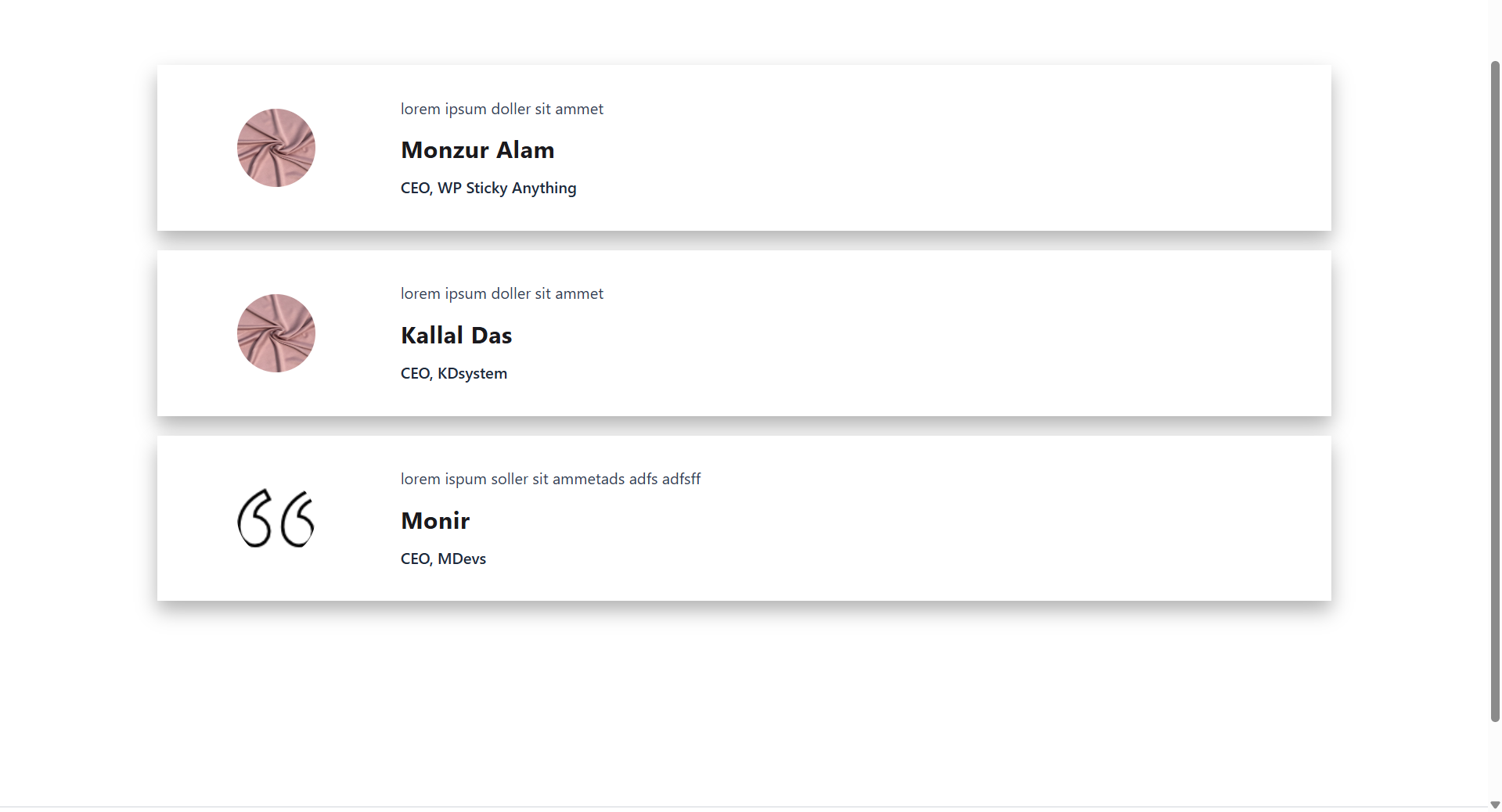
Easily create responsive 3D Testimonial Slider, list and Grid layout for WordPress website. Display clean client's testimonial on any page or pos …
Plugin info
Maintenance & Compatibility
Maintenance score
Stale • Last updated 301 days ago
Is Ultimate 3D Testimonial Slider, List & Grid abandoned?
Likely maintained (last update 301 days ago).
Compatibility
Languages
Similar & Alternatives
Explore plugins with similar tags, and compare key metrics like downloads, ratings, updates, support, and WP/PHP compatibility.
Description
Ultimate 3D Testimonial Slider is create awesome client’s testimonial showcase for WordPress website. Hopefully it is very helpfull to add client testimonial.
Features of the Ultimate 3D Testimonial Slider
- Quick to set up
- Lightweight
- User friendly
Display Testimonial via shortcode
You can display Ultimate 3D Testimonial Slider into your page or post via shortcode.
[uts]
if you want to show into your theme file please use do_shortcode.
🔧 Shortcode Attributes
The [uts] shortcode accepts the following optional attributes:
Attribute
Description
Default
Example
count
Number of testimonials to display. If omitted, all are shown.
All
[uts count="3"]
category
Filter testimonials by category slug.
None
[uts category="client-feedback"]
type
Layout type for displaying testimonials.
slider
[uts type="grid"], [uts type="list"]
✅ Example
Display 3 testimonials from the “client-feedback” category in a list layout:
[uts count=”3″ category=”client-feedback” type=”list”]
🧩 Display in Theme Template Files
To include the testimonial slider directly in a PHP theme file, use the do_shortcode() function:
`php
`
Need Mored Features
We are working on it. Hopefully we some features next release.
🔥 WHAT’S NEXT 🔥
Consider checking out our other plugins:
📌 WP Sticky Anything – Sticky Menu & Sticky Header, Sticky Sidebar
All-in-One Sticky Menu & Sticky Header, Sticky Sidebar Solution for WordPress.
⏳ All-in-One WP Preloader
All-in-One WP Preloader gives your site a loading screen without writing any code.
🎥 Best Youtube Video LazyLoad
Youtube Video Lazyload improves Google PageSpeed Insights Score, GTmetrix, and Pingdom score.
Installation
INSTALL ULTIMATE 3D TESTIMONIAL SLIDER FROM WITHIN WORDPRESS
- Visit the plugins page within your dashboard and select ‘Add New’;
- Search for ‘Ultimate 3D Testimonial Slider’;
- Activate Ultimate 3D Testimonial Slider from your Plugins page;
- Go to ‘after activation’ below.
INSTALL ULTIMATE 3D TESTIMONIAL SLIDER MANUALLY
- Upload the ‘ultimate-3d-testimonial-slider’ folder to the /wp-content/plugins/ directory;
- Activate the Ultimate 3D Testimonial Slider plugin through the ‘Plugins’ menu in WordPress;
- Go to ‘after activation’ below.
Frequently Asked Questions
You can display testimonials using the shortcode [uts] in any post or page.
For example: [uts count="3" category="client-feedback" type="slider"]
You can also add the shortcode directly in your theme PHP files using:
`php
Yes! Use the count attribute in the shortcode to limit the number of testimonials shown.
Example: [uts count=”5″] displays only 5 testimonials.
There are three layout types you can choose from using the type attribute. They are slider, list & grid.
Yes, the shortcode works well inside most page builders that support shortcodes.
Please visit the plugin support forum on WordPress.org for assistance.
Review feed
Screenshots


Changelog
1.0.1 (05-06-2025)
- New: Added Category
- New: Added List & Grid Layout
- New: Added Shortcode parameter
- Update default layout
1.0.0
- Initial Release.