

Ultimo WP
Get a clean, beautiful and customizable new look on your WordPress Admin Dasboard.
Plugin info
Maintenance & Compatibility
Maintenance score
Possibly abandoned • Last updated 3549 days ago • 5 reviews
Is Ultimo WP abandoned?
Possibly abandoned (last update 3549 days ago).
Compatibility
Similar & Alternatives
Explore plugins with similar tags, and compare key metrics like downloads, ratings, updates, support, and WP/PHP compatibility.
Description
Are you already tired of the way WordPress 3.8 looks?
Did you wish to be able to change and personalize, and even whitelabel some of the WordPress signatures on the WP Dashboard?
Note: We are officially returning to support his plugin, so let us know if you have any feature suggestion or bug you want to see solved. A major release with a bunch of new features should be arriving soon.
Well, you can do all of that with Ultimo WP!
With Utimo WP Dashboard Theme you can:
- Personalize the entire look and feel of the WordPress dashboard, based on 8 beautifully designed presets (and counting).
- Personalize the login screen of the WordPress dashboard.
- Whitelable some of the WordPress signatures, like the footer texts and adding your company logo to the dashboard and login page.
Installation
- Upload
ultimo-wp.phpto the/wp-content/plugins/directory - Activate the plugin through the ‘Plugins’ menu in WordPress
Frequently Asked Questions
Review feed
Screenshots
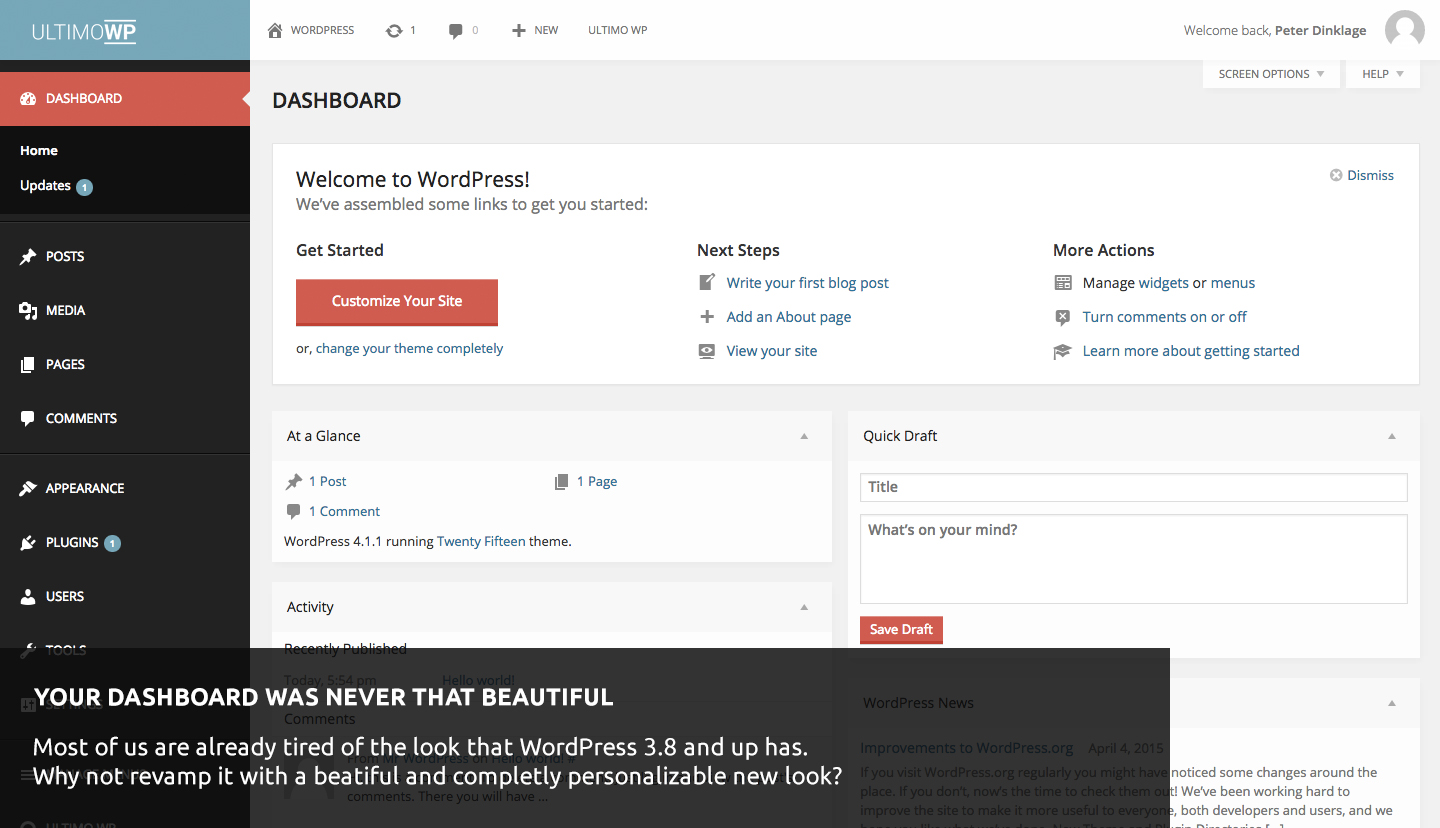
The new style of your dashboard.

Personalize your login page.

8 Presets.
Changelog
0.0.1
Fixed: Gray header that was being added to the frontend.
Fixed: Fatal on the compiler
Fixed: Logo won’t center on the frontend
0.0.2
Fixed: Gray header that was being added to the frontend.
Updated: Using now latest version of TGM
Updated: Using now latest version of Redux Framework
Fixed: Various Bug fixes to allow it to work with WordPress 4.4
Fixed: Only Enqueuing scripts when needed, no more adding scripts if the user does not need them loaded.
0.0.1
Initial release