

UnCopy
This Plugin is used to Protect your website content from copy, save image, view source, inspect element, disable javascript, disable right click and d …
Plugin info
Maintenance & Compatibility
Maintenance score
Possibly abandoned • Last updated 1706 days ago
Is UnCopy abandoned?
Possibly abandoned (last update 1706 days ago).
Compatibility
Similar & Alternatives
Explore plugins with similar tags, and compare key metrics like downloads, ratings, updates, support, and WP/PHP compatibility.
Description
This Plugin is used to Protect your website content from copy, save image, view source, inspect element, disable javascript, disable right click and disable adblocker etc.
when user is logged in, he can access everything without any of the above restrictions it will be look like plugin disabled.
= Free Features=
- Disable Right Click.
- Disable View Source (Ctrl+U).
- Disable Inspect Element (Developer Tool) Keys ( F12 / Ctrl+Shift+C / Ctrl+Shift+I / Ctrl+Shift+K).
- Disable following keys (Ctrl+C), Cut (Ctrl+X), Paster( Ctrl+V ).
- Disable Text Selection.
- Disable Image drag & drop.
- Message will be show in website when Javascript Disabled, and content will be fully protected
= PRO Features=
- All Free Features Included.
- Back-end Protection: you can disable (wp-json) permanently to make sure your content can’t access by others, you want to (disable/enable) a specific endpoint? don’t worry you can customize it as you want.
- Anit-AdBlocker: if you are Advertising inside your website, of course, you need this feature, it shows the message to users to disable AdBlocker otherwise they can’t access your website, and we have different strategies to make sure it works using (Manual, Automatic) strategies.
- Customize Anit-AdBlocker.
- Customize Right Click Disabled you can enable specific parts of your website.
- Disable Right Click in Safari Reader Mode.
- Disable Print Screen Button Inside Page.
- Disable Inspect Element (Developer Tool) Permanitly by showing a message when the user opens it, and you can customize that message as you want.
- Customize Disabled Javascript Message.
Installation
To install this plugin follow below steps
- Upload the plugin files to the ‘/wp-content/plugins/’ directory, or install the plugin through the WordPress plugins screen directly.
- Activate the plugin through the ‘Plugins’ screen in WordPress
- Change Settings from Menu ‘UnCopy’ screen(optional)
- Please do clear or purge website cache(if any).
- Done.
Frequently Asked Questions
Review feed
Screenshots

Free Version of the plugin

Pro Version of the plugin
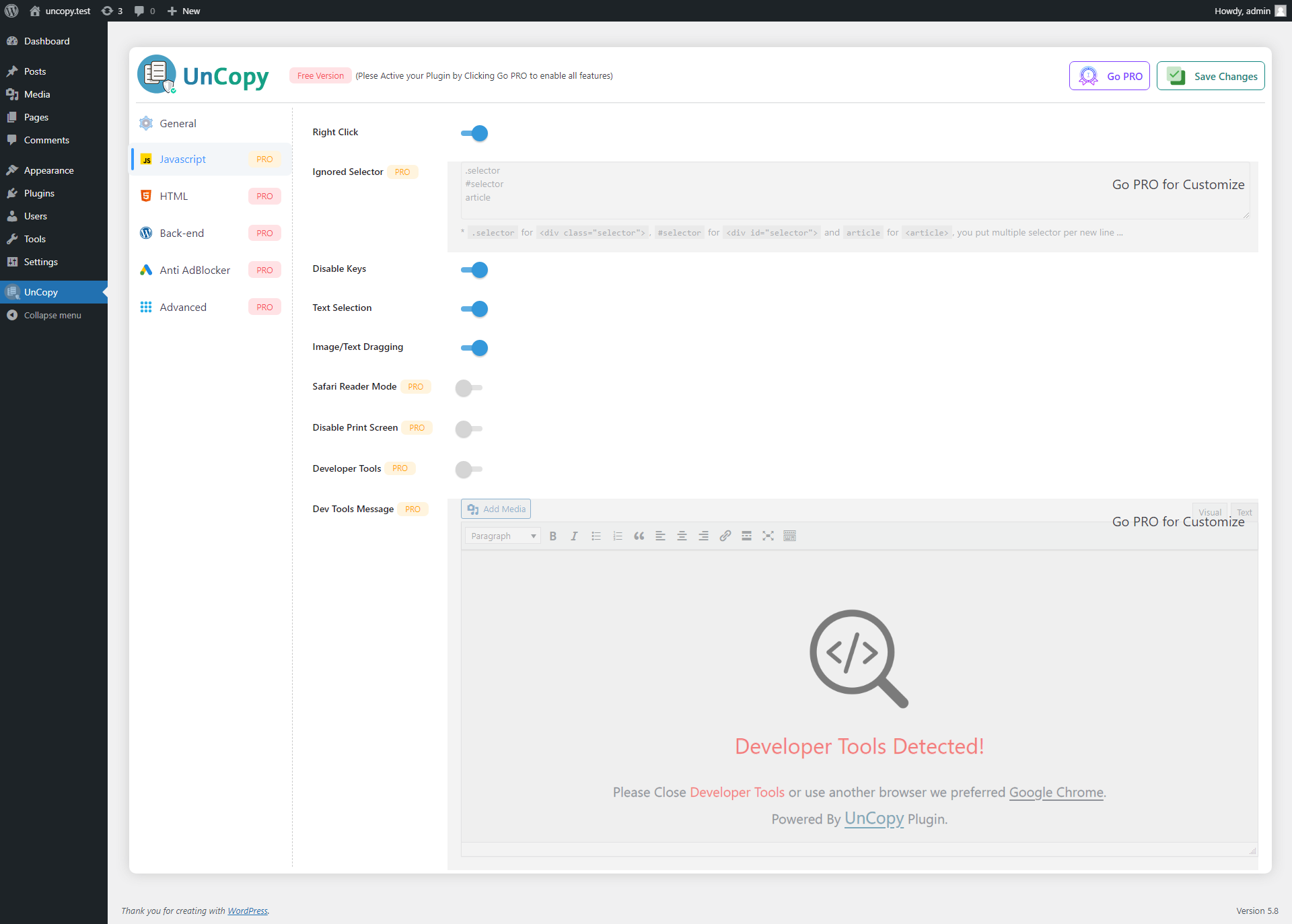
Javascript Protection Customization (Free)

HTML Protection Customization (PRO)

Back-end Protection Customization (PRO)
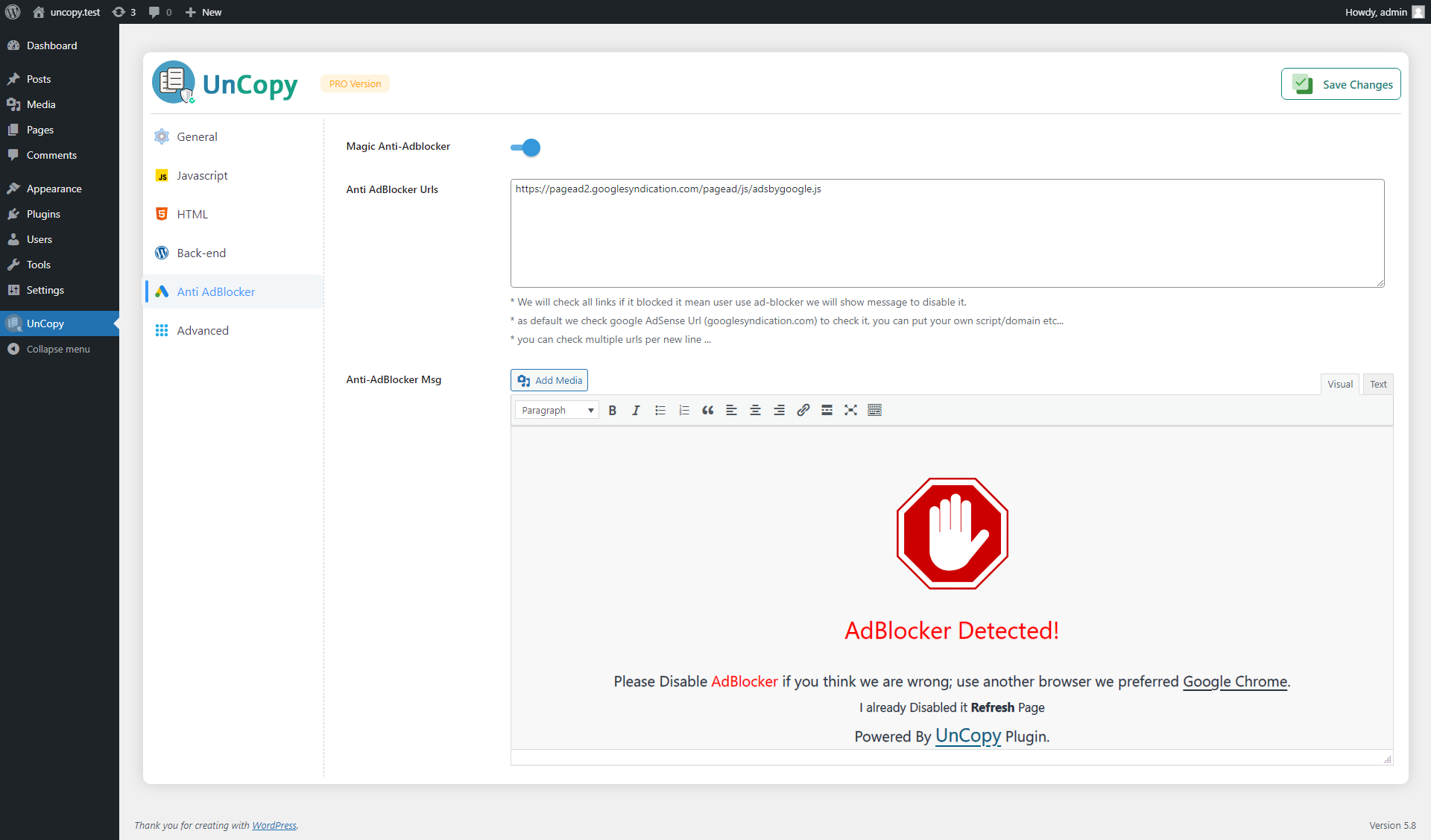
Anti-AdBlocker Customization (PRO)
Advanced Section (PRO)
Changelog
1.1.0
- Updating UI
- New feature Anti-AdBlocker
1.0.0
- First release