

Unique Submissions for Elementor Forms
Prevent duplicate submissions in Elementor Forms by checking for unique field values.
Plugin info
Maintenance & Compatibility
Maintenance score
Possibly abandoned • Last updated 490 days ago • 1 reviews
Is Unique Submissions for Elementor Forms abandoned?
Possibly abandoned (last update 490 days ago).
Compatibility
Similar & Alternatives
Explore plugins with similar tags, and compare key metrics like downloads, ratings, updates, support, and WP/PHP compatibility.
Description
The Elementor Unique Submissions Plugin ensures that users cannot submit duplicate form entries in Elementor Forms. This plugin allows you to specify which fields to check for uniqueness, providing a flexible and efficient way to manage submissions.
Features
- Enable or disable uniqueness per form
- Select specific fields to check for duplicate submissions
- Prevent duplicate form entries while ensuring smooth user experience
- Compatible with WordPress 5.0+ and Elementor Pro
Usage
- Open any Elementor form in the Elementor editor
- In the form settings, navigate to the “Unique Submissions” section
- Toggle the “Enable Unique Submissions” option to “Yes”
- Select the fields you want to use for uniqueness checks
- Save the form and publish it
How it works
- When a form is submitted, the plugin checks the specified fields for duplicate values
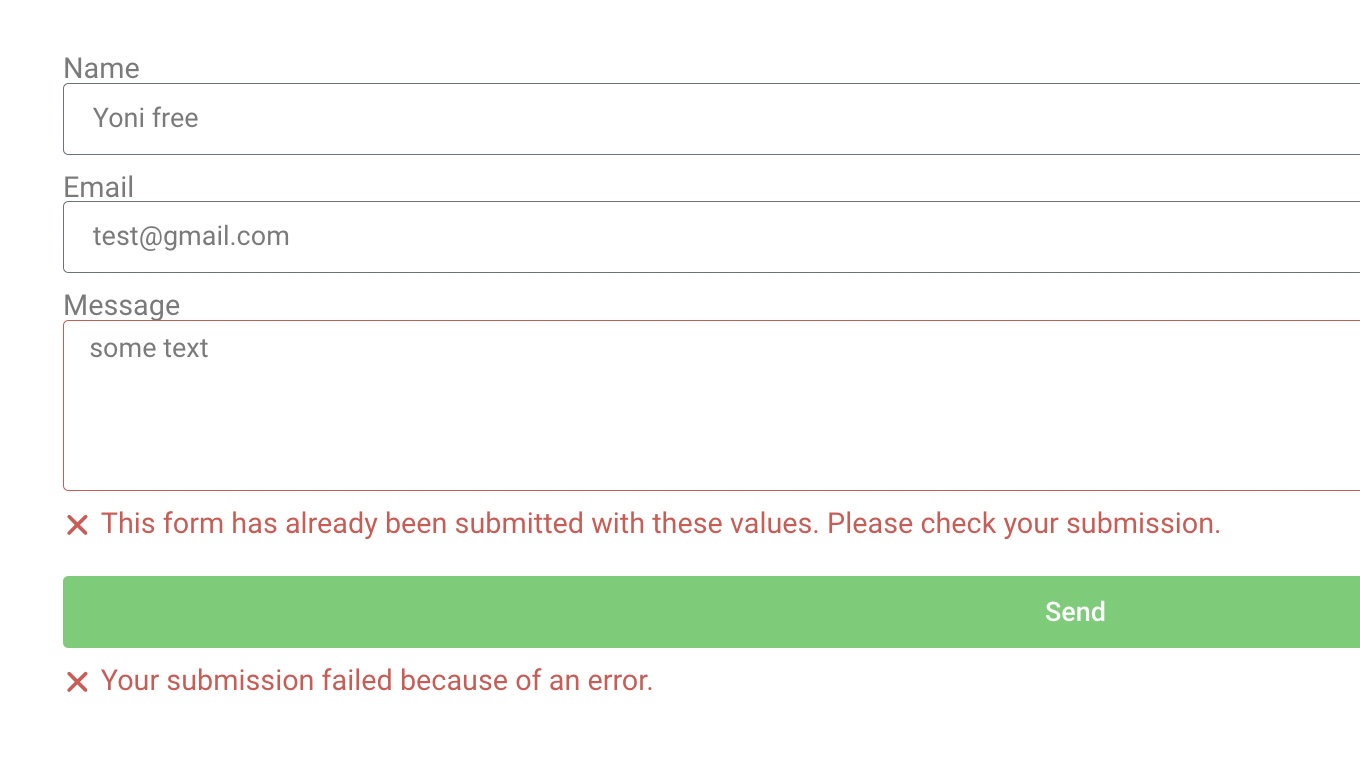
- If a duplicate is found, the submission is rejected with an error message
Installation
- Upload the plugin files to the
/wp-content/plugins/unique-submissions-for-elementor-formsdirectory, or install the plugin through the WordPress plugins screen directly - Activate the plugin through the ‘Plugins’ screen in WordPress
- Use the Settings->Unique Submissions screen to configure the plugin
Frequently Asked Questions
Yes, this plugin requires Elementor Pro since it depends on the Elementor Forms widget.
Yes, you can enable and configure unique submissions for each form individually.
If no fields are selected, the plugin will not perform any uniqueness checks for that form.
Yes, the plugin is GDPR compliant, and it doesn’t store any personal data, only hashed values for each submission.
Review feed
Screenshots
Unique Submissions settings in Elementor form widget

Error message when duplicate submission is detected
Changelog
1.0.0
- Initial release
- Added support for field-based uniqueness checks
- Added form-specific settings
- Implemented duplicate submission prevention