

Upcoming Events Lists
A WordPress plugin to show a list of upcoming events on the front-end.
Plugin info
Maintenance & Compatibility
Maintenance score
Stale • Last updated 353 days ago • 6 reviews
Is Upcoming Events Lists abandoned?
Likely maintained (last update 353 days ago).
Compatibility
Similar & Alternatives
Explore plugins with similar tags, and compare key metrics like downloads, ratings, updates, support, and WP/PHP compatibility.
Description
A WordPress plugin to show a list of upcoming events on the front-end as widget.
Usage
Step 1: Creating events
After installing and activating the plugin, a new custom post type called “Events” will appear at your WordPress Admin area.
Just create your events from the “Events” menu.
Step 2: Using on Gutenberg Block Editor (WordPress 5.0 or later)
If you are using block editor, add a new page and search for ‘Upcoming Events Lists’, set necessary options as your requirement.
Save and view you page. All done!
Step 3: Shortcode (When you cannot use step 2)
Add a new page and paste the following shortcode where you want to display the events:
[upcoming_events_list]
The shortcode can include following attributes.
view_type: Default valuelist. Value can belistorgrid.show_all_event_link: Default valueyes. Value can beyesorno.
If you set grid for view_type, you can also include the following attributes.
columns_on_tablet: Default value2. Value can be from 1 to 6 (except 5)columns_on_desktop: Default value3. Value can be from 1 to 6 (except 5)columns_on_widescreen: Default value4. Value can be from 1 to 6 (except 5)
Example 1:
[upcoming_events_list view_type='grid' columns_on_tablet='3' columns_on_desktop='4' columns_on_widescreen='6']
Installation
Installing the plugins is just like installing other WordPress plugins. If you don’t know how to install plugins, please review the option below:
- From your WordPress dashboard, choose ‘Add New’ under the ‘Plugins’ category.
- Search for ‘upcoming-events-lists’ a plugin will come called ‘Upcoming Events Lists’ and Click ‘Install Now’ and confirm your installation by clicking ‘ok’
- The plugin will download and install. Just click ‘Activate Plugin’ to activate it.
Frequently Asked Questions
Do you have questions or issues with Upcoming Events Lists? Ask for support
Review feed
Screenshots
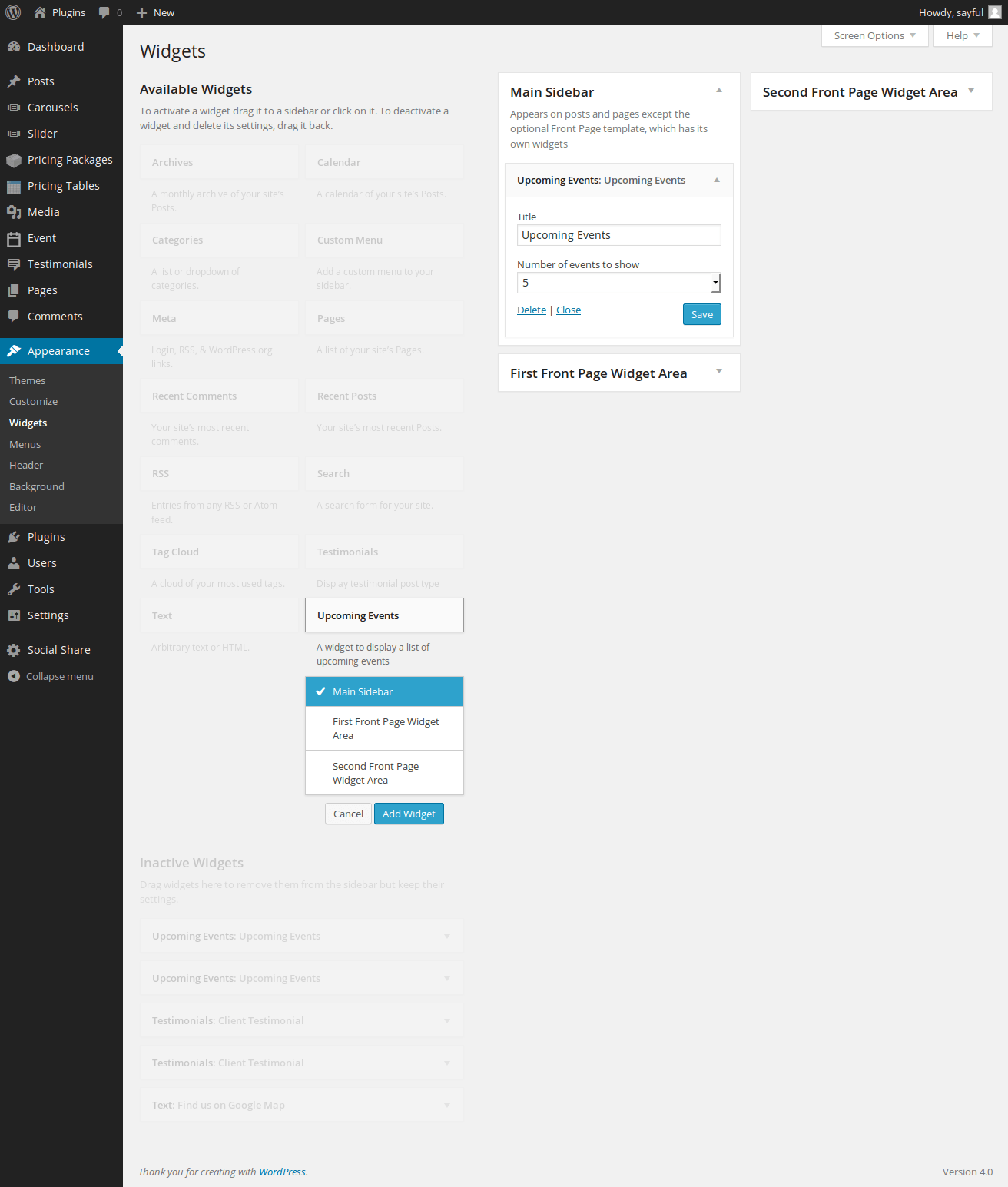
Screenshot of event widget selection

Screenshot of event description include by custom post

Screenshot of all event list

Screenshot of display of event at frontend
Changelog
version 1.4.0 – 2023-11-18
- Add – Add shortcode
[upcoming_events_list]. - Add – Add block editor support.
- Tweak – Checked version compatibility upto WordPress 6.4
- Dev – Update core code.
version 1.3.3 – 2019-01-23
- Tweak – Checked version compatibility upto WordPress 5.0
- Dev – Add
Upcoming_Events_Lists_Eventclass for event post type. - Dev – Update core code.
version 1.3.2 – 2017-01-15
- Updated – Updated jQuery UI Datepicker style for Admin.
- Updated – Updated minor change on widget style.
version 1.3.0
- Added event start date, end date and venue at viewing single page
version 1.2
- Making it translation ready.
- Translated to Bengali Language.
version 1.1
- Fixed issue with style.
- Added feature to add Event Image.
version 1.0
- Implementation of basic functionality.