

Update Theme and Plugins from Zip File
DEPRECATED: As of WP v5.5 this plugins functionality is included in WP Core and this plugin is not required anymore. Quickly and easily upgrade plugin …
Plugin info
Maintenance & Compatibility
Maintenance score
Possibly abandoned • Last updated 1530 days ago • Support resolved 100% • 37 reviews
Is Update Theme and Plugins from Zip File abandoned?
Possibly abandoned (last update 1530 days ago).
Compatibility
Similar & Alternatives
Explore plugins with similar tags, and compare key metrics like downloads, ratings, updates, support, and WP/PHP compatibility.
Description
DEPRECATED: As of WP v5.5 this plugins functionality is included in WP Core and this plugin is not required anymore. If you are running WP v5.5 or greater, you can de-activate and delete/remove this plugin. This plugin will still continue work fine with versions of WordPress less than v5.5.
WordPress will let you install a NEW plugin or theme from a zip file, but it does NOT allow you to upgrade them from a zip file. If you try to upgrade from a zip file, you will get an error message that says “destination already exists” and the upgrade will fail. WordPress will not allow you to upgrade from a zip file.
Update Theme and Plugins from Zip File will allow you to easily upgrade from a zip file, avoiding the “destination already exists” error message.
There is also an option to create a backup copy of the old plugin or theme, in case there is a problem with the new version.
Installation
Frequently Asked Questions
- Make sure this plugin is installed and activated.
- Download zip file of your theme’s most recent version.
- Log in to WordPress as and Admin and go to Appearance > Themes.
- Click on the ADD NEW button.
- Click on the UPLOAD THEME button.
- Click BROWSE and choose your zip file you downloaded.
- Click the INSTALL NOW button.
- Make sure this plugin is installed and activated.
- Download zip file of your plugin’s most recent version.
- Log in to WordPress as and Admin and go to Plugins page.
- Click on the ADD NEW button.
- Click on the UPLOAD PLUGIN button.
- Click BROWSE and choose your zip file you downloaded.
- Click the INSTALL NOW button.
Review feed
Thanks, works great!
Screenshots
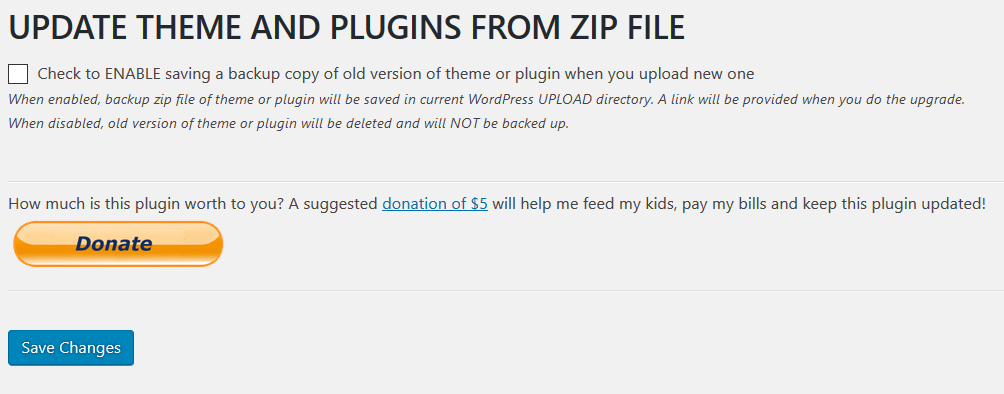
Settings page
Changelog
2.0.0
- As of WP v5.5 this plugins functionality is included in WP Core and this plugin is not required anymore. If you are running WP v5.5 or greater, you can de-activate and delete/remove this plugin. This plugin will still continue work fine with versions of WordPress less than v5.5.
1.1.1
- Minor code cleanup
1.1.0
- Code improvements
1.0.1
- Minor code cleanup
1.0.0
- Initial release