

Upload Quota per User
Limits the total space a user can use uploading files and changes single file upload size.
Plugin info
Maintenance & Compatibility
Maintenance score
Possibly abandoned • Last updated 3632 days ago • 10 reviews
Is Upload Quota per User abandoned?
Possibly abandoned (last update 3632 days ago).
Compatibility
Languages
Similar & Alternatives
Explore plugins with similar tags, and compare key metrics like downloads, ratings, updates, support, and WP/PHP compatibility.
Description
For sites that are more than single-user blogs, this simple plugin limits the amount of space that users can use on their account, except selected roles and capabilities.
Also, it can modify the maximum file upload size.
*If you have any suggestions or Questions you can contact us at HashWP »
Features:
- Set the limit for total upload quota. (applies to all files: images, .rar, .pdf, etc)
- If the upload quota exceeds, the file is prevented from uploading and the user gets an error message.
- Set the maximum file upload size.
- On the Media Library page, the user see the space it uses in size and percentage.
- Certain User Roles or Capabilities can be added to not be affected by this restriction.
If you have any idea that can improve this plugin, or some bug, don’t hesitate to write me on the support tab.
Installation
- Download, Install, and Activate the Upload Quota per User plugin.
- On the Media menu, select Upload Quota and choose your settings.
- You are finished setting the plugin, now your users have upload quota restriction.
Frequently Asked Questions
When activating the plugin how does fill the database?
At plugin activation, it searches for every attachment, detects its size, and adds to its author.
If an Admin deletes another user’s media file, does the quota apply?
Yes, whenever an attachment is deleted by the owner or administrator, the author of that attachment is affected.
Where is this information stored?
The settings on WP Settings API and the upload quota in the user_meta.
Does this plugin delete all the data at deactivation?
Yes, it does. It will not leave any trace in the database.
Review feed
Screenshots

The Upload Quota settings page.

The Media Library page with Used Space Notification.
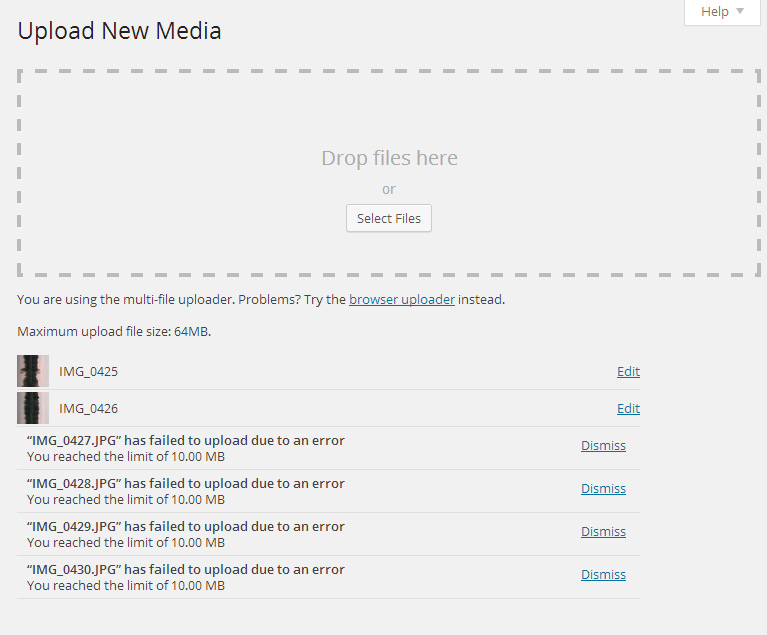
The Upload Error on reaching the upload limit.
Changelog
1.0
- Initial release
1.1
- Added option to edit single file upload size.