

Uptime Robot Plugin for WordPress
View your uptime stats/logs within WordPress (dashboard), and if desired on pages, posts or in a widget.
Plugin info
Maintenance & Compatibility
Maintenance score
Possibly abandoned • Last updated 1142 days ago • 10 reviews
Is Uptime Robot Plugin for WordPress abandoned?
Possibly abandoned (last update 1142 days ago).
Compatibility
Similar & Alternatives
Explore plugins with similar tags, and compare key metrics like downloads, ratings, updates, support, and WP/PHP compatibility.
Description
This Uptime Robot Plugin for WordPress let’s you show your uptime server stats from Uptime Robot inside the WordPress admin area and if desired on pages, posts or in a widget. You can show multiple monitors on your preffered place using a simpel shortcode.
- Account at UptimeRobot.com required
Simple installation and configuration
Admin side
- Settings, choose wich monitors to be enabled, move offline monitors to the top
- View all monitors including status, duration and details
- Drag and drop to order monitors
- Logs with offline/paused status history
- Response time charts for all monitors
- Shortcode guide
- Custom caching time
Client side
-
Customize styling
-
Display uptime stats anywhere with a shortcode [uptime-robot]
-
Display logs where you want it with a shortcode [uptime-robot-logs]
-
Display a response time chart where you want it with a shortcode [uptime-robot-response]
- Custom front end shortcodes (see shortcode page inside admin area).
Installation
-
Upload the files and folder in the zip file ‘uptime-robot-nh’ to the ‘/wp-content/plugins/’ directory.
-
Activate the plugin through the ‘Plugins’ menu in WordPress
-
Enter your API Key and monitor id(s) on the settings page
-
Place a shortcode anywhere you wish.
Frequently Asked Questions
Yes, you can upgrade without a problem to the new version. Just be informed that the shortcodes with -nh in the end are not supported any more. Also some attributes in shortcodes have been changed. I would advise you to check your shortcodes and settings after upgrading. All old settings/options will be deleted from your WordPress installation, only the main apikey will be copied to the new database.
Please upgrade PHP to version 7 or higher to get the ordering correct. Without it you will have to choose if you preffer offline monitors to the top with ordering by id, or manual ordering.
Review feed
Screenshots
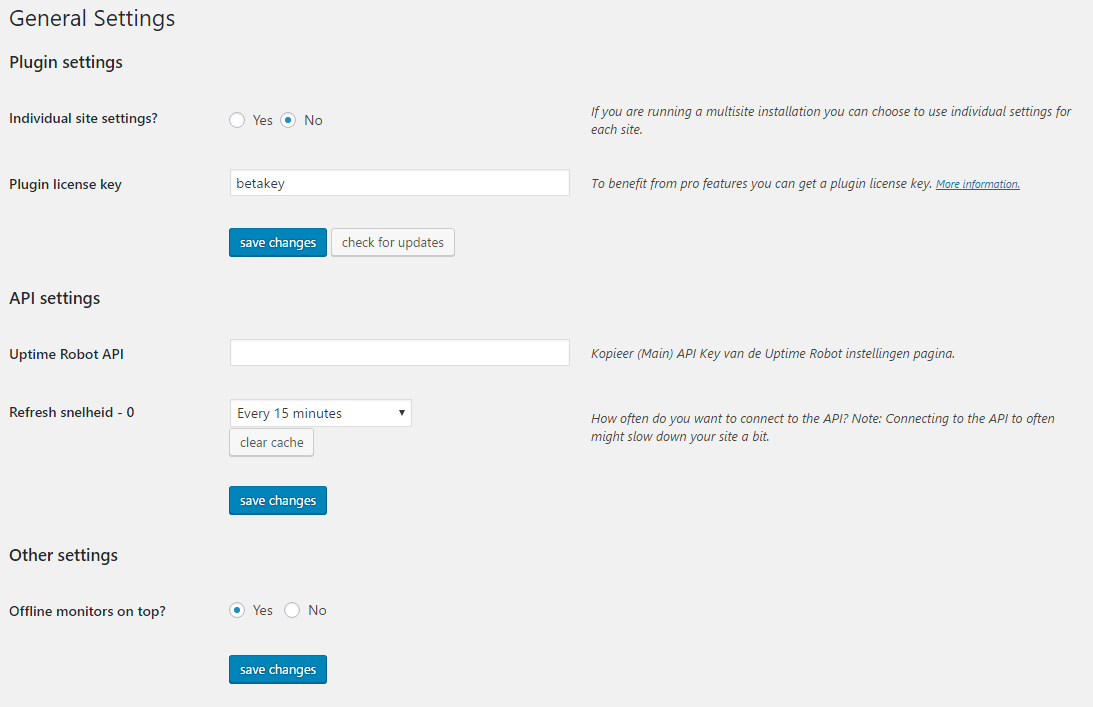
Settings page
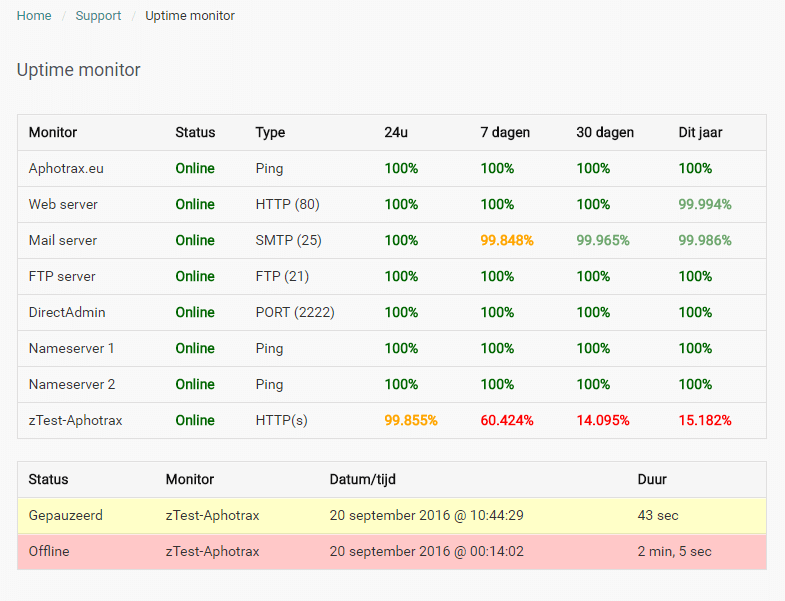
Shortcodes output example
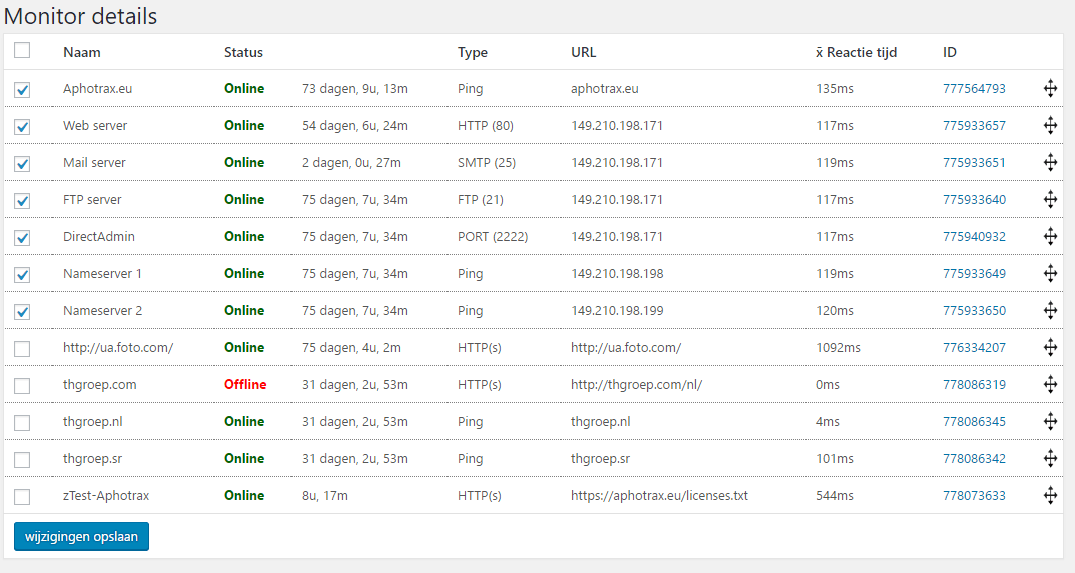
Monitor details in the admin area
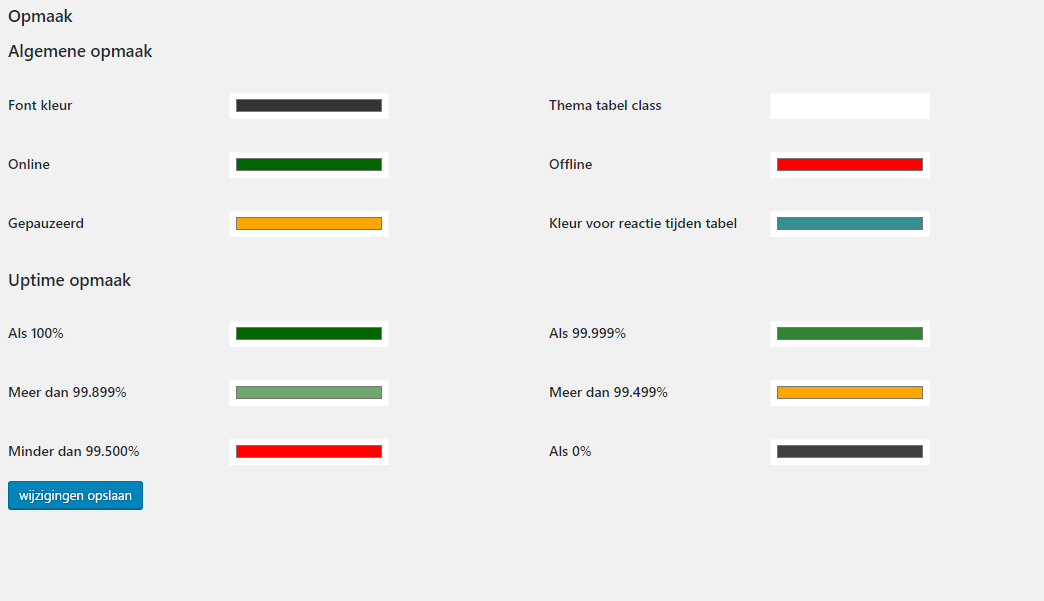
Customized styling

Response time charts
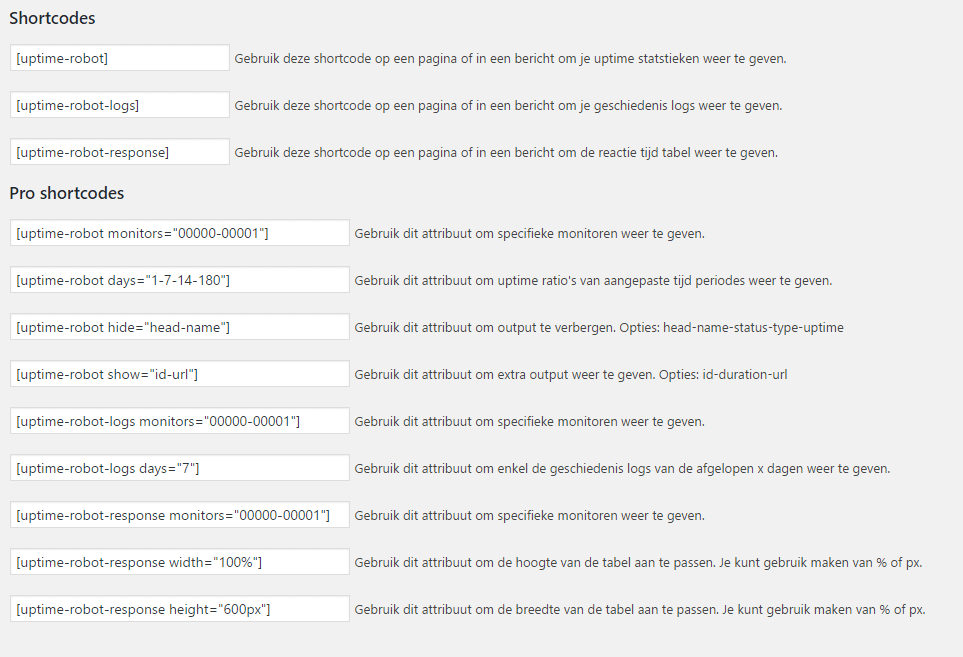
Shortcode overview

Log history in the admin area
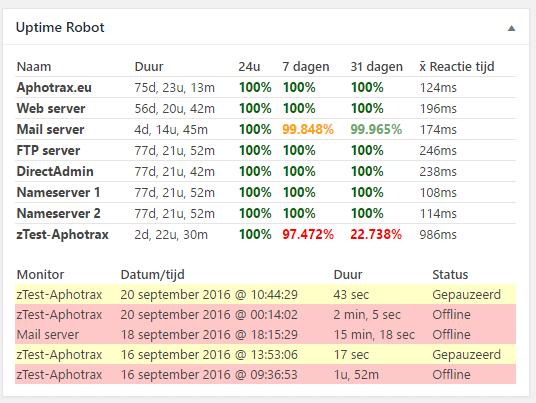
Dashboard will show uptime stats and logs for the last month
Changelog
2.3
- Fix critical error PHP8: Markxman BV
2.2.2
- Local timezone added to logs: Markxman BV
2.2
- API request method changed so Curl is not needed anymore: cameronjonesweb
- Bugfix MySQL activation: optimalisatie
- Bugfix script registration for jquery: clevercookiedes
- Mysql requests optimized for better performance
2.1.2
- Undefined page error resolved By: mr_swede
2.1.1
- Changes in sortabel function to avoid conflict with other themes. By: Sebastian
- Changes in installation, activation, re-activation. By Jan Jaap
2.1
- Disabled pro
- Duplicate query issue resolved
- Speed improvements
2.0.x
- Changed api uptime_ratios to uptime_ranges for more accurate feedback from API
-
Added Romainian and complete French language files.
-
Option added to always show log table even without recent logs
- Changes in upgrade processes
- Small bug fixes
- Partial caching enabled on admin side
- Refresh option for realtime added
- Dashboard widget added back
2.0
- Complete rebuild of the plugin has taken place.
- Multisite support for all round or seperate settings.
- Caching improved and will be done in a seperate DB.
- More then 50 monitors will work.
- Duration of current status enabled.
Can I safely upgrade from V1.x to V2?
Yes, you can upgrade without a problem to the new version. Just be informed that the shortcodes with -nh in the end are not supported any more. Also some attributes in shortcodes have been changed. I would advise you to check your shortcodes and settings after upgrading. All old settings/options will be deleted from your WordPress installation, only the main apikey will be copied to the new database.