

Url Rewrite Analyzer
See clearly and understand how WordPress rewrite rules work within a simple and clean interface
Plugin info
Maintenance & Compatibility
Maintenance score
Stale • Last updated 328 days ago • 1 reviews
Is Url Rewrite Analyzer abandoned?
Likely maintained (last update 328 days ago).
Compatibility
Languages
Similar & Alternatives
Explore plugins with similar tags, and compare key metrics like downloads, ratings, updates, support, and WP/PHP compatibility.
Description
Understand how rewrite rules work could be userful.
Natively on WordPress you can’t analyze what’s working / not working regarding your urls.
Through this interface you will be able to analyze every single url and see what’s matching.
Warning
This tool will not change / add any rules for you it’s only an analyzer
Main features:
- Live URL Analyzer
- Highlight parameters
- AJAX Permalinks refresh button
- Change UI (Light / Dark)
Installation
- Upload the url-rewrite-analyzer folder to the /wp-content/plugins/ directory
- Activate the plugin through the ‘Plugins’ menu in WordPress
Frequently Asked Questions
It’s probably related to the refresh permalinks feature.
You can use the Flush Permalinks button.
Review feed
Screenshots

Dark UI Interface

Light UI Interface
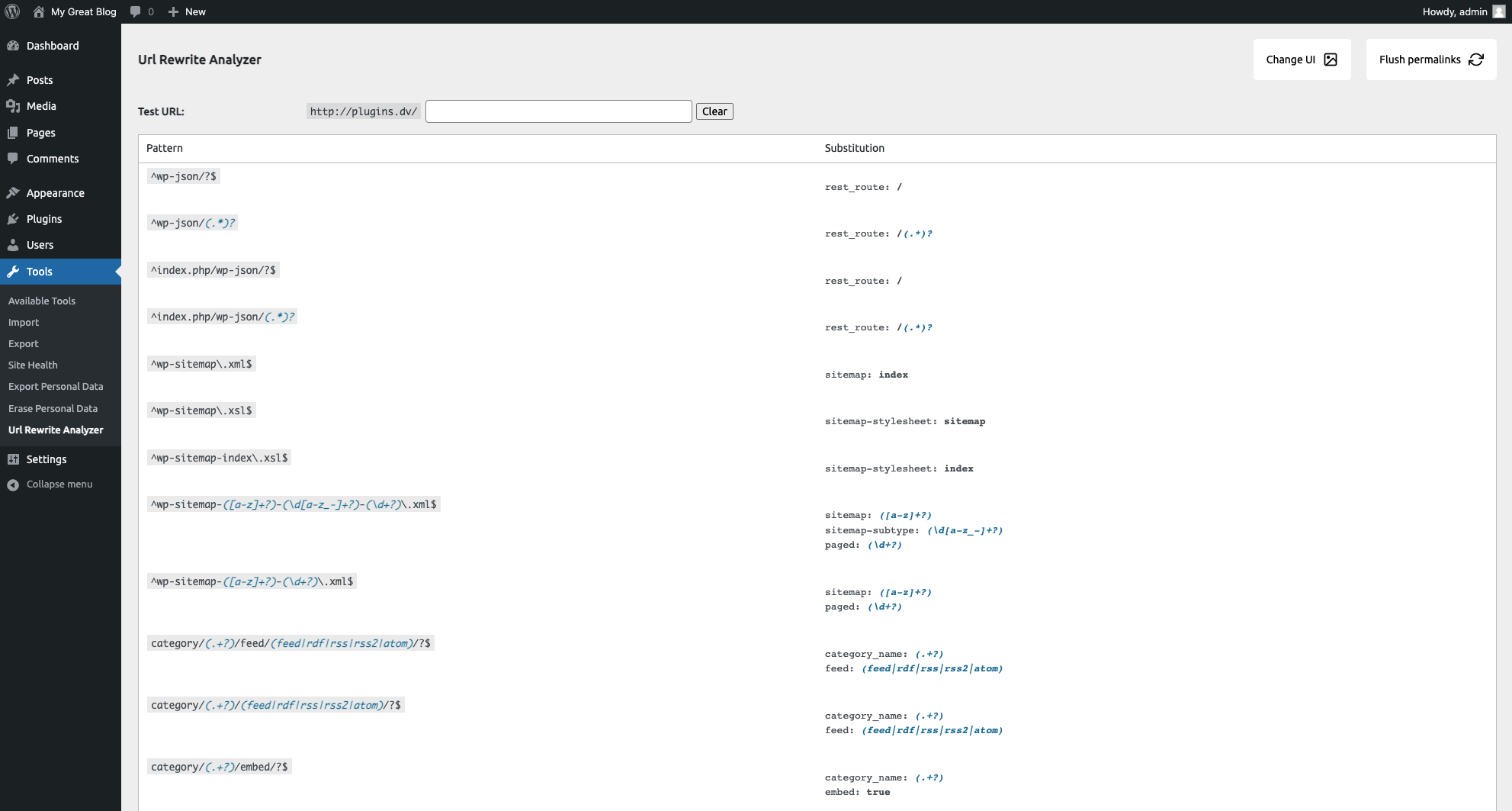
Old UI Interface
Changelog
1.3.4
- [Security] Fixed a broken access control vulnerability in the refresh_permalinks action
- [Security] Added proper capability checks for admin actions
- [Security] Added nonce verification for AJAX calls
- [Security] Implemented proper input sanitization
- [Performance] Implemented pagination for rewrite rules display
- [Performance] Optimized script and style loading (only load on plugin page)
- [Accessibility] Added ARIA attributes for better screen reader support
- [Accessibility] Improved keyboard navigation
- [UI] Added styles for pagination to match plugin design
- [UI] Added better error handling for AJAX requests
- [Code] Improved organization and code structure
1.3.3
- Fix undefined function
1.3.2
- Fix change UI bug
1.3.1
- Update plugin description
- Remove quick actions link
1.3
- Code modification + Bug fix
1.2.3
- Fix style missing
1.2.2
- Add rating link
1.2.1
- [Fix] JS Error loading on dashboard
- [Fix] Remove console.log() in code
1.2
- [UI] Add different style UI
1.1
- [UI] Change colors
- [UI] Sticky Topbar
- [UI] BackToTop button
- [Features] Add quick refresh permalink button
- [Features] Add clear selection button
- [Fix] Bug inline elements (Substitution column)
1.0
- First version