

US Address Lookup by Zip Code
This plugin allows you to auto-fill the address and related fields by putting zip code.
Plugin info
Maintenance & Compatibility
Maintenance score
Possibly abandoned • Last updated 874 days ago
Is US Address Lookup by Zip Code abandoned?
Possibly abandoned (last update 874 days ago).
Compatibility
Similar & Alternatives
Explore plugins with similar tags, and compare key metrics like downloads, ratings, updates, support, and WP/PHP compatibility.
Description
US Address Lookup by Zip Code is an official plugin maintained by the PressTigers team. This plugin lets you look up US Addresses against the Zip Code and populates fields such as:
- City name
- State name
- Country name (which will always be the USA).
The plugin is compatible with Contact Form 7, Ninja Forms, Gravity Forms, and Formidable Forms.
Features
- Populates US addresses against a Zip Code
- List down the related addresses
- Compatible with Contact Form 7, Ninja Forms, Gravity Forms, and Formidable Forms.
- 1 click easy configuration button
- Integration control from the admin screen
- Complete integration guidance with each Form plugin
Please click here for US Address Lookup by Zip Code Demo
Credits
- The source of addresses data is SimpleMaps.
Installation
Please follow the installation steps below:
- Install the plugin by going to the backend of your WP website. Go to Plugins -> Add New -> Search plugins “US Address Lookup by Zip Code”
- Download & make sure to Activate the plugin before you proceed further.
- Go to the US Address Lookup by Zip Code from the admin menu.
- Click the “Configure Database” button to update the database. Note: This process may take a few minutes
- After you’ve successfully configured, visit the next tab from the screen to enable integration with your plugin.
Frequently Asked Questions
Review feed
Screenshots
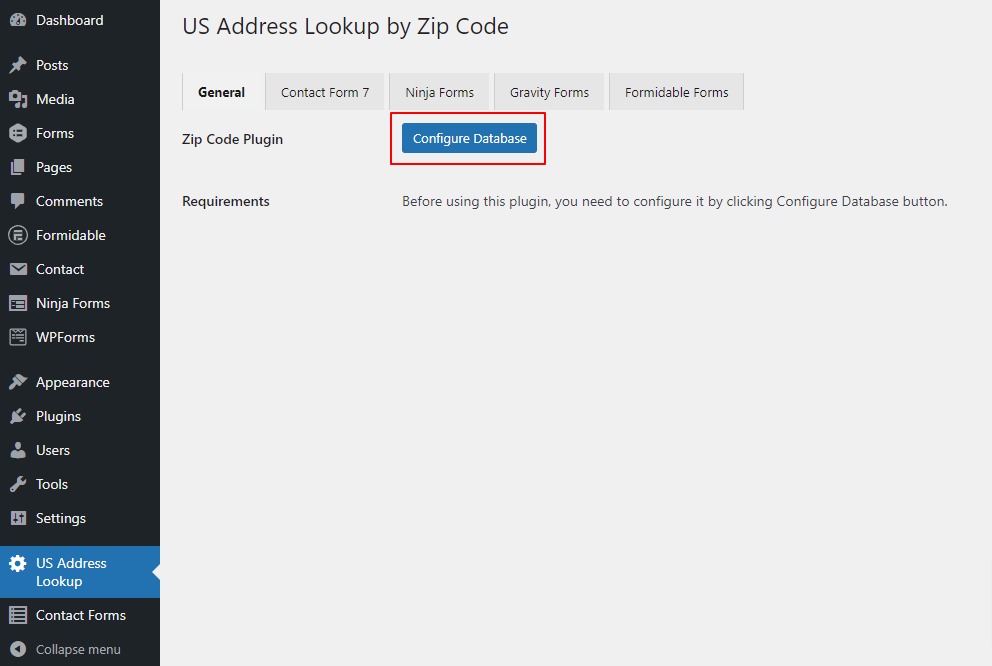
Configure database to insert the zip codes into the database

Enable integration with Contact Form 7

Enable integration with Ninja Forms

Enable integration with Gravity Forms

Enable integration with Formidable Forms

Go to the edit form screen of Contact Form 7 and start adding fields

Go to the edit form screen of Ninja Forms and start adding fields

Go to the edit form screen of Gravity Forms and start adding fields
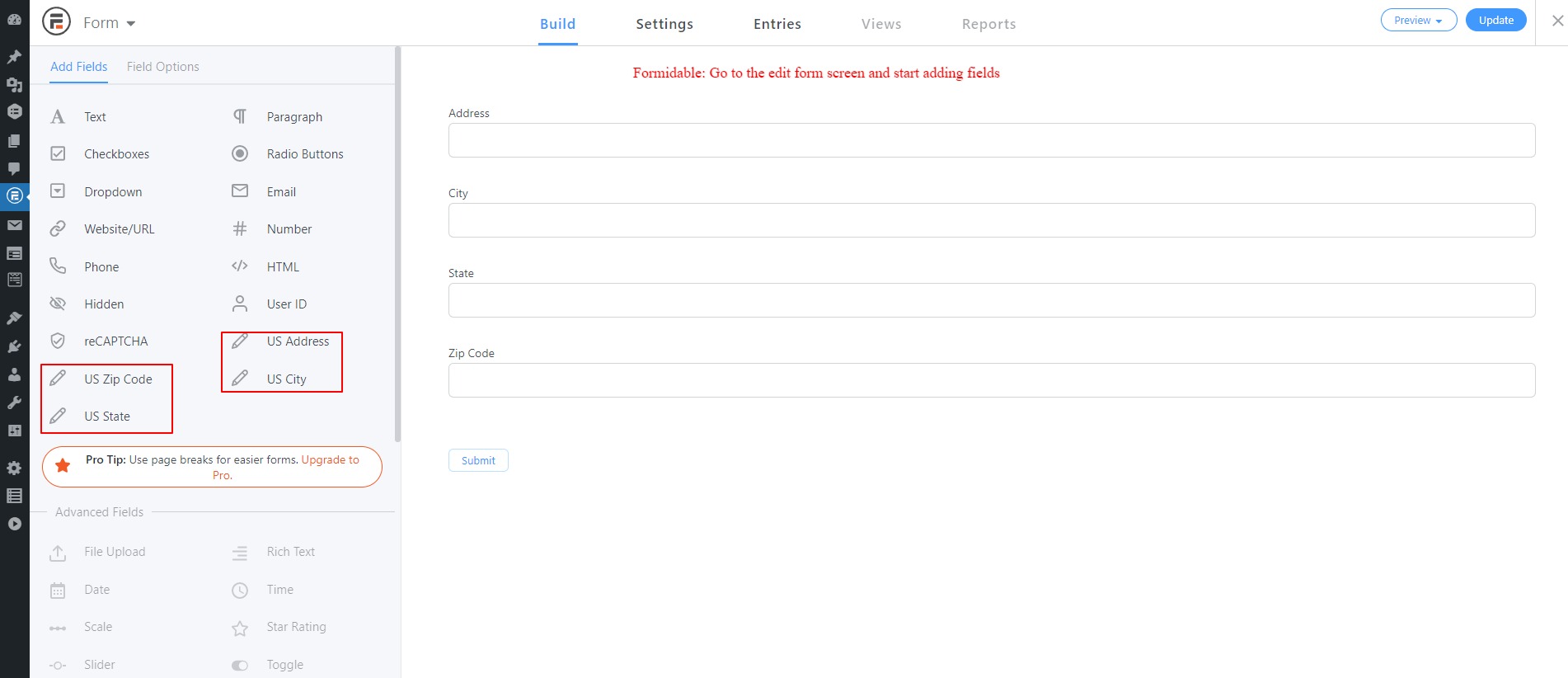
Go to the edit form screen of Formidable Forms and start adding fields

Type any valid US Zip code to get results and click to the right address from the list.
Changelog
1.0.2
- Fix – Fixed the plugin configuration button.
1.0.1
- Fix – Fixed compatibility issues.
- Tweak – Changes in the file structure.
1.0.0
- Initial Release