

User Draft Notifier
Send email notification to your users for the draft they saved and discard if not required.
Plugin info
Maintenance & Compatibility
Maintenance score
Possibly abandoned • Last updated 3453 days ago
Is User Draft Notifier abandoned?
Possibly abandoned (last update 3453 days ago).
Compatibility
Similar & Alternatives
Explore plugins with similar tags, and compare key metrics like downloads, ratings, updates, support, and WP/PHP compatibility.
Description
With this plugin you can send email notification to those users who have saved a draft for more than defined days. You can also discard all user’s draft which is saved before defined period.
Installation
- Upload the “user-draft-notifier” folder into the “/wp-content/plugins/” directory or
Directly download “user-draft-notifier” from WordPress Directory. - Activate the plugin through the “Plugins” menu in WordPress
- See FAQ for usage
Frequently Asked Questions
How does this works?
Visit the navigation in admin dashboard, you found a new box “user-draft-notifier”. 1. Click on “User Draft Notifier”->Setttings for the settings page. 2. Keep default values or you can change also.
3. Click on Save Changes.
Do I need to add any shortcode?
No, You don’t need to add any shortcode in your Website.
Review feed
Screenshots
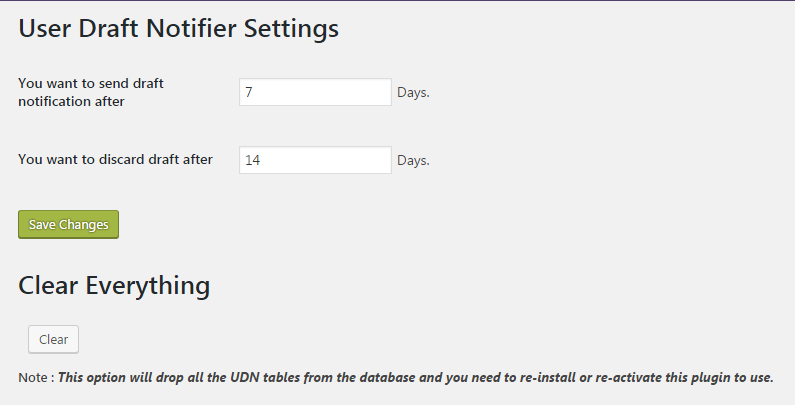
UDN Settings page.

UDN Notify UI page.

UDN Generated logs.
Changelog
1.0
- 5 Sept 2016
- First release