

User Role Maker
User Role Maker is a easy to use WordPress plugin that allows you to easily manage custom roles and capabilities for your website.
Plugin info
Maintenance & Compatibility
Maintenance score
Possibly abandoned • Last updated 416 days ago
Is User Role Maker abandoned?
Possibly abandoned (last update 416 days ago).
Compatibility
Similar & Alternatives
Explore plugins with similar tags, and compare key metrics like downloads, ratings, updates, support, and WP/PHP compatibility.
Description
User Role Maker is a easy to use WordPress plugin that allows you to easily manage custom roles and capabilities for your website. Whether you’re creating new roles, editing existing ones, or ensuring role-based access control, User Role Maker provides an intuitive interface and robust functionality to streamline the management of user roles.
Features
- Create Custom Roles: Define new roles with specific capabilities tailored to your needs.
- Edit Roles: Modify existing roles to update permissions or roles.
- Delete Roles: Remove roles and automatically reassign users to the default ‘Subscriber’ role.
- Capabilites Management: Add, remove, and update capabilities for roles.
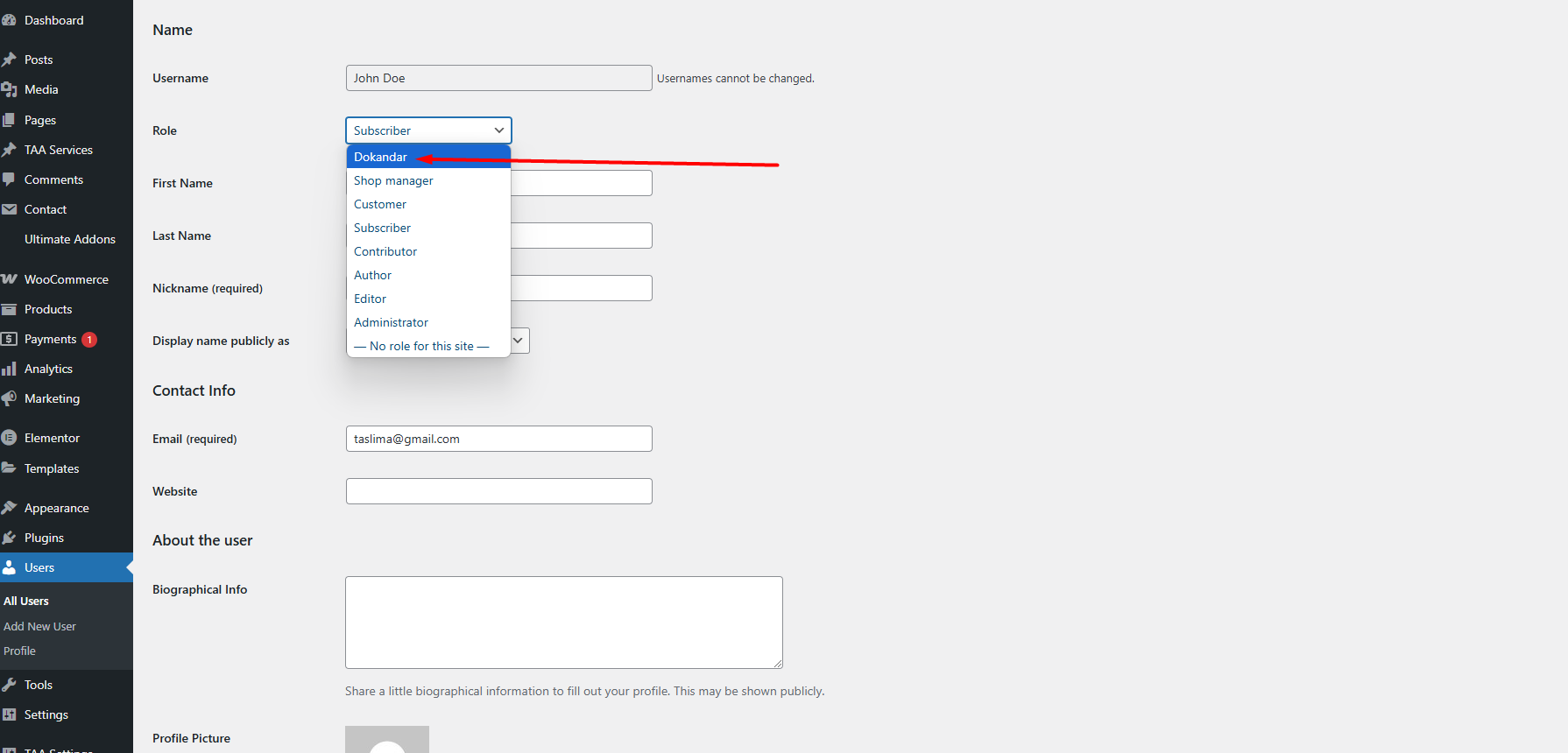
- User Role Assignment: Automatically reassign users to the ‘Subscriber’ role when a custom role is deleted.
Usage
-
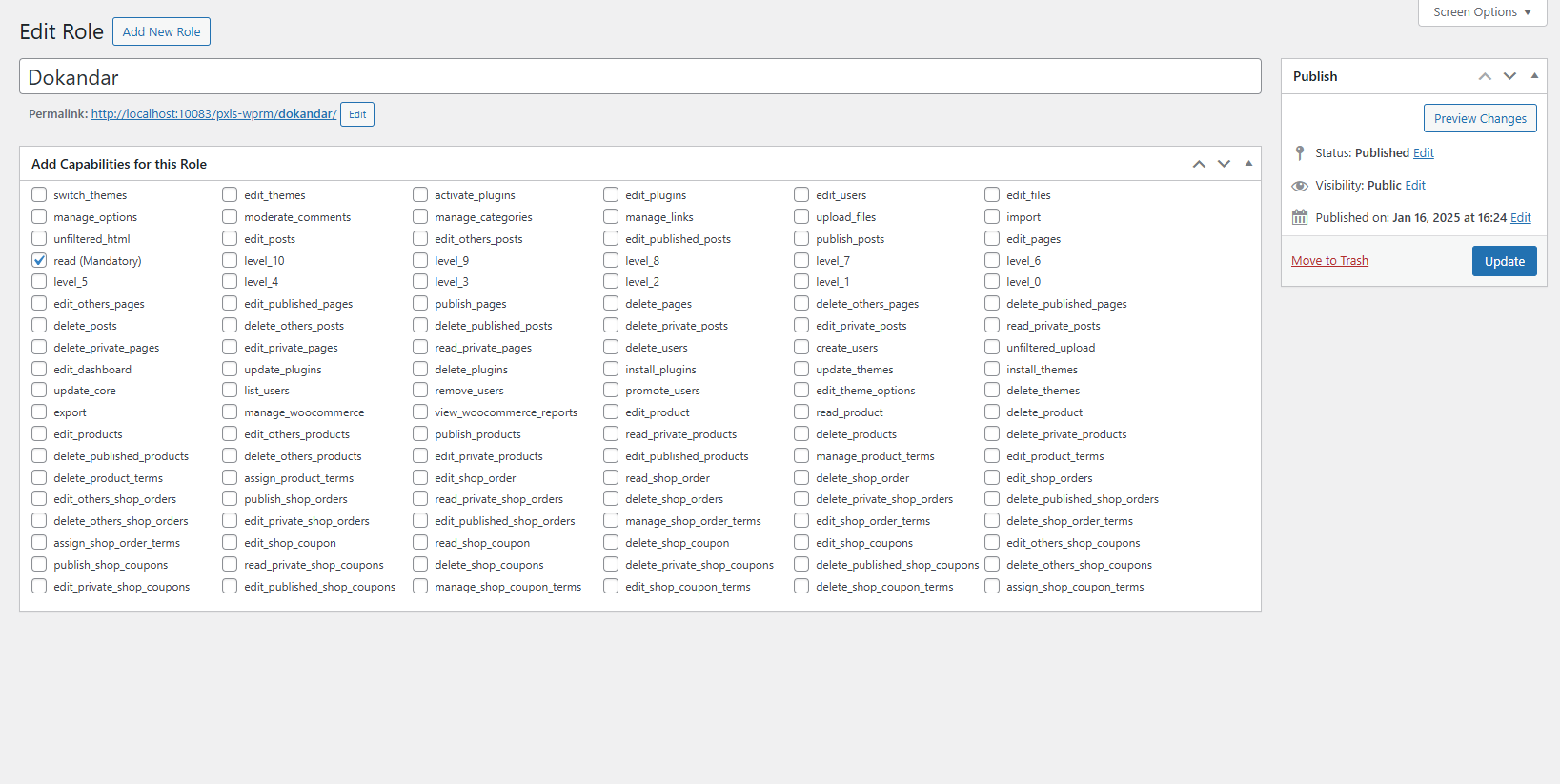
Creating a New Role:
- Navigate to the User Role Maker Optin
- Add a new post or edit an existing one.
- Fill in the title and capabilities for the new role.
- Save the post to create or update the role.
-
Editing an Existing Role:
- Edit the custom post with the desired role.
- Update the title and capabilities as needed.
- Save the post to apply changes to the role.
-
Deleting a Role:
- Move the custom post associated with the role to trash.
- The plugin will automatically reassign users to the ‘Subscriber’ role.
Author
- Ashikur Rahman
Author Website
Developer Email
License
This plugin is licensed under the GPL-2.0+ License.
Installation
-
Upload the Plugin:
- Download the
User Role Makerplugin ZIP file. - Go to your WordPress admin panel, navigate to
Plugins > Add New. - Click ‘Upload Plugin’ and select the downloaded ZIP file.
- Click ‘Install Now’ and then ‘Activate’ to activate the plugin.
- Download the
-
Using the Plugin:
- Navigate to the
User Role Makermenu item in the WordPress admin panel. - Use the metabox on the custom post type to manage roles and capabilities.
- Customize roles by adding or removing capabilities.
- Delete roles to automatically reassign users to the ‘Subscriber’ role.
- Navigate to the
Frequently Asked Questions
Review feed
Screenshots

Changelog
[Version 1.0.0]
- Initial release with custom role creation and management.
- Added support for editing and deleting roles.
- Automatic reassignment of users to ‘Subscriber’ role upon role deletion.