

User Security Tools
User Security Tools provides some improvements to security in wordpress.
Maintenance 20/1004723d since update
Active installs
10
Downloads
3,568
Reviews
0
Age
14.1y
Plugin info
Total downloads: 3,568
Active installs: 10
Total reviews: 0
Average rating: 0
Support threads opened: 0
Support threads resolved: 0 (0%)
Available in: 1 language(s)
Contributors: 1
Last updated: 3/22/2013 (4723 days ago)
Added to WordPress: 1/26/2012 (14 years old)
Minimum WordPress version: 3.3
Tested up to WordPress version: 3.5.2
Minimum PHP version: f
Maintenance & Compatibility
Maintenance score
Possibly abandoned • Last updated 4723 days ago
20/100
Is User Security Tools abandoned?
Possibly abandoned (last update 4723 days ago).
Compatibility
Requires WordPress: 3.3
Tested up to: 3.5.2
Requires PHP: f
Similar & Alternatives
Explore plugins with similar tags, and compare key metrics like downloads, ratings, updates, support, and WP/PHP compatibility.
Limit Login Attempts Reloaded – Login Security, Brute Force Protection, Firewall
Rating 4.9/5 (1,417 reviews) • Active installs 2,000,000
SiteGuard WP Plugin
Rating 4.3/5 (15 reviews) • Active installs 500,000
Anti-Malware Security and Brute-Force Firewall
Rating 4.9/5 (777 reviews) • Active installs 100,000
CloudSecure WP Security
Rating 5.0/5 (2 reviews) • Active installs 90,000
WP fail2ban – Advanced Security
Rating 4.2/5 (71 reviews) • Active installs 60,000
Login Security, FireWall, Malware removal by CleanTalk
Rating 4.8/5 (369 reviews) • Active installs 30,000
Description
User Security Tools provides some improvements to security in wordpress.
- Control for Brute Force: Adds a maximum of failed login attempts within a certain period of
time. If this maximum is achieved, the user is locked. - Password Policy: Enforces the minimun and maximum length of the password, and the level of
password that can be: low, medium and high. - Password History: Don’t allow user to set password equals last 5 (in the next version this number
will be configurable). - User Management: the network admin also can lock, unlock and reset user’s password manually
(in case of password reset, the user receives a new activation key and no data is lost).
Installation
- Extract the zip file and upload all files into your plugins directory, making sure to put the files in their own unique folder.
- Activate the plugin to the Network through the ‘Plugins’ menu in WordPress
- Go to “Settings” to configure the plugin and to “Users->User Security Tools” to manage theusers.
Frequently Asked Questions
No FAQ available
Review feed
No reviews available
Screenshots
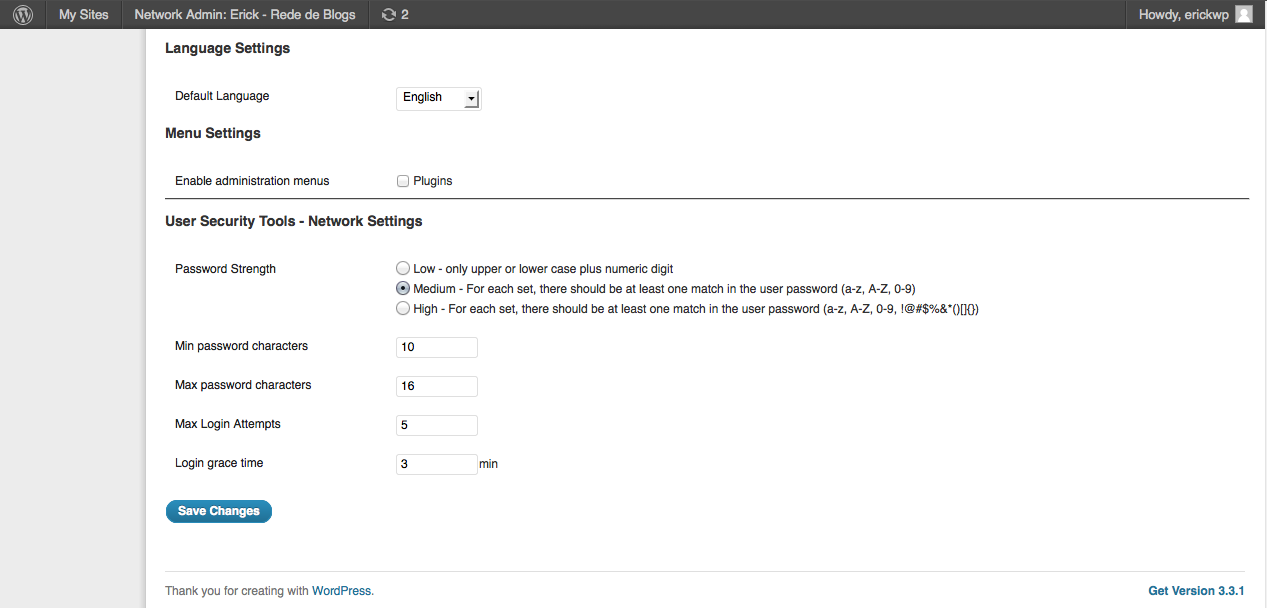
Network Admin Settings

User Management
Changelog
1.0
- Initial Version
1.1
- Now both single installation mode and network installation mode are supported
- Security Fixes and Improvements
1.1.1
- BUG: The password policy is not applied when user’s password is reset
1.1.2
- Show the search field on User Security Tools page
- The list of the users shows more than fixed 5 items
- BUG: When a new user is created, include the ‘first’ password to the history (bug reported by Jason Buscema)