

Image Hotspot With Tooltip For WPBakery Page Builder (formerly Visual Composer)
Checkout our Latest WordPress Themes - 100% Free
Plugin info
Maintenance & Compatibility
Maintenance score
Possibly abandoned • Last updated 1711 days ago • 4 reviews
Is Image Hotspot With Tooltip For WPBakery Page Builder (formerly Visual Composer) abandoned?
Possibly abandoned (last update 1711 days ago).
Compatibility
Similar & Alternatives
Explore plugins with similar tags, and compare key metrics like downloads, ratings, updates, support, and WP/PHP compatibility.
Description
Checkout our Latest WordPress Themes – 100% Free
This plugin will add awesome hotspots with unlimited tooltips for a single image. Works with latest Visual Composer v5.2.x
Note: you can get this addon from Essential WPBakery Page Builder (formerly Visual Composer) Addons. It�s recommended to purchase the Essential WPBakery Page Builder Addons which contain other addons in the future update:
Features
- Drag n Drop hotspot
- Unlimited hotspot
- 3 tooltip display style
- Marker setting for each image
- Custom image marker
- Super easy Installation.
- Unlimited Colors.
- Unlimited tooltip customization.
- 100% responsive hotspot images.
- SEO friendly.
- Easy user interface.
- Works with any theme.
- All Major browser supported.
Installation
Installing this plugin as regular wordpress plugin. First you need to install Visual Composer plugin then install Image Hotspot With Tooltip For Visual Composer.
This addon plugin works like other page builder addon plugin. Go to new page then click on Visual Composer builder then click on Add Element you should see Image Hotspot menu as Name “Image Hotspot” on Menu Top, click on it you will see shortcode panel.
Frequently Asked Questions
Review feed
Remove All Spots
Screenshots

screenshot 1

screenshot 2
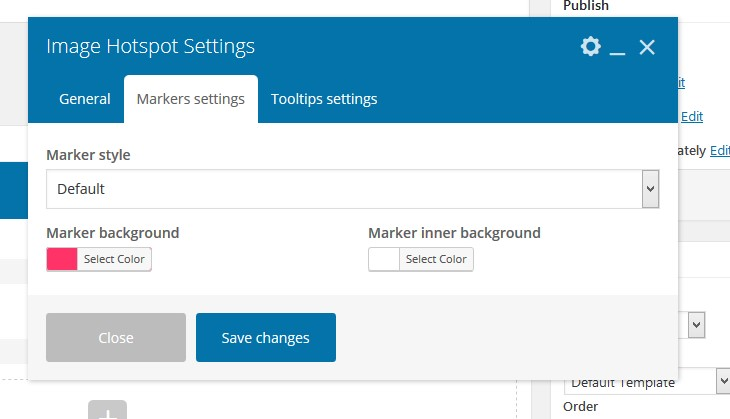
screenshot 3

screenshot 4
Changelog
1.2.0
- Compatible with latest wordpress version 5.8
1.1.9
- Compatible with latest wordpress version 5.7
1.1.8
- Compatible with latest wordpress version 5.6
1.1.7
- Compatible with latest wordpress version 5.5
1.1.6
- Compatible with latest wordpress version 5.4
1.1.5
- Updated plugin
1.1.4
- Compatible with latest wordpress version 5.3
1.1.3
- Tested with wordpress 5.2
1.1.2
- Added new options for more flexibility
1.1.1
- Added new tooltip
1.1.0
- WordPress 5 ready
1.0.9
- Unlimited point color option
1.0.8
- Added new tooltip
1.0.7
- Updated marker icon
1.0.6
- Fixed minor issues
1.0.5
- Added new icon style
1.0.4
- Fixed js issue
1.0.3
- Fixed image position issue
1.0.2
- Marker unlimited color added
1.0.1
- Added new feature
1.0.0
- First Release