

Version Info | Show WP, PHP, MySQL & Web Server Versions in Admin Dashboard
Easily display the current WP, PHP, Web Server, and MySQL versions in the WP-Admin Footer, Admin bar, or as a widget in screen options.
Plugin info
Maintenance & Compatibility
Maintenance score
Stale • Last updated 346 days ago • 14 reviews
Is Version Info | Show WP, PHP, MySQL & Web Server Versions in Admin Dashboard abandoned?
Likely maintained (last update 346 days ago).
Compatibility
Similar & Alternatives
Explore plugins with similar tags, and compare key metrics like downloads, ratings, updates, support, and WP/PHP compatibility.
Description
The Version Info plugin helps you track essential version information for your WordPress install by displaying key system details such as WordPress version, PHP version, Web Server type, and MySQL version. This can be displayed in three areas:
- Admin footer – Displays WordPress, PHP, MySQL, and Web Server versions in the footer for quick reference.
- WP-Admin Bar – Optionally add version details to the top WP-Admin bar for instant visibility while navigating the admin area.
- Dashboard Widget – Activate the dashboard widget via the Screen Options to quickly view your site’s version information.
Key features of this plugin include:
- Shows the current WordPress version. If a new version is available, it will display the current version alongside the latest available version in the footer, with a link to update.
- Displays the PHP version running on your server, making it easy to verify if your site meets compatibility requirements for plugins and themes.
- Shows the Web Server type and version, whether you’re using Apache, Nginx, or another server setup.
- Includes the MySQL version to help you track the database version your WordPress site uses.
Why use this Plugin?
Ever wondered which version of WordPress or PHP your site is running? This plugin ensures you have that critical information at a glance.
Whether you’re a site administrator, developer, or someone managing a WordPress site, knowing your software versions is crucial for troubleshooting, compatibility checks, and ensuring optimal performance.
For developers, this plugin is an invaluable tool. When clients report an issue, they can quickly send you the version details of their setup by simply sharing a screenshot of their admin footer or copying the information. This makes diagnosing issues easier, as you’ll immediately know which version of WordPress, PHP, and MySQL they are using, along with the web server information.
Installation
- Upload the plugin to your plugins directory (possibly
/wp-content/plugins/), or install the plugin through the WordPress plugins screen directly. - Activate the plugin through the ‘Plugins’ screen in WordPress
Frequently Asked Questions
common.css hides the admin-footer on viewports smaller than 783px. To show the footer also on small viewports, add the following to a mu-plugin or your theme’s functions.php, etc.
add_action('admin_enqueue_scripts', function () {
    wp_add_inline_style('common', '@media screen and (max-width: 782px){#wpfooter {display: block;}}');
    wp_add_inline_style('admin-menu', '@media only screen and (max-width: 960px){.auto-fold #wpfooter{margin-left: 0px;}}');
});
Review feed
Simple, but very useful
Screenshots
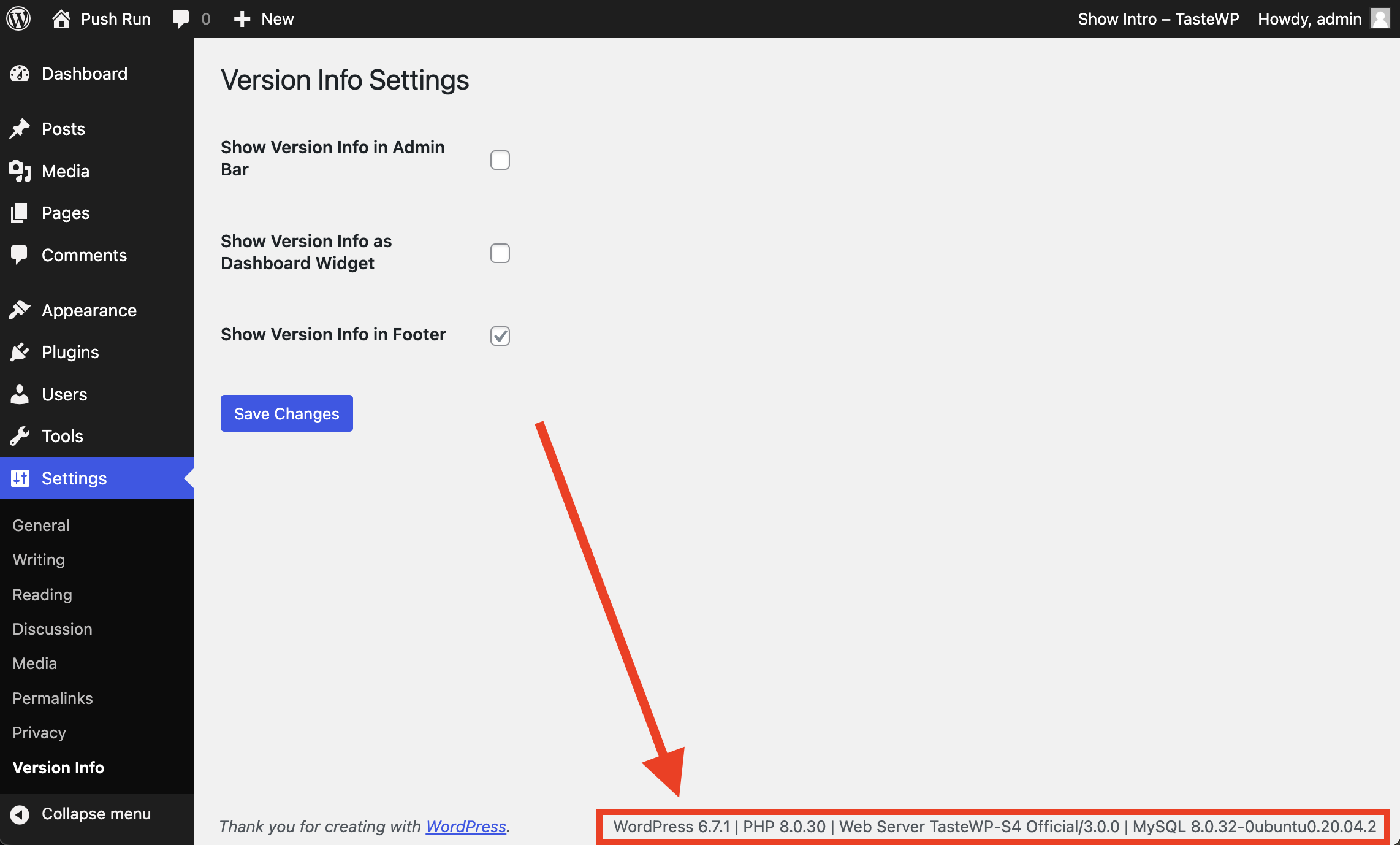
Plugin Settings Page & Footer Version Info
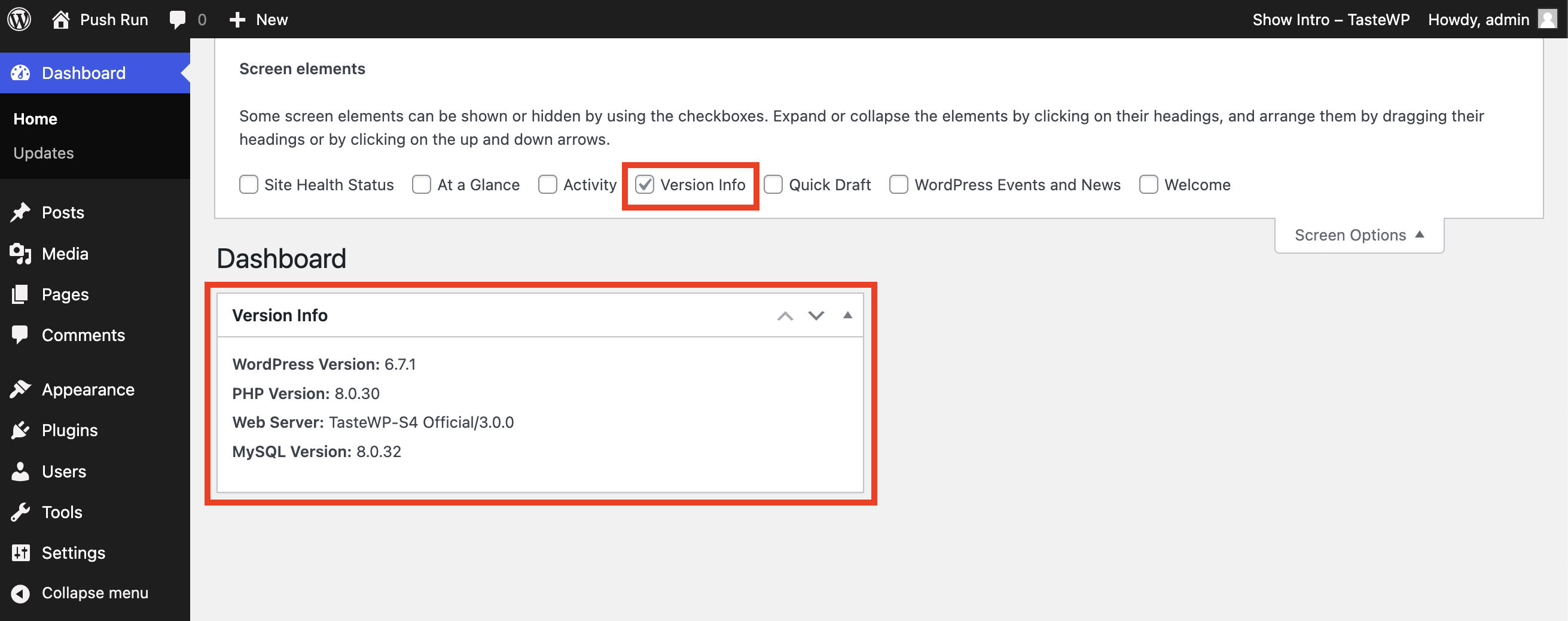
Dashboard Widget Version Info
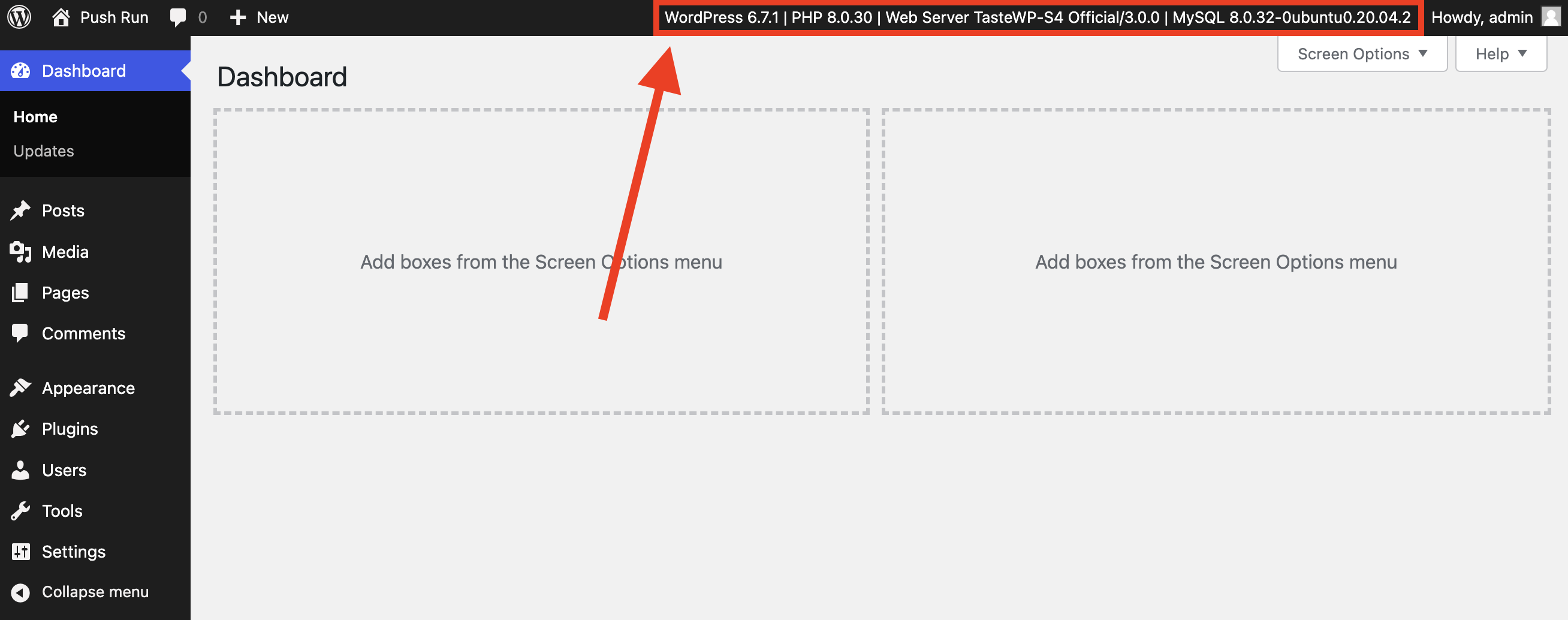
WP-Admin Bar Version Info
Changelog
1.3.2
- Added settings for displaying the version info on WP-Admin bar and dashboard widget.
- Added namespace, sanitization, and other security improvements.
- Prepared plugin strings for translation.
- Translations added for 13 most common WordPress languages.