

VS Meta Description
With this lightweight plugin you can add a meta description to your website.
Plugin info
Maintenance & Compatibility
Maintenance score
Maintained • Last updated 148 days ago • 15 reviews
Is VS Meta Description abandoned?
Likely maintained (last update 148 days ago).
Compatibility
Developers
Similar & Alternatives
Explore plugins with similar tags, and compare key metrics like downloads, ratings, updates, support, and WP/PHP compatibility.
Description
About
With this lightweight plugin you can add a meta description to your website.
The meta description summarizes the content of a post or page.
Search engines such as Google and Bing will use the meta description when displaying search results.
Add a meta description only for your homepage, or for each individual post and page.
This plugin also supports WooCommerce products, product categories and tags.
How to use
After installation go to the settings page. This page is located at Settings > Meta description.
More info about using this plugin is displayed there as well.
Have a question?
Please take a look at the FAQ section.
Translation
Translations are not included, but the plugin supports WordPress language packs.
More translations are very welcome!
The translation folder inside this plugin is redundant, but kept for reference.
Credits
Without help and support from the WordPress community I was not able to develop this plugin, so thank you!
Installation
Please check Description section for installation info.
Frequently Asked Questions
The plugin will use the website language, set in Settings > General.
If translations are not available in the selected language, English will be used.
The meta description will be added to the head section of your website.
Because search engines such as Google and Bing recommend a meta description length roughly between 120 and 160 characters.
If your meta description is too short it may be ignored in favour of one that is generated by the search engine.
And if your meta description is too long it may be cut off.
After adding or changing a meta description it can take up to several weeks before search engines such as Google and Bing have indexed your website again.
But a search engine can also decide not to use it, if your meta description does not match the requirements.
When using the block editor, click the options icon and select “Preferences”.
When using the classic editor, click the “Screen Options” tab.
Probably the checkbox to display the relevant box in the editor is not checked.
This section is only available if WooCommerce is installed and active.
If you have an active plugin (or theme) that also contains a meta description feature, don’t activate or use this feature.
Yes you can!
The version number won’t give you info about the type of update (major, minor, patch). You should check the changelog to see whether or not the update is a major or minor one.
You like my plugin and want to make a donation? There’s a PayPal donate link at my website. Thank you!
Please open a topic in the WordPress.org support forum for this plugin.
Review feed
1 description duplicated sitewide = bad seo
Works perfectly
A 5 star plugin
Its perfect
Screenshots
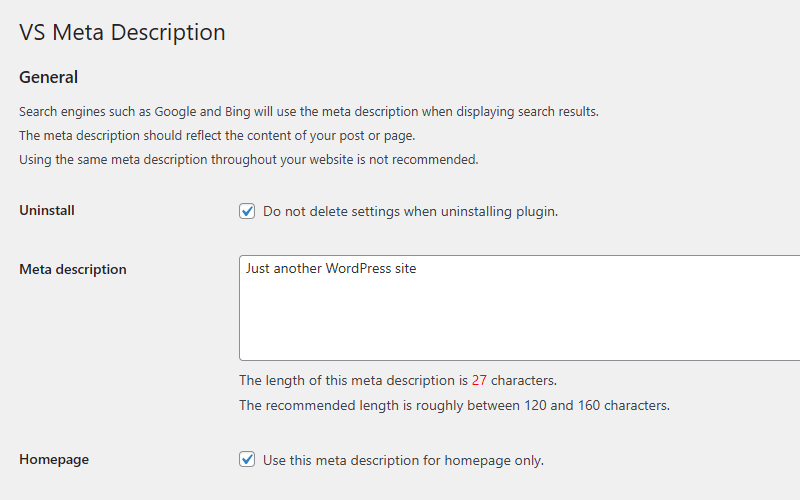
Settings page (dashboard)
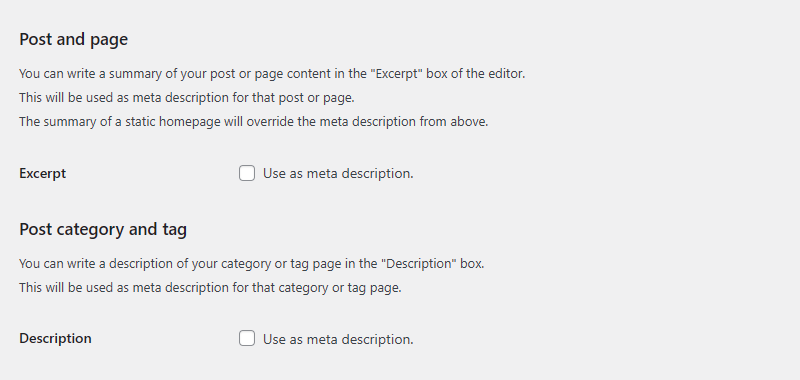
Settings page (dashboard)
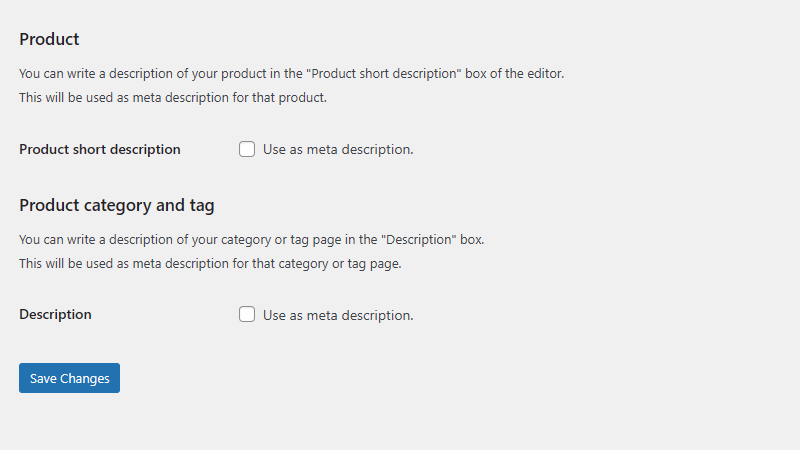
Settings page (dashboard)
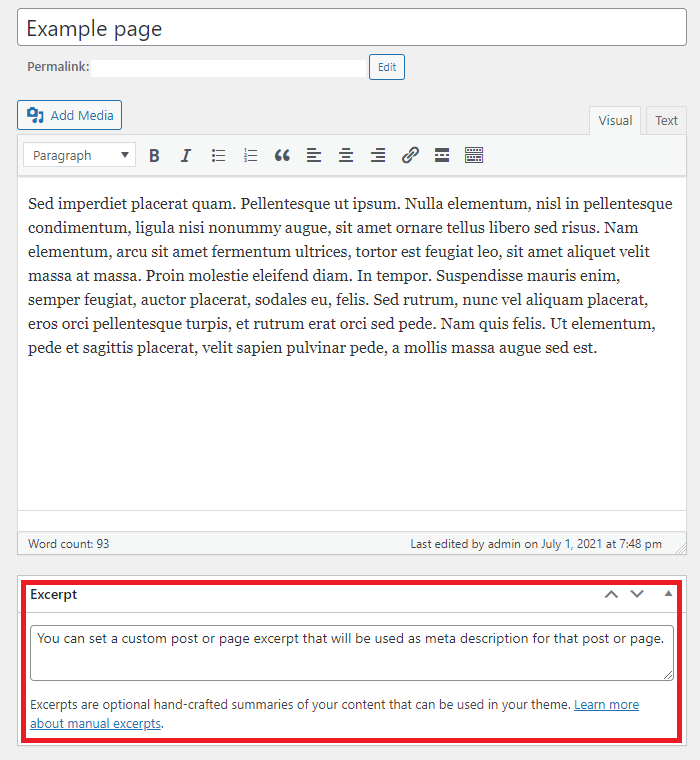
Page excerpt classic editor (dashboard)
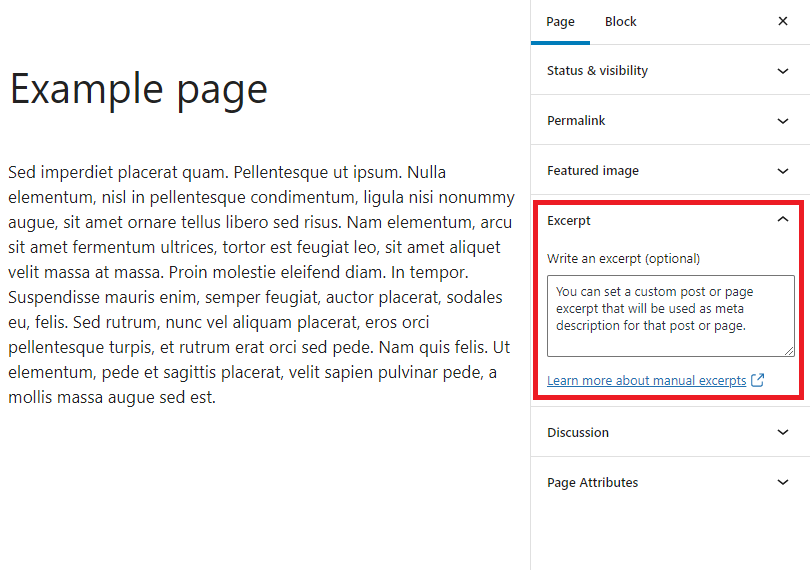
Page excerpt block editor (dashboard)
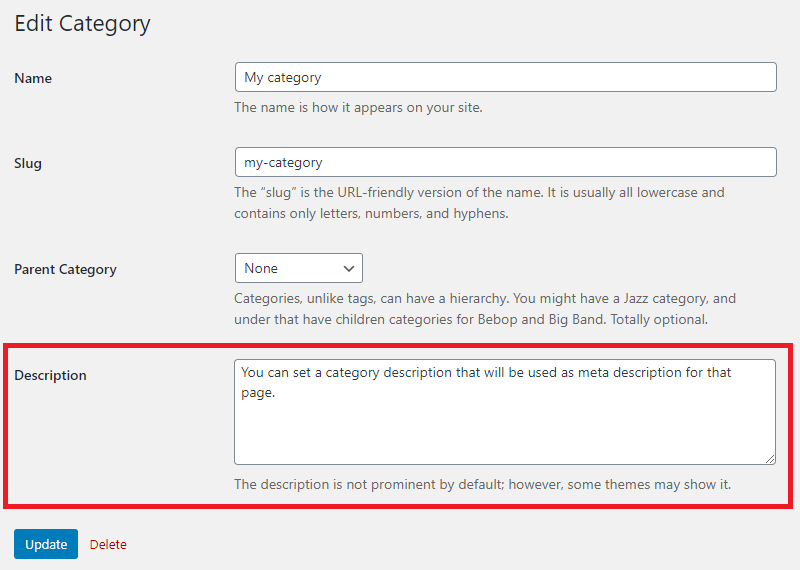
Category description (dashboard)
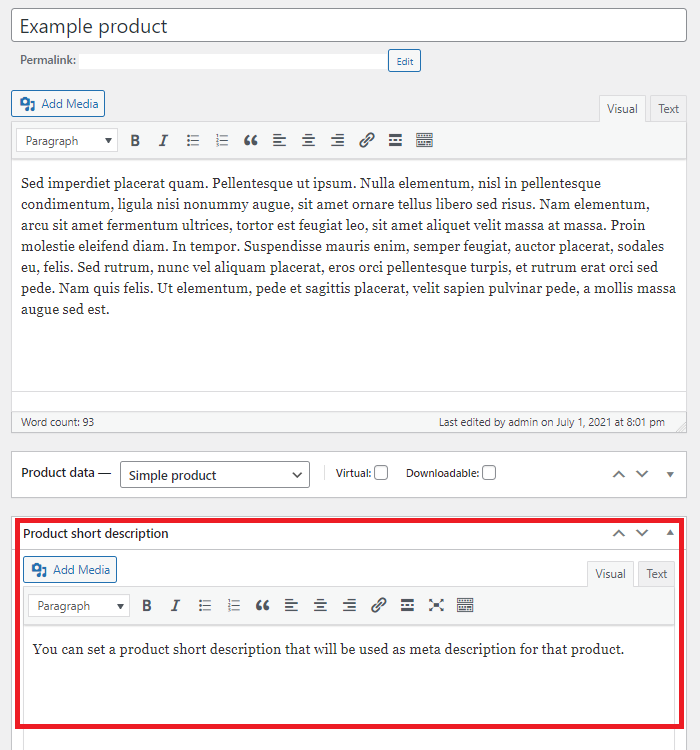
WooCommerce product short description (dashboard)
Changelog
Version 8.0
- Minor changes in code
Version 7.9
- Removed wrong header from main plugin file
Version 7.8
- Code improvements
- Bumped the “requires PHP” version to 7.4
- Bumped the “Requires at least” version to 6.0
Version 7.7
- Textual changes
Version 7.6
- Minor changes in code
Version 7.5
- Minor changes in code
Version 7.4
- Minor changes in code
Version 7.3
- Minor changes in code
Version 7.2
- Bumped the “requires PHP” version to 7.0
- Bumped the “requires at least” version to 5.0
- Minor changes in code
Version 7.1
- Textual changes
- Minor changes in code
For all versions please check file changelog.