

Virtual Try-On for Shops
Add AI-powered virtual try-on functionality to your online shop. Customers can see how products look before buying.
Plugin info
Maintenance & Compatibility
Maintenance score
Maintained • Last updated 135 days ago
Is Virtual Try-On for Shops abandoned?
Likely maintained (last update 135 days ago).
Compatibility
Similar & Alternatives
Explore plugins with similar tags, and compare key metrics like downloads, ratings, updates, support, and WP/PHP compatibility.
Description
Transform your online store with AI-powered virtual try-on technology. Allow customers to upload their photos and see exactly how your products will look on them – increasing conversions and reducing returns.
Key Features:
- Smart AI Technology: Uses advanced AI to realistically overlay clothing, accessories, and other products onto customer photos
- Category-Specific Prompts: Automatically optimizes AI prompts for different product types (clothing, glasses, hats, accessories)
- Flexible Product Selection: Choose which specific products or entire categories should offer virtual try-on
- Usage-Based Pricing: Free tier with 10 try-ons, premium license for unlimited usage
- Your Own API Key: You provide your own Fal AI API key – pay only for what you use
- Easy Setup: Simple configuration through admin panel
- Mobile Friendly: Works seamlessly on all devices
- Download Results: Customers can download their try-on images
How It Works:
- Install and activate the plugin
- Complete the onboarding wizard to get started with 30 demo tries
- Select the products you want to enable Virtual Try-On for
- Customers click “Virtual Try-On” on product pages
- They upload a photo of themselves
- AI processes the image and shows them wearing your product
- Customers can download the result or try another photo
Pricing Model:
- Demo Mode: 30 virtual try-ons to test the plugin (no API key needed)
- Free Tier: 10 virtual try-ons with your own Fal AI API key
- Premium: Unlimited try-ons with license key from https://virtualtryonwoo.com/
- Cost Control: You pay Fal AI directly based on your usage – no markup
- Usage Tracking: Server-side tracking prevents gaming the system via reinstalls
Perfect For:
- Fashion and clothing stores
- Eyewear and sunglasses shops
- Jewelry and accessories retailers
- Hat and headwear stores
- Beauty and cosmetics brands
Requirements:
- Active WooCommerce installation
- Fal AI API key (free registration at fal.ai)
- Active internet connection for AI processing
External Services
This plugin relies on external third-party services to provide virtual try-on functionality.
Fal AI Service
This plugin connects to Fal AI API to obtain AI-powered image processing results. It uses the “Nano Banana Edit” AI model provided by Fal AI, which is needed to create virtual try-on images by combining customer photos with product images.
What is sent: Customer-uploaded photos, product images from your store, and text prompts for AI processing.
When it’s sent: Data is sent to Fal AI only when a customer actively clicks the “Virtual Try-On” button and uploads their photo.
Where it’s sent: https://fal.run/fal-ai/nano-banana/edit
Model information: This plugin uses the Nano Banana Edit model. More information about this model: https://fal.ai/models/fal-ai/nano-banana/edit/api
API Documentation: https://docs.fal.ai/model-apis
This service is provided by Fal AI, Inc.: Terms of Service, Privacy Policy
Important: You must obtain your own Fal AI API key from https://fal.ai/dashboard – customer photos are processed in real-time and NOT stored permanently.
License Validation Service
This plugin connects to our license validation server to verify premium licenses and track usage limits.
What is sent: Your license key (if purchased) and your website domain. NO customer data or photos are sent.
When it’s sent: When you save plugin settings with a license key, or when checking usage limits.
Where it’s sent: https://virtualtryonwoo.com/api/v1/webhook-only-index.php
This service is provided by Virtual Try-On for Shops: Terms of Service, Privacy Policy
Important: Free users can use the plugin without a license key (10 free try-ons).
Support
For support and documentation, visit: https://virtualtryonwoo.com/support
For feature requests and bug reports, please use the support forums.
Privacy Policy
This plugin integrates with external services for functionality:
-
Fal AI: Customer photos are sent to Fal AI (https://fal.ai) for AI processing when customers actively use the virtual try-on feature. Photos are processed in real-time and not stored permanently. Review Fal AI’s terms of service at https://fal.ai/terms and privacy policy at https://fal.ai/privacy
-
License Validation: For premium users, license keys and website domains are sent to our validation service at https://virtualtryonwoo.com. No customer personal data or photos are transmitted. Review our terms at https://virtualtryonwoo.com/terms and privacy policy at https://virtualtryonwoo.com/privacy
Please ensure compliance with your local privacy regulations (GDPR, CCPA, etc.) and inform your customers about the use of these services in your own privacy policy.
Credits
Powered by Fal AI technology for advanced image processing and virtual try-on capabilities.
Installation
- Upload the plugin files to
/wp-content/plugins/virtual-tryon-for-shops/or install through the plugin installer - Activate the plugin through the ‘Plugins’ screen
- Get a Fal AI API key from https://fal.ai/dashboard
- Go to Virtual Try-On settings and enter your API key
- Select which products should show the try-on button
- The try-on button will appear on selected product pages
Frequently Asked Questions
Yes, you need to provide your own Fal AI API key. This keeps costs transparent – you pay Fal AI directly for usage with no markups or hidden fees.
The plugin itself offers 10 free try-ons. For unlimited usage, purchase a premium license. AI processing costs are paid directly to Fal AI based on your usage.
The plugin works great with clothing, accessories, glasses, hats, jewelry, and other wearable items. It uses smart prompts optimized for different product categories.
Yes! You can select specific products or entire categories that should offer virtual try-on functionality.
Absolutely! The try-on feature works seamlessly on mobile devices, tablets, and desktop computers.
No, customer photos are processed by Fal AI and not stored on your server or by the plugin. They are only used temporarily for processing the virtual try-on request. The plugin prioritizes user privacy.
Yes, customers can download their virtual try-on images to save or share them.
Yes, the plugin is designed to work with any WooCommerce-compatible WordPress theme.
Review feed
Screenshots
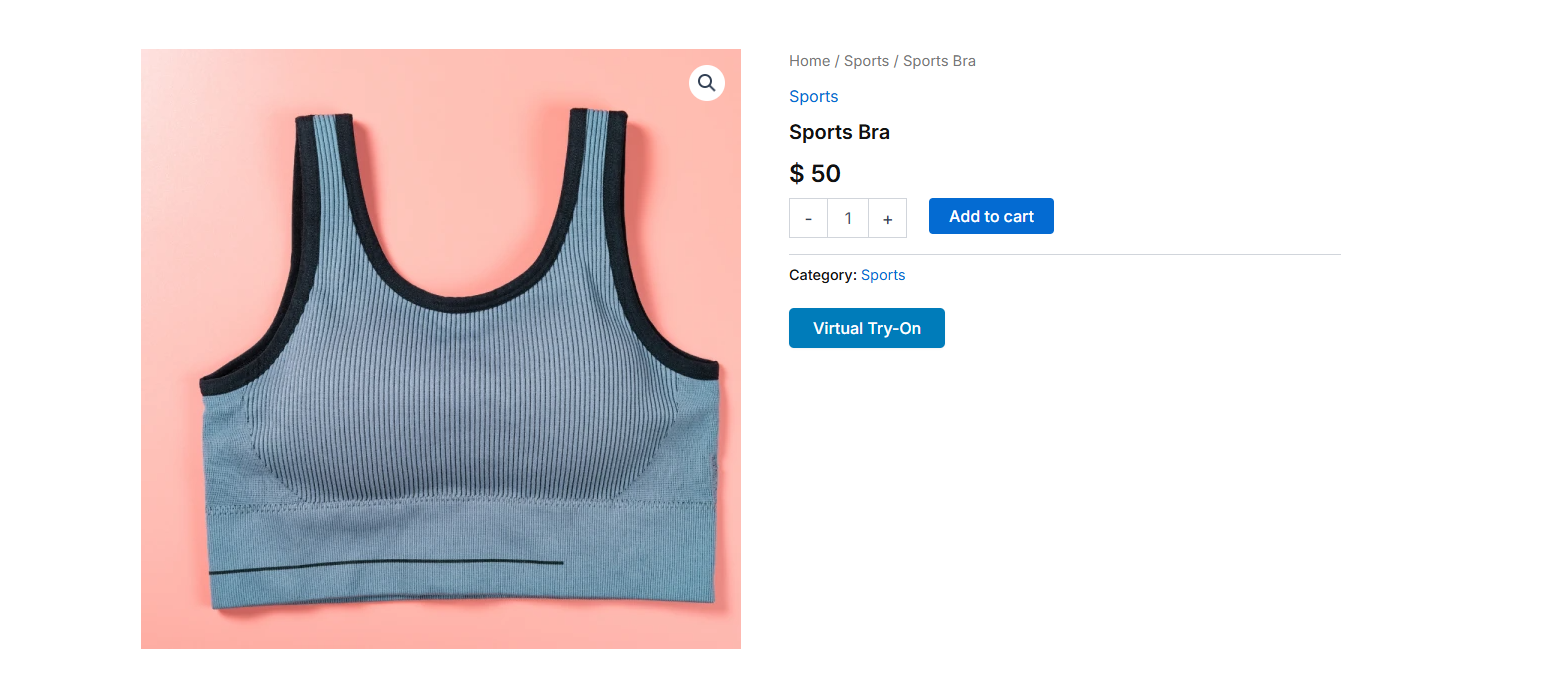
Virtual Try-On button appears on product pages
Simple upload interface for customer photos
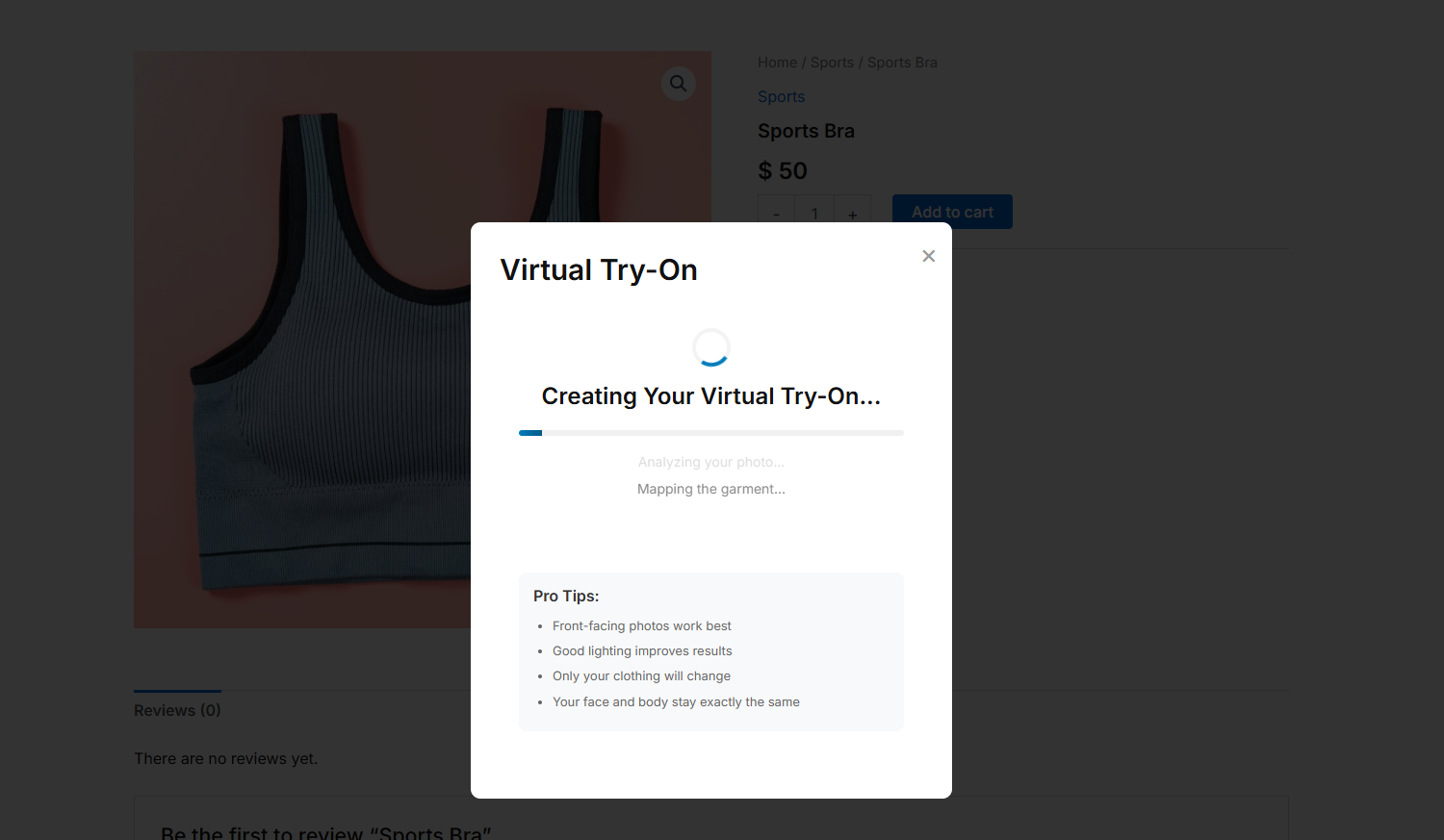
AI processing with engaging loading animation
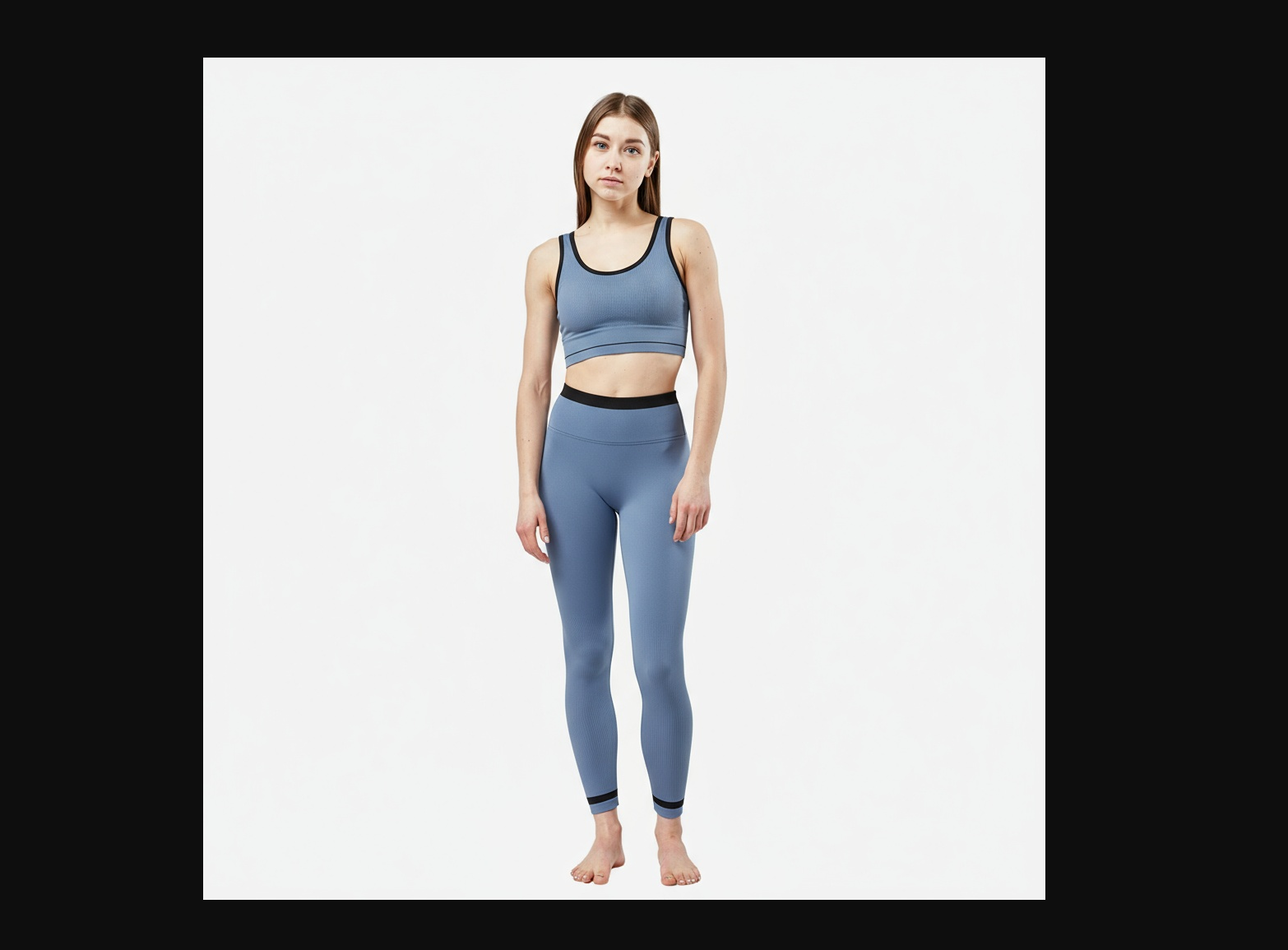
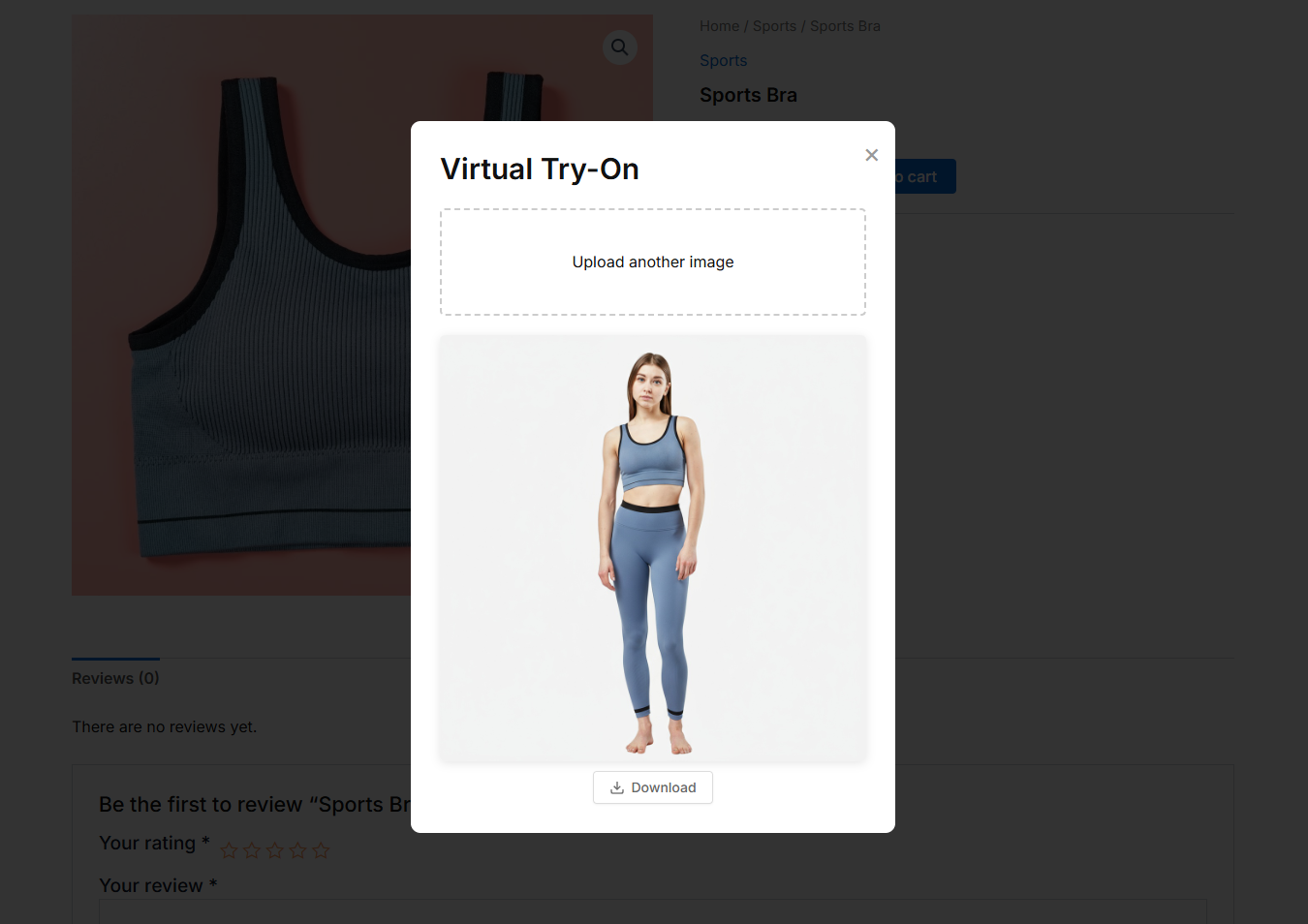
Results displayed with download option
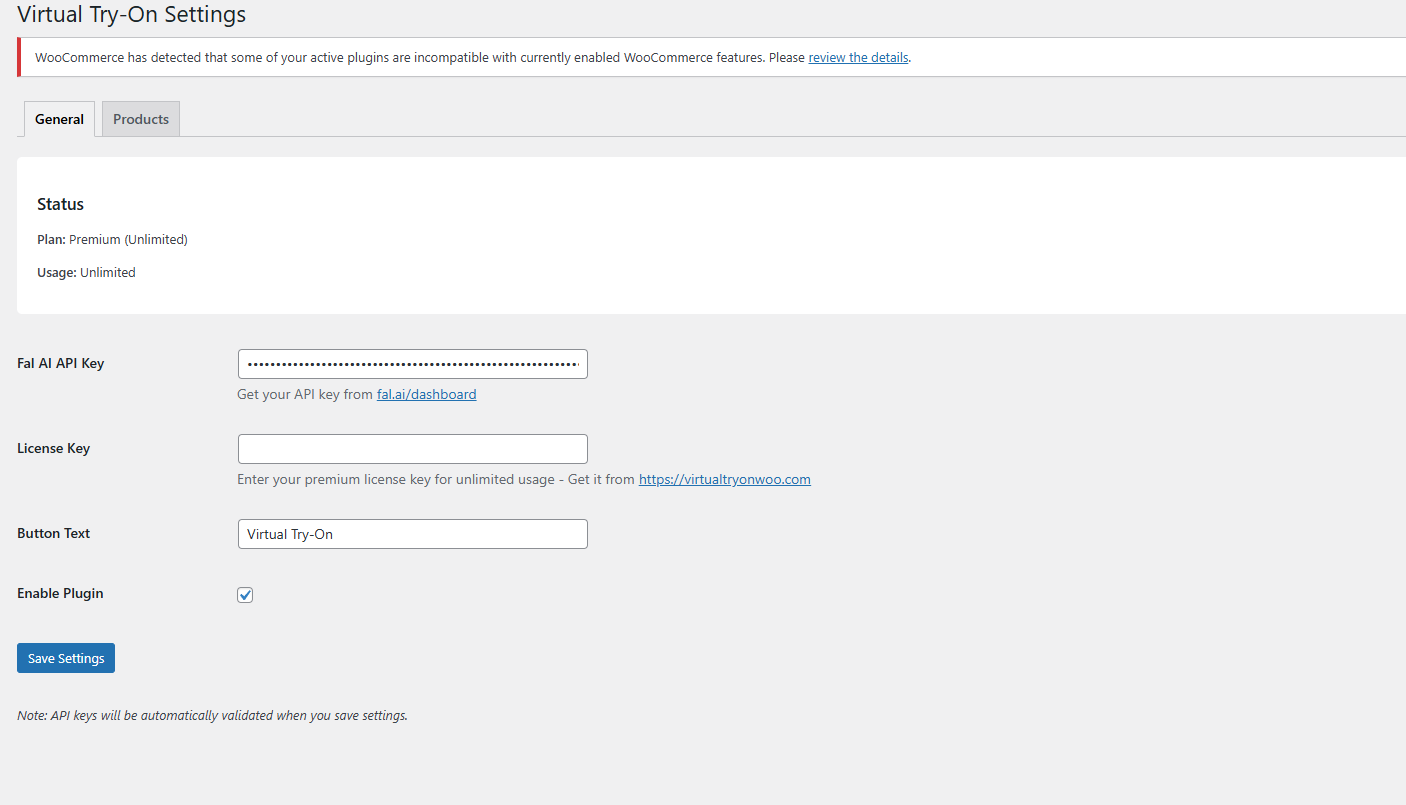
Admin settings panel - API configuration
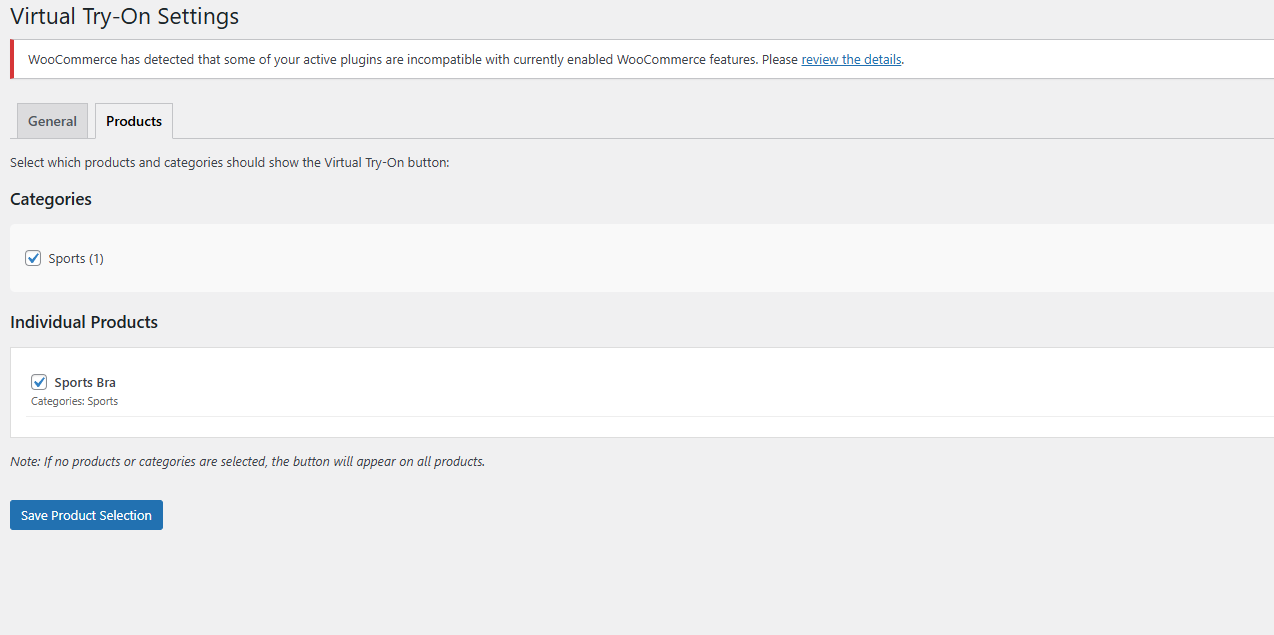
Product selection interface
Changelog
1.0.6
- NEW: Smart product image selection – plugin now uses first product gallery image for virtual try-on
- NEW: Added persistent best practice banner on settings page to guide store owners
- IMPROVED: Store owners can now keep featured images with models for marketing while using plain gallery images for accurate try-on
- IMPROVED: Backward compatible – automatically falls back to featured image if no gallery exists
- IMPROVED: Better virtual try-on accuracy with plain product images
1.0.5
- IMPROVED: Real-time FAL AI API key validation – keys are now verified before saving
- FIXED: Valid premium license keys now work immediately after purchase
- FIXED: License validation error messages now display correctly
- IMPROVED: Invalid API keys are rejected and not saved to prevent configuration errors
- IMPROVED: Better error messages during settings configuration with actionable guidance
- IMPROVED: Plugin description updated for clarity
- IMPROVED: AI accuracy dramatically improved with crystal clear prompts using natural language
- IMPROVED: Prompts now use “customer photo” and “product photo” terminology for maximum clarity
- FIXED: Matching sets (jacket + pants) now work correctly as complete outfits
- FIXED: Conflicting garment types (dress over pants) no longer create hybrids
- FIXED: AI now makes changes more reliably instead of returning unchanged images
- FIXED: Product images with models now work correctly – AI extracts garment properly
- NEW: Plugin now uses first product gallery image for virtual try-on (fallback to featured image)
- NEW: Added best practice banner on settings page for optimal product image setup
- IMPROVED: Store owners can now use featured images with models while keeping plain gallery images for try-on
1.0.3
- SECURITY FIX: Critical vulnerability preventing usage reset via uninstall/reinstall
- FIXED: Removed 5-product selection limit during onboarding
- IMPROVED: Server sync on plugin activation to restore real usage counts
- IMPROVED: Smart fallback protection when server is unreachable
- IMPROVED: Enhanced uninstall cleanup for all cached transients
- IMPROVED: Updated onboarding text for better user experience
- IMPROVED: Cleaner codebase with removed debug logging
- REMOVED: Unnecessary documentation links from Support tab
1.0.1
- FIXED: Plugin cache and database storage issues preventing changes from showing after reinstall
- ADDED: Proper deactivation hook to clear caches and transients
- ADDED: Automatic cache clearing on plugin updates
- ADDED: Version tracking to detect plugin updates and refresh caches
- IMPROVED: Better cache busting mechanism
1.0.0
- Initial release
- AI-powered virtual try-on functionality
- Smart category-based prompts
- Product and category selection
- Usage-based licensing system
- Mobile-responsive design
- Download functionality for results
- Comprehensive admin interface