
Visual Hook Guide for Kadence
Find Kadence action hooks quickly and easily by seeing their actual locations inside your Kadence theme.
Plugin info
Maintenance & Compatibility
Maintenance score
Possibly abandoned • Last updated 985 days ago • Support resolved 0% • 5 reviews
Is Visual Hook Guide for Kadence abandoned?
Possibly abandoned (last update 985 days ago).
Compatibility
Similar & Alternatives
Explore plugins with similar tags, and compare key metrics like downloads, ratings, updates, support, and WP/PHP compatibility.
Description
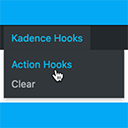
This plugin is for use by developers working with the Kadence theme and adds a Kadence Hooks item in the WP admin bar on the front end.
Clicking Action Hooks item in the submenu will display the currently available Kadence action hooks on that page. Clear clears the hooks.
Clicking anywhere on a hook copies the hook name to your clipboard.
The hook name is also shown as the tooltip when hovering on a hook.
Kadence theme required.
Automatic Installation
Search for visual hook guide kadence from within your WordPress plugins’ Add New page and install.
Manual Installation
- Click on the
Downloadbutton to download the plugin. - Upload the entire
kadence-visual-hook-guidefolder to the/wp-content/plugins/directory. - Activate the plugin through the
Pluginsmenu in WordPress.
Credits
This plugin is based on my Genesis Simple Hook Guide which was made possible thanks to
- Gary Jones for the idea
- Sal Ferrarello for the code
Installation
Frequently Asked Questions
Use your browser DevTools, locate the the div having a class of item-is-fixed (this is usually div.site-main-header-wrap) and uncheck position: fixed temporarily.
Yes. Add ?kvhg_hooks=show at the end of your page URL.
No. This is a third party plugin created by a community member.
Review feed
A Must When Using Kadence Hooked Elements
Screenshots

Screenshot showing the WP admin bar menu item.

Screenshot showing the actions hooks on the page.
Changelog
1.0.1
Added copy to clipboard function.
1.0
Initial Release.