
Visual Bible Verse of the Day Widget
Six days a week a new photo and scripture reference will appear from The Visual Bible Verse of the Day at visualverse.thecreationspeaks.com.
Plugin info
Maintenance & Compatibility
Maintenance score
Possibly abandoned • Last updated 499 days ago • 3 reviews
Is Visual Bible Verse of the Day Widget abandoned?
Possibly abandoned (last update 499 days ago).
Compatibility
Similar & Alternatives
Explore plugins with similar tags, and compare key metrics like downloads, ratings, updates, support, and WP/PHP compatibility.
Description
The Visual Bible Verse of the Day inspires people through God’s Word and His creation. Each day a new thumbnail photograph combined with a Scripture reference appear in a widget area on a site using the plugin. You control the size and widget area the verse and scripture reference appear. When someone clicks on the thumbnail they get the full image and verse.
The images come from the outstanding wildlife and landscape photography collection of award-winning outdoor photographer Pasquale R Mingarelli. The Visual Verse of the Day makes a great addition to any Christian website or any site that wants to daily inspire its site visitors.
Pasquale is also a Christian speaker. He speaks on how nature touches us through its majesty, mystery and beauty.
His presentations help us to see how nature reveals the glory of God and His attributes. You can view his website here:
www.thecreationspeaks.com.
Installation
- Find the plugin in the WordPress plugin gallery and click “Install Now”.
- In the WordPress dashboard, go to Appearance > Widgets.
- Find the new Visual Verse of the Day widget and click on it.
- Choose the desired widget area and click “Add Widget”.
- Find the list of widgets for that widget area and drag them into the desired order.
Frequently Asked Questions
If you don’t want the widget to be the full width of the widget area, set a width in CSS style (like 200px; or 80%;).
Sure, find and edit the file wp-content/plugins/vv-widget/css/vv-widget-styles.css.
Review feed
Doesn't Update
Screenshots
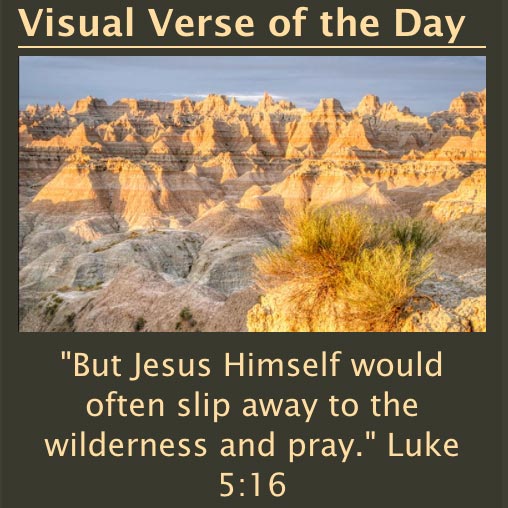
Example 1

Example 2

Example 3

Example 4
Changelog
1.10
Updated URLs in the plugin from http to https to avoid “mixed content” warnings
1.9
Rename the plugin from Visual Verse of the Day Widget to Visual Bible Verse of the Day Widget
1.8
Use og metadata field to get the image link
1.7
Fix the regular expression that finds the verse or description
1.6
Edit css to fix conflict with Reftagger plugin
1.5
Adds support for WordPress Fastest Cache: cache is cleared for the post so that the latest visual verse is displayed
1.4
Added error handling so that an included image and verse are used if thecreationspeaks.com site can’t be reached
1.3
Turned off a php curl option that was causing an error and was not needed
1.2
Fixed a regular expression that finds the picture caption
1.1
Changed text below image from picture title to verse reference.
1.0
First version.