

Voxfor Multilanguage
Professional multilingual WordPress plugin using the DeepL API. Transform your website into a global platform.
Plugin info
Maintenance & Compatibility
Maintenance score
Maintained • Last updated 139 days ago
Is Voxfor Multilanguage abandoned?
Likely maintained (last update 139 days ago).
Compatibility
Similar & Alternatives
Explore plugins with similar tags, and compare key metrics like downloads, ratings, updates, support, and WP/PHP compatibility.
Description
Voxfor Multilanguage is a powerful, free WordPress multilingual plugin that makes your website accessible to a global audience. Using the DeepL API, it provides professional-quality translations while maintaining full control over your content.
IMPORTANT: This plugin uses the DeepL API external service for translations. You need to provide your own DeepL API key (free or paid). See the “External Services” section below for complete details about data transmission and privacy.
Resources
Key Features
- AI Translation – Uses DeepL API for accurate, context-aware translations
- BYO API Key – Bring your own DeepL API key for unlimited scalability
- SEO-Optimized – Automatic hreflang tags, translated image ALT text, and language-specific canonical URLs
- Translation Memory – Stores all translations locally for efficiency and consistency
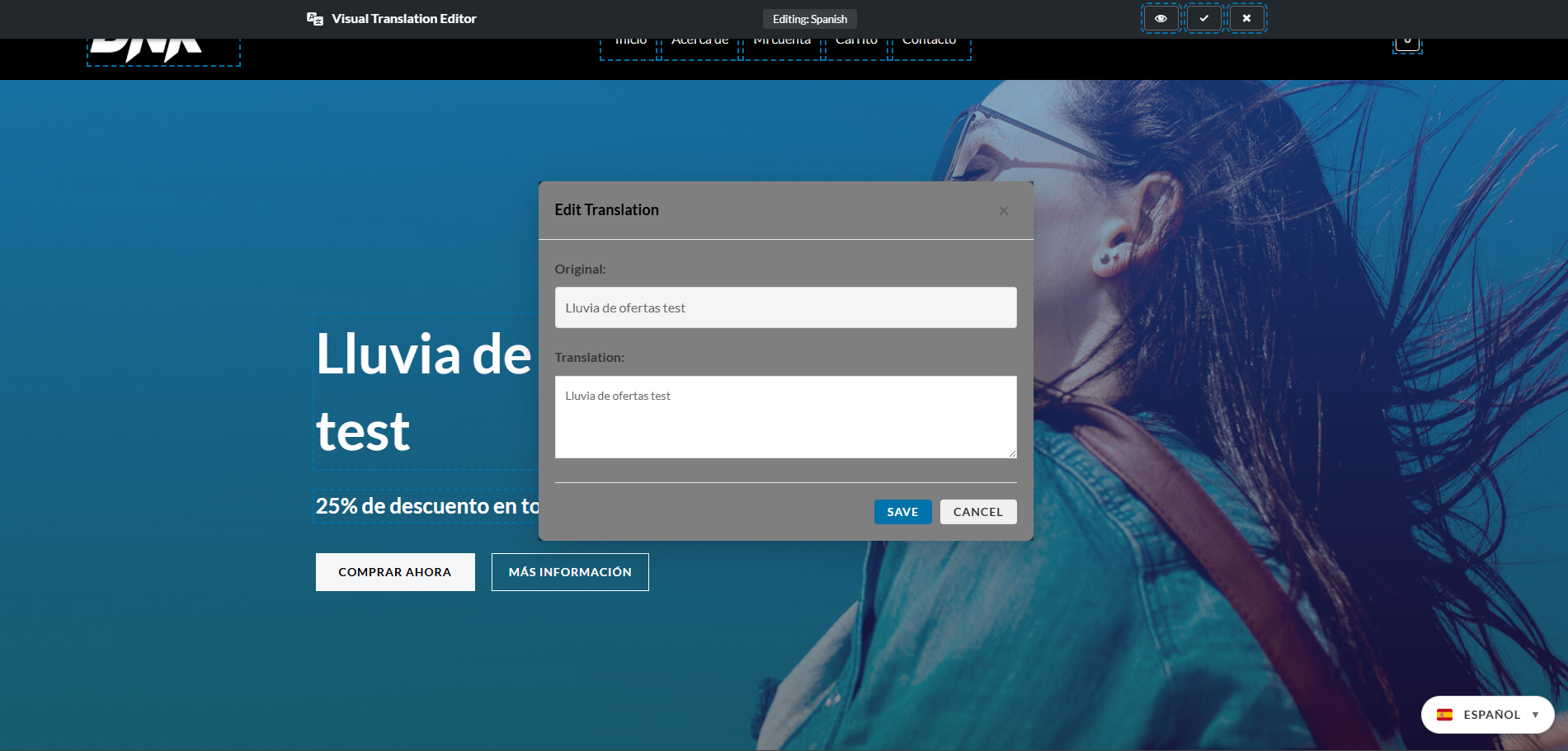
- Visual Editor – Edit translations directly on your pages with in-context editing
- Flexible Language Switcher – Multiple widget styles: dropdown, inline, flags, or compact
- Smart Routing – Clean URL structure with language prefixes (/fr/, /de/, /es/)
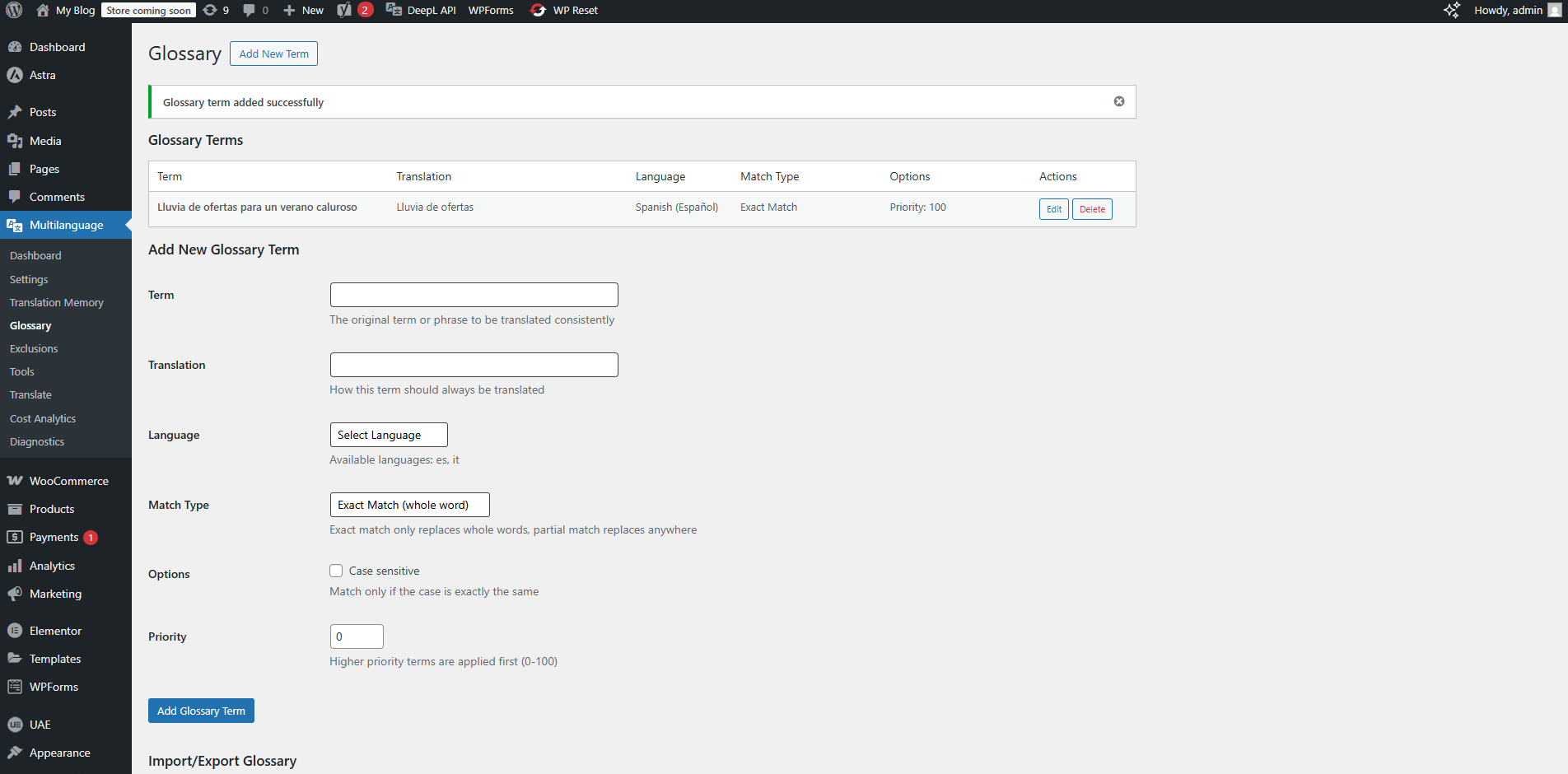
- Glossary Support – Define terms that must always be translated consistently
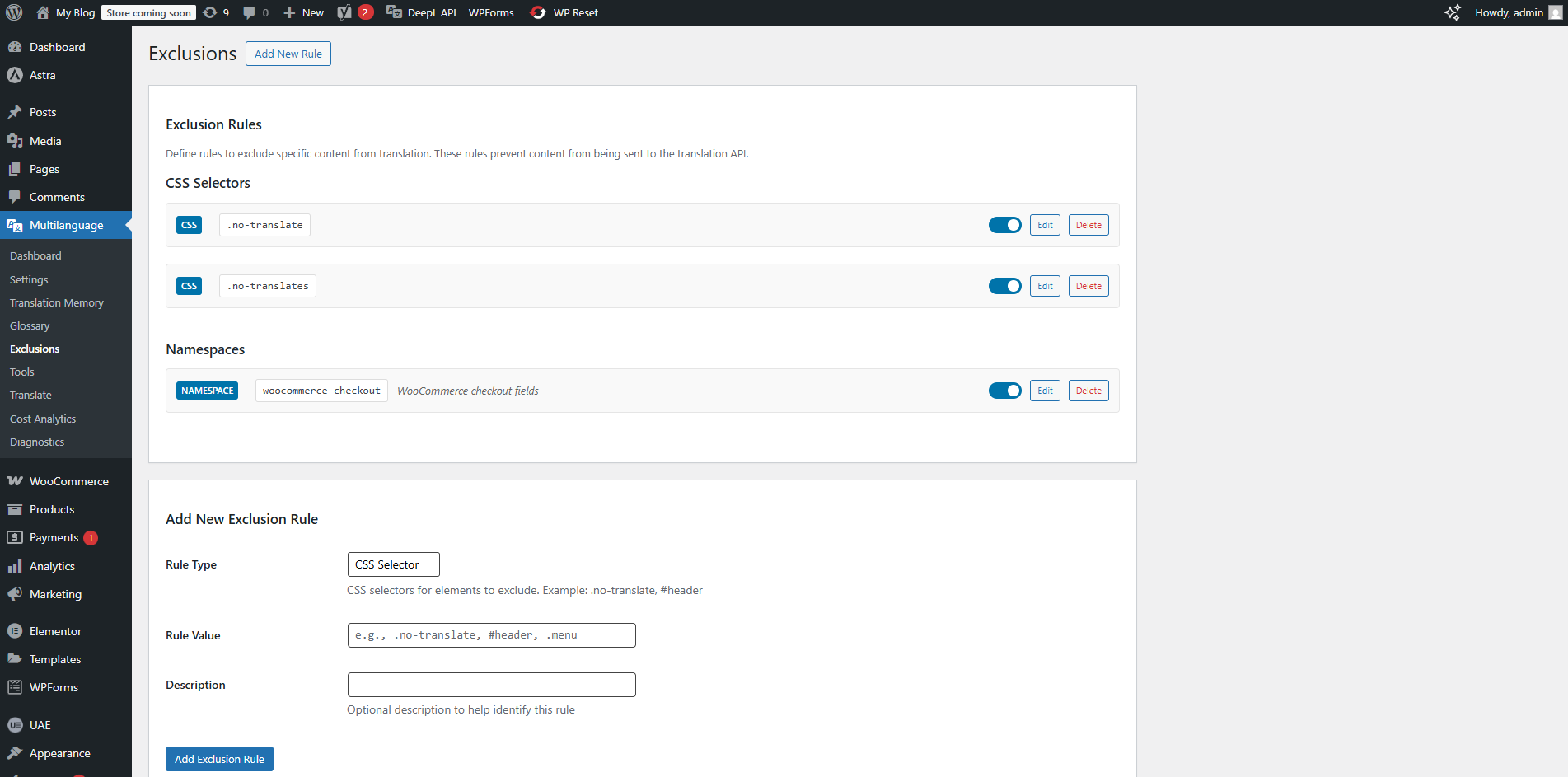
- Exclusion Rules – Skip translation for specific pages, elements, or content
- WooCommerce Compatible – Safe checkout process with smart exclusions
SEO Features
- Automatic hreflang tag generation for all language versions
- Image ALT text translation for better international SEO
- Language-specific canonical URLs to prevent duplicate content
- Structured data support for multilingual content
- Integration with popular SEO plugins (Yoast, RankMath, All in One SEO)
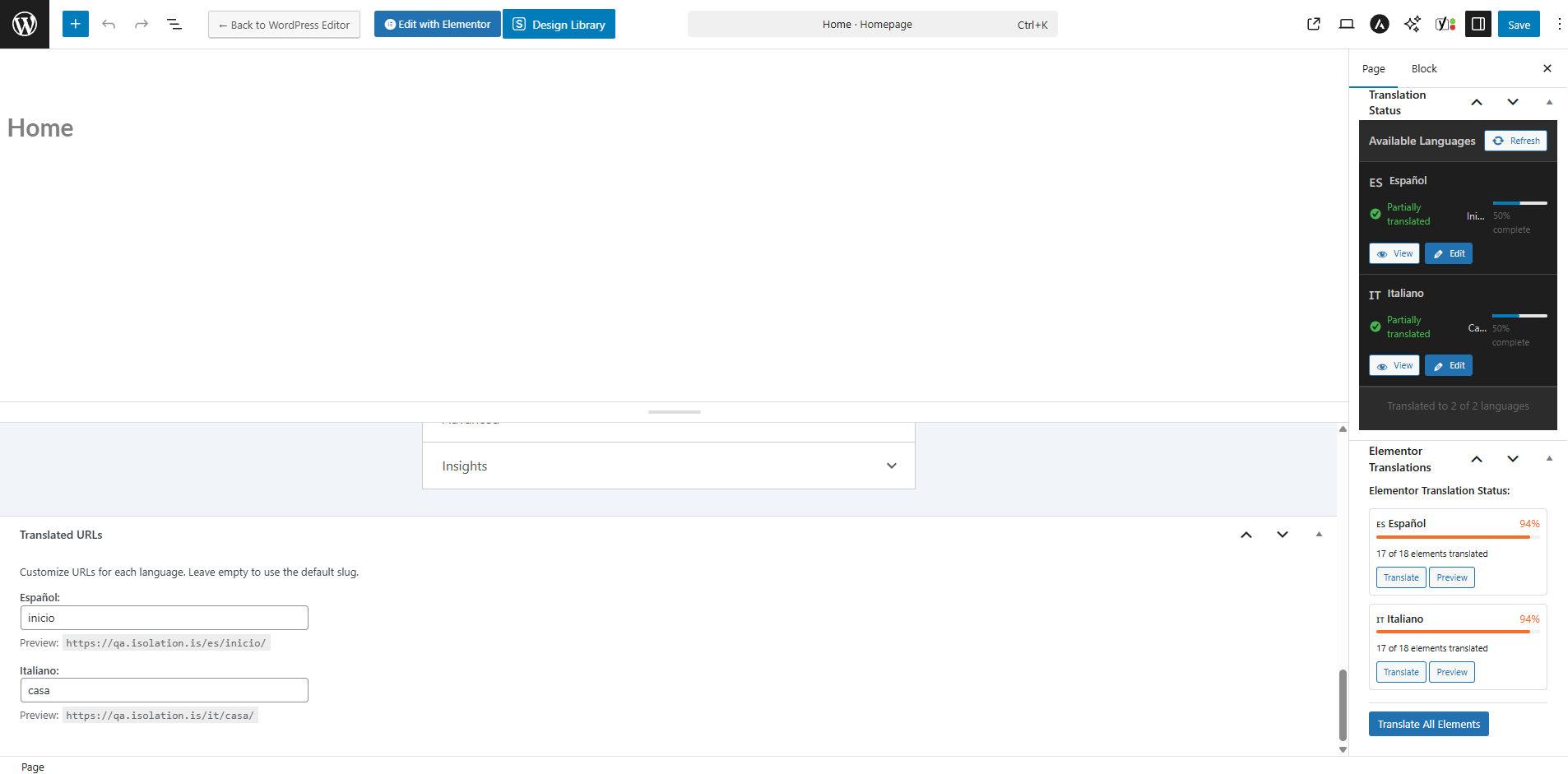
- Optional URL slug translation
How It Works
- Install and activate the plugin
- Add your DeepL API key in settings
- Select the languages you want to support
- The plugin automatically translates your content using DeepL API
- All translations are stored in a local database for fast loading
- Visitors see content in their preferred language
Language Support
Supports 33+ languages including:
English, French, German, Spanish, Italian, Portuguese, Russian, Japanese, Chinese, Korean, Arabic, Hebrew, Swedish, Norwegian, Danish, Finnish, Dutch, Polish, Turkish, Czech, Slovak, Slovenian, Hungarian, Romanian, Bulgarian, Greek, Estonian, Latvian, Lithuanian, Thai, Vietnamese, Indonesian, Ukrainian
Developer Friendly
- Clean, well-documented code
- Extensive hooks and filters for customization
- REST API for programmatic access
- Compatible with page builders and custom themes
- Full multisite support
External Services
This plugin relies on the DeepL API, an external third-party service, to provide translation functionality. By using this plugin, you acknowledge and agree to the data transmission described below.
DeepL API Translation Service
Service Provider: DeepL SE, Maarweg 165, 50825 Cologne, Germany
What the service is:
DeepL is a professional AI translation service that provides high-quality language translation.
What it’s used for:
This plugin uses the DeepL API to translate your website content including posts, pages, menus, widgets, image alt text, custom fields, and WooCommerce products from one language to another.
What data is sent to DeepL:
When translation is requested, the following data is transmitted to DeepL servers:
– Text content to be translated (post content, titles, excerpts, menu items, widget text, image alt text, custom field values, etc.)
– Source language code (e.g., “EN” for English)
– Target language code (e.g., “FR” for French, “DE” for German, “ES” for Spanish)
– Your DeepL API authentication key
– Optional: Formality preference (formal/informal)
– Optional: Context information to improve translation accuracy
– Optional: Glossary terms for consistent translations
When data is sent:
Data is transmitted to the DeepL API only in the following scenarios:
– When you manually request translation of specific content via the admin interface
– When new content is published and automatic translation is enabled in settings
– When bulk translation operations are performed
– When translation memory cache does not contain a previously translated version
– When testing API connection in plugin settings
– When checking API usage statistics
Data NOT sent:
– No visitor/user personal information
– No browsing data or analytics
– No database credentials
– No WordPress admin credentials
– API calls only occur during translation operations, NOT on frontend page loads
Data Storage:
– All translations received from DeepL are stored locally in your WordPress database
– Once cached, no further API calls are made for that content
– Translations are served from your local database to visitors
– No ongoing data transmission to DeepL for previously translated content
Your API Key:
– You must provide your own DeepL API key (free or paid account)
– API keys are stored encrypted in your WordPress database
– This plugin does NOT collect, store, or transmit your API credentials to Voxfor or any other third party
– Your API key is only sent to DeepL servers for authentication
Legal & Privacy Links:
– DeepL Terms of Service: https://www.deepl.com/pro-license
– DeepL Privacy Policy: https://www.deepl.com/privacy
– DeepL API Documentation: https://developers.deepl.com/api-reference/translate
GDPR Compliance:
DeepL is GDPR compliant and processes data in accordance with European data protection regulations. For more information, see DeepL’s privacy policy linked above.
User Consent:
By installing and using this plugin with a DeepL API key, you acknowledge that content from your WordPress site will be sent to DeepL for translation purposes as described above.
Privacy Policy
This plugin stores all translations locally in your WordPress database. No data is sent to Voxfor or any other third party except the DeepL API as described in the “External Services” section. The plugin only transmits data to DeepL when translation services are actively used by the site administrator.
Installation
Automatic Installation
- Log in to your WordPress admin dashboard
- Go to Plugins > Add New
- Search for “Voxfor Multilanguage”
- Click “Install Now” and then “Activate”
Manual Installation
- Download the plugin zip file
- Go to Plugins > Add New > Upload Plugin
- Choose the downloaded file and click “Install Now”
- Click “Activate Plugin”
Alternatively, you can upload the plugin files to /wp-content/plugins/voxfor-multilanguage/ via FTP and activate it through the Plugins screen in WordPress.
Configuration Steps
- After activation, go to Multilanguage > Settings in your WordPress admin menu
- Enter your DeepL API key (get a free or paid key at https://www.deepl.com/en/products/api)
- Select your default source language (usually English)
- Choose the target languages you want to translate to
- Configure translation settings (automatic translation, exclusion rules, etc.)
- Set up the language switcher widget (Appearance > Widgets or use the Customizer)
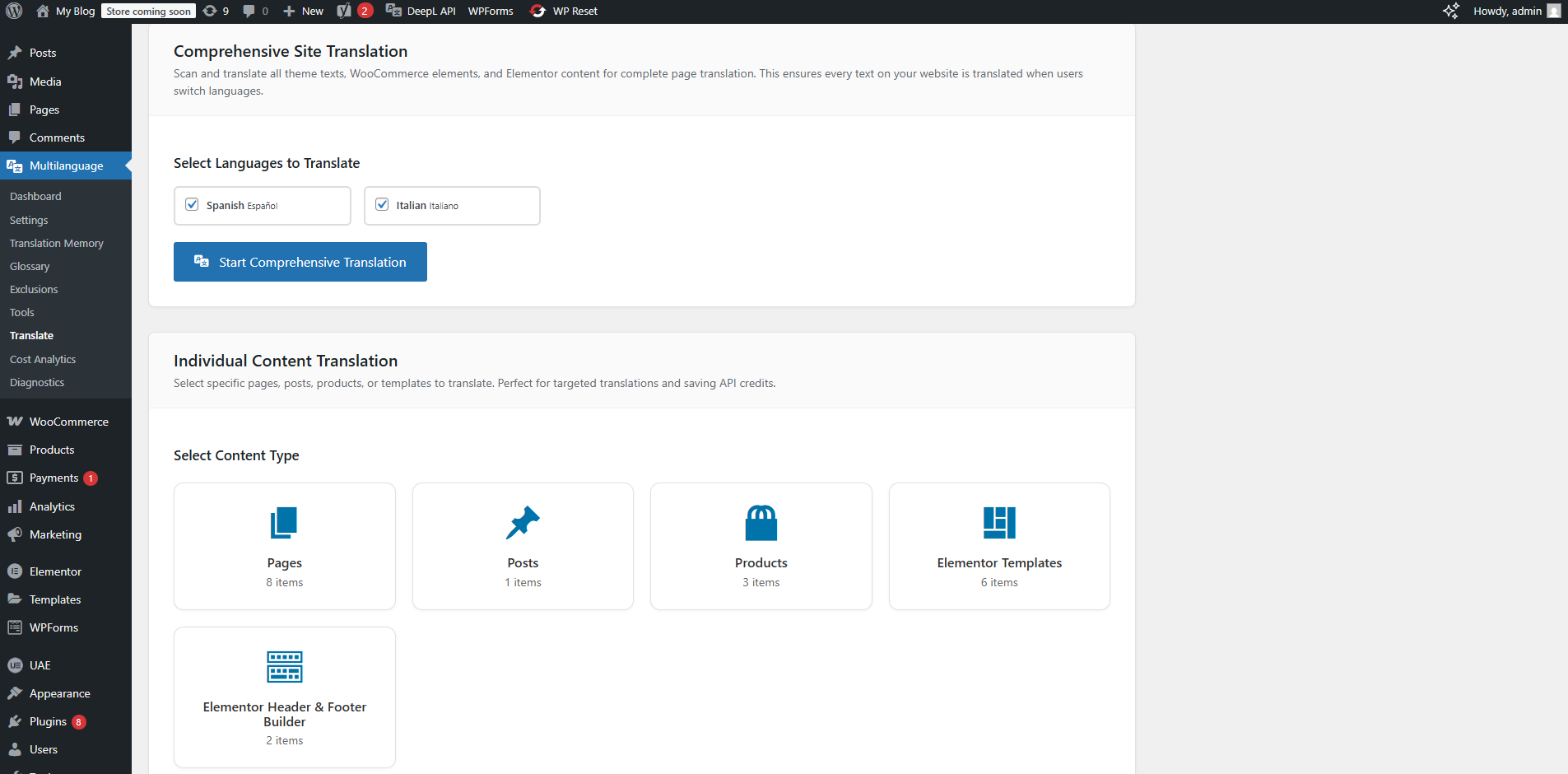
- Start translating your content from Multilanguage > Dashboard
System Requirements
- WordPress 6.5 or higher
- PHP 8.1 or higher
- DeepL API key (free or paid account)
- MySQL 5.7+ or MariaDB 10.2+ (standard WordPress requirement)
Frequently Asked Questions
Yes! Voxfor Multilanguage is 100% free and open source (GPLv3 license). You only need to provide your own DeepL API key for the translation service. There are no premium versions or hidden costs.
DeepL offers both free and paid API plans:
– DeepL API Free: Up to 500,000 characters/month at no cost
– DeepL API Pro: Pay-as-you-go pricing, typically under $10/month for small to medium websites
Check current pricing at https://www.deepl.com/en/pro-api#api-pricing
Yes! The plugin can automatically translate:
– Posts, pages, and custom post types
– Post titles, excerpts, and content
– Navigation menus
– Widgets and sidebars
– Image ALT text for SEO
– Custom fields (with ACF integration)
– WooCommerce products (titles, descriptions, attributes)
You have full control with exclusion rules to skip specific content.
Absolutely! You can edit translations in three ways:
1. Visual Editor: Edit translations directly on your live pages
2. Translation Memory: Bulk edit translations in the admin interface
3. Individual Post Editor: Edit translations when editing any post/page
Yes! Voxfor Multilanguage is fully compatible with:
– Gutenberg (WordPress Block Editor)
– Elementor
– Divi Builder
– WPBakery
– Beaver Builder
– And most other page builders
No. The plugin is optimized for performance:
– All translations are stored in your WordPress database
– No API calls occur on page load (only during translation)
– Translations are cached for instant delivery
– Minimal impact on page load speed
The plugin uses SEO-friendly language prefixes:
– English (default): yoursite.com/about/
– French: yoursite.com/fr/about/
– German: yoursite.com/de/about/
– Spanish: yoursite.com/es/about/
This structure is preferred by Google for multilingual sites.
Yes! The plugin can be installed on unlimited WordPress sites. Each site requires its own DeepL API key.
Yes! Voxfor Multilanguage includes WooCommerce integration with:
– Product translation (titles, descriptions, short descriptions)
– Category and tag translation
– Product attribute translation
– Smart exclusions for checkout/cart pages
– Currency switcher compatibility
If you reach your DeepL API limit:
– Existing translations continue to work normally
– New translation requests will fail until you upgrade your DeepL plan
– You’ll see clear error messages in the admin dashboard
– You can still edit existing translations manually
Yes! Voxfor Multilanguage works seamlessly with:
– Yoast SEO
– Rank Math
– All in One SEO Pack
– SEOPress
– The SEO Framework
The plugin automatically generates hreflang tags and manages canonical URLs for proper multilingual SEO.
Yes! You have granular control:
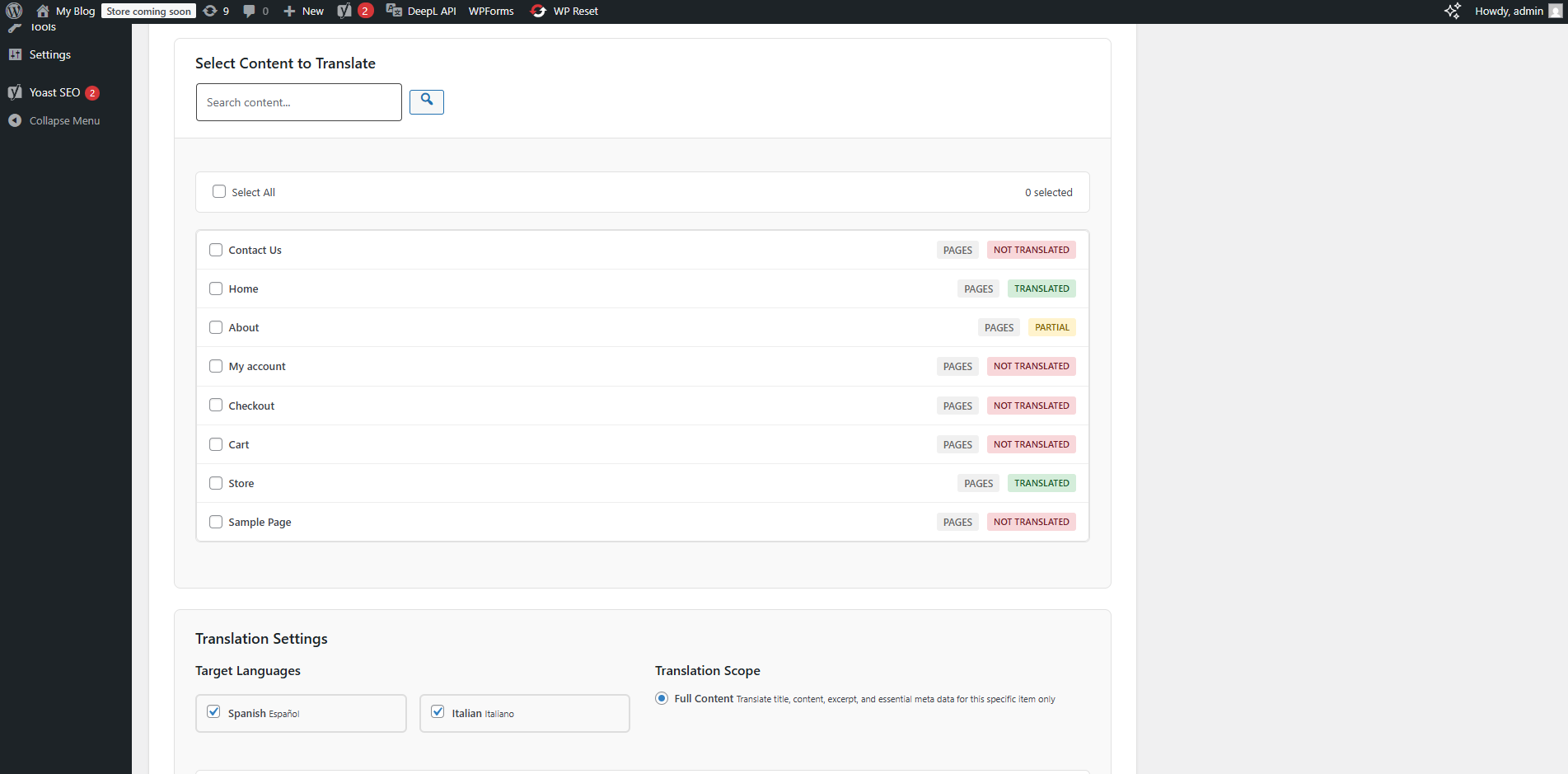
– Translate specific posts/pages individually
– Use bulk translation for multiple items
– Set exclusion rules for content you don’t want translated
– Configure automatic translation for new content
Yes! The plugin fully supports Right-to-Left (RTL) languages like Arabic, Hebrew, Persian, and Urdu with proper text direction handling.
Review feed
Screenshots
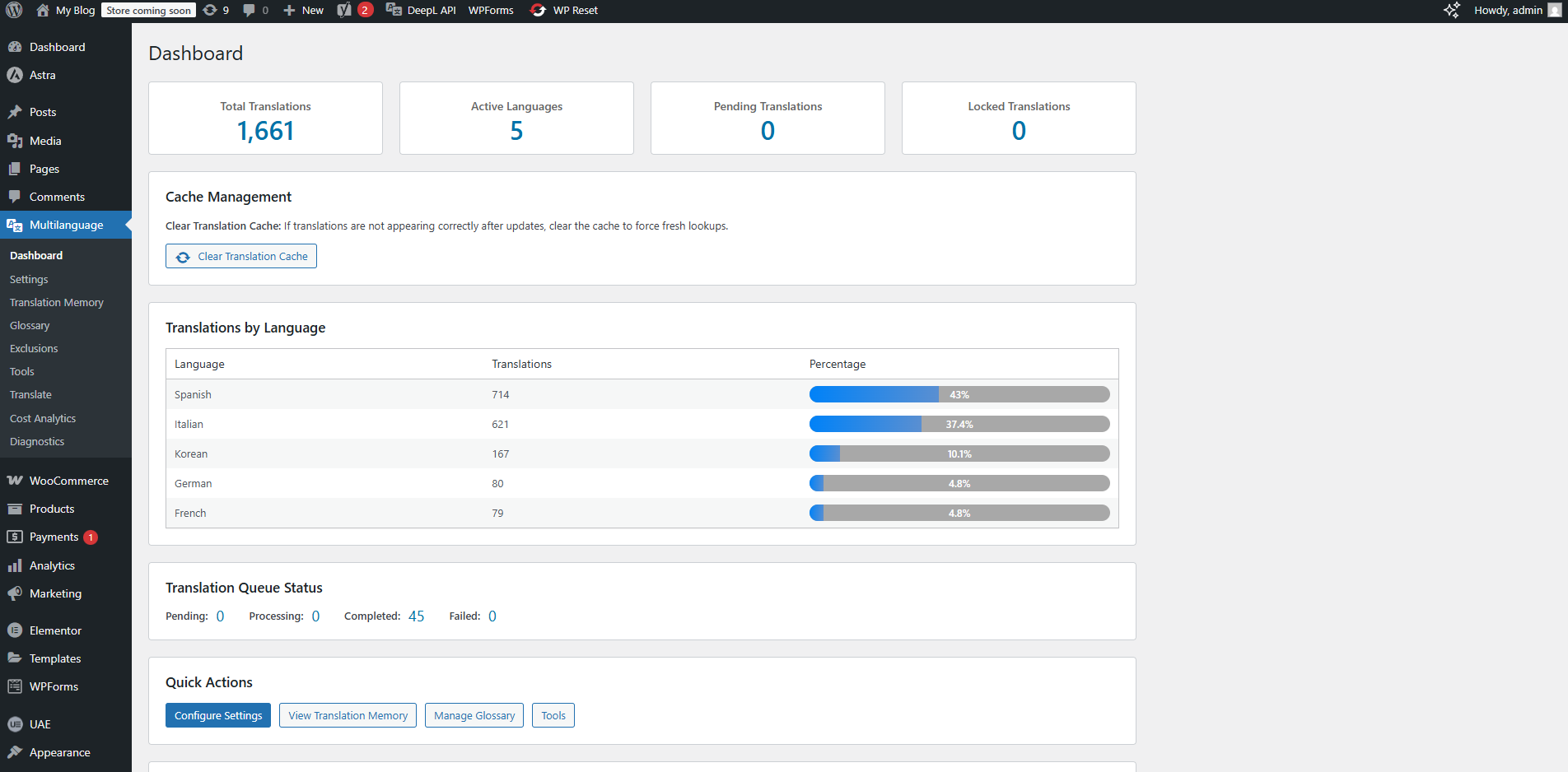
Dashboard showing translation statistics and language distribution
Language switcher widget in dropdown style
Visual editor for in-context translation editing
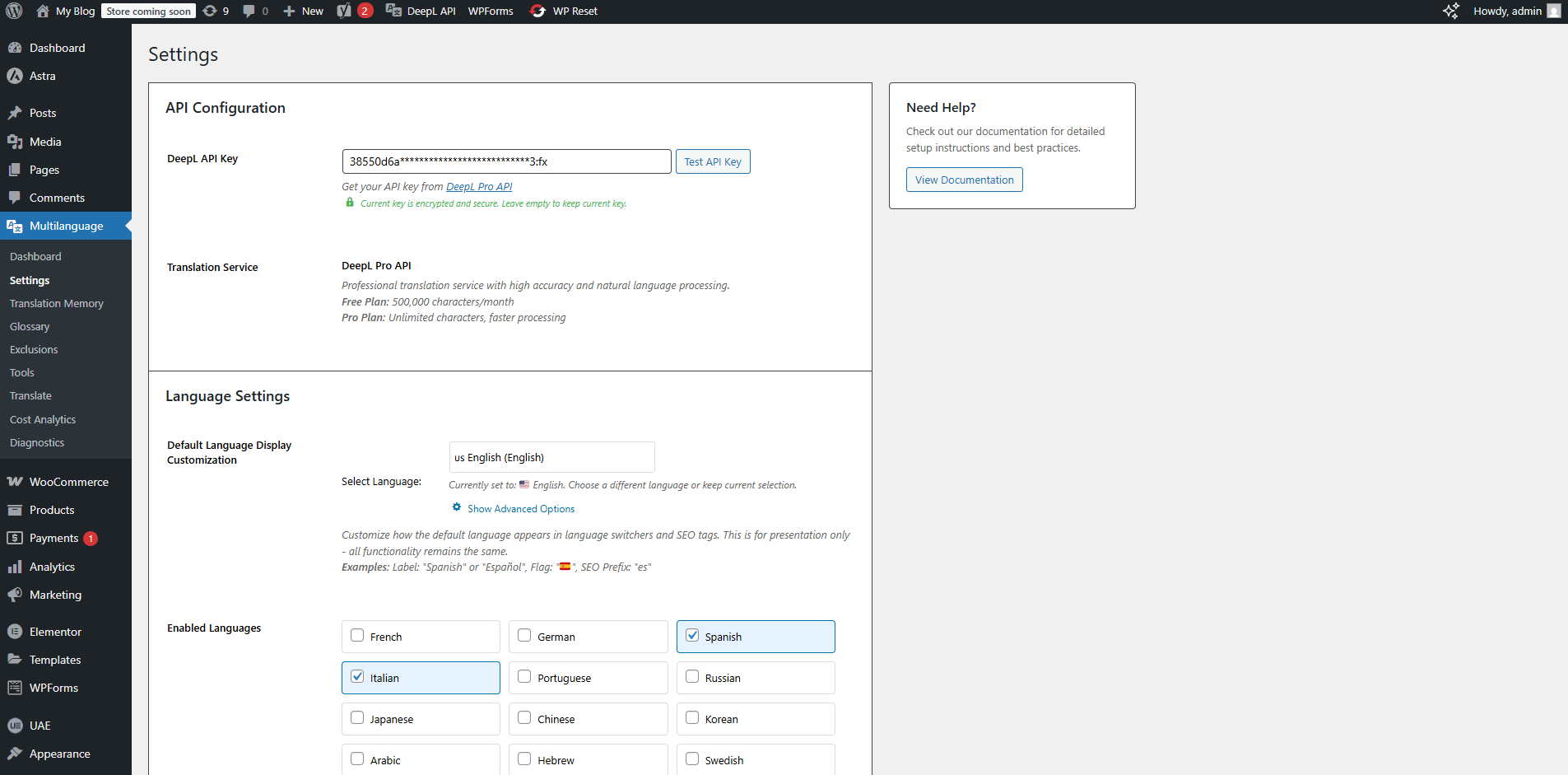
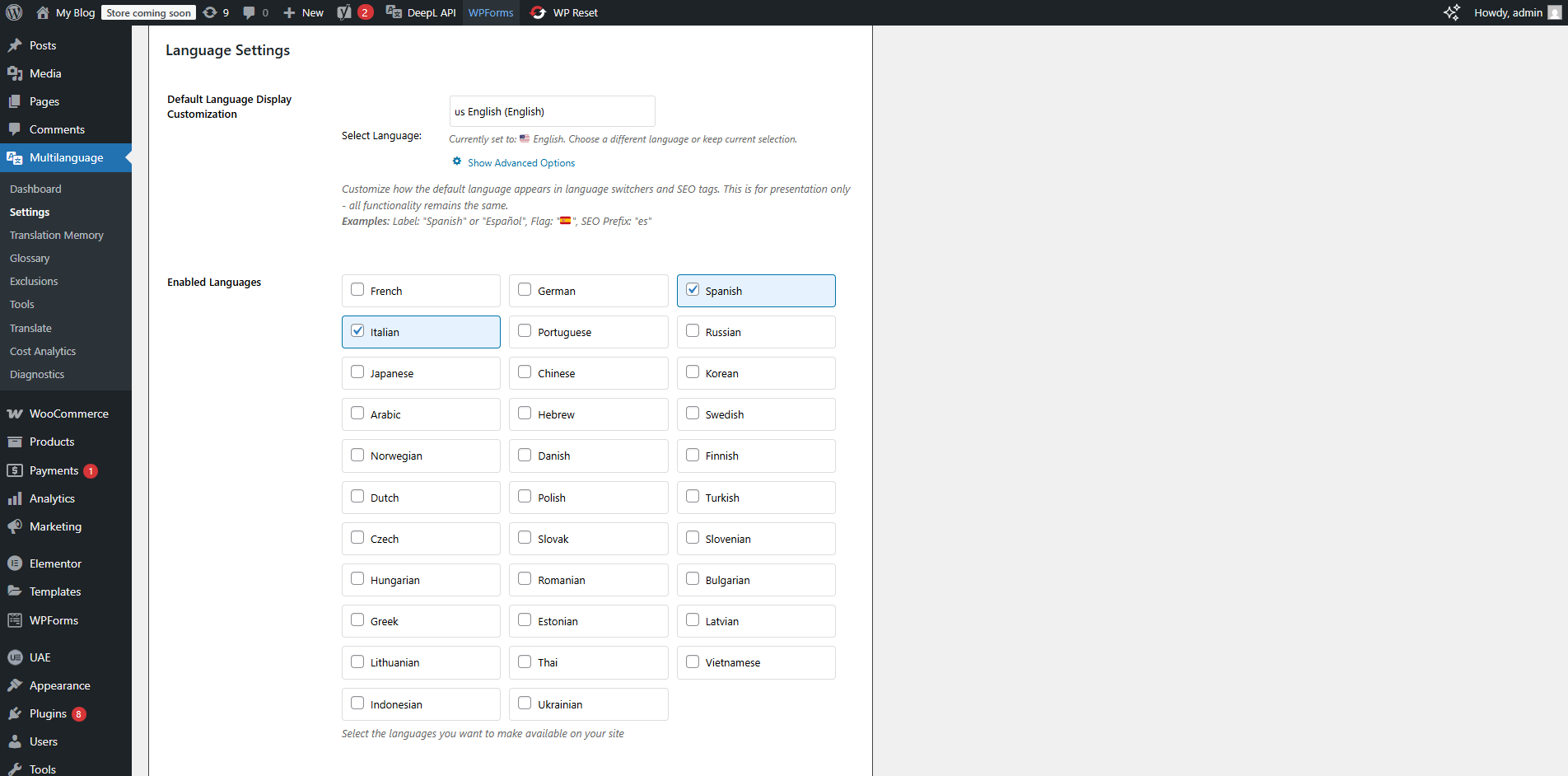
Settings page with API configuration
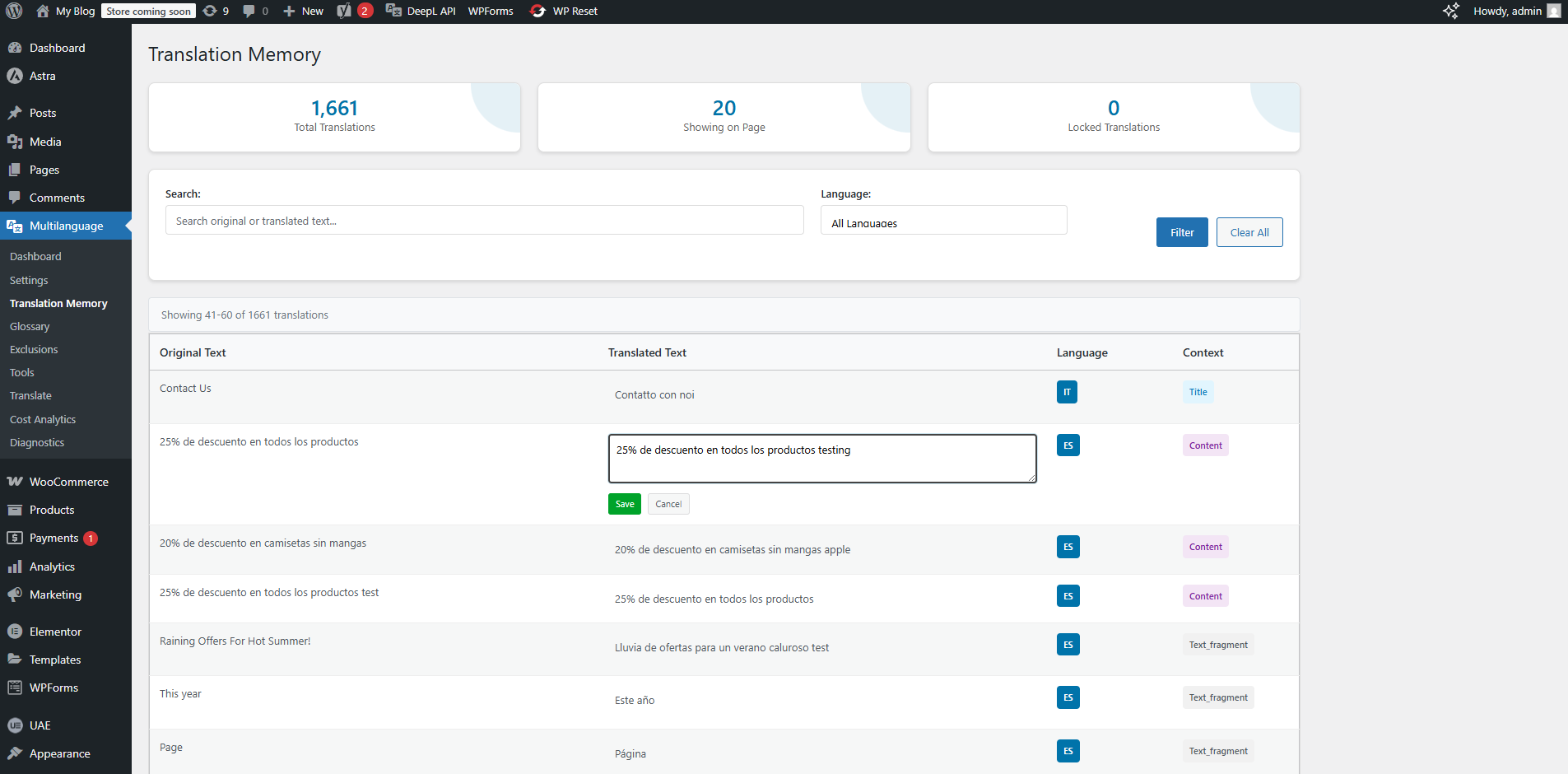
Translation memory management interface
Glossary management for consistent translations
SEO settings with hreflang and image ALT text options
Multiple language switcher styles
Changelog
2.2.4
- Enhanced translation memory system
- Improved DeepL API integration
- Advanced SEO features with hreflang tags
- Visual editor for in-context translation editing
- Multiple language switcher widget styles
- WooCommerce compatibility with smart exclusions
- Glossary management for consistent translations
- Bulk translation capabilities
- Translation statistics and analytics
- Full page builder support (Elementor, Gutenberg, Divi)
2.2.0
- Added bulk translation manager
- Enhanced translation memory
- Improved performance optimizations
2.0.0
- Major update with enhanced features
- Added visual editor
- Improved SEO capabilities
1.0.0
- Initial release
- Core translation functionality
- DeepL API integration
- Basic language switcher