

VALKO.PRO – Instant View for Telegram
This plugin automatically generates a link for each entry to view in Telegram Instant View
Plugin info
Maintenance & Compatibility
Maintenance score
Possibly abandoned • Last updated 900 days ago • 5 reviews
Is VALKO.PRO – Instant View for Telegram abandoned?
Possibly abandoned (last update 900 days ago).
Compatibility
Developers
Similar & Alternatives
Explore plugins with similar tags, and compare key metrics like downloads, ratings, updates, support, and WP/PHP compatibility.
Description
VP Instant View for Telegram automatically generates a link for each entry to view in Instant View
I want to draw your attention to the fact that instant view links will work automatically after creating a template on the official site
Telegram Instant View
VP Instant View for Telegram is aviable in:
- Ukrainian
- English
- Russian
Installation
- Upload the
vp-telegram-instant-viewfolder to the/wp-content/pluginsdirectory - Activate the plugin through the ‘Plugins’ menu in WordPress
Frequently Asked Questions
- Create a template to instant view your site – instantview.telegram.org/my
- Enter the addresses of your site and create a template according to the documentation – instantview.telegram.org/docs
- After creating the template on the page – instantview.telegram.org/my, click the button – VIEW IN TELEGRAM and copy the link. At the end of this link will be your RHASH code. You need to paste it into the settings below
Contact us and we will definitely help you, or we will create it for you
Review feed
Screenshots
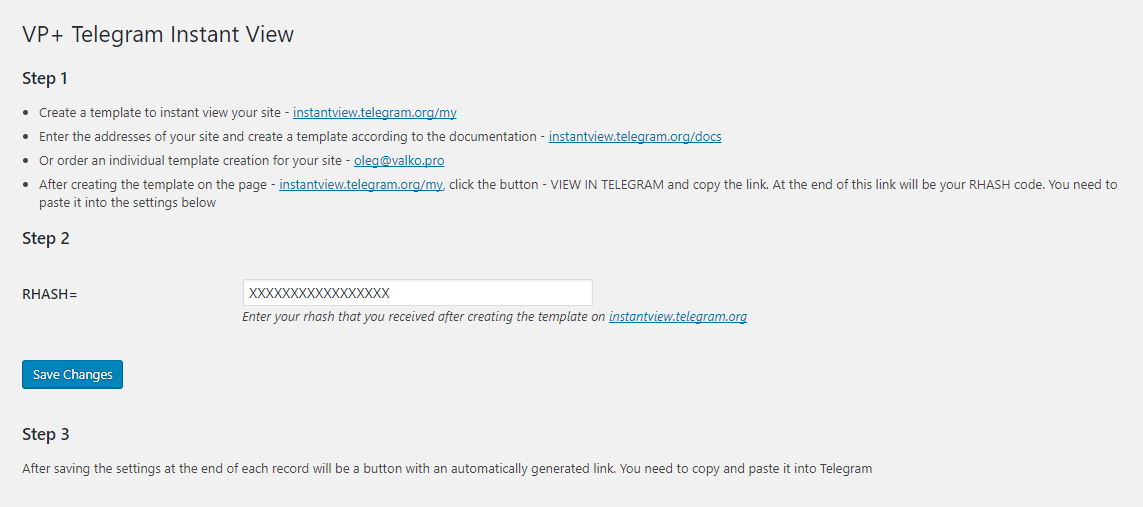
This is the administration page of this plugin.

The button is beautiful, isn't it?
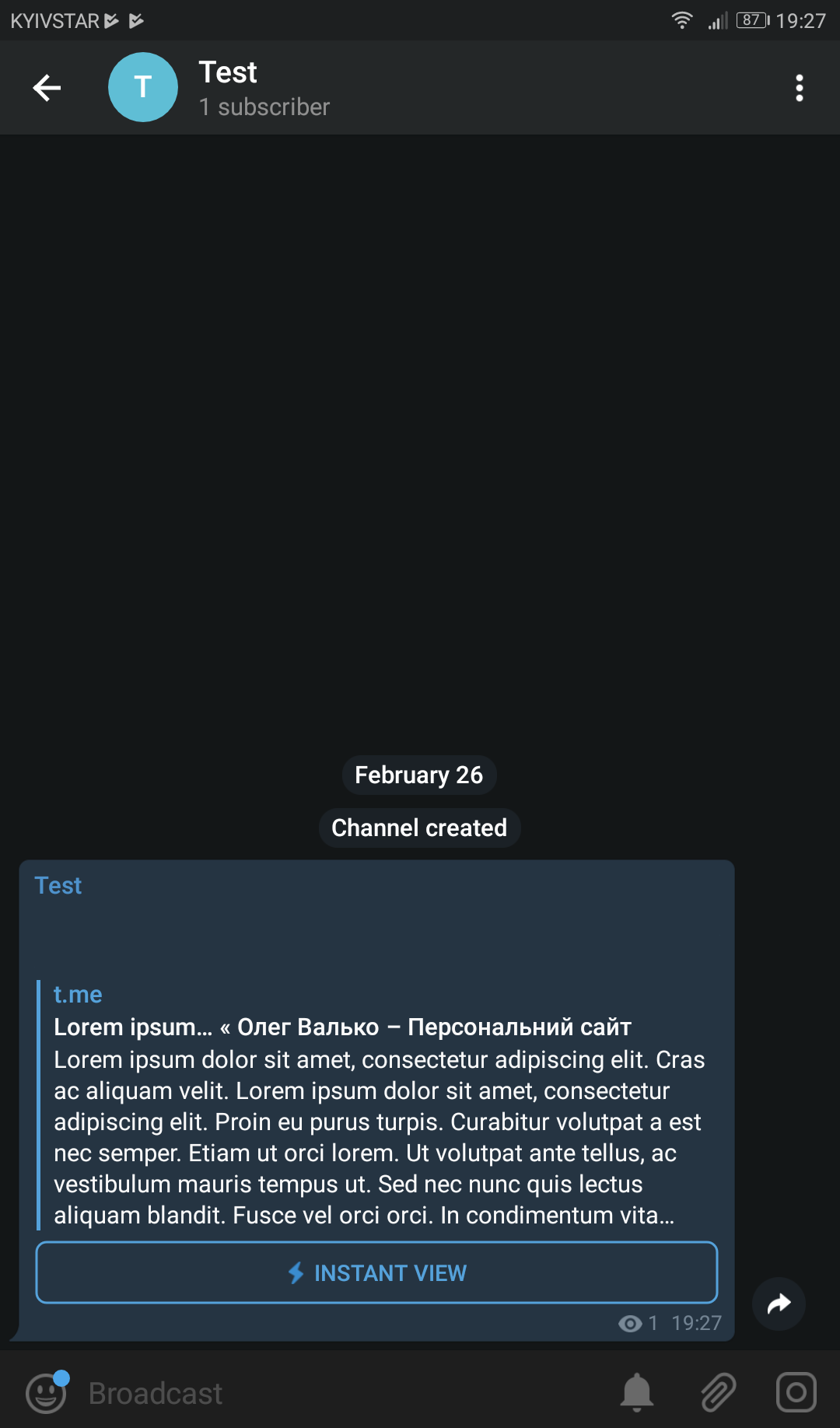
This is what your visitors will see.
Changelog
1.2.0
- Replace Telegram link to admin panel. (check screenshots)
- Add WPCS
1.1.2
- Change plugin name
- Remove link to my facebook page from readme.txt
1.1.1
- Updated support WordPress version
1.1
- Сode optimization
- Added filter for button design
1
- Release